

A content audit is a structured review of existing pages so you can decide what to keep, refresh, merge, redirect, retire, or support with new content. The useful output is not a spreadsheet full of URLs. It is a prioritized action queue with evidence, owners, and validation checks.
Start with the page inventory, connect performance data to crawl and content signals, classify each page by user job, and choose the smallest action that will improve search usefulness. That might be a rewrite. It might be an internal link update. It might be merging two pages that answer the same task. It might be leaving a healthy page alone.
What a Content Audit Should Decide
Most weak content audits stop at traffic loss. A page lost clicks, so someone says "refresh it." That is too vague. A useful audit answers four operational questions before assigning work:
| Question | Why it matters | Possible decision |
|---|---|---|
| Is the page still useful for a real search task? | Pages can lose traffic because intent changed, not because the copy is old | Keep, refresh, or change page type |
| Is the page technically eligible to perform? | Indexability, canonicals, redirects, and internal links can block good content | Fix, validate, then measure |
| Does another URL already serve the same job? | Split authority creates confusion for users and search systems | Merge, redirect, or differentiate |
| Is the page worth another production cycle? | Not every page deserves writer, design, or engineering time | Retire, noindex, or leave alone |
Google's guidance on creating helpful, reliable, people-first content is a useful baseline here: the audit should improve usefulness, not only chase a metric. Use performance data to find candidates, then use page-level judgment to choose the action.
Build the Audit Inventory
The inventory is the source of truth for the audit. Include every URL that could be eligible for search traffic, then remove noise such as account pages, cart flows, private utilities, and pages that are intentionally blocked.
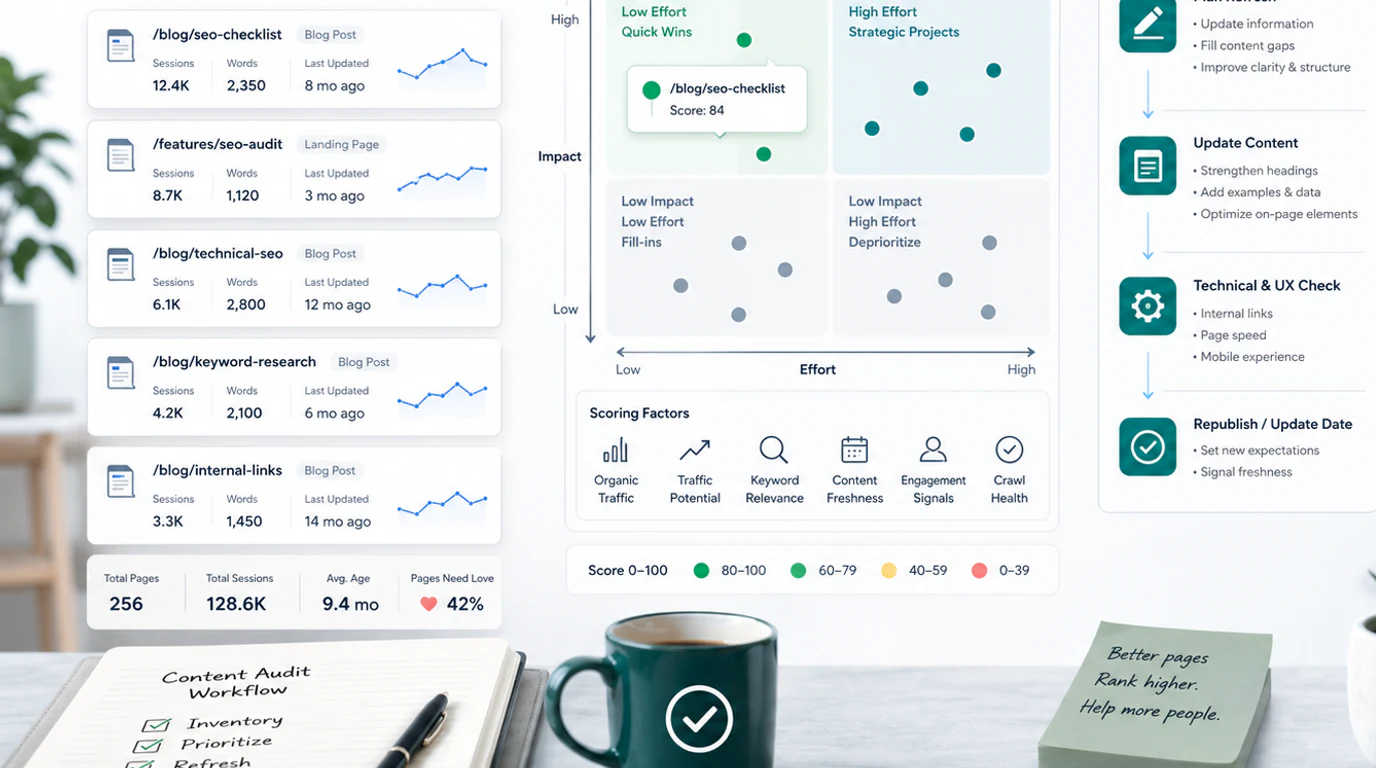
At minimum, collect these fields:
| Field | Use in the audit |
|---|---|
| URL, title, H1, and template | Understand what the page promises and which template owns it |
| Indexability and canonical | Remove pages that cannot rank or are canonicalized elsewhere |
| Status code and redirects | Avoid assigning refresh work to broken or indirect URLs |
| Organic clicks and impressions | Spot pages with demand, decay, or unused visibility |
| Query mix | See whether the page still matches the searches it receives |
| Internal links and crawl depth | Find pages that need support before rewriting |
| Conversions or assisted value | Separate business-important pages from vanity traffic |
| Last updated and owner | Decide who can ship the next change |
The Search Console performance report can help you compare pages, queries, countries, devices, and search appearance over time. Pair that with a crawl export so you can see whether a traffic pattern is connected to metadata, internal links, canonicals, status codes, or crawl depth.
If you are building the audit from a keyword or competitor gap process, use the keyword research workflow first. It keeps the audit from becoming a random cleanup list by tying each URL to a user job and page type.
Score Pages With More Than Traffic
Traffic is a signal, not a decision. A page can have low traffic because the topic is small but valuable. Another page can have high traffic and no business role. Score pages across demand, fit, confidence, effort, and risk.
Use a practical scoring model:
| Dimension | High-priority signal | Low-priority signal |
|---|---|---|
| Demand | Impressions, query growth, competitor proof, or customer demand | No query pattern and no strategic role |
| Intent fit | Page promise still matches the queries it earns | Query mix points to another page type |
| Business fit | Supports product, revenue, education, or authority cluster | Traffic would not help Searvora's audience |
| Technical readiness | Indexable, canonical, internally linked, and crawlable | Blocked, duplicated, orphaned, or redirected |
| Information gain | You can add workflow depth, examples, data, or better structure | You would only rewrite what already exists |
| Production effort | Clear owner and small enough to ship | Requires unresolved data, design, legal, or product work |
This scoring step prevents two common mistakes: refreshing every page that declined and ignoring lower-traffic pages that support a valuable cluster. A page about a narrow technical SEO problem may deserve work because it helps a product-led workflow, even if its volume is modest.
Choose Keep, Refresh, Merge, Redirect, or Retire
Every audited URL should leave the review with one recommended action. Keep the action vocabulary small so the team can compare work across the whole site.
| Decision | Use when | What to do next |
|---|---|---|
| Keep | The page is healthy, useful, and aligned with its current query mix | Monitor it and avoid unnecessary churn |
| Refresh | The page owns a useful job but needs better information, examples, metadata, visuals, or structure | Create a focused brief and validation plan |
| Expand | The page is strong but missing important subtopics or AI-search clarity | Add sections, tables, examples, and internal links |
| Merge | Two or more pages answer the same core keyword, page type, and user job | Choose the strongest URL and consolidate content |
| Redirect | A weaker page has no independent role after consolidation | Redirect to the canonical destination |
| Retire or noindex | The page has no search role, no user value, and no strategic need | Remove, noindex, or keep out of the SEO queue |
The hardest call is often merge versus refresh. Do not call something cannibalization just because two pages share a topic. Use the stricter same-keyword, same-page-type, same-user-job test from the keyword cannibalization workflow. Parent and child pages can support each other. Duplicate jobs should not compete.
Add Crawl, Internal Link, and AI-Search Checks
Content audits are usually framed as editorial work, but technical and structural signals often decide whether the refresh works.
Before assigning a rewrite, check:
- The page returns a clean indexable status.
- The canonical points to the URL you intend to measure.
- The title, H1, and meta description match the current page job.
- Internal links support the page from relevant source pages.
- The page does not compete with another URL for the same task.
- Images, tables, and examples help search systems understand the page.
- The first section answers the query directly enough for AI answer systems to summarize.
The SEO starter guide is still a good reminder that crawlability, helpful structure, descriptive links, and clear content all work together. A stronger article cannot compensate for a page that is difficult to discover or understand.
Internal links deserve their own pass. A page may be good but isolated, or it may point readers toward outdated supporting assets. The internal links for SEO workflow is useful when the audit shows orphan pages, weak cluster connections, or anchors that no longer match the destination.
Turn Findings Into a Shipping Queue
The audit is not done when the spreadsheet is complete. It is done when the highest-impact decisions become shipped changes and the team can measure what happened.
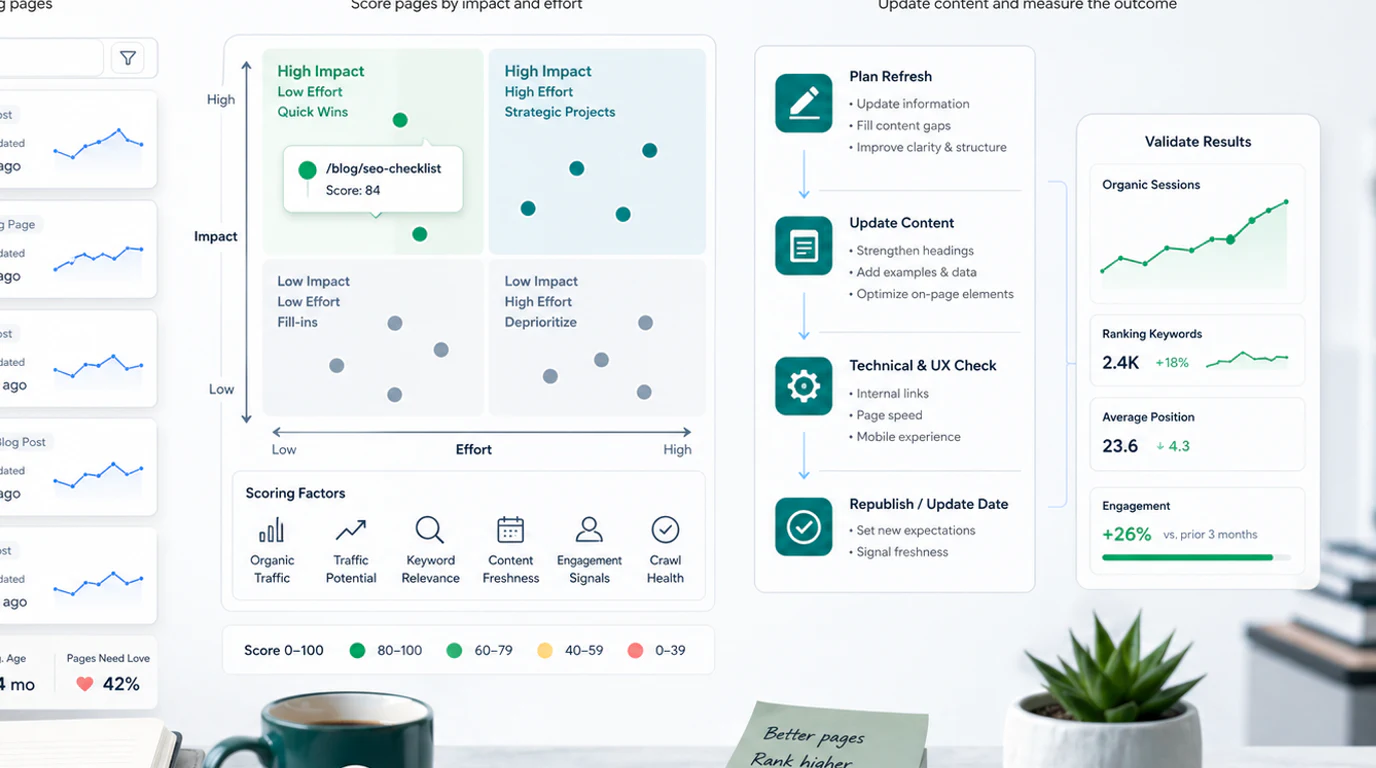
Use this handoff format for each approved action:
| Brief field | What to write |
|---|---|
| URL | The canonical URL to update or the destination URL after consolidation |
| Decision | Keep, refresh, expand, merge, redirect, retire, or noindex |
| Evidence | The performance, crawl, overlap, and business signals that justify the action |
| User job | The search task the page should satisfy after the change |
| Required changes | Sections, metadata, visuals, links, redirects, or technical fixes |
| Owner | Content, SEO, engineering, product, or analytics |
| Validation | Re-crawl, index check, query tracking, and performance review date |
For teams running Searvora, the natural operating loop is: use the dashboard to detect page and segment shifts, convert findings into prioritized work, route content refreshes or technical fixes to the right owner, then monitor the result in the next review cycle.
A Practical Content Audit Checklist
Use this checklist when you need a repeatable content audit instead of a one-off cleanup project:
- Export indexable URLs from your CMS, sitemap, crawl, and analytics tools.
- Remove pages that should not be evaluated for search performance.
- Join page-level search data, crawl data, conversions, internal links, and ownership fields.
- Group pages by template, topic cluster, product area, locale, and funnel job.
- Flag pages with traffic decay, high impressions and low clicks, thin content, stale examples, weak internal links, and indexability problems.
- Check whether each candidate has the same core job as another page.
- Choose one action for each URL: keep, refresh, expand, merge, redirect, retire, or noindex.
- Score each action by upside, confidence, effort, and risk.
- Create briefs only for the highest-priority work.
- Ship changes in batches small enough to validate.
- Re-crawl changed URLs and confirm canonicals, redirects, metadata, and links.
- Review search performance after the next meaningful data window and record what changed.
A content audit works when it changes the way the site is operated. The goal is not to touch every page. The goal is to protect useful assets, improve pages with a real search job, remove confusion, and keep the content system easier to crawl, easier to understand, and easier to improve next time.