

On-page SEO is the work of making a page useful, understandable, and technically verifiable. It covers the visible page promise, the HTML signals that describe that promise, and the internal paths that help users and crawlers reach the next useful page.
The mistake is treating on-page SEO as a copy checklist. A better workflow starts with the search task, confirms that the URL can be crawled and indexed, checks whether the title, H1, sections, links, schema, and media all support the same page job, then validates the live page after changes ship.
Start With The Page Job
Before rewriting a title tag or adding keywords to a heading, decide what the page is supposed to do. A product page, article, hub, comparison page, and template page can all mention the same phrase, but they should not send the same signals.
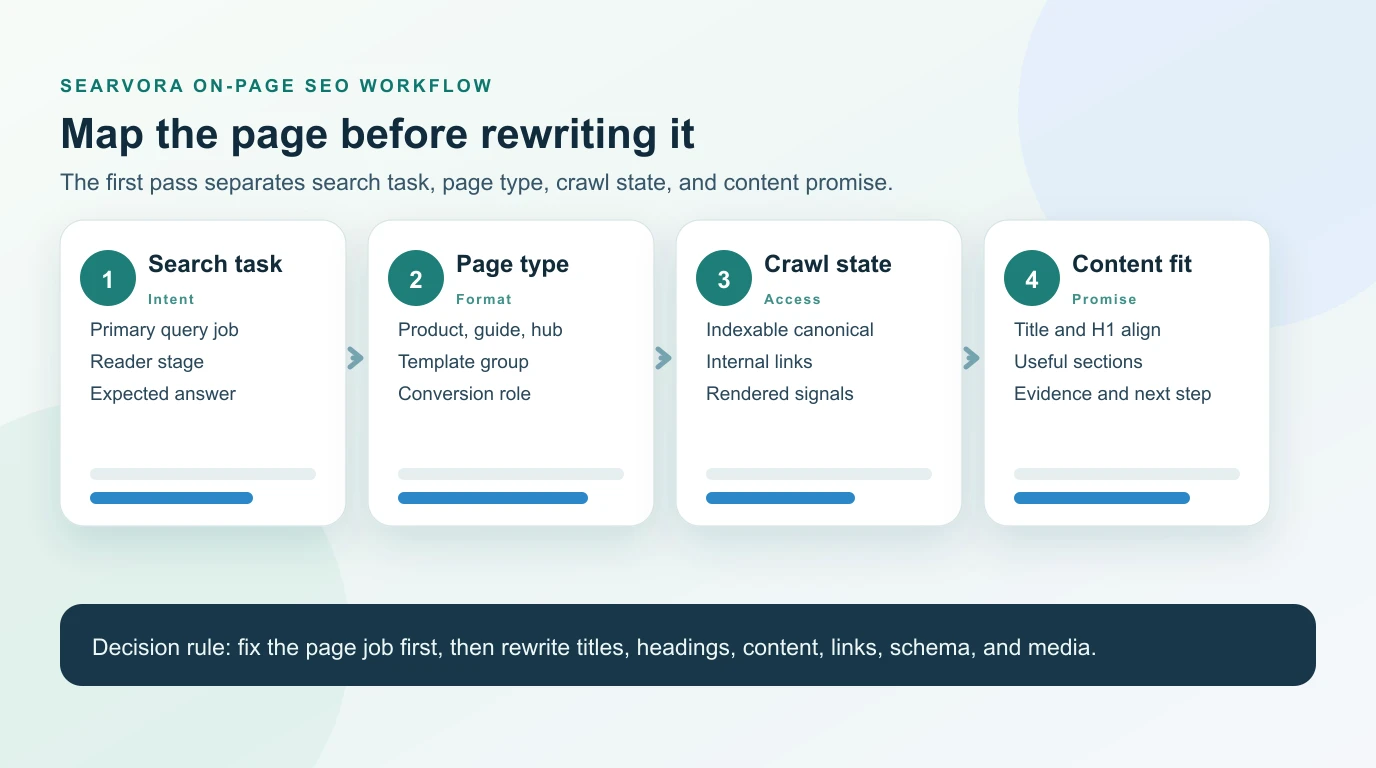
Use this first-pass map:
| Layer | Question to answer | What to check |
|---|---|---|
| Search task | What problem did the visitor bring? | Primary query, intent, reader stage, expected answer |
| Page type | What format should satisfy that task? | Product page, guide, hub, comparison, template, support page |
| Crawl state | Can search systems access the right URL? | Status, canonical, indexability, rendered content, internal links |
| Content promise | Does the page prove the promise it makes? | Title, H1, intro, sections, examples, evidence, next step |
This is the same reason a parent technical SEO workflow and a child page-title guide can coexist. They serve related clusters, but not the same user job.
Audit The Crawl Before Rewriting Copy
On-page SEO changes should begin with a crawl export, not a blank document. The crawl tells you which pages are indexable, which canonical URL represents the page, whether internal links point to the right destination, and whether the rendered HTML contains the signals you plan to improve.
Pull these fields before assigning fixes:
| Crawl field | Why it matters for on-page SEO |
|---|---|
| Final URL and canonical URL | Prevents optimization work on duplicate or alternate URLs |
| Status code and indexability | Separates page-quality work from access problems |
| Title tag and H1 | Shows whether the search promise and visible promise match |
| Meta description | Helps you inspect whether the page summary supports the task |
| Headings | Reveals whether the page has a useful structure or scattered sections |
| Inlinks and crawl depth | Shows whether important pages are discoverable enough |
| Images and alt text | Checks whether useful media is accessible and descriptive |
| Structured data | Confirms whether schema matches visible content and page type |
Google's SEO starter guide is a good baseline because it connects useful content, links, page structure, and crawlability. The operational layer is turning that guidance into a repeatable audit queue.
Fix Titles, Headings, And Main Content Together
Titles and headings are often reviewed separately, but searchers experience them as one promise. The title earns the click, the H1 confirms the page, and the intro should prove that the page can answer the task quickly.
Use this sequence for every priority URL:
- Confirm the page type and target task.
- Rewrite the title only if it is missing, duplicated, vague, misleading, or misaligned with the page.
- Align the H1 with the visible page promise, not a generic brand slogan.
- Make the intro answer the query directly before adding context.
- Reorder H2 sections around the decisions the reader must make.
- Add examples, tables, or checklists where the page currently stays abstract.
- Remove sections that chase related keywords but do not help the primary task.
For title-specific work, use the page title SEO workflow as the stricter companion. Google's title link guidance is also worth checking when Google rewrites page titles in search results.
Use Links, Schema, And Media As Evidence
On-page SEO is not only text. Internal links, structured data, and images help prove what the page is, what it connects to, and what the reader can trust.
Use this evidence table:
| Signal | Good on-page behavior | Common failure |
|---|---|---|
| Internal links | Link to the next useful page with descriptive anchors | Random exact-match anchors or links to redirected URLs |
| Schema | Mark up visible facts that match the page type | Adding schema that promises content the page does not show |
| Images | Use relevant visuals with concise alt text | Decorative images used to satisfy an image checkbox |
| Tables | Make comparisons, steps, and decisions searchable | Hiding core advice inside an unreadable graphic |
| CTAs | Match the reader's current task | Forcing a product CTA before the reader has diagnosed the problem |
Internal links deserve special care because they shape both discovery and context. The internal links for SEO workflow is the deeper guide when a page needs stronger cluster support or anchor cleanup.
For structured data, start from Google's structured data introduction. Schema should clarify visible content. It should not be used to invent ratings, policies, products, or claims that are not on the page.
Validate Changes With A Re-Crawl
A page is not improved just because the CMS draft changed. Validate the live output after publishing.
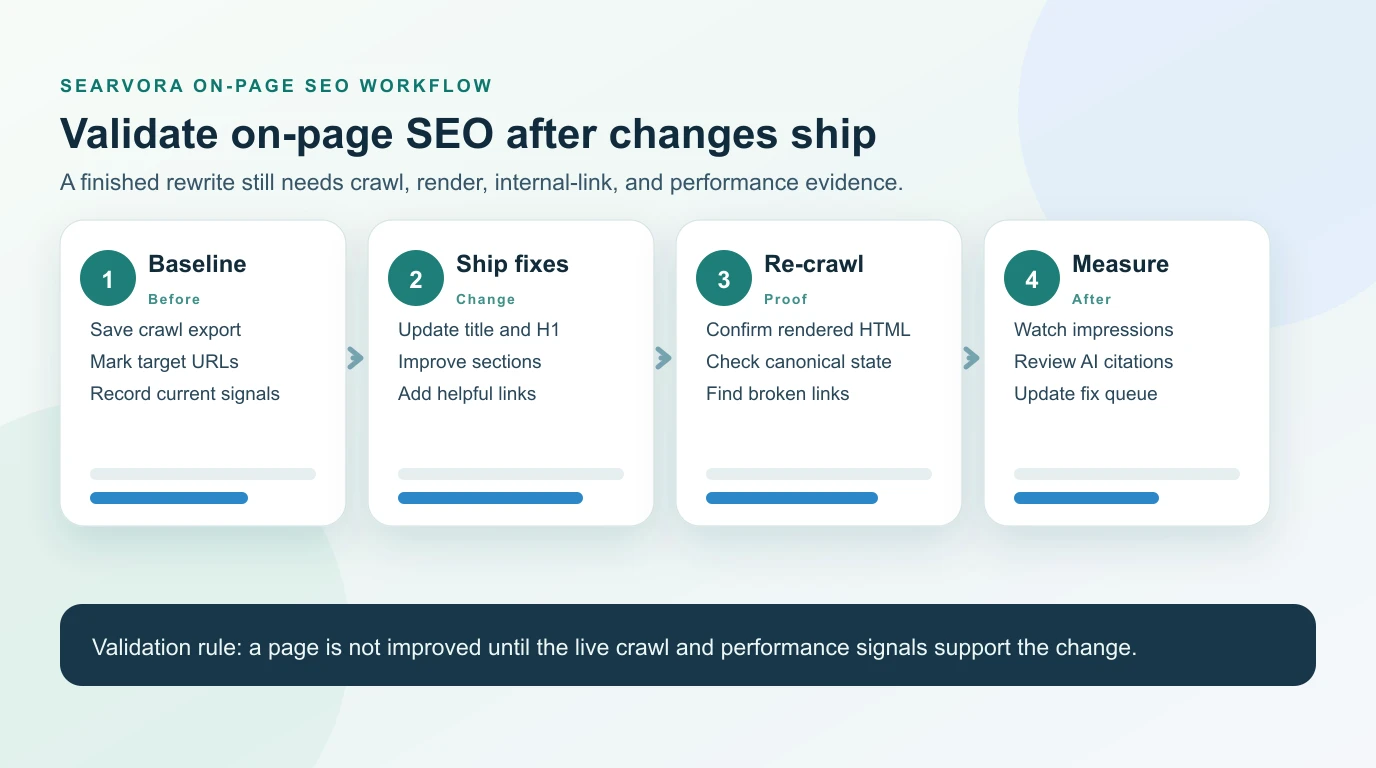
Run this validation loop:
- Save the baseline crawl and current page-level signals.
- Ship a focused batch of title, H1, content, link, schema, or media changes.
- Re-crawl the affected URLs and template peers.
- Confirm the rendered HTML includes the intended changes.
- Check that canonical, indexability, internal links, and sitemap state did not regress.
- Monitor impressions, clicks, ranking movement, and AI-search citations after recrawl windows.
- Record the decision so future writers know why the page changed.
This is where on-page SEO becomes a workflow instead of a one-time rewrite. The validation step also catches accidental damage, such as adding a strong new section to a URL that is canonicalized away or linking a priority page through a redirected path.
A Practical On-Page SEO Checklist
Use this checklist when building a fix queue:
- Group URLs by page type, template, directory, and business role.
- Remove noindex, blocked, redirected, and non-canonical URLs from the content rewrite queue unless they need technical fixes first.
- Map each URL to one primary search task.
- Check whether the title, H1, intro, and first screen make the same promise.
- Review H2 sections for the decisions the reader must make.
- Add examples, tables, screenshots, or checklists where the page is too abstract.
- Fix internal links so source context, anchor text, and destination job align.
- Validate schema against visible content and page type.
- Improve image alt text when the image helps explain the page.
- Prioritize fixes by traffic opportunity, business value, template footprint, and confidence.
- Re-crawl after publishing.
- Update the queue when performance or AI-search visibility changes.
Where Searvora Fits
Searvora SEO Spider Crawler is the best fit when on-page SEO work needs evidence before it becomes copy work. Use it to crawl titles, headings, metadata, links, indexability, redirects, canonicals, and sitemap behavior before assigning page updates.
Then route the findings into a fix queue: pages that need technical access fixes, pages that need clearer structure, pages that need stronger internal links, and pages that need content expansion or consolidation. That queue is more useful than a generic on-page SEO checklist because it tells the team what to ship next.
Good on-page SEO is specific. It knows what the page is for, checks whether search systems can understand it, improves the signals that support the reader's task, and validates the live result with crawl and performance evidence.