

Technical SEO is the work that makes a site crawlable, indexable, understandable, and measurable. It covers the search access layer beneath content: status codes, links, rendering, robots rules, canonicals, sitemaps, metadata, structured data, and the validation loop after fixes ship.
The useful version is not a giant checklist. It is an operating workflow: crawl the site, decide which URLs can and should be indexed, inspect whether search systems can understand each page, prioritize fixes by impact, then re-crawl and measure the result.
Start With The Technical SEO Decision Map
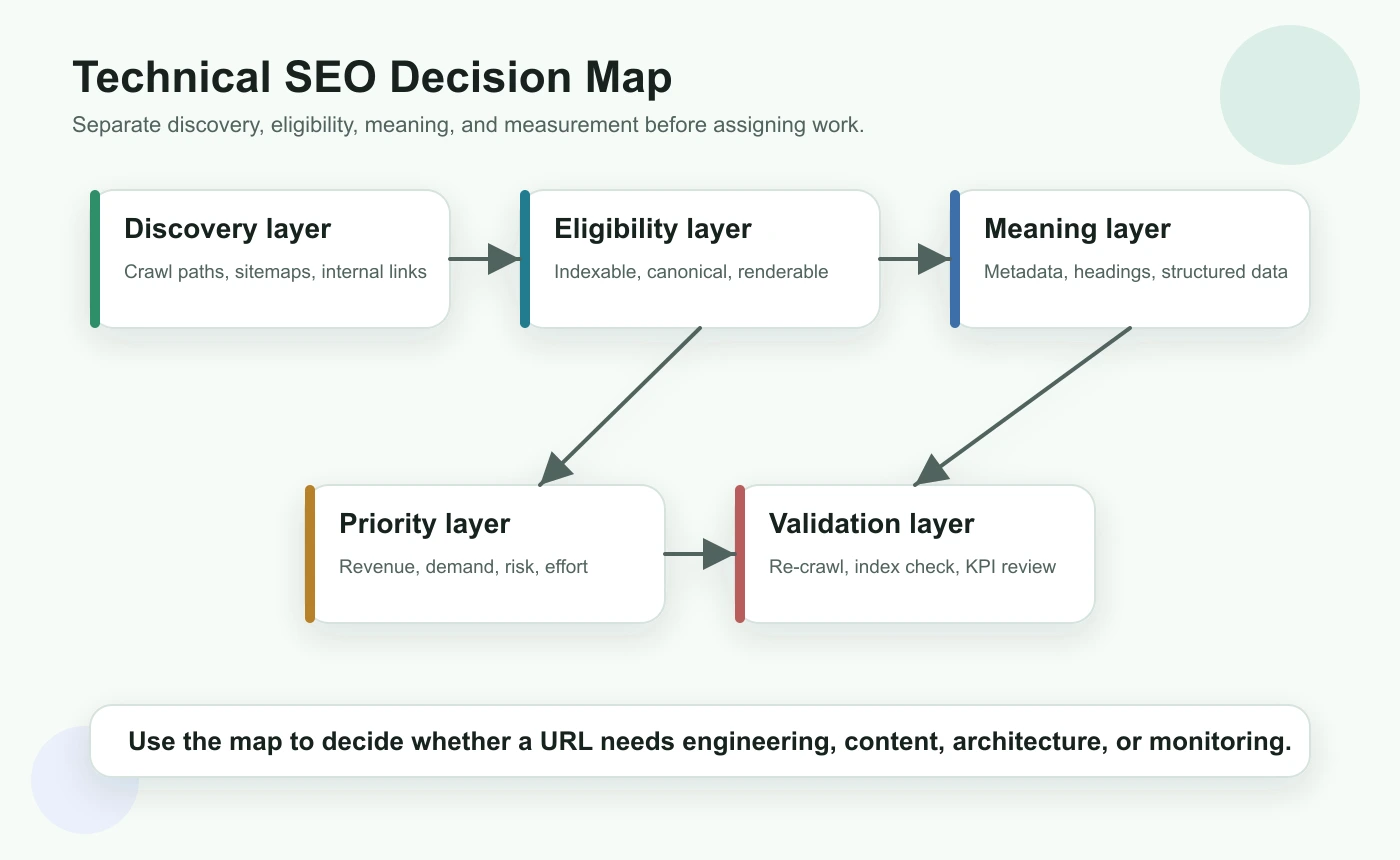
Technical SEO gets noisy when every issue is treated as equally urgent. Start by separating the audit into five layers: discovery, eligibility, meaning, priority, and validation.
| Layer | Question to answer | Example checks |
|---|---|---|
| Discovery | Can crawlers find the URL? | Internal links, XML sitemaps, crawl depth, orphan pages |
| Eligibility | Can the URL be indexed? | Status code, robots rules, noindex, canonical target, redirect state |
| Meaning | Can the page be understood? | Title, H1, headings, schema, main content, images, internal anchors |
| Priority | Should this issue be fixed now? | Demand, business value, template footprint, risk, effort |
| Validation | Did the live site change correctly? | Re-crawl, inspect rendered output, monitor search performance |
This map also prevents false positives. A duplicate title on a noindex internal search page is usually less important than a canonical conflict on a product collection page. A slow but indexable article may need performance work, while a blocked category page needs access fixed before content work matters.
Google's SEO starter guide is a useful baseline because it connects crawlability, links, page structure, and helpful content. Your internal workflow should turn that guidance into a repeatable site audit.
Build A Crawl Inventory Before Fixing Pages
A technical SEO audit starts with a URL inventory. Without it, teams usually fix whatever looks loud in one tool and miss the patterns that affect entire templates.
Collect these fields before assigning work:
| Crawl field | Why it matters |
|---|---|
| Final URL and canonical URL | Shows which address should represent the page |
| Status code and redirect chain | Finds errors, soft failures, and unnecessary hops |
| Indexability state | Separates ranking problems from access problems |
| Crawl depth and inlinks | Shows whether important pages are discoverable enough |
| Title, meta description, and H1 | Reveals duplicate, missing, or mismatched page promises |
| Hreflang and locale alternates | Checks whether international variants point to valid pages |
| Structured data and media signals | Helps search systems understand page entities and assets |
| Sitemap inclusion | Confirms whether canonical URLs are being submitted deliberately |
If you already know a section of the site is fragile, crawl by template group. For example, ecommerce filters, localized product pages, old blog archives, and JavaScript-rendered pages often produce different technical risks. Template grouping lets you fix one source pattern instead of patching dozens of URLs one by one.
For pre-crawl discovery, search operators can still help you spot indexation oddities and stale sections. Pair the crawl with a lightweight Google search operators workflow when you need to compare what your sitemap says against what Google appears to surface.
Check Crawl Access And Indexability First
Content improvements do not help if the right URL cannot be crawled, rendered, indexed, or selected as canonical. Start with access checks before rewriting metadata or adding schema.
Use this triage table:
| Symptom | Likely technical cause | Fix path |
|---|---|---|
| Important page missing from index | Blocked, noindex, wrong canonical, weak discovery, or render failure | Inspect robots rules, canonical, rendered HTML, links, and sitemap inclusion |
| Wrong URL ranking | Duplicate URL variants or canonical disagreement | Consolidate canonicals, redirects, internal links, and sitemap targets |
| Too many low-value URLs crawled | Facets, parameters, sort pages, or internal search pages | Control indexability, crawl paths, canonical patterns, and parameter rules |
| Locale page ranking in wrong market | Broken hreflang cluster or conflicting canonical | Validate reciprocal alternates and self-canonicals |
| Crawl budget wasted on errors | Broken links, redirect chains, old sitemaps, or generated URL traps | Clean links, update sitemaps, and remove invalid routes from crawl paths |
For robots and indexing rules, use Google's robots meta tag documentation as the source of truth. For canonical decisions, compare against Google's canonicalization guidance. Technical SEO works best when each signal tells the same story.
When international pages are involved, validate the cluster before blaming content quality. The hreflang tags workflow is the deeper companion for language alternates, return links, canonical alignment, and sitemap behavior.
Make Pages Understandable To Search And AI Systems
After access is clean, check whether each important page explains itself clearly. Search systems need to understand the main topic, page type, entity relationships, and next-step paths. AI answer systems also benefit from pages that define the task early, use clear headings, and include specific decision support.
Run a meaning audit on every high-value template:
| Element | What to inspect | Failure pattern |
|---|---|---|
| Title tag | Primary page job, differentiator, and click promise | Duplicate title across different intents |
| H1 | Visible promise that matches the title and content | H1 describes a brand slogan instead of the user task |
| Intro | Direct answer or task framing in the first screen | Long setup before the page explains what it does |
| Headings | Logical H2/H3 structure | Random keyword sections without a workflow |
| Internal links | Helpful next-step routes | Links point to redirected, irrelevant, or overloaded pages |
| Structured data | Valid markup that matches visible content | Schema promises details the page does not actually show |
| Images | Useful alt text and crawlable local assets | Empty alt text or oversized decorative media |
For metadata-heavy audits, the page title SEO workflow is useful when titles and headings are duplicated, too vague, or misaligned with the page job. For architecture checks, the internal links for SEO workflow helps turn crawl data into source-page, destination, and anchor decisions.
Do not treat AI search visibility as a separate magic layer. The same fundamentals still matter: accessible pages, clear claims, reliable structure, descriptive links, and evidence that can be summarized without guessing.
Prioritize Fixes By Impact, Not Issue Count
A crawl can return thousands of issues. The number is not the priority. The priority is the combination of affected page value, technical severity, scope, effort, and validation confidence.
Use this scoring model before creating tickets:
| Dimension | High priority signal | Lower priority signal |
|---|---|---|
| Search access | Indexable page blocked, canonicalized away, or unreachable | Utility page with no search role |
| Template footprint | One fix improves many important URLs | One isolated page with little demand |
| Business value | Product, category, article hub, or conversion-supporting page | Low-value archive or internal utility |
| Demand | Impressions, links, revenue, or competitor proof | No query evidence and no strategic role |
| Risk | Migration, locale rollout, or JavaScript rendering change | Cosmetic metadata cleanup |
| Validation | A re-crawl can prove the fix quickly | Impact depends on unclear external factors |
This is also where cannibalization judgment belongs. Do not merge pages just because they share vocabulary. A parent technical SEO guide and a child hreflang guide can support each other. Real cannibalization needs the same core keyword, same page type, and same user job. Use the keyword cannibalization workflow when overlapping URLs need a stricter decision.
Turn Technical SEO Into A Validation Loop
Technical SEO is incomplete until the live output is checked after deployment. A ticket marked "done" is not the same as a search-visible fix.
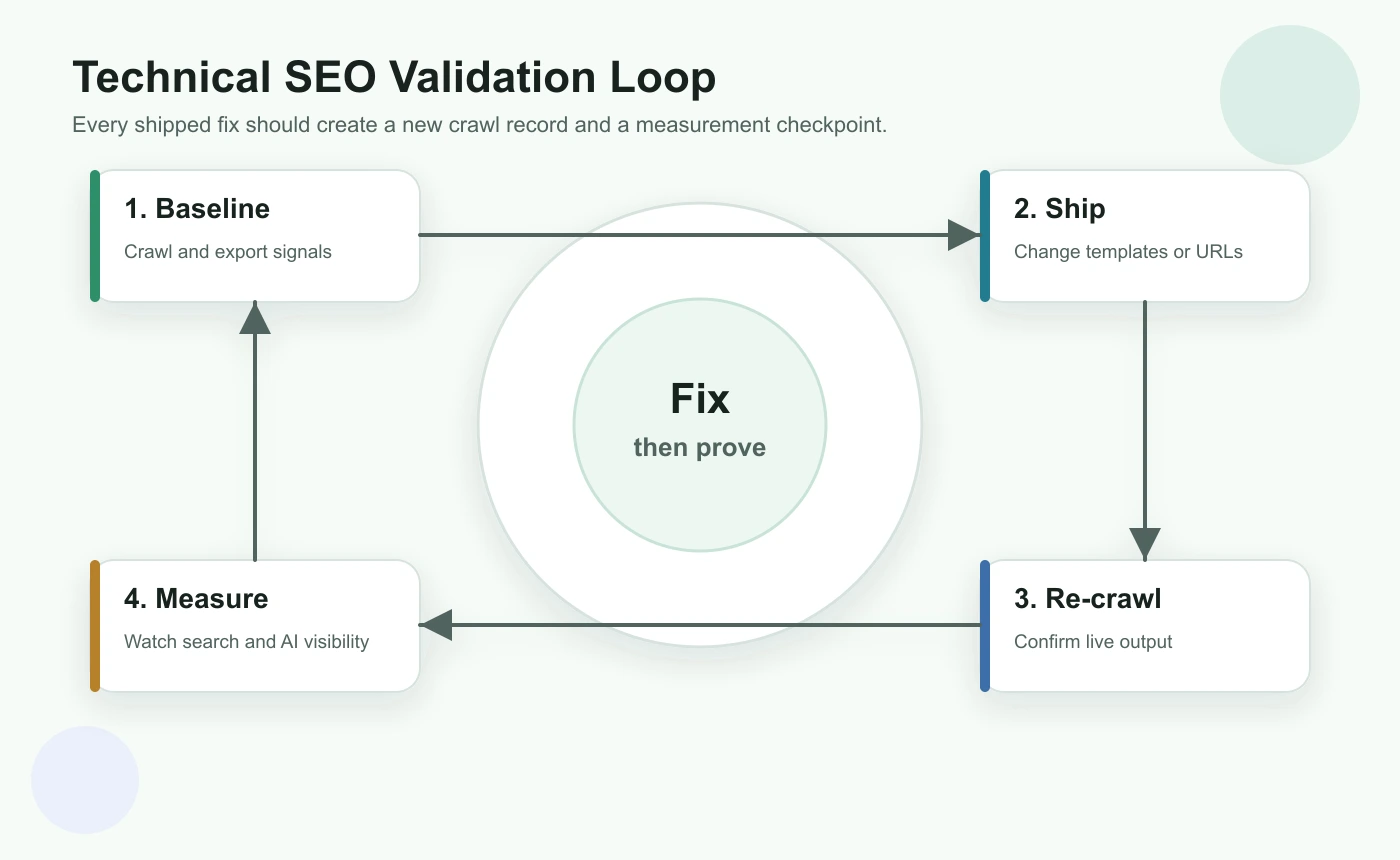
Run this validation loop for every meaningful batch:
- Save a baseline crawl and issue list before changes.
- Define the expected live output: status, canonical, indexability, metadata, links, schema, or hreflang.
- Ship the smallest fix batch that can be validated clearly.
- Re-crawl changed URLs and their template peers.
- Confirm the rendered HTML, not only the source template.
- Check sitemap and internal links point to the final canonical URLs.
- Monitor Search Console and page-level performance after search engines recrawl.
- Record what changed so future audits know why the decision was made.
For JavaScript-heavy pages, Google's JavaScript SEO basics are a useful reminder to inspect rendered content, links, titles, and structured data instead of assuming the browser experience matches crawler access.
A Practical Technical SEO Checklist
Use this checklist when you need a complete but workable audit:
- Crawl the site and export canonical, indexable, and error URL sets.
- Group URLs by template, directory, locale, and page type.
- Remove intentionally private, blocked, or utility URLs from the SEO queue.
- Check whether important pages are discoverable through internal links and sitemaps.
- Validate status codes, redirects, robots rules, noindex, and canonical targets.
- Inspect rendered titles, H1s, meta descriptions, headings, and main content.
- Check hreflang, schema, media alt text, and image weight for relevant templates.
- Find duplicate or near-duplicate URL jobs before merging anything.
- Score issues by access severity, business value, template footprint, effort, and risk.
- Assign each fix to content, SEO, engineering, or product.
- Re-crawl after release and compare against the baseline.
- Monitor search and AI visibility signals after recrawl windows.
Technical SEO is most valuable when it becomes a rhythm: crawl, diagnose, prioritize, fix, validate, and monitor. The goal is not to collect every possible issue. The goal is to keep important pages accessible, understandable, and easier to improve every time the site changes.