

Meta tags for SEO are the HTML head signals that help search systems understand, display, crawl, or ignore a page. The practical set includes the title tag, meta description, meta robots, viewport, charset, Open Graph tags, and nearby head signals such as canonical and hreflang links.
The mistake is treating meta tags as a checklist of snippets to paste into every page. A stronger workflow starts with the page job, checks the rendered head across real URLs, separates snippet problems from indexability problems, fixes template patterns, then validates the live output after release.
Know Which Meta Tags Actually Matter
Not every head tag has the same SEO job. Some affect how a result can appear in search. Some control whether the page can be indexed. Some help social previews and AI summaries stay coherent. Some are mostly browser hygiene.
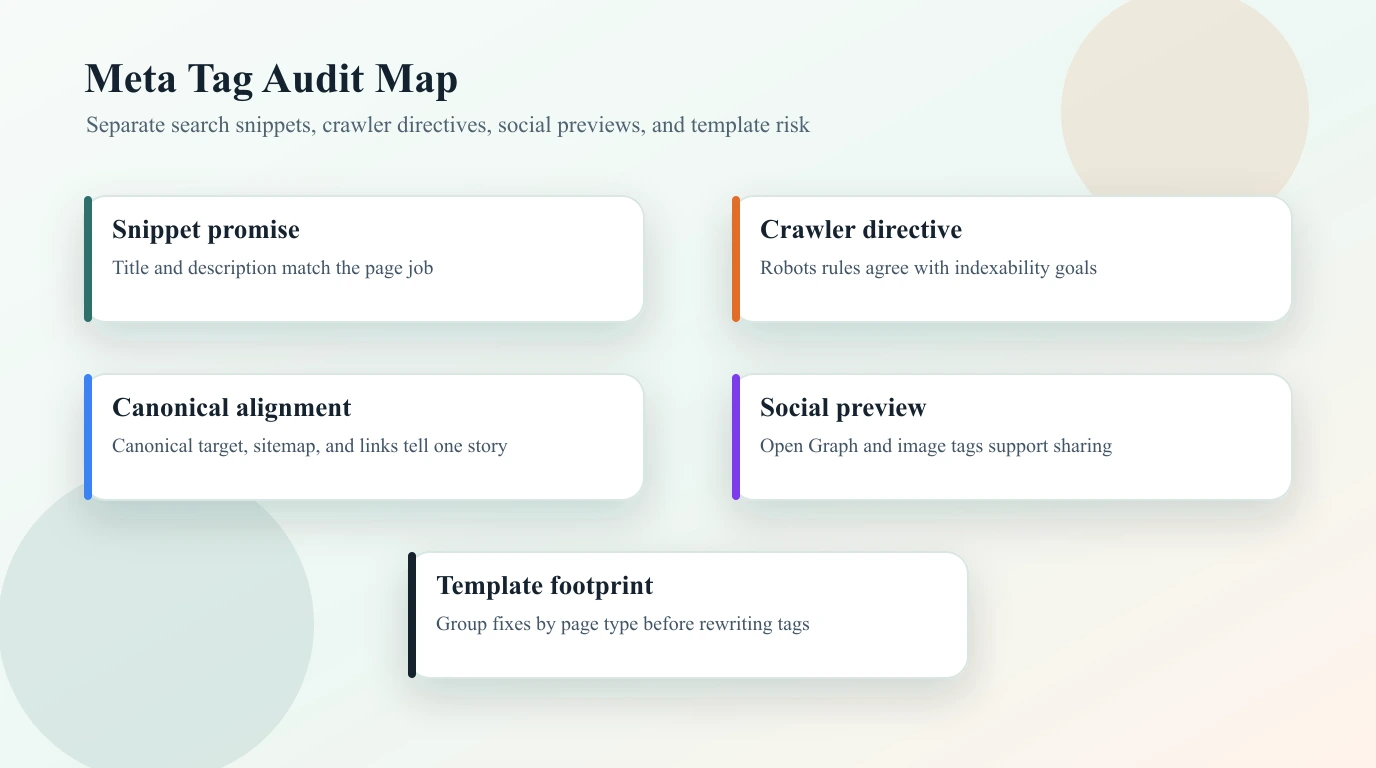
Use this map before assigning fixes:
| Signal | Main SEO job | What to inspect |
|---|---|---|
| Title tag | Frames the result title and page promise | Unique title, search task, H1 alignment, truncation risk |
| Meta description | Influences snippets when selected | Useful summary, intent match, duplication, missing descriptions |
| Meta robots | Controls index and snippet behavior | Accidental noindex, nofollow, nosnippet, or restrictive preview rules |
| Canonical link | Consolidates duplicate or variant URLs | Self-canonical where expected, final URL, sitemap and internal-link agreement |
| Hreflang links | Maps equivalent localized pages | Return links, self references, language codes, canonical alignment |
| Viewport and charset | Keeps rendering and parsing reliable | Present on modern templates, not used as SEO theater |
| Open Graph and social tags | Shapes shared previews and downstream summaries | Title, description, image, URL, and page-type consistency |
The title tag is technically not a <meta> tag, and canonical is a <link> tag, but SEO teams usually audit them together because they live in the same head layer and fail through the same template systems.
Start With The Page Job
A good meta tag audit starts before the tags. Each URL needs one clear job: teach, sell, compare, route, support, or index a canonical resource. The title, description, robots directive, canonical, and social preview should all reinforce that job.
Run this first-pass test:
| Question | Strong answer | Fix when |
|---|---|---|
| What is this page supposed to do? | The page type and search task are obvious | The title targets one intent while the page answers another |
| Should this URL be indexable? | Important canonical URLs are indexable; utility pages are controlled | Important pages are blocked, noindexed, or canonicalized away |
| What should the snippet promise? | The title and description match the visible H1 and intro | The snippet overpromises, duplicates a template, or hides the differentiator |
| Which template owns the issue? | Product, collection, article, locale, or support templates are grouped | One-off edits hide a template-level pattern |
For title-heavy work, use the page title SEO workflow as the stricter companion. Title rewrites should follow the page type, not just a character count.
Crawl The Rendered Head Before Editing
Manual source checks miss common problems. A CMS plugin, frontend route, localization layer, or JavaScript-rendered page can produce a different head than the editor preview suggests. Crawl the rendered page before you rewrite metadata.
Export these fields for indexable and important URLs:
- Final URL, status code, indexability, and canonical URL.
- Title, meta description, H1, and primary template group.
- Meta robots plus any
X-Robots-Tagheader if the crawler captures headers. - Hreflang set for localized pages.
- Open Graph title, description, image, and URL.
- Sitemap inclusion and internal links pointing to the canonical URL.
- Organic or business priority so the queue does not optimize low-value pages first.
Google's title link guidance is useful because Google may use more than the title element when it creates a result title. That is why the title, H1, visible headings, anchors, and page body should tell the same story.
Separate Snippet Fixes From Indexability Fixes
Meta tag audits often fail because teams mix cosmetic snippet work with access problems. A missing meta description is rarely as urgent as a priority page that is accidentally noindex.
Use this triage table:
| Finding | What it usually means | First fix |
|---|---|---|
Important page has noindex | The page cannot rank even if the content is strong | Confirm intent, remove the directive, re-crawl |
| Canonical points to another URL | Signals may consolidate somewhere else | Check duplicate logic, internal links, and sitemap targets |
| Duplicate titles across many URLs | Template variables are too weak or page jobs overlap | Group by template and rewrite patterns |
| Missing descriptions on valuable pages | Snippets may be less controlled | Write descriptions for priority pages first |
| Open Graph image is missing | Shared previews can look weak or inconsistent | Add local, relevant preview images by template |
nosnippet or preview limits appear | Search snippets may be restricted | Confirm the rule is deliberate before removing it |
For robots behavior, Google's robots meta tag documentation is the source of truth. Use it before changing directives that can remove snippets, links, or the entire page from search results.
Write Meta Tags By Template, Not Page By Page
Once the crawl shows the pattern, fix the system that produced it. A product detail page, category page, article, support page, and localized landing page should not use the same title formula or description fallback.
Good template rules include:
| Page type | Title pattern should emphasize | Description should include |
|---|---|---|
| Product page | Product job, audience, and differentiator | What the product does and the next action |
| Category or collection | Category scope, modifier, and useful filters | What the user can compare or browse |
| Blog article | Method, task, or decision promise | The practical answer and who it helps |
| Comparison page | Compared options and decision angle | Criteria, scenarios, and fair framing |
| Locale variant | Localized task, language, and market fit | Region or language nuance when it matters |
Descriptions do not directly guarantee rankings, but they still matter because they help people and systems understand the page promise. Google's snippet documentation is a good reminder that snippets can come from visible page content as well as descriptions.
This is where the on-page SEO workflow connects naturally. Metadata works when the title, H1, intro, headings, schema, media, and internal links all support the same page job.
Validate After Release
Metadata fixes are not finished when the CMS field is saved. Validate the live output because route-level metadata, localization rules, build caches, and canonical generators can still change what search systems see.
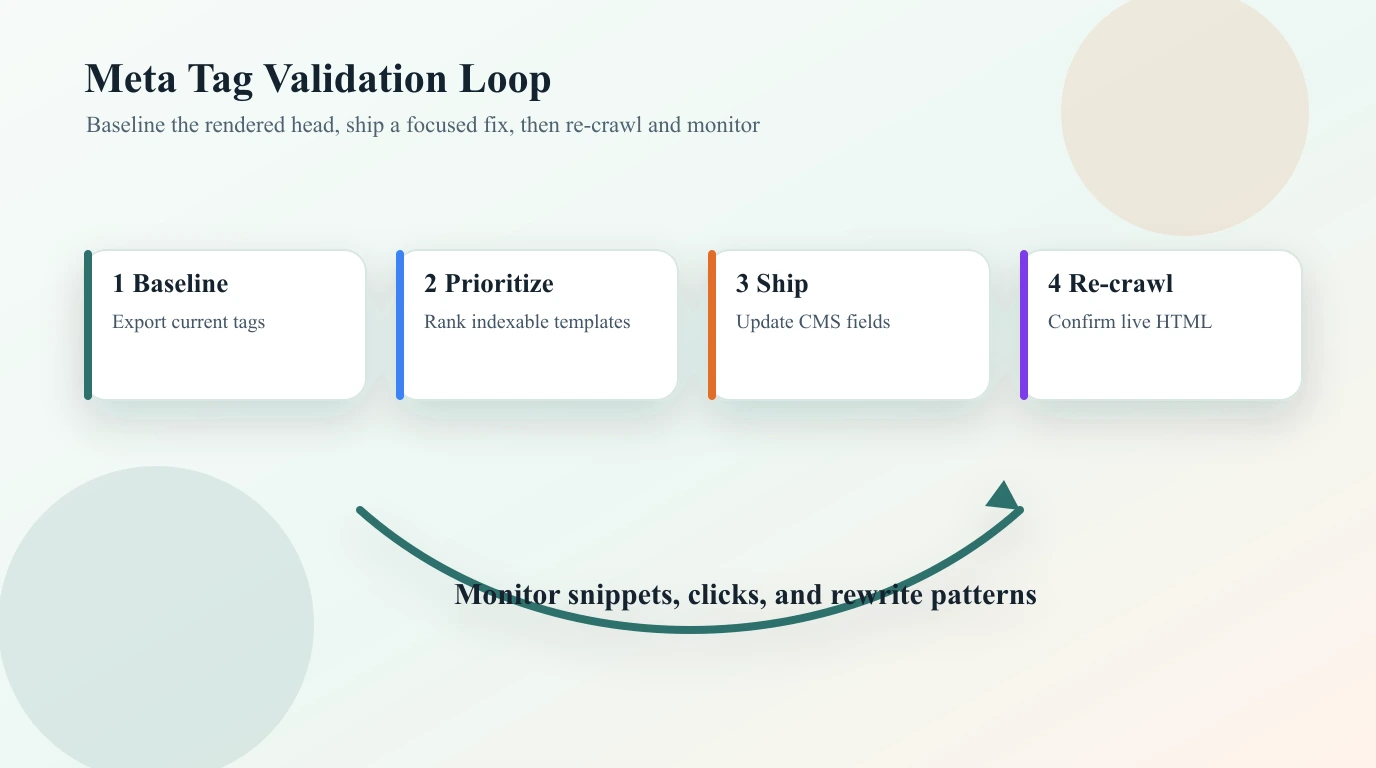
Run this loop for every meaningful batch:
- Save a baseline crawl export for the affected template or URL group.
- Define the expected output for title, description, robots, canonical, hreflang, and Open Graph tags.
- Ship a focused batch rather than changing every template at once.
- Re-crawl the rendered HTML and compare it against the baseline.
- Confirm sitemap entries and internal links point to the intended canonical URLs.
- Sample search results after recrawl windows to see whether titles or snippets are being rewritten.
- Monitor impressions, clicks, and AI-search summaries for pages where the snippet promise changed.
If localized pages are involved, pair the release with the hreflang tags workflow. Hreflang, canonical, and robots rules need to agree before language alternates can work reliably.
A Practical Meta Tags for SEO Checklist
Use this checklist when a site needs a metadata cleanup:
- Crawl the site and group URLs by template, directory, locale, and page type.
- Remove blocked, redirected, non-canonical, and intentionally noindex URLs from snippet rewrite work.
- Flag missing, duplicate, vague, or mismatched titles on important indexable pages.
- Review meta descriptions for priority URLs and high-impression templates.
- Check robots directives for accidental
noindex,nofollow,nosnippet, or preview restrictions. - Confirm canonical links, sitemap URLs, and internal links point to the same preferred URLs.
- Validate hreflang only on true localized equivalents.
- Make Open Graph previews useful for pages that are often shared, referenced, or cited.
- Rewrite template rules before patching one-off pages.
- Re-crawl after release and compare rendered HTML, not only CMS fields.
- Record the reason for each template change so future editors do not undo it.
Where Searvora Fits
Searvora SEO Spider Crawler is a natural fit when meta tag work needs to move from spot checks to an execution queue. Use it to crawl titles, descriptions, H1s, robots directives, canonicals, hreflang sets, sitemap behavior, internal links, and page templates before deciding what should be rewritten.
The important part is grouping the evidence. A duplicate title across two old articles is a content decision. A duplicate title across two thousand faceted URLs is a template and indexability decision. A missing description on a high-value product page is a snippet improvement. A noindex on an important canonical page is a search access issue.
Meta tags for SEO work when they make the page's job clearer and keep crawler instructions consistent. Audit the rendered head, prioritize the pages that can actually matter, fix template patterns, and validate the live output after every release.