

Open Graph meta tags are HTML head tags that tell social platforms, messaging apps, and link preview systems which title, description, image, URL, and page type to show when someone shares a page. They do not replace SEO titles or meta descriptions, but they protect the page promise when a URL travels outside the search result.
The useful work is not pasting the same snippet into every template. A stronger workflow starts with the page job, checks the rendered head, validates the preview image and canonical URL, then re-crawls after release so template drift does not quietly break important pages.
What Open Graph Meta Tags Do
The Open Graph protocol defines the core properties most teams start with: og:title, og:type, og:image, and og:url. Many pages also need og:description, image dimensions, locale signals, or article metadata depending on the platform and page type.
For SEO teams, the main job is alignment. The Open Graph preview should not promise a different article, product, image, or canonical URL than the page itself.
| Tag | Preview job | QA question |
|---|---|---|
og:title | Names the shared page | Does it match the page task without duplicating a stale title template? |
og:description | Explains why the link is worth opening | Does it match the visible intro and avoid overpromising? |
og:image | Gives the preview visual weight | Is the image local, indexable, correctly sized, and not reused across unrelated pages? |
og:url | States the canonical shared URL | Does it match the canonical URL and final destination? |
og:type | Describes the object type | Is this an article, website, product, or another page type? |
If you already audit the broader head layer, keep the meta tags for SEO workflow as the parent checklist. This article is the narrower QA pass for social previews and shared-link metadata.
Start With The Preview Job
Before editing tags, decide what the shared preview must accomplish. A blog article, product page, comparison page, category page, and support document should not all use the same title, description, and image pattern.
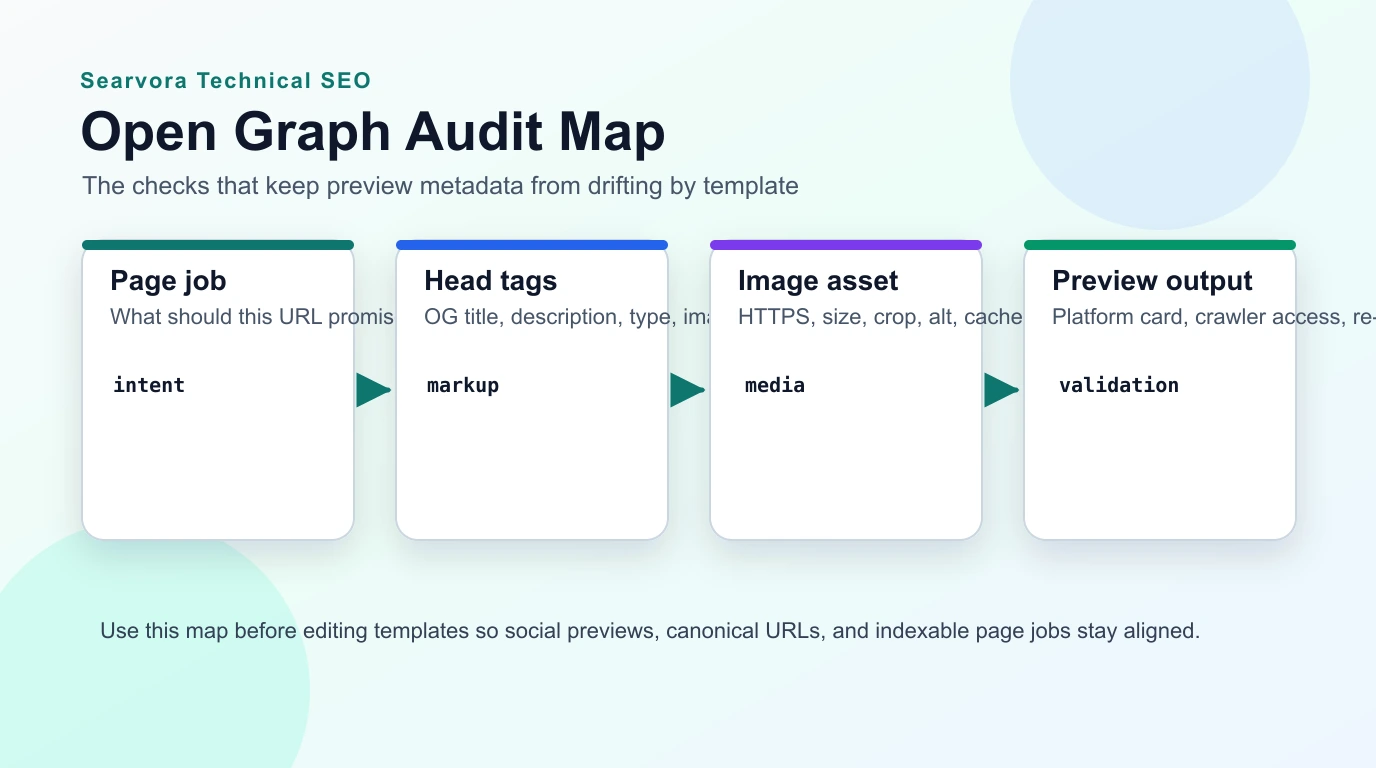
Use this routing table before assigning fixes:
| Page type | Preview should emphasize | Watch for |
|---|---|---|
| Blog article | Topic, reader outcome, and credible image | Generic covers, stale titles, missing article type |
| Product page | Product job, audience, and proof point | Marketing copy that differs from the visible page |
| Comparison page | Compared options and decision angle | One-sided preview copy that the page does not support |
| Category or collection | Category scope and filters | Faceted URLs sharing the wrong canonical preview |
| Support page | Task and direct answer | Promotional images that make the page look like a sales page |
Audit The Rendered Head By Template
Open Graph bugs are usually template bugs. The CMS field may look correct while the rendered route drops og:image, reuses the homepage image, canonicalizes to the wrong URL, or ships a stale description after a page rewrite.
Crawl the rendered head for indexable canonical pages and export at least these fields:
- Final URL, status code, canonical URL, and indexability.
- Title tag, meta description, H1, and page template.
og:title,og:description,og:type,og:image, andog:url.- Image status, content type, dimensions, and final redirected URL when your crawler captures them.
- Sitemap inclusion and internal links pointing to the canonical URL.
- Publish date or updated date for article templates when relevant.
For title-heavy fixes, pair this with the page title SEO workflow. A social preview can borrow the same reader promise, but it should still be written for a shared card, not only for a search result.
Make Images And URLs Hard To Break
The preview image and URL are the two places where Open Graph metadata fails quietly. They are also the two fields most likely to be generated by templates, uploads, image transforms, localization rules, or canonical helpers.
Use these checks for every important template:
| Check | Why it matters | First fix |
|---|---|---|
og:image returns 200 over HTTPS | Broken or blocked images produce weak cards | Use a stable public image URL and re-crawl it |
| Image is specific to the page type | Reused generic images reduce trust | Create template-level defaults plus page overrides |
| Image crop works in preview cards | Important text or product context may be cut | Keep key visual content centered and avoid tiny text |
og:url matches canonical | Shared signals should consolidate to the preferred URL | Fix route/canonical helpers before promoting the page |
| Locale pages use the correct URL | Wrong-language previews confuse users and crawlers | Validate localized canonicals and alternates together |
| Draft or preview routes are excluded | Private URLs can leak into shared metadata | Block preview routes and test production output only |
If a site already has technical SEO debt, use the technical SEO workflow to separate Open Graph issues from crawl access, canonical, redirect, and sitemap problems. A missing preview image is annoying; a canonicalized-away page is a bigger search problem.
Validate Previews After Release
Open Graph QA should be a release loop, not a one-time field check. Platforms cache previews, CMS teams change templates, and localized routes can inherit the wrong image unless the release has a validation step.
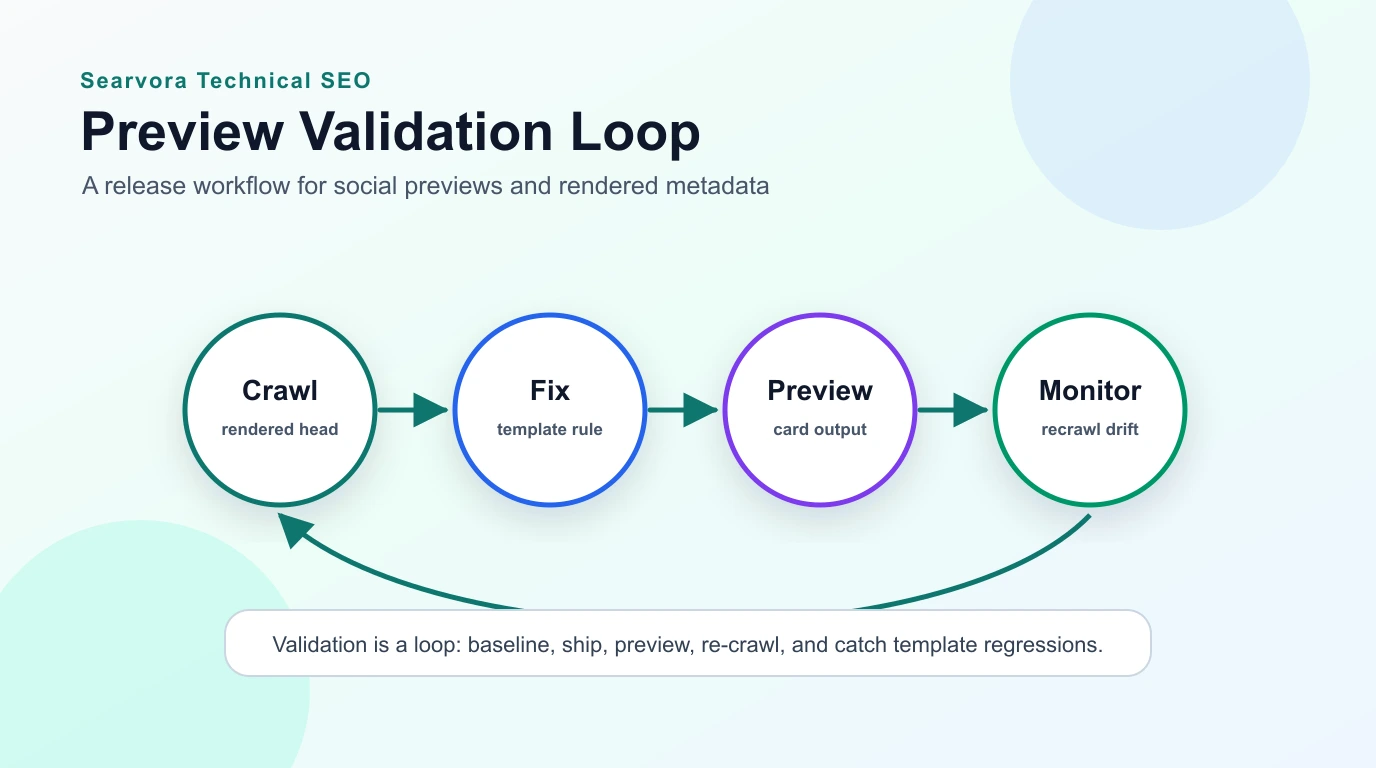
Run this loop for meaningful batches:
- Crawl a baseline set of representative URLs by template.
- Define the expected
og:title,og:description,og:image,og:url, and canonical behavior. - Ship a focused template or page-type fix.
- Re-crawl the rendered head and compare it with the baseline.
- Test a sample of high-value URLs in public preview/debugging tools when practical.
- Recheck image status, dimensions, redirects, and cache behavior after deployment.
- Add Open Graph fields to recurring metadata audits so regressions become queue items, not surprises.
The same process works for product launches, blog migrations, localization releases, and CMS template rewrites. Keep the core facts in searchable text and the image asset in a stable local path, then validate the rendered output.
Where Searvora Fits
Searvora SEO Spider Crawler is the natural product fit when Open Graph meta tags need to move from spot checks to a repeatable QA queue. Use it to inspect rendered metadata, canonicals, indexability, sitemap agreement, internal links, and template patterns before assigning fixes.
The key is grouping. One missing og:image on an old article is a small content task. A missing og:image across every product page is a template release. An og:url that disagrees with canonical on localized pages is a technical SEO issue that should be validated with hreflang, sitemap, and internal-link evidence.
Open Graph meta tags work best when they are treated as part of the rendered page contract. Define the preview job, crawl the actual head output, make image and URL rules explicit, and re-test after release so shared links keep telling the same story as the page.