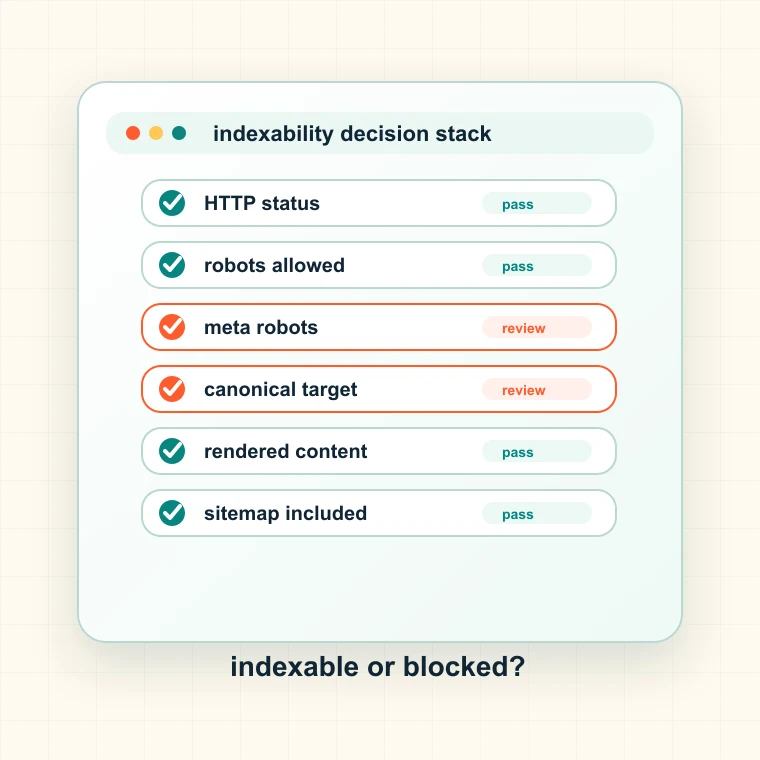
What this indexability checker checks
The checker reviews the technical signals that determine whether a page is eligible for indexing. It does not promise Google will index the page, but it quickly surfaces obvious blockers.
- Checks HTTP status and whether the request redirected.
- Reads robots.txt access for the selected crawler identity.
- Detects meta robots and X-Robots-Tag noindex signals.
- Compares canonical targets with the final URL.
When to check indexability
Use it when a page is discovered but not indexed, when a new page is about to launch, when traffic drops after a release, or when Search Console reports excluded URLs.
- Before submitting important URLs for indexing.
- After migrations, redirects, or template changes.
- When a sitemap includes pages that still fail to rank.
- When a page appears live to users but invisible to search engines.
How to interpret indexability results
A page can be technically indexable and still not be indexed because quality, duplication, authority, or internal linking is weak. This tool answers the technical eligibility question first.
- HTTP errors are hard blockers until fixed.
- Robots disallow prevents crawling but not always URL discovery.
- Noindex tells search engines not to keep the page in the index.
- Canonicalized elsewhere means the current URL may not be the ranking URL.
Common indexability mistakes
Many teams only check whether the page opens in a browser. Search engines evaluate a different stack of signals, and one hidden header or template rule can block an entire section.
- Do not forget X-Robots-Tag on PDFs, media, and generated pages.
- Do not test only one user-agent if Googlebot rules differ.
- Do not assume sitemap inclusion overrides noindex or robots rules.
- Do not treat canonicalized pages as independently indexable targets.
Next step after indexability checks
If one page is blocked, inspect the template and path group. Indexability issues often repeat across directories, CMS page types, or localized variants.
- Use robots.txt generator when access rules need cleanup.
- Use canonical checker when the page points to another URL.
- Use sitemap validator when indexable pages are missing from sitemap feeds.
- Use Spider Analysis for site-wide blocker grouping and ownership.
- Document the URL group, owner, expected impact, validation step, and next publishing decision so the result becomes a fix ticket instead of another exported spreadsheet.