
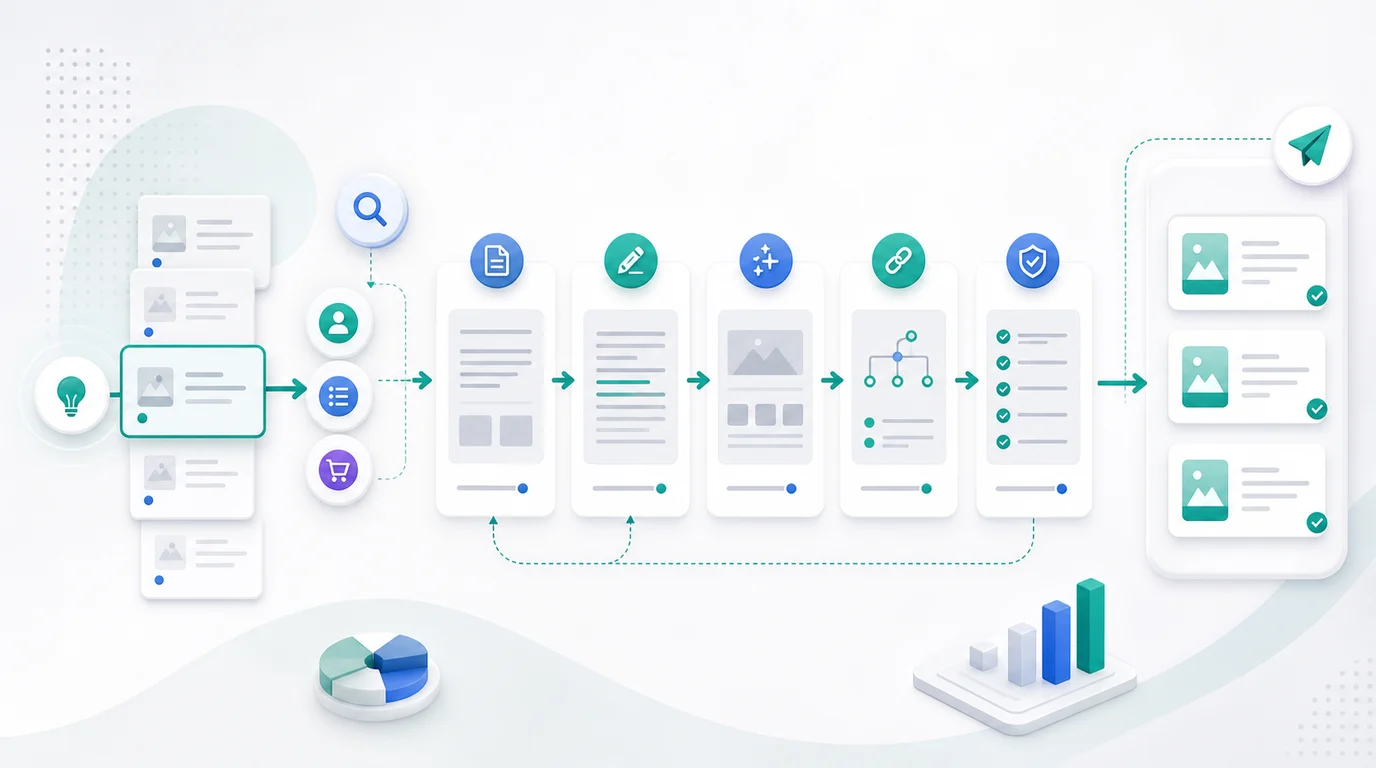
Blog post templates are reusable article structures that help teams move from a search task to a useful draft faster. The best templates do not replace judgment. They make the judgment explicit: what the reader wants, what page type fits, what proof is needed, and what quality gates the draft must pass before publishing.
Use templates when your team writes similar article types again and again. A template is worth keeping when it prevents blank-page drift, protects search intent, and turns approved ideas into consistent briefs, drafts, internal links, visuals, metadata, and validation checks.
What Blog Post Templates Should Decide
A blog post template should answer more than "what headings do we use?" It should decide the article job before anyone starts writing.
| Template decision | Why it matters | Bad shortcut |
|---|---|---|
| Search intent | Keeps the article aligned with the reader task | Reusing the same outline for every keyword |
| Page type | Prevents writing a blog post when a tool, landing page, or hub is better | Treating every topic as an article |
| Evidence needs | Shows whether screenshots, examples, data, or official sources are required | Publishing claims without support |
| Internal links | Connects the article to the right product or supporting page | Adding links after the draft is done |
| Validation | Makes quality measurable before publish | Reviewing only grammar and word count |
Start with the same logic used in keyword research: define the user job, choose the page type, check existing coverage, and approve only when the information gain is clear.
Match The Template To Search Intent
The first workflow step is routing. A template library becomes dangerous when writers pick the outline they like instead of the structure the query needs.

Use this routing table before drafting:
| Query pattern | Better template | First section should do |
|---|---|---|
| "what is", "meaning", "examples" | Explainer | Define the concept and show why it matters now |
| "how to", "workflow", "checklist" | Operational how-to | Give the sequence early, then explain validation |
| "best", "tools", "apps", "software" | Roundup | Show criteria and real options in a comparison table |
| "vs", "alternative", "review" | Comparison or review | Compare scenarios, tradeoffs, and limitations fairly |
| "template", "example", "download" | Template library | Provide usable structures and explain when each fits |
| "fix", "issue", "error" | Troubleshooting guide | List causes, fix order, and confirmation checks |
When the intent is unclear, use the search intent workflow before writing. The wrong template can create cannibalization even when the topic sounds useful.
Six Templates Worth Keeping
You do not need dozens of templates. Most SEO content teams can cover the majority of recurring article jobs with six reusable structures.
1. The Explainer Template
Use this when the reader needs to understand a concept before acting. The opening should define the term in plain language, then show why it matters for SEO, content operations, or AI search visibility.
Best for:
- Definitions and glossary-style topics.
- New SEO concepts with practical impact.
- Parent articles that route readers into deeper workflows.
Suggested structure:
- Definition and short answer.
- Why it matters.
- Examples or common scenarios.
- Decision framework.
- Next operational step.
2. The Operational How-To Template
Use this when the query includes a task. Put the steps near the top, then add detail, checks, and handoff rules. This template works for content audits, crawl checks, SEO reporting, Shopify publishing, and repeatable production workflows.
Suggested structure:
- When to use the workflow.
- Step-by-step process.
- Required inputs and tools.
- Quality checks.
- Mistakes to avoid.
- Where the output goes next.
3. The Decision Guide Template
Use this when the reader must choose between page types, tactics, priorities, or workflows. The article should not pretend one option wins every time.
| Decision guide element | Include it because |
|---|---|
| A simple if/then table | The reader can classify their situation quickly |
| Tradeoff criteria | The recommendation becomes transparent |
| Risk notes | Teams avoid applying the advice blindly |
| Next action | The article turns into work instead of theory |
This template is useful when a topic is broad but still valuable. It lets you capture authority without forcing a fake "best" list.
4. The Roundup Template
Use this only when the query clearly asks for options, tools, apps, software, or alternatives. A roundup template needs verified criteria, multiple options, fair limitations, and a comparison table near the top.
Do not use a roundup title if you cannot verify the options. For automation-produced posts, product screenshots should come from official public pages or locally rendered product pages when practical.
5. The Template Library Template
Use this when the reader wants reusable structures, examples, scripts, briefs, or checklists. The article should give them the assets in the body, not hide everything behind vague advice.
Make each template include:
- When to use it.
- When not to use it.
- The outline.
- Required evidence.
- Internal link opportunities.
- Pre-publish checks.
That is the best fit for the current topic because the reader wants blog post templates, but still needs help choosing the right one.
6. The Refresh Template
Use this when the real job is improving an existing URL. This template starts with symptoms such as declining clicks, stale examples, weak title fit, outdated screenshots, or SERP drift.
The output should be a change plan:
| Symptom | Refresh action |
|---|---|
| Impressions rose but CTR fell | Rework title, description, and opening promise |
| Rankings split across similar URLs | Merge, redirect, or clarify page jobs |
| Examples are stale | Replace with current public evidence |
| Article lacks a clear next step | Add product, workflow, or supporting article handoff |
| Search intent shifted | Change the page type or rebuild the outline |
For teams standardizing content operations, pair this with an MDX automation playbook so template changes do not break metadata, images, or validation.
Add Quality Gates Before Drafting
Templates work best when the checks are built in before the writer starts. Otherwise the same issues return in every draft.
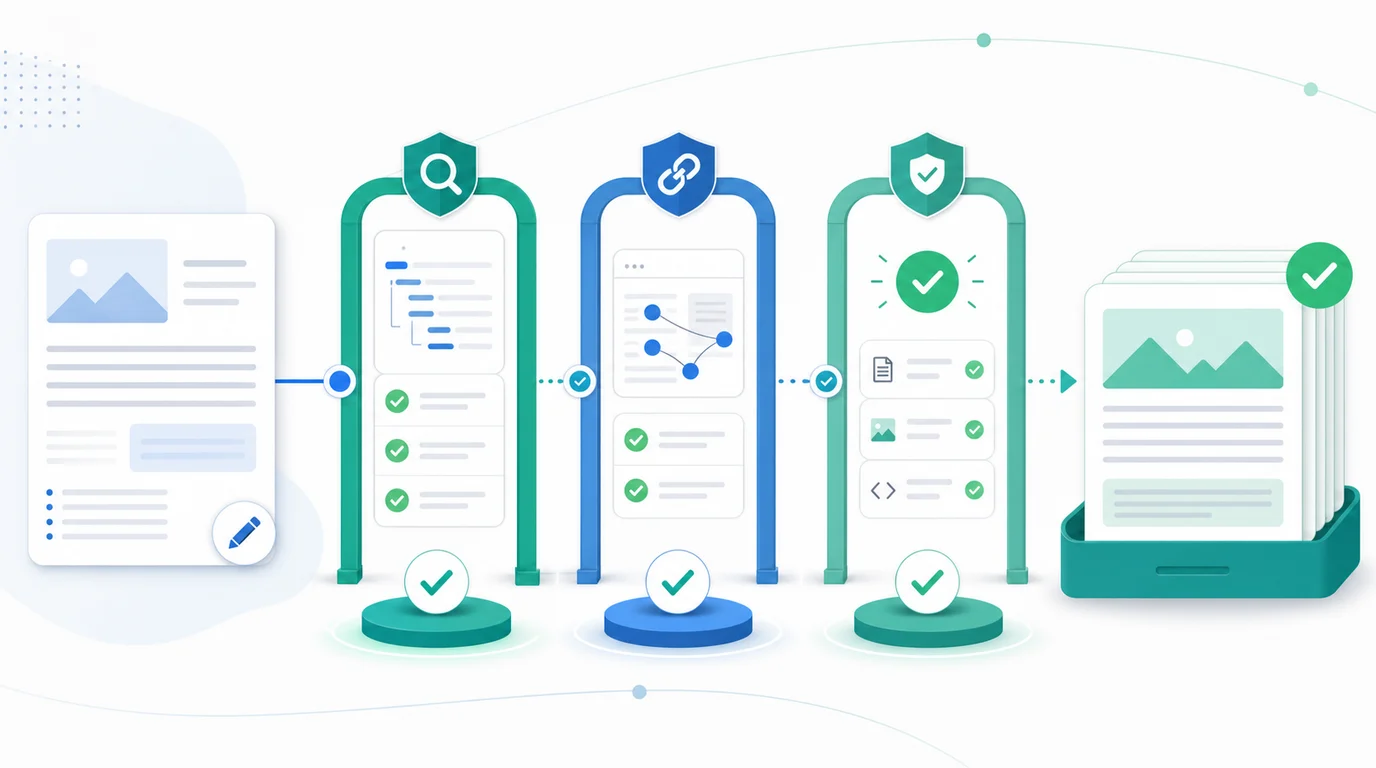
Use this pre-draft gate:
| Gate | Pass condition |
|---|---|
| Keyword and job | The primary keyword and reader job are written in one sentence |
| Page type | The template matches the search intent and competitor page shape |
| Existing overlap | No Searvora URL already owns the same keyword, type, and job |
| Information gain | The article adds a workflow, table, example, visual, or decision aid |
| Link plan | One primary product CTA and up to three supporting internal links are chosen |
| Visual plan | Cover and body visuals are planned before the article is drafted |
| Validation plan | Metadata, images, links, canonical, and sitemap checks are known |
The quality gate should also block formula titles. A useful title can include the keyword, but it should not sound like a machine listing three verbs after a colon.
Turn Templates Into A Production Workflow
A template library is not finished when the outlines are written. It needs a production loop so every approved idea moves through the same content operations path.
Use this workflow:
- Intake the topic, source URL, keyword, and user job.
- Choose the template from intent and page-type evidence.
- Check existing Searvora URLs for duplicate coverage.
- Draft the title candidates and reject formula titles.
- Build the outline around the template's decision points.
- Add tables, checklists, visuals, and required source evidence.
- Place internal links where they help the reader.
- Validate frontmatter, canonical, images, links, and sitemap behavior.
- Monitor the article after publishing and refresh when the query mix changes.
This keeps templates from becoming static documents. They become a way to move approved SEO ideas through research, drafting, enrichment, publishing, and measurement with fewer handoff gaps.
Where Blogify Fits
Blogify fits when a content team already knows what should be written and needs a repeatable path from brief to Shopify-ready draft. Searvora positions Blogify as a workflow for planning, drafting, enrichment, and publishing, not just a generic AI writing box.
Use Blogify after the template decision is made:
- Feed the approved topic, intent, and template into the draft process.
- Keep product and collection context available for ecommerce articles.
- Add SEO structure, metadata, links, and conversion blocks consistently.
- Route the output into review instead of copying between tools.
- Use performance feedback to improve the next template run.
For broader prioritization before the draft, use the planning layer first. For Shopify and ecommerce content production, Blogify is the execution layer that keeps the template from living in a document nobody uses.
A Practical Blog Post Template Checklist
Use this checklist before adding a new template to your content system:
- Name the template by reader job, not by layout.
- List the query patterns that should use it.
- List the query patterns that should not use it.
- Define the first-section answer.
- Require at least one table, checklist, framework, or example.
- Document the evidence needed before claims can be made.
- Choose one natural product CTA.
- Choose zero to three supporting internal links.
- Plan the cover and body visuals before drafting.
- Add metadata, canonical, and sitemap validation.
- Review the title for formula patterns.
- Monitor published performance and update the template when search intent changes.
Blog post templates are useful because they make decisions repeatable. The goal is not to make every article sound the same. The goal is to help writers choose the right shape, add original value, and publish work that is easier to validate and improve.