
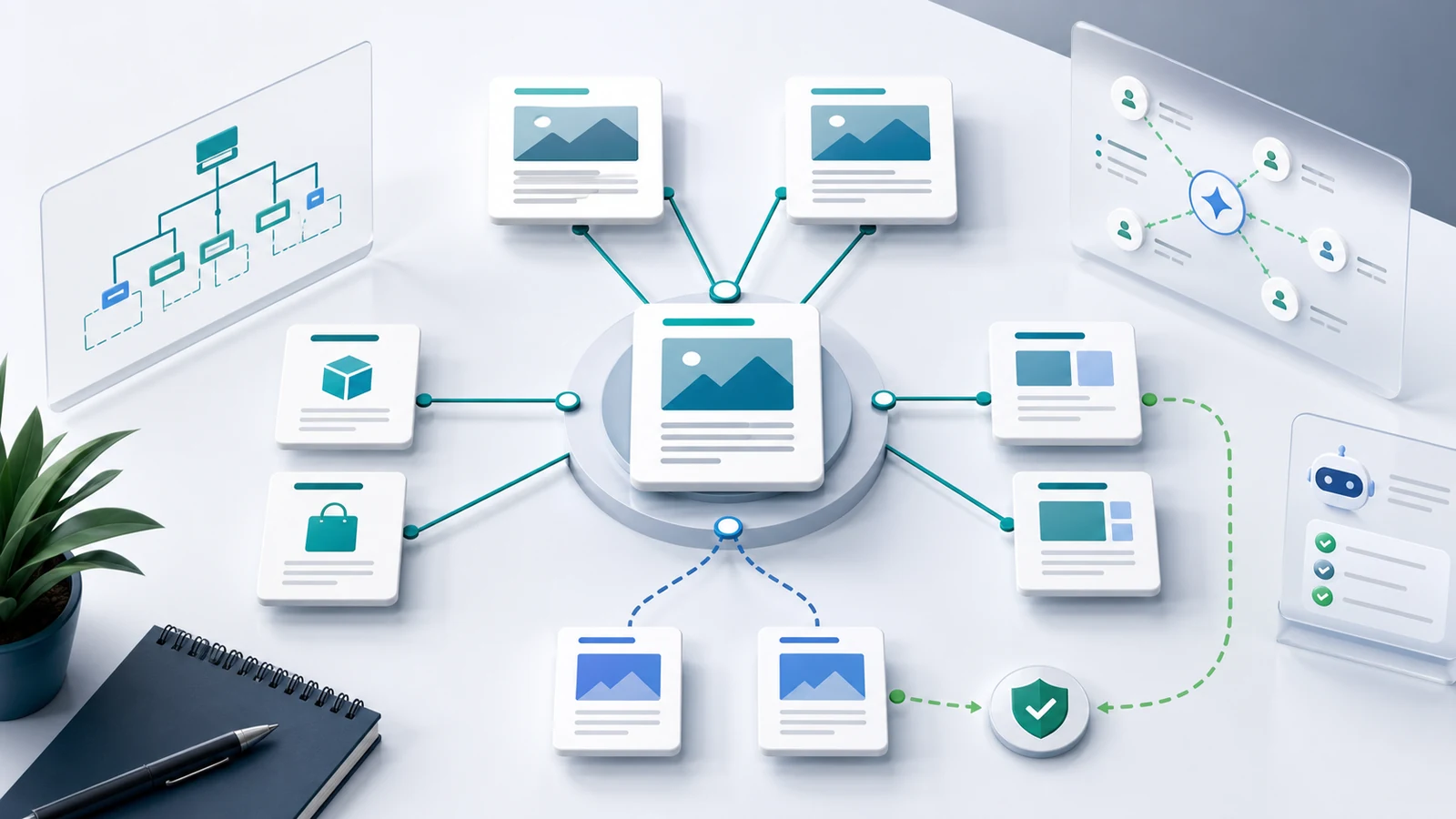
Content hubs for SEO are interlinked groups of pages that help readers move from a broad topic to the specific answers, tools, products, or workflows they need next. A useful hub is not just a long article with many links. It is a page-job map that explains which URL owns the parent topic, which child pages answer narrower tasks, and how the whole cluster should be maintained.
The practical workflow is to define the hub promise, map child page jobs, close proof gaps, build internal link routes, validate crawl access, and assign refresh ownership. That is what keeps a topic cluster useful after the first publishing push.
Start With The Hub Promise
A content hub needs a narrower promise than "we cover this topic." The hub should explain the reader group, the topic boundary, the page types inside the cluster, and the next action the site wants to support.
| Hub planning question | Strong answer | Weak answer |
|---|---|---|
| Who is the hub for? | Ecommerce teams building a Shopify blog growth system | Anyone interested in SEO |
| What topic boundary does it own? | Search-led content operations for Shopify stores | Marketing tips |
| What does the parent page do? | Explain the system and route readers to child workflows | Repeat every child article in one page |
| What should child pages do? | Teach specific tasks such as briefs, refreshes, internal links, and measurement | Target keyword variations with the same advice |
| What is the business path? | Move from diagnosis to strategy, publishing, and validation | Send every reader to the homepage |
The boundary matters because Google's guidance on helpful, reliable, people-first content rewards pages that serve a clear reader need. A hub that exists only to collect keywords is usually thin. A hub that helps the reader choose the right next page can become useful infrastructure.
Map Child Pages By Job
The most common content hub mistake is grouping pages by keyword similarity alone. A cleaner method is to group pages by job. The parent page teaches the landscape. Child articles answer specific learning tasks. Product pages help readers act. Templates and tools produce outputs. Refreshes improve pages that already exist.
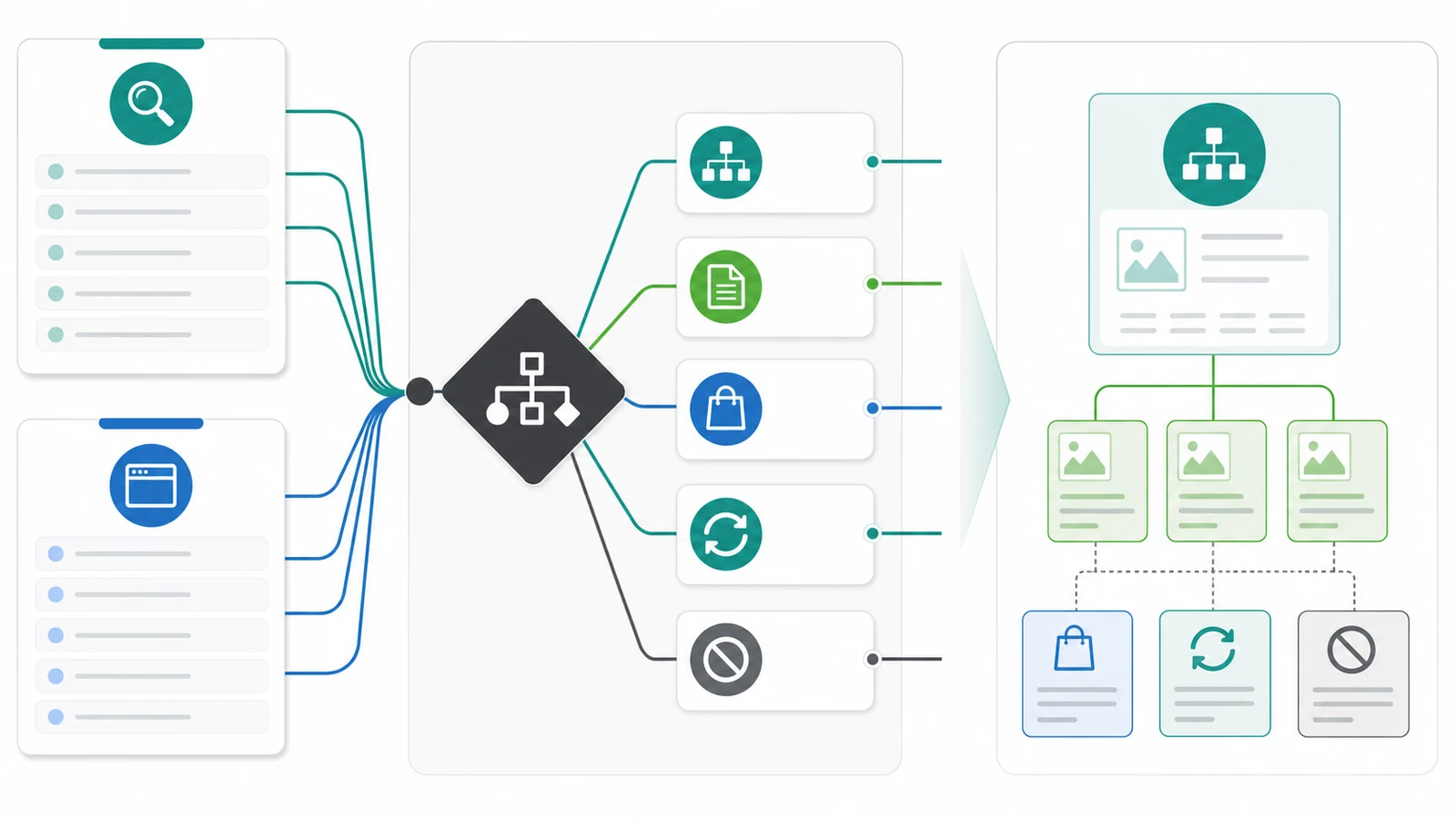
Use this routing table before creating new URLs:
| Search task | Better page role | Hub risk to avoid |
|---|---|---|
| Understand the topic | Parent hub or explainer | Writing a shallow definition and calling it a hub |
| Complete a narrow task | Child how-to article | Splitting one task into many overlapping posts |
| Compare options | Roundup or comparison page | Publishing a generic essay for comparison intent |
| Get a reusable output | Template, tool, or downloadable asset | Forcing a blog article when the user wants a file or workflow |
| Act on a commercial need | Product page or use-case page | Hiding the product path behind too many articles |
| Fix a technical blocker | Diagnostic guide | Mixing symptoms and strategy into one vague hub |
This is where the content gap analysis workflow helps. It keeps competitor evidence from turning into copycat publishing by forcing a page-type decision before a brief exists.
Separate Hubs From Topical Authority
Topical authority is the broader goal. A content hub is one architecture pattern that can support it. The distinction matters because a site can build a hub that still fails to earn authority if the child pages are thin, disconnected, or impossible to validate.
Use this simple distinction:
| Concept | What it decides | Evidence you need |
|---|---|---|
| Topical authority | Whether the site deserves trust across a subject | Topic boundary, proof depth, source quality, coverage, and measurement |
| Content hub | How a cluster is organized and navigated | Parent page, child pages, internal links, crawl paths, and refresh ownership |
| Content brief | What one page should say and prove | Target keyword, user job, information gain, visuals, links, and validation |
| Internal link plan | How pages support each other | Source page, destination page, anchor context, crawl status, and priority |
The topical authority workflow is the right companion when you need to decide whether the cluster itself deserves investment. The hub workflow is narrower: it turns the approved topic into a navigable page system.
Build a Hub Navigation Test
A hub needs to help a reader choose a route. Use this synthetic technical-audit cluster to test the navigation before writing a longer parent page.
| Reader arrives asking | Destination role | Hub link label | What stays on the hub |
|---|---|---|---|
| “What belongs in technical SEO?” | Discipline overview | Understand technical SEO | A short explanation of the cluster's scope |
| “How do I run the audit?” | Execution walkthrough | Run a site audit | Required inputs and expected deliverables |
| “Why is the canonical target blocked?” | Narrow troubleshooting guide | Repair a non-indexable canonical | One symptom and a route to the diagnostic |
| “Can I practice the inventory comparison?” | Downloadable fixture | Try the repair lab | What the download contains and its synthetic-data boundary |
These are different destinations because their next actions differ: learn the map, run a sequence, fix a symptom, or reproduce an example. The hub does not need to copy each child answer. It needs enough context for a person to select the right one.
Test the structure with three checks. First, can someone choose a destination from its label without opening every child? Second, does the destination immediately perform the promised job? Third, can a crawler find those routes as real anchors in the delivered HTML? A hub that fails the first two checks needs editorial work even if all its links are technically crawlable.
After publication, compare the intended child list with the links actually rendered on the hub. Record missing routes and retired children. If another parent already offers the same navigation, update that page rather than creating a second interchangeable hub. Our synthetic repair lab is a concrete download role; a descriptive label gives it a purpose beyond another keyword-rich article.
Build The Hub Around Proof Gaps
A content hub should not make readers click through five pages before they understand the topic. The parent page needs enough proof to be useful on its own, then enough links to route deeper tasks.
Audit every proposed hub for proof gaps:
| Proof gap | What to add to the hub | What belongs on child pages |
|---|---|---|
| Definition is vague | Plain explanation, boundaries, examples, and non-examples | Deep glossary variants only when they serve unique tasks |
| Process is unclear | A high-level workflow and decision table | Step-by-step execution guides |
| Cluster is hard to navigate | Descriptive link groups by page job | Narrow guides for each task |
| Business relevance is hidden | A natural product or workflow handoff | Product comparison or use-case pages |
| Evidence is stale | Refresh notes, source checks, and owner | Updated examples, screenshots, and data-specific pages |
| AI-search readiness is weak | Extractable definitions, tables, and clear entity relationships | Dedicated GEO or citation-readiness guides |
Do not bury all details in the hub. The parent page should help a reader choose the right path. The child pages should help them finish the specific job.
Design Internal Links As Routes
Internal links are the hub's navigation system. They show readers where to go next, and they help crawlers understand the relationship between parent and child pages. Google's link best practices are a useful baseline: links should be crawlable and anchors should describe the destination.
For content hubs, use links with explicit roles:
| Link route | Purpose | Example anchor pattern |
|---|---|---|
| Parent to child | Route readers from the overview into a task | content refresh workflow |
| Child to parent | Reinforce the cluster context | broader content hub plan |
| Child to sibling | Help readers move between adjacent tasks | internal link validation |
| Hub to product | Move ready readers into execution | AI SEO consultant |
| Product to hub | Teach before asking users to act | SEO content operations hub |
The internal links for SEO workflow is useful when a hub already exists but important child pages are orphaned, buried too deep, or linked with vague anchors.
Maintain The Hub After Publishing
The first version of a content hub is only a baseline. Search demand changes, child pages age, internal links drift, and AI answer systems may start summarizing the topic with different source patterns. A hub needs maintenance rules from the beginning.
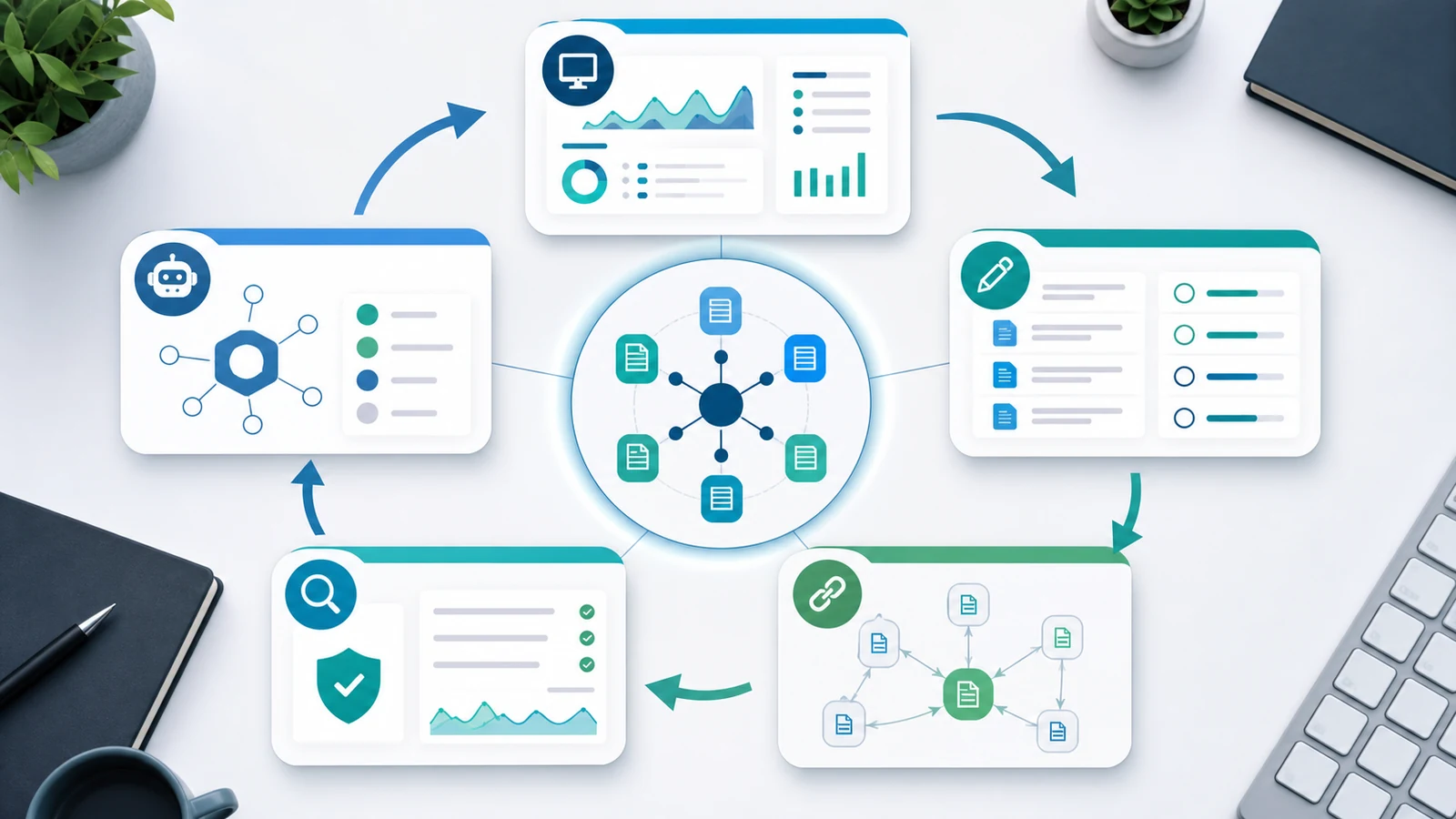
Use this maintenance loop:
- Monitor hub, child, product, and template pages as one topic segment.
- Review impressions, clicks, query mix, AI-search visibility, and conversion context by page role.
- Refresh the parent page when the topic boundary, child page set, or reader path changes.
- Refresh child pages when examples, screenshots, sources, or steps become stale.
- Re-crawl the cluster after structural edits to confirm status codes, canonicals, internal links, crawl depth, and sitemap coverage.
- Record create, refresh, merge, noindex, and no-new-page decisions so the hub does not sprawl.
Maintenance is where many hubs fail. Teams launch the parent page, publish a handful of children, and then keep adding articles because the cluster feels unfinished. A healthier pattern is to ask whether the next action should be a new page, a stronger internal link, a child-page refresh, or a better product handoff.
Where Searvora Fits
Searvora AI SEO Consultant fits the planning layer of content hub work. The product page positions it around pattern-based diagnosis, impact-based prioritization, fix-ready guidance, and execution alignment. Those are the decisions a team needs when a hub has many possible child pages, updates, and technical checks competing for attention.
Use the consultant to turn a hub review into assigned work: which missing child page deserves a brief, which existing page should be refreshed, which internal links should be added, and which crawl or AI-search signals should be checked before the next publishing cycle.
A Practical Content Hub Checklist
Use this checklist before publishing or refreshing a hub:
- Define the hub audience, topic boundary, and business path.
- Name the parent page's job in one sentence.
- List every existing child page and mark its user job.
- Match proposed new pages against existing URLs before creating briefs.
- Approve new pages only when the keyword, page type, and user task are distinct.
- Add a proof-gap table so the hub does more than list links.
- Link from the parent page to child pages with descriptive anchors.
- Link from child pages back to the parent only where the context helps.
- Re-crawl the cluster and confirm important pages are indexable, canonical, and reachable.
- Assign a refresh owner and review cadence for the parent and child pages.
Content hubs for SEO work when they make a topic easier to understand, easier to navigate, and easier to maintain. Start with page jobs, build the links as routes, validate the crawl path, and keep the hub alive with measured refresh decisions.