

When the task is to find email address sources for SEO outreach, do not start with a scraped list. Start with the reason the person should hear from you. The safest workflow is to qualify the prospect page, look for a public contact path, verify the address, record the source, and only then decide whether an outreach email deserves to be sent.
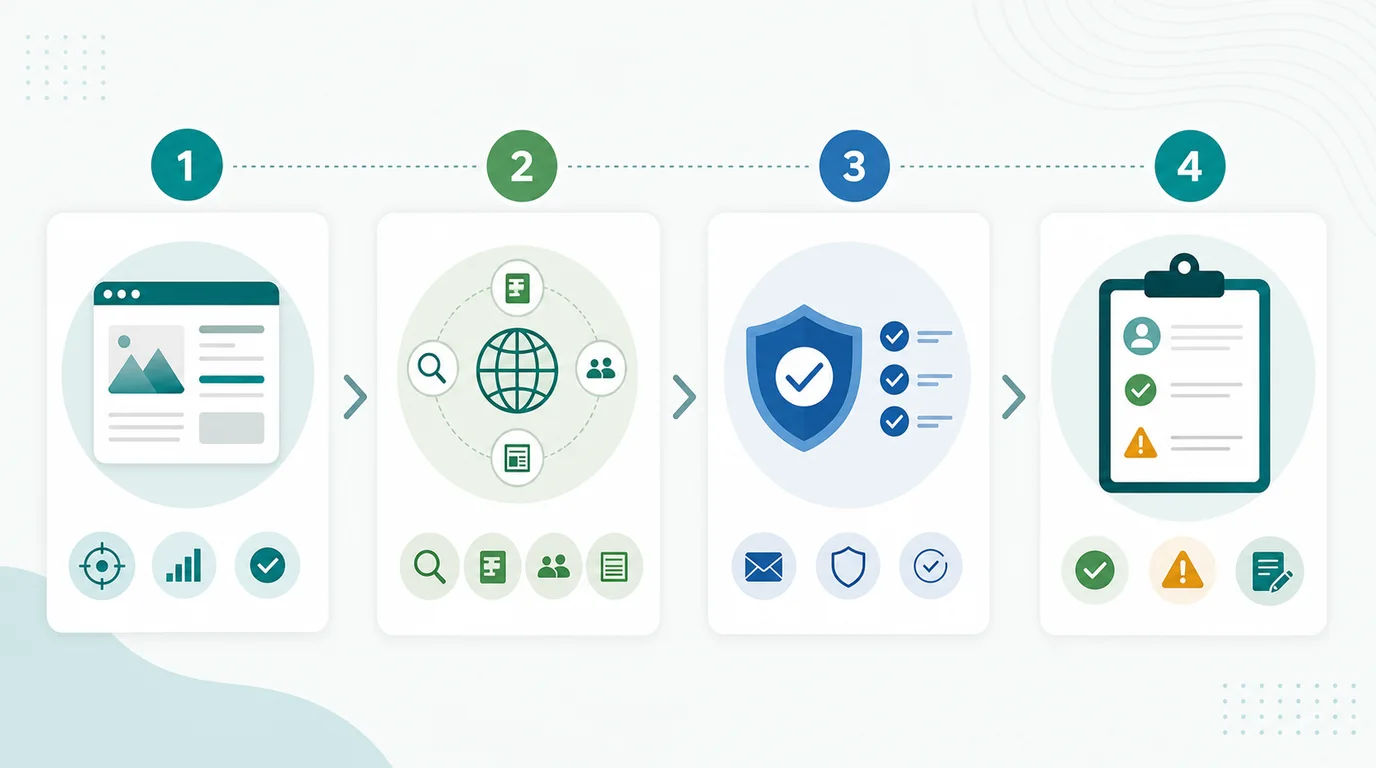
The sequence matters:
- Confirm the page and reader job before searching for a contact.
- Prefer official public contact sources over guessed addresses.
- Verify deliverability and identity before adding anyone to a campaign.
- Keep the message small, relevant, and easy to decline.
- Record source, risk, consent context, and outcome so the next action is reviewable.
The Ahrefs page that surfaced this opportunity frames the task as finding a real email address. Searvora's information gain is the operating layer around that task: contact discovery should happen only after prospect fit, outreach risk, and measurement rules are clear.
Start With The Prospect Page
Finding a contact is not the first decision. The first decision is whether the page is worth contacting at all.
Use this qualification table before looking for an address:
| Prospect question | Good sign | Stop or review |
|---|---|---|
| Does the page match your asset? | The source page already covers the same topic or a close reader task | The domain is attractive, but the page is unrelated |
| Would the reader benefit? | Your resource adds evidence, a clearer explanation, a missing source, or a useful tool | The pitch exists only because you want a backlink |
| Is the site maintained? | Recent edits, active authors, working links, and real editorial standards | Thin directory, scraped content, or abandoned page |
| Is there a natural contact path? | Author bio, editorial page, team page, contact page, or publication guidelines | Only a generic scraped address with no relationship context |
| Is the risk acceptable? | Branded or descriptive anchor expectations, no exchange pressure, no paid-link ask | Exact-match anchor demands, paid placement requests, or irrelevant guest-post patterns |
This keeps the contact search tied to editorial fit. If the page fails the table, the right next action is not to find more emails. It is to remove the prospect or improve the asset.
Use Public Sources Before Guessing
Once the prospect page passes review, look for a contact in places the person or organization has already made public.
Work through these sources in order:
| Source | When to use it | What to record |
|---|---|---|
| Author page or bio | The article has a named author, editor, or contributor | Author name, author URL, role, and source page |
| Contact or editorial page | The site publishes a preferred submission or corrections path | Contact URL, stated purpose, and any rules |
| Company team page | The prospect is a business, SaaS site, agency, or publisher | Person, role, department fit, and page URL |
| Newsletter or community page | The site asks for replies, submissions, tips, or resources | Public address, audience context, and opt-out expectations |
| Professional profile | The person links to a public profile with work contact context | Profile URL and why the contact is relevant |
| Pattern check | Public sources confirm a company email format, but not the person directly | Treat as unverified until deliverability and identity checks pass |
Avoid turning every public clue into permission. A visible address means you found a contact path. It does not mean the person asked for generic promotion, repeated follow-ups, or an unrelated link request.
For commercial outreach in the United States, review the FTC's CAN-SPAM compliance guide. For SEO-specific link risk, Google's spam policies are the search boundary. The practical rule is simple: do not mislead people, do not pressure them, and do not create links primarily to manipulate rankings.
Verify Before You Send
Verification has two jobs. It reduces bounce risk, and it protects the campaign from contacting the wrong person.
Use this check before adding an address to the send queue:
| Verification layer | Pass | Review or remove |
|---|---|---|
| Identity fit | The person is connected to the page, site, editorial team, or resource topic | The address belongs to a generic role with no owner context |
| Source confidence | The address came from an official page, author bio, or self-published profile | The address came only from a guessed pattern or third-party database |
| Deliverability | The address format and domain look valid, and your sending setup can handle bounces | Disposable domain, role mismatch, or repeated hard-bounce pattern |
| Outreach purpose | The message helps the recipient improve a page, source, or reader task | The message is a broad product pitch or link demand |
| Follow-up rule | One limited follow-up is allowed only for high-fit prospects | The campaign plans repeated reminders to force replies |
Do not claim a relationship you do not have. Do not write as if a guessed address is confirmed. Do not hide the reason you are reaching out.
The safest first message should answer three questions quickly:
- Why this person or page?
- Why this resource now?
- What should they do if it is not a fit?
If those answers are weak, verification is telling you to stop.
Keep A Contact Evidence Log
The difference between a careful outreach workflow and a risky spreadsheet is evidence. Every approved contact should explain why it is there.
Use these fields:
| Field | Why it matters |
|---|---|
| Prospect URL | Keeps the contact tied to a specific page and reader task |
| Contact source URL | Shows where the address or preferred contact path came from |
| Person or role | Prevents sending to irrelevant departments or old authors |
| Asset reason | Explains why your page improves the prospect page |
| Risk flags | Captures paid-link requests, exchange pressure, irrelevant fit, or weak proof |
| Follow-up limit | Stops the campaign from drifting into volume pressure |
| Outcome | Records reply, no response, removal request, earned link, or next review |
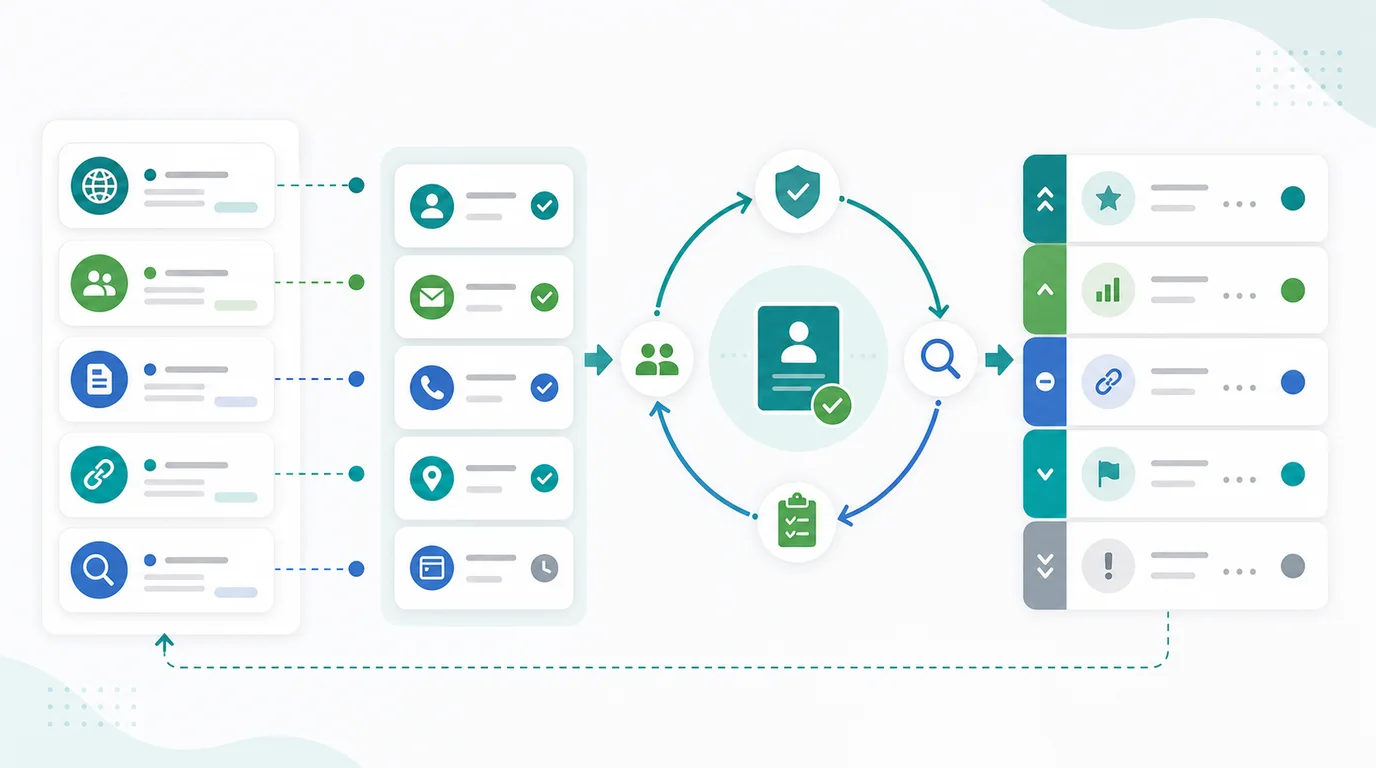
This log also helps with internal handoff. If an editor asks why a person was contacted, the answer should be visible without opening ten browser tabs. If a prospect asks not to be contacted again, that outcome should block future sends.
Where Searvora Fits
Searvora does not find private contact data, sell email lists, or automate risky link requests. Its better role is after the SEO team has evidence and needs to decide what deserves work.
Use the AI SEO consultant when contact discovery needs to become a reviewed action queue:
| Outreach decision | What Searvora helps structure |
|---|---|
| Which asset deserves outreach | Connect search demand, page quality, and information gain before contact work starts |
| Which prospects to skip | Convert page-fit, risk, and relevance notes into campaign rules |
| Which message is safe to send | Keep the pitch tied to the prospect page's reader, not a backlink target |
| What to measure next | Turn replies, bounces, links, objections, and risk flags into owner-ready follow-up work |
This is a narrow but useful layer. The email address is only one field. The real value is knowing whether the outreach should happen, how it should be constrained, and what the team should learn from the result.
Contact Discovery Checklist
Use this checklist before sending the next outreach email:
- Name the exact prospect page.
- Write the reader benefit in one sentence.
- Confirm your asset is worth citing before searching for a contact.
- Check author, editorial, team, and contact pages before using guessed patterns.
- Record the public source of the address or preferred contact route.
- Verify identity fit and deliverability before adding the contact to a campaign.
- Remove prospects with paid-link pressure, exchange expectations, irrelevant fit, or weak source evidence.
- Keep the first email short, specific, and easy to decline.
- Limit follow-ups before the campaign starts.
- Record outcomes, removals, bounces, earned links, and next actions.
- Feed the evidence back into your SEO action queue.
Finding an email address is useful only when the contact supports a real editorial reason. Qualify the page first, verify the address carefully, keep the request respectful, and make every outreach decision easy to audit later.