

If you need to know how to set up Google Alerts for SEO monitoring, start with one narrow alert and a clear review owner. Google Alerts is a free monitoring tool that can email you when Google finds new results matching a topic. For SEO teams, the useful version is not one alert for the brand name. It is a small alert system that catches brand mentions, competitor publishing, link opportunities, reputation risks, and content ideas before they disappear into a browser tab.
The Ahrefs article that surfaced this opportunity explains the beginner setup flow. Searvora's information gain is the operating layer after setup: choose SEO-specific alert queries, triage the signal, validate it against search data, and route each useful mention into an owner-ready action queue.
Set Up The Alert First
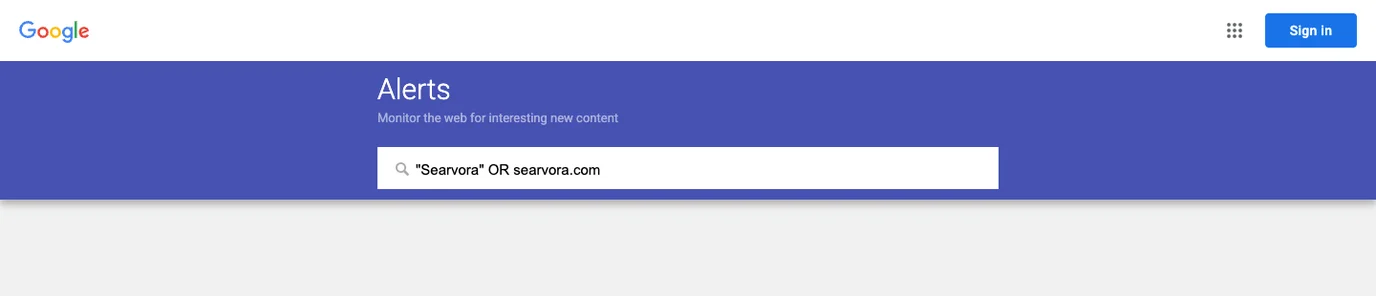
Start with one narrow alert. You can expand after you know which alerts are useful.
- Open Google Alerts.
- Enter the topic, brand, product, competitor, person, or phrase you want to monitor.
- Open the options menu before creating the alert.
- Choose frequency, source type, language, region, result count, and delivery account.
- Check the preview for obvious noise.
- Create the alert only when the preview matches the work your team can actually review.
Google's official Google Alerts help page is the source of truth for account setup, editing, deleting, and troubleshooting alerts.
Use SEO Queries Instead Of One Brand Keyword
The first alert most teams create is the brand name. That is useful, but it misses the work SEO teams can assign. Build alerts around tasks: brand monitoring, link reclamation, competitor research, reputation risk, and content discovery.
Use this starter set:
| Alert goal | Query pattern | What to review |
|---|---|---|
| Brand mentions | Exact brand name, product name, founder name, or domain | Mentions that need a reply, correction, link request, or source-page update |
| Unlinked mentions | Brand plus topic phrases like review, guide, report, or case study | Pages where a citation would help the reader |
| Link reclamation | Brand plus older asset names, moved URLs, or product terms | Mentions pointing to outdated pages, redirects, or missing resources |
| Competitor publishing | Competitor brand plus topic phrases your team tracks | New competitor pages worth comparing against your source pages |
| Content ideas | Problem phrases, category terms, or recurring customer questions | Articles, support pages, or hub updates your audience keeps discussing |
| Reputation risk | Brand plus issue, outage, complaint, bug, refund, or alternative terms | Pages that need product, support, or messaging review |
Keep the syntax simple at first. Quoted phrases and basic OR-style variants can help, but the preview matters more than clever operators. If the preview is full of irrelevant results, split the alert into smaller searches.
This is also where Google Alerts connects to the brand SEO workflow. A mention is only valuable when the team knows whether it affects entity clarity, reputation, content demand, or link value.
Triage Alerts Before Assigning Work
Google Alerts is an input stream, not a decision system. Every alert should pass through a short triage step before someone rewrites a page, sends outreach, or escalates a product issue.
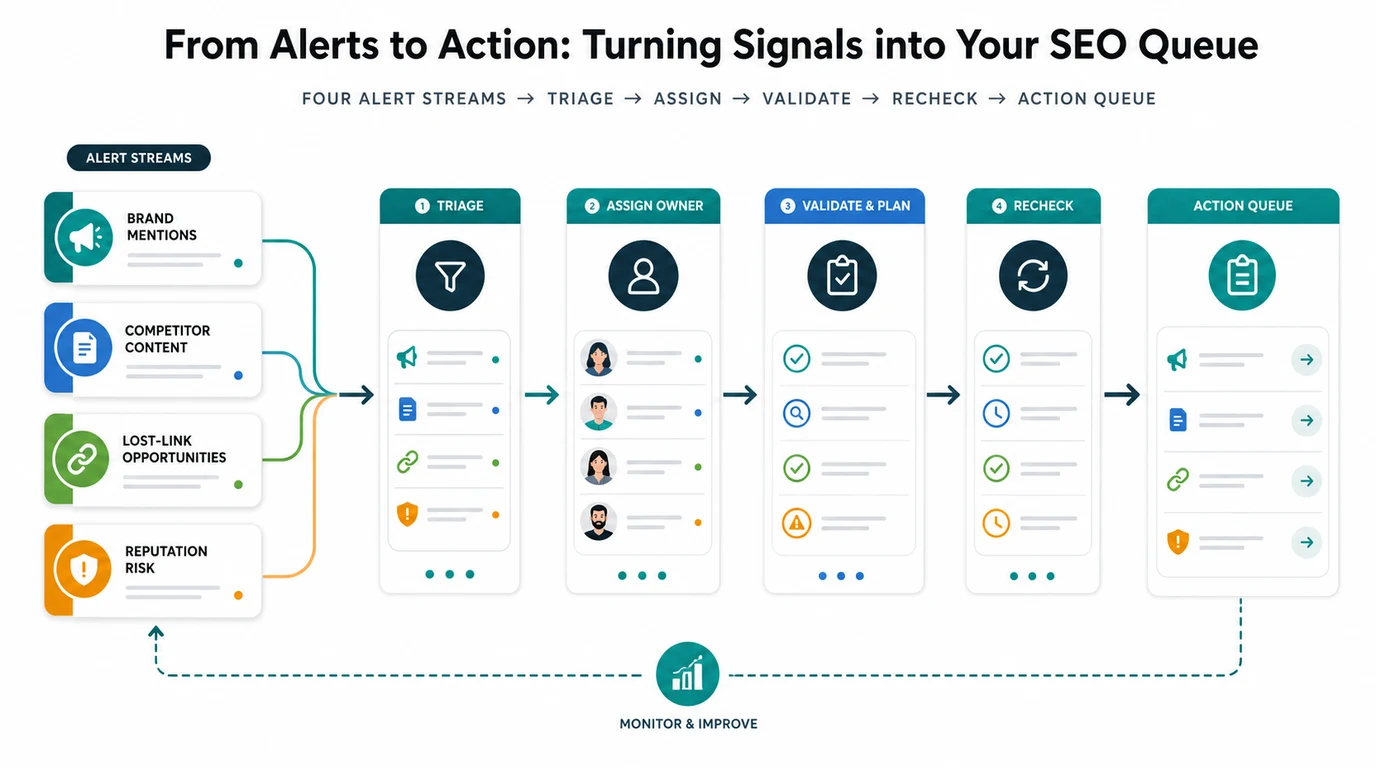
Use this triage model:
| Alert type | First check | Owner | Better next action |
|---|---|---|---|
| New brand mention | Is the brand described accurately? | Brand or SEO lead | Add to mention ledger, request correction only when accuracy matters |
| Unlinked mention | Would a link help the source page's reader? | Link building or content owner | Add to the link reclamation workflow if the citation is editorially useful |
| Competitor article | Does it target a keyword, page type, or user task Searvora should cover? | Content strategist | Compare against existing pages before approving a new asset |
| Product complaint | Is the issue public, recent, and tied to a real user task? | Support or product marketing | Route to the owner with source URL, context, and response priority |
| New industry guide | Does it reveal demand for a cluster Searvora already tracks? | SEO lead | Add internal-link, refresh, or hub-page review |
| Low-fit mention | Is it off-topic, syndicated, spammy, or too thin? | SEO operations | Log and skip so the queue stays usable |
The AI search competitor analysis workflow uses the same discipline for AI answers: capture the signal, split mentions from citations, identify the source page that should win, and assign one fix.
Validate The Signal In Search Console
An alert is evidence that Google found a new result for a topic. It is not proof that the page changed rankings, earned clicks, or affected demand.
Pair alerts with Google's Search Console Performance report. Use the report to compare queries, pages, countries, devices, clicks, impressions, CTR, and average position for the page group related to the alert.
| Alert finding | Search Console check | Decision |
|---|---|---|
| Competitor published a new guide | Are your related queries or pages losing impressions or clicks? | Refresh, expand, or watch depending on movement |
| Brand mentioned without a link | Does the mentioned asset already earn search demand? | Prioritize outreach only if the page and audience fit |
| Reputation issue appears | Are branded queries changing after the mention? | Escalate if search demand or sentiment-sensitive pages move |
| New topic keeps recurring | Do related non-branded queries show impression growth? | Consider a focused article, hub update, or landing page |
| Alert is noisy for two weeks | Are there any query or page movements worth monitoring? | Tighten, pause, or delete the alert |
This keeps the alert workflow grounded. Google Alerts can surface the mention. Search Console helps decide whether the signal belongs in the roadmap.
Where Searvora Fits
Searvora fits the operating layer around Google Alerts. The alert tells you that something appeared. Searvora helps organize whether that signal affects a brand entity, an AI search source, a competitor page, a link opportunity, or a technical SEO queue.
Use the AI SEO Dashboard to group alerts by segment: brand, competitor, topic cluster, source URL, market, and owner. Then turn useful alerts into one of five actions:
| Searvora action | When to use it |
|---|---|
| Monitor | The signal matters but does not need a page change yet |
| Refresh | An existing article or source page needs clearer evidence |
| Create | No existing URL serves the same keyword, page type, and user task |
| Reclaim | A mention or moved asset creates a safe link opportunity |
| Escalate | The alert exposes product, support, reputation, or messaging risk |
If the team cannot decide what the alert means, the AI SEO Consultant layer can translate dashboard evidence, source-page gaps, and crawl findings into prioritized next steps. Keep the roles clear: Google Alerts discovers possible signals; Searvora helps decide what ships.
Weekly Google Alerts Review Checklist
Run this once a week for priority markets and brands.
- Review alerts from the same inbox, owner, and time window.
- Remove duplicates, syndication, spam, and off-topic mentions.
- Label each useful alert as brand, competitor, link, content, reputation, or watchlist.
- Save the source URL, page title, query that triggered the alert, and first-seen date.
- Check whether an existing Searvora URL already serves the same user task.
- Compare related Search Console queries and pages before assigning a content change.
- Add internal links when an existing page is the right answer but needs stronger routing.
- Assign one owner and one next action for every approved alert.
- Recheck shipped changes after the next crawl or reporting cycle.
- Tighten or delete alerts that do not produce usable decisions.
The best Google Alerts setup is small, boring, and operational. It catches enough of the web to protect your brand and reveal opportunities, but it only becomes SEO work after the team validates the signal and assigns a clear next action.