

If you need to know how to find organic search traffic in Google Analytics, start with the Google organic search traffic report when Search Console is linked to GA4. If that report is not available, use GA4 acquisition and landing-page reports as a fallback, then add Search Console query context before deciding what to change.
The useful output is not a screenshot of a chart. The useful output is a short review set: which organic landing pages are moving, what search demand they map to, and what action the SEO team should assign next.
Know What GA4 Can Prove
GA4 can show whether visits were attributed to organic search and which landing pages received those sessions. It cannot, by itself, explain every query, ranking change, or AI-search surface that influenced the visit.
| Question | GA4 can help with | Add this before assigning work |
|---|---|---|
| Which sessions came from organic search? | Default channel group, source, medium, and landing page | Channel definition and Search Console connection check |
| Which pages earned the traffic? | Landing page plus engagement and conversion events | Query mix, page type, and intent match |
| Did the traffic change? | Date comparison and segment movement | Search Console clicks, impressions, CTR, and position |
| What should the team fix? | Page-level patterns and event behavior | Crawl, indexability, content freshness, and internal links |
This split matters because organic search traffic is a result signal. The cause may be demand, ranking, CTR, indexability, page quality, internal links, seasonality, or reporting setup.
Find The Google Organic Search Report
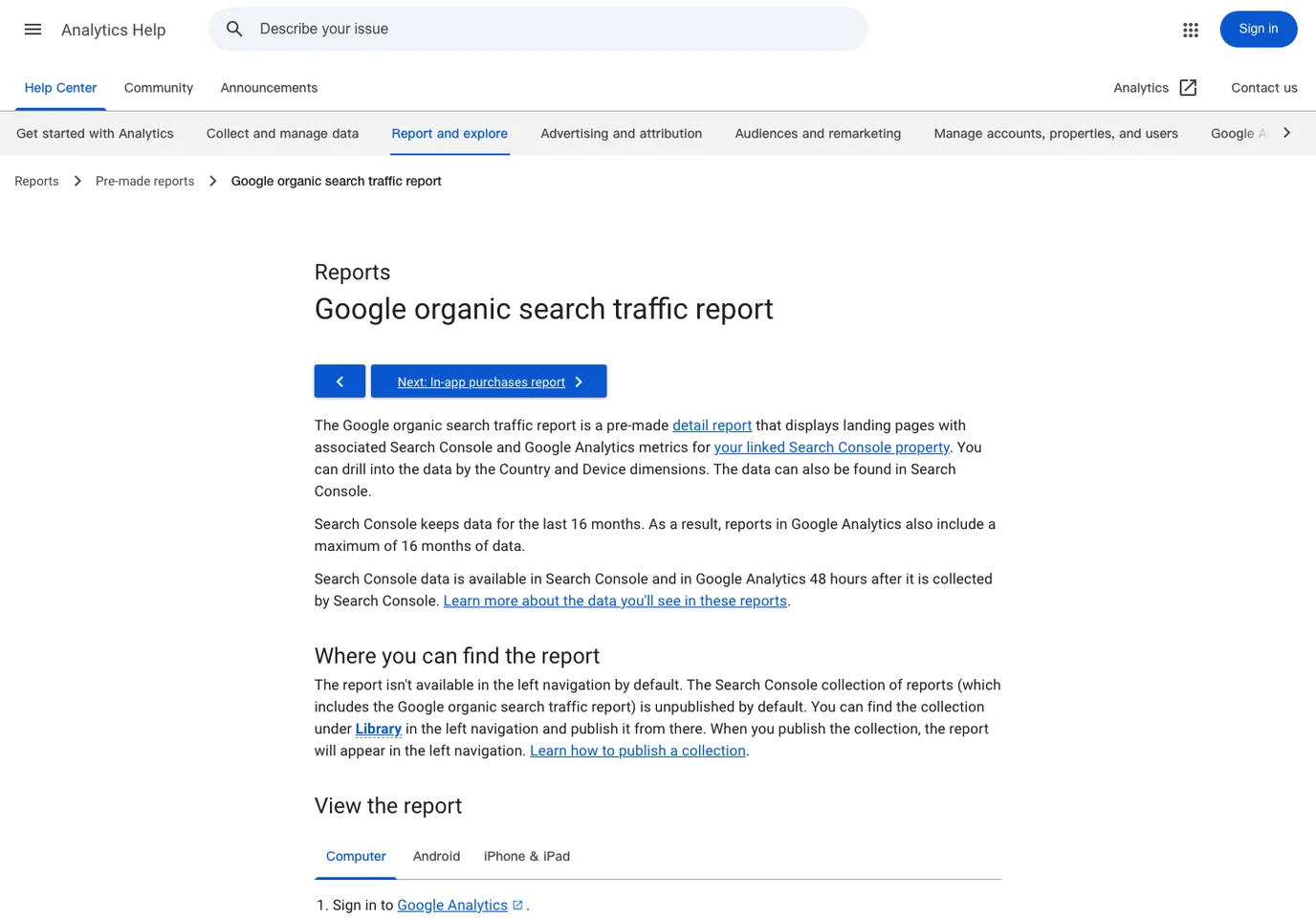
Google's Analytics Help page for the Google organic search traffic report explains that the report is part of the Search Console collection. That means the cleanest path depends on your GA4 property being linked to Search Console and the collection being published in the reporting library.
Use this path first:
- Confirm the GA4 property is linked to the right Search Console property.
- Open GA4 reports and check whether the Search Console collection is published.
- Open the Google organic search traffic report.
- Review landing pages, country, and device dimensions.
- Compare a stable date window before looking for causes.
If the report is not available yet, do not stop the review. Use traffic acquisition filtered to organic search, then open landing-page reporting and keep a note that the setup needs a Search Console link or library update.
Turn Landing Pages Into A Review Set
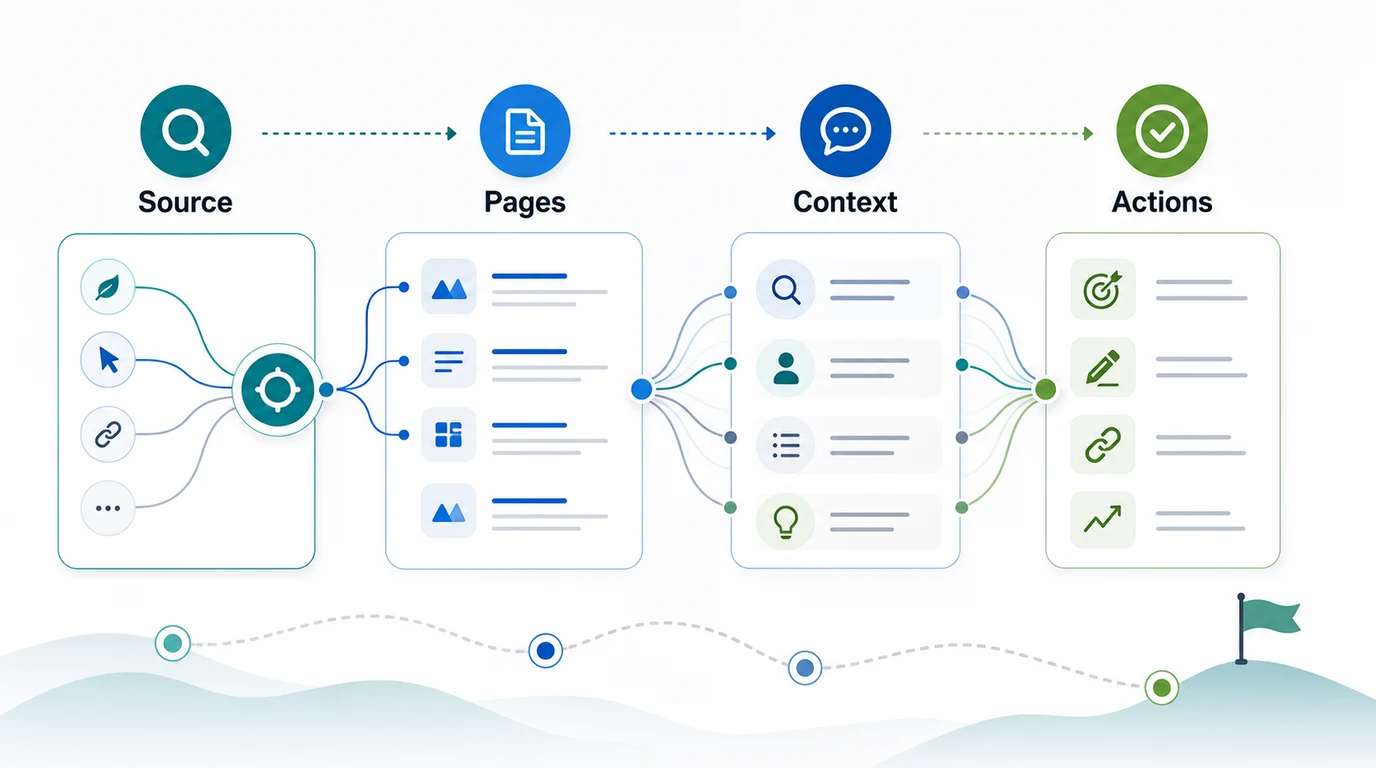
Once you can isolate organic search traffic, group the landing pages before making recommendations. A single page spike may be noise. A movement across one template, directory, product type, or locale is usually more useful.
Use a small review table:
| Review field | What to record | Why it matters |
|---|---|---|
| Landing page | URL and page type | Keeps the review tied to pages, not abstract traffic |
| Organic sessions | Current period and comparison period | Shows whether the page moved enough to inspect |
| Engagement or conversion | Lead, signup, event, scroll, or revenue signal | Separates useful traffic from empty visits |
| Query context | Top Search Console queries and intent class | Explains what searchers wanted |
| First action | Keep, refresh, merge, fix, link, or watch | Turns reporting into work |
For a content team, the first action is often not "write more." It might be to update an outdated answer, strengthen an internal link path, adjust the title promise, fix a canonical conflict, or leave the page alone because demand changed.
Add Query Context Before You Diagnose
GA4 shows the page that received organic traffic. Search Console helps explain the search demand behind that page. Review them together before assigning content or technical work.
Useful pairings:
| GA4 signal | Search Console context | Better decision |
|---|---|---|
| Organic sessions rose on one guide | Impressions rose across the same query group | Improve conversion path and supporting links |
| Organic sessions fell on a money page | Impressions stayed stable but CTR dropped | Review title, meta description, SERP features, and page promise |
| Organic sessions fell across a directory | Impressions and clicks fell together | Check demand, ranking, indexability, and template-level issues |
| Organic sessions rose but conversions fell | Query mix shifted toward low-intent searches | Adjust CTA fit or create a better next-step page |
| GA4 shows organic traffic but query data is thin | Search Console property is missing or mismatched | Fix reporting setup before changing pages |
Pair this with automated SEO reporting when the review has to repeat weekly, and with How to Track AI Traffic in GA4 when AI assistant referrals need a separate channel review. Organic search and AI referral traffic should not be collapsed into one bucket just because both can influence the same landing pages.
Where Searvora Fits
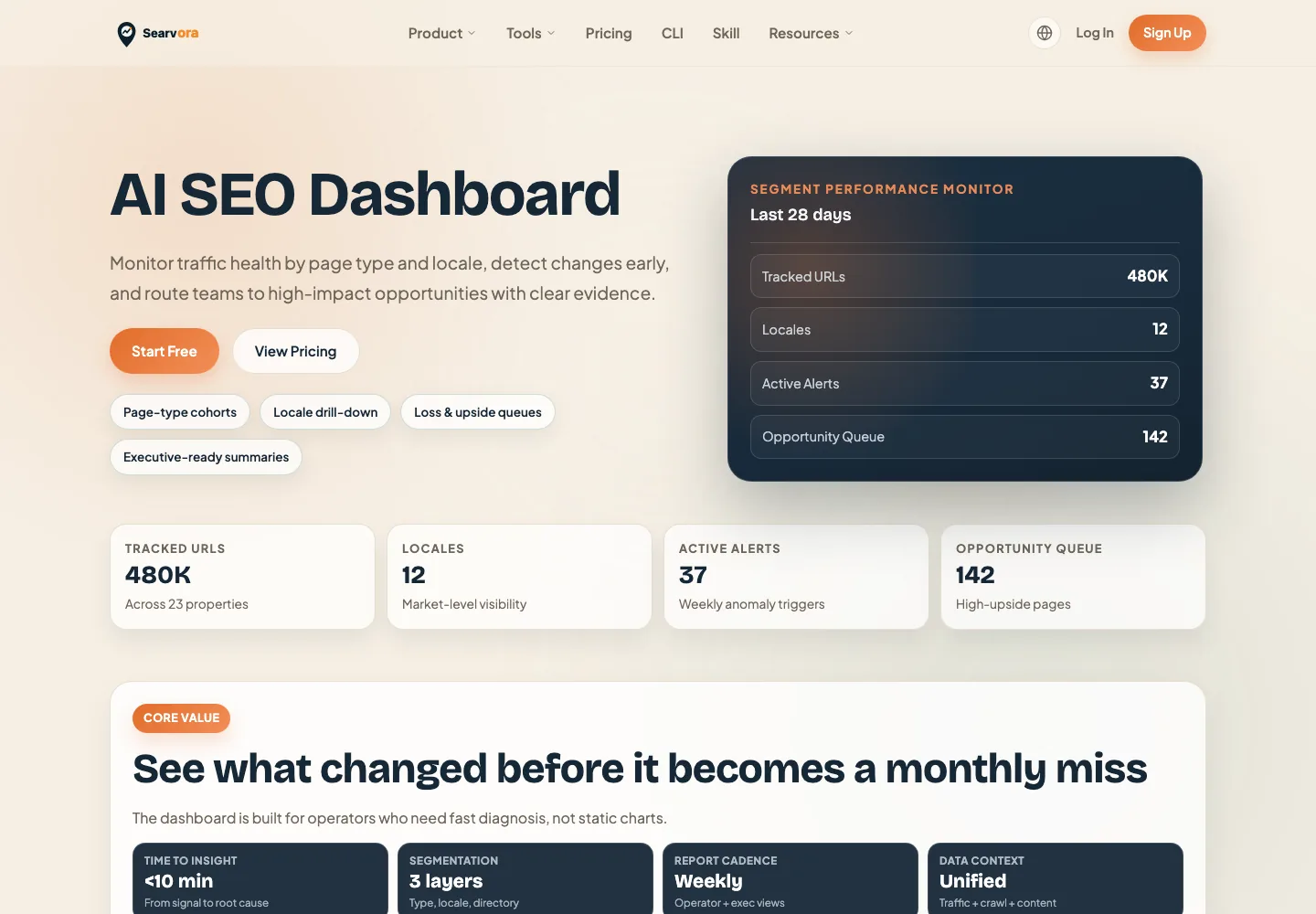
The AI SEO dashboard fits after GA4 collection. Searvora positions the dashboard around segment-first monitoring, anomaly detection, opportunity scoring, and cross-team reporting. That is the layer that helps a team move from "this page changed" to "this page group needs review, this owner has the next action, and this window will validate the result."
Use Searvora for the work GA4 should not own:
| Layer | Use it for | Output |
|---|---|---|
| GA4 | Organic search sessions, landing pages, events, and conversions | Traffic evidence |
| Search Console | Queries, impressions, clicks, CTR, and position | Search demand evidence |
| Crawl checks | Canonical, indexability, sitemap, links, and rendered content | Eligibility evidence |
| Searvora dashboard | Segment movement, anomaly review, and opportunity queues | Assigned SEO work |
Organic Search Traffic Checklist
Use this checklist before sharing the report:
- Confirm the GA4 property and Search Console property are linked correctly.
- Check whether the Search Console collection is published in GA4 reports.
- Isolate organic search traffic by channel, source, or the Google organic search report.
- Review landing pages before reviewing broad totals.
- Compare a stable date range against the previous period or year.
- Add Search Console query context for the affected pages.
- Segment by page type, directory, device, country, or locale when the change is broad.
- Check crawl and indexability before rewriting pages.
- Assign one next action with an owner and validation window.
That is the practical answer to how to find organic search traffic in Google Analytics: isolate the channel, identify the pages, add query and crawl context, then turn the report into a decision your team can actually ship.