
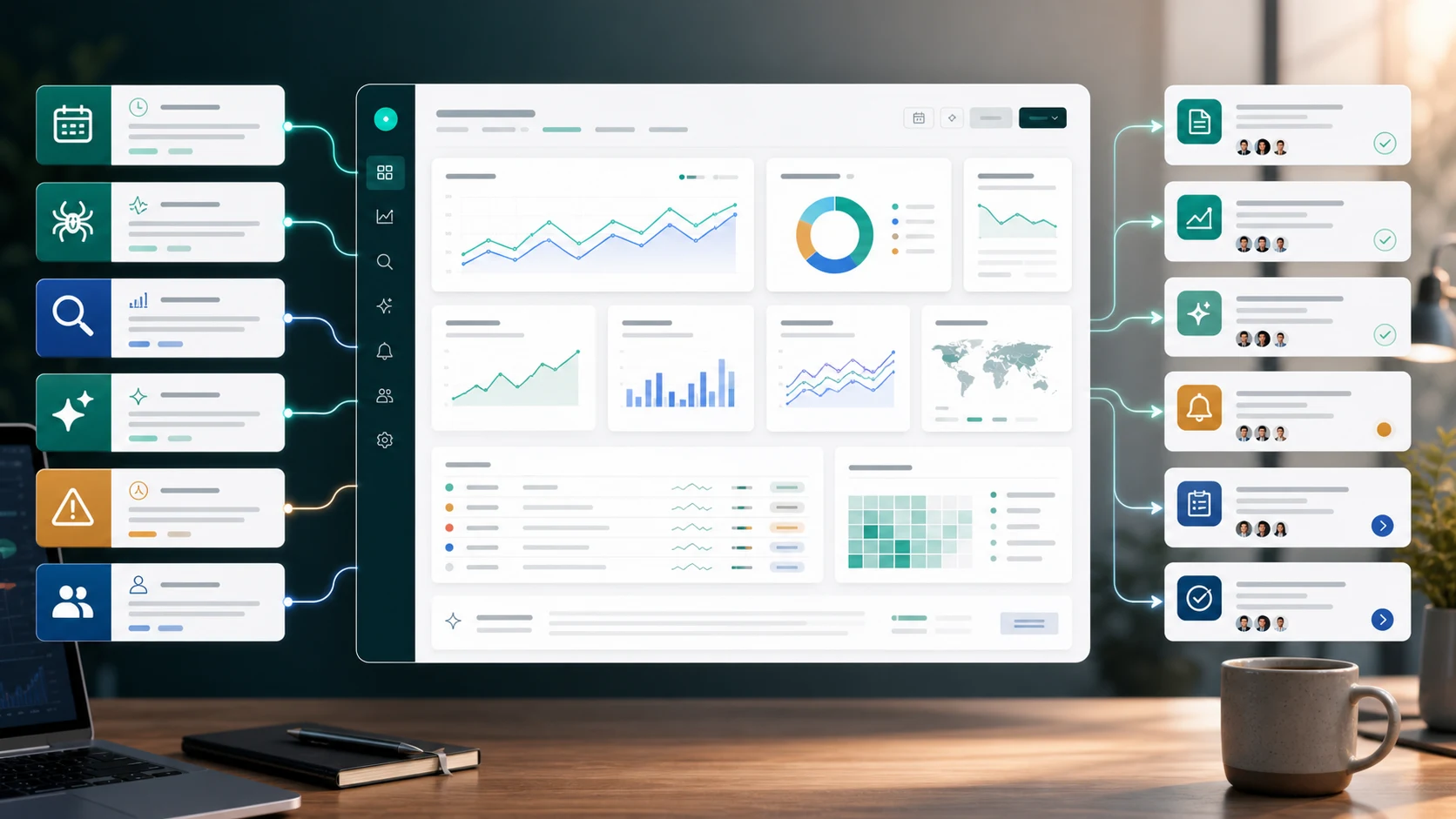
Automated SEO reporting is the process of collecting recurring search, crawl, ranking, content, and visibility signals without rebuilding the same report every week. The useful version does more than save time. It turns repeatable data into decisions the team can review, assign, and validate.
The mistake is treating automation as the finish line. A scheduled dashboard can still be noise if it mixes every URL, hides anomalies inside sitewide averages, or ends with charts that nobody owns. A strong automated SEO reporting workflow keeps the data collection repeatable while making the judgment layer more explicit.
Decide What The Report Must Change
Before choosing tools, define the decision the report should improve. An executive trend summary, a technical crawl review, a content refresh queue, and an AI-search visibility check should not use the same layout.
The Ahrefs automated SEO reporting article that surfaced this opportunity is useful because it keeps the setup practical: recurring reports, Search Console, Looker Studio, rank tracking, site audits, competitor analysis, website changes, and brand mentions. Searvora's information gain is the operating layer after that setup: which signal becomes a task, who owns it, and when the team checks whether it worked.
Use this filter first:
| Reporting question | Better automation output | Action it should trigger |
|---|---|---|
| Did organic performance change? | Segment trend with affected page groups | Diagnose demand, snippet, technical, or SERP causes |
| Did crawl health change? | Issue cluster by template, directory, and severity | Assign technical fixes and recrawl dates |
| Did a content group stall? | Query and page cohort review | Refresh, consolidate, expand, or leave alone |
| Did AI-search visibility shift? | Prompt or citation evidence tied to source pages | Improve answer-ready sections, entities, links, or citations |
| Did a stakeholder ask for status? | Short narrative with shipped work and next actions | Approve, pause, or reprioritize work |
Split Inputs Into Stable Segments
Automated reporting breaks when every chart is sitewide. A homepage, article hub, ecommerce collection, localized route, product page, and technical support page can all move for different reasons. Segment first so the automation matches how the team operates.
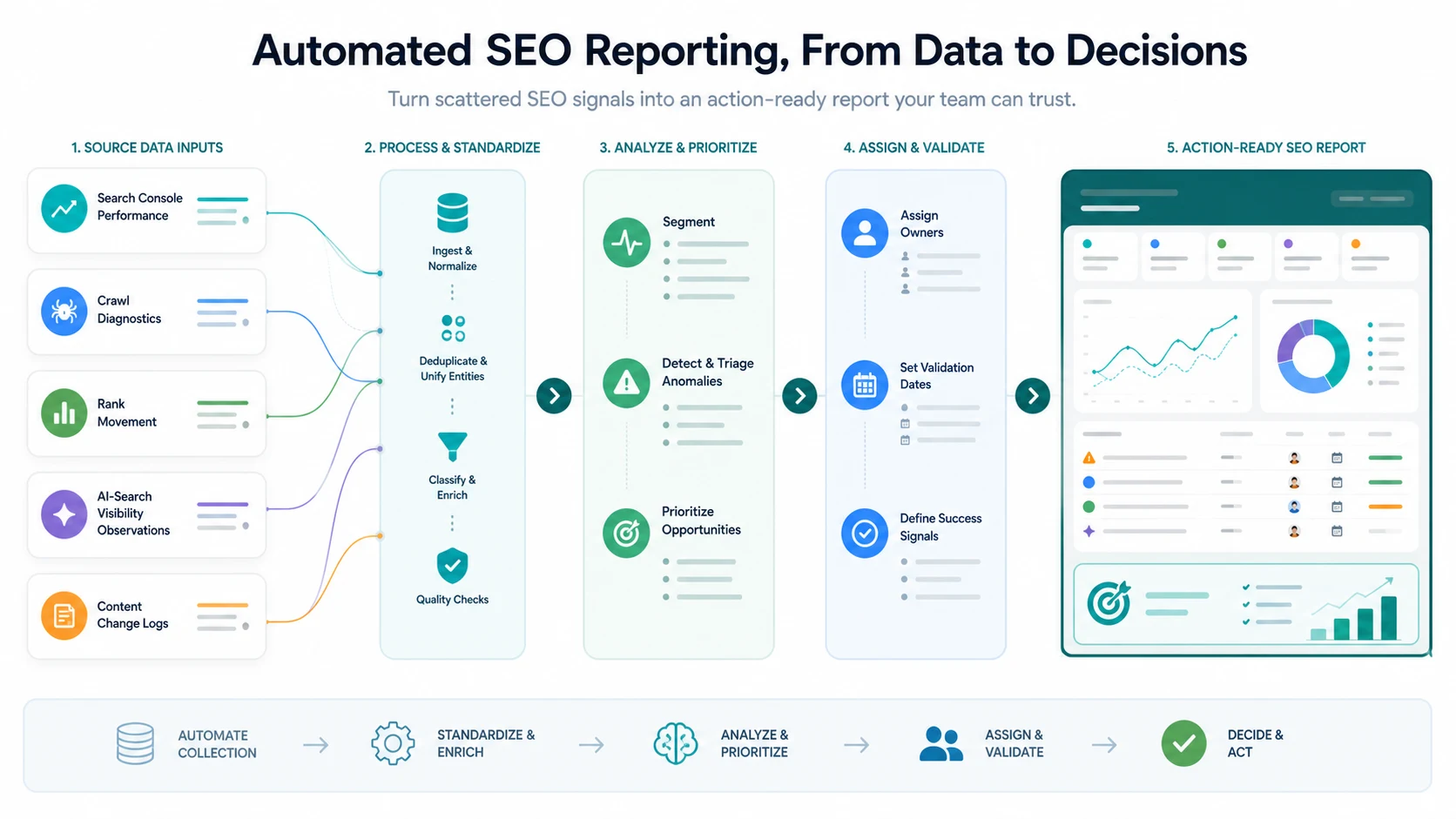
Start with a small set of stable inputs:
| Input | Why it belongs | Segment to preserve |
|---|---|---|
| Search Console performance | Clicks, impressions, CTR, average position, queries, and pages | Page type, directory, locale, query family |
| Crawl diagnostics | Indexability, status codes, canonicals, links, metadata, and sitemap signals | Template, issue type, severity, owner |
| Rank or SERP observations | Visibility movement and layout changes | Keyword set, intent, page type |
| Content change log | What shipped and when | URL group, content owner, release date |
| AI-search evidence | Mentions, citations, answer presence, and source-page gaps | Prompt group, topic cluster, cited URL |
Google's Search Console Performance report is the baseline source for query and page movement. For larger exports or scheduled pulls, the Search Analytics API can support repeatable extraction, but the same rule applies: preserve the dimensions that make the next action clear.
Automate Collection Without Automating Judgment
The first automation layer should remove repetitive collection work. It should not pretend every spike, drop, or warning deserves the same response.
Use a three-layer reporting model:
| Layer | What gets automated | What stays human-reviewed |
|---|---|---|
| Collection | Scheduled pulls, crawl exports, dashboard refreshes, and change logs | Whether the data source is reliable enough for the decision |
| Normalization | URL grouping, deduplication, date windows, entity cleanup, and metric labels | Whether the group reflects a real page job |
| Prioritization | Threshold flags, anomaly clusters, issue severity, and owner suggestions | Final action, owner, and timing |
This protects the team from false confidence. A traffic drop may be seasonal. A crawl warning may hit low-value pages. A ranking gain may not support revenue. A brand mention in an AI answer may matter only if the cited source is strategic. Automated SEO reporting should make those reviews faster, not invisible.
For the broader metric model, pair this workflow with SEO metrics to track. That article explains which numbers deserve a weekly review; this one explains how to make that review repeatable.
Add Anomaly Triage Before Stakeholder Summaries
Stakeholders want a clear summary, but the report should not jump straight from raw data to an executive paragraph. Add a triage layer that explains what changed, where it changed, and what the team should inspect first.
Use this triage table inside the report:
| Signal pattern | First check | Likely next action |
|---|---|---|
| Impressions up, clicks flat | Snippet promise, SERP layout, query mix | Rewrite title, description, intro, or page angle |
| Clicks down in one directory | Template, canonical, internal links, crawl access | Run a focused crawl and assign technical checks |
| Ranking movement but no traffic impact | Query intent and business value | Move to watchlist or adjust target page |
| Crawl errors rose after release | Status, redirects, sitemap, robots, deployment notes | Assign engineering fix and recrawl window |
| AI answer citations changed | Source pages, entity clarity, structured sections | Refresh answer-ready evidence and internal links |
The summary should then name the smallest useful story: the affected segment, likely cause, work owner, expected leading indicator, and review date. That is the difference between a report that explains the past and a report that changes what ships next.
Make AI Search Visibility Part Of The Report
Automated SEO reporting should now include AI-search evidence when the business depends on topical authority, brand trust, or source-page citability. This does not mean inventing a magic AI score. It means adding a repeatable observation layer beside normal SEO metrics.
Track these fields:
- Query or prompt group.
- Search or answer surface observed.
- Whether the brand, product, or source page appears.
- Which sources are cited or summarized.
- Whether the cited page is crawlable, indexable, and internally supported.
- The next content, technical, or internal-link action.
For a deeper AI-search measurement workflow, use AI visibility as the companion piece. Keep the same reporting discipline: evidence first, segment second, action third.
Turn The Report Into An Owner Queue
An automated report should end with a queue, not a screenshot. Each queue item should be small enough to assign and specific enough to validate.
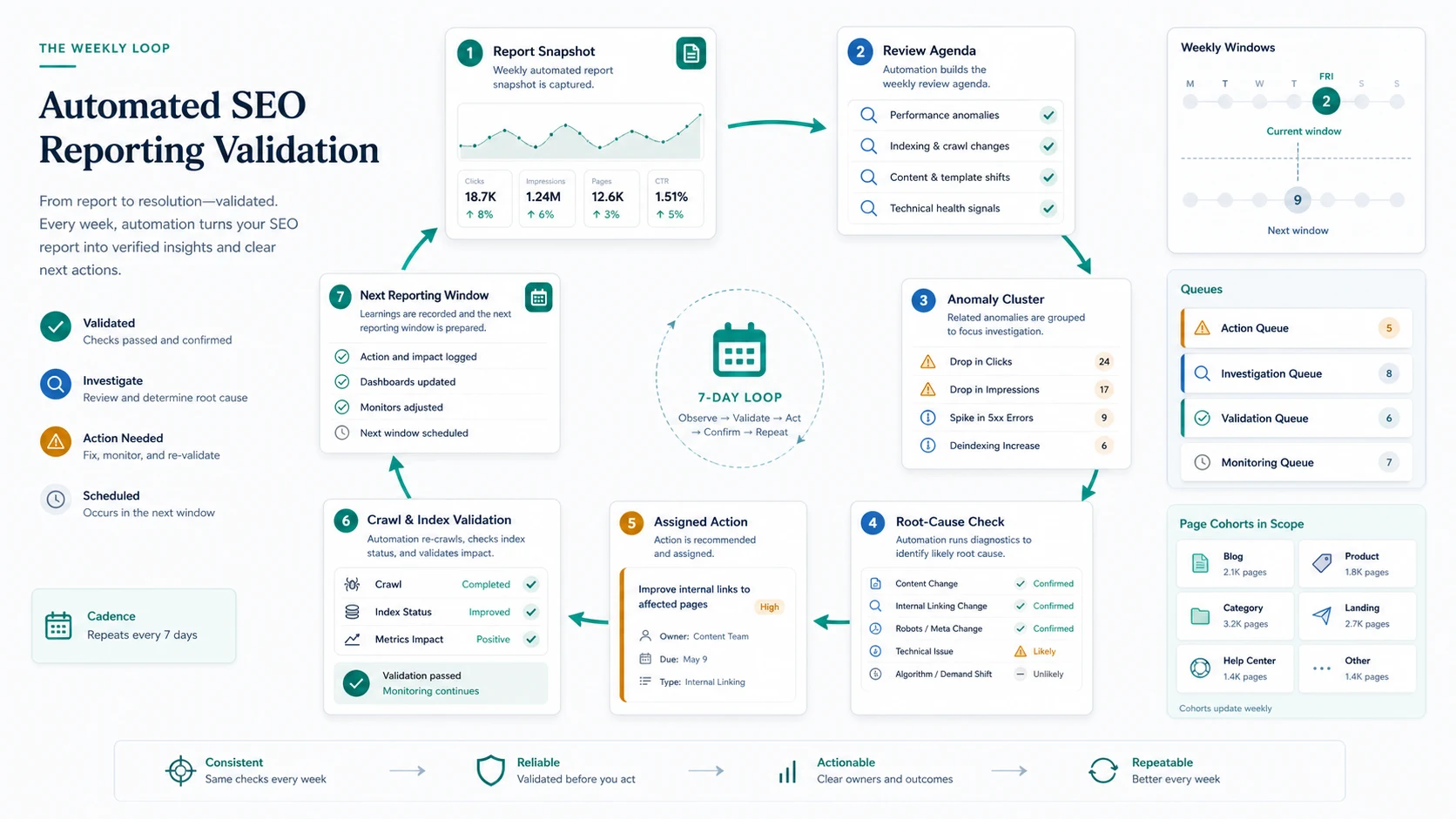
Use these fields:
| Queue field | Example |
|---|---|
| Segment | Blog posts in /guides/ or product pages in the US locale |
| Trigger | Clicks down 18 percent while impressions stayed flat |
| Likely cause | Snippet mismatch after SERP layout change |
| Owner | SEO lead, content owner, or engineering |
| Action | Rewrite title/H1 alignment and add internal links from two related guides |
| Validation | Recheck CTR and query mix after the next crawl and reporting window |
| Status | Investigating, assigned, shipped, validating, or watchlist |
This is where automated reporting becomes operational. The team can decide whether to fix, monitor, merge, refresh, expand, or stop. The next report then checks whether the last decision created the expected signal instead of rediscovering the same issue.
For budget or planning conversations, SEO forecasting is the natural follow-up. Forecasting helps decide whether a queue is worth funding; automated reporting helps prove whether funded work is moving.
Where Searvora Fits
Searvora AI SEO Dashboard fits the monitoring and action-routing layer of automated SEO reporting. The local product page positions it around page-type and locale performance, anomaly detection, opportunity scoring, cross-team reporting, and prioritized queues. That is the layer most reports miss: not another chart, but a shared view of what changed and what should happen next.
Use the AI SEO dashboard to group reporting by page type, directory, market, template, and owner. Then connect each signal to the right execution path: crawl validation in SEO Spider Crawler, strategy review in AI SEO Consultant, or content production in Blogify when the page truly needs new or refreshed content.
Automated SEO Reporting Checklist
Use this checklist before trusting the report:
- Name the decision the report should improve.
- Segment pages by type, directory, locale, market, or template.
- Keep raw collection separate from prioritization.
- Preserve query, page, crawl, and content-change context.
- Add AI-search observations only when they are tied to source pages and actions.
- Flag anomalies by segment, not only sitewide totals.
- Assign one owner and one next action per queue item.
- Define the validation window before the fix ships.
- Record whether the next report confirmed, disproved, or changed the action.
- Remove metrics that never change a decision.
Automated SEO reporting is worth building when it makes the next decision clearer. Automate the repeatable data work, keep the judgment visible, and make every report end with an action the team can actually validate.