

If you need to know how to audit a site with JetOctopus, the useful workflow is not just "run a crawl." Start by defining the URL set, crawl the site, segment the findings, compare log and search data when available, then turn the evidence into a fix queue with owners and validation checks.
JetOctopus is strong when the audit needs cloud crawling, log analysis, Google Search Console data, and recurring monitoring in one technical SEO workspace. The hard part comes after the data appears: deciding which issues matter, who owns them, and how you will prove the fix worked.
The Short Workflow
Use JetOctopus as the evidence layer, then force every finding through a delivery gate:
| Step | What to do in the audit | Output you need before acting |
|---|---|---|
| 1. Define the crawl scope | Pick the host, subfolders, templates, and sitemap sources that matter | A URL inventory that matches the business problem |
| 2. Run the crawl | Check status codes, metadata, canonicals, internal links, indexability, and rendered-page risks | Issue groups by template, directory, and severity |
| 3. Add log and GSC context | Use log files and Search Console data when the question is crawl budget, indexation, or demand | Evidence that separates technical noise from traffic risk |
| 4. Prioritize fixes | Rank findings by affected pages, crawl path, organic value, and implementation owner | A fix queue instead of a raw export |
| 5. Validate the repair | Re-crawl the affected segment and compare the same evidence set | A before-and-after check the team can trust |
Start With A Clean Crawl Scope
JetOctopus positions its technical SEO audit work around crawling, crawl budget analysis, interlinking analysis, JavaScript SEO performance, on-page SEO, SERP efficiency, alerts, scheduled crawls, and joined datasets. The official JetOctopus SEO audit page also describes scheduled crawling and joined crawl, log, and performance data.
That breadth is useful, but it can make the first run too broad. Before you crawl, decide whether the audit is about:
| Audit goal | Better crawl scope | Avoid starting with |
|---|---|---|
| Traffic decline | Affected templates, landing pages, and changed directories | The whole domain with no segment labels |
| Migration QA | Redirect maps, old URLs, new URLs, canonicals, and sitemap entries | Only the new sitemap |
| Large ecommerce cleanup | Categories, product templates, faceted paths, and parameter rules | A random sample that misses crawl traps |
| JavaScript SEO | Raw HTML, rendered HTML, navigation links, metadata, and canonical output | Visual QA without crawler evidence |
| Crawl budget | Logs, bot behavior, status codes, crawl depth, and low-value URL patterns | Page-level warnings without bot context |
If JavaScript is part of the risk, JetOctopus says its crawler can execute JavaScript and scan links discovered in executed code when that setting is active. That is useful, but still validate the basics: search systems need real links, stable metadata, and crawlable HTML paths. The JavaScript SEO workflow is the safer companion when rendered content and source HTML disagree.
Use Logs When Crawl Data Alone Is Too Thin
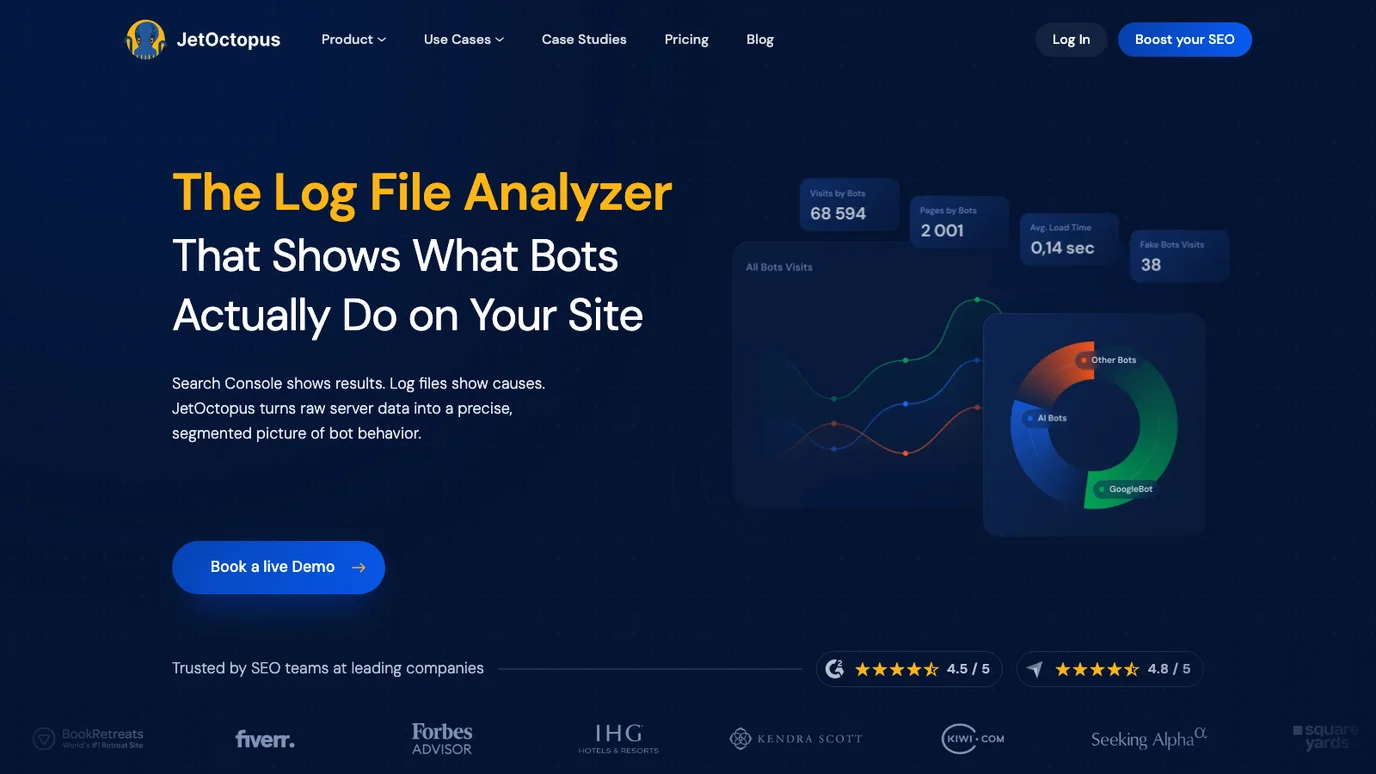
A crawl shows what the crawler found. Logs show which bots actually requested. That difference matters when an audit is about crawl budget, indexation, AI crawler access, or unexplained visibility gaps.
The official JetOctopus Log Analyzer page frames log analysis around bot behavior, crawl frequency, crawler segmentation, status codes, and search or AI bot activity. Use that layer when you need to answer questions like:
| Question | Crawl evidence | Log evidence |
|---|---|---|
| Are important pages discoverable? | Internal links, depth, sitemaps, canonical state | Whether Googlebot or AI crawlers actually request those URLs |
| Are crawl traps wasting attention? | Parameter paths, duplicate templates, redirect chains | Bot hits on low-value or blocked URL patterns |
| Did a release create indexation risk? | Changed metadata, directives, status codes, rendered DOM | Bot behavior before and after the release |
| Is AI search visibility technically possible? | Indexable source pages and extractable content | Whether AI crawlers reach the right pages |
Do not add logs to look sophisticated. Add them when the decision changes because you can see what bots did, not only what a crawler could do.
Turn JetOctopus Findings Into A Fix Queue
JetOctopus can surface a lot of technical evidence. The audit becomes operational when the findings are grouped into a short queue that the team can ship.
Use this triage model:
| Finding type | Why it matters | First owner | Validation check |
|---|---|---|---|
| Broken internal links | Important pages may lose crawl paths and user paths | Engineering or content ops | Re-crawl affected templates and confirm status codes |
| Wrong canonical targets | Search systems may choose weaker or duplicate URLs | SEO plus engineering | Confirm canonical, sitemap, and internal link agreement |
| Missing or duplicated metadata | Template defects can spread across many pages | Content ops or product templates | Re-crawl title, description, H1, and page-type samples |
| Rendered links missing from HTML | Crawlers may not discover important routes reliably | Frontend engineering | Compare source HTML, rendered DOM, and crawl output |
| Bot hits on low-value URLs | Crawl budget can drift toward parameters or legacy paths | SEO plus platform engineering | Compare log requests before and after blocking or link changes |
This is where the Google Search Console site audit workflow can help. Search Console shows query and page symptoms. JetOctopus can explain technical causes. The fix queue should connect both.
Where Searvora Fits After The Crawl
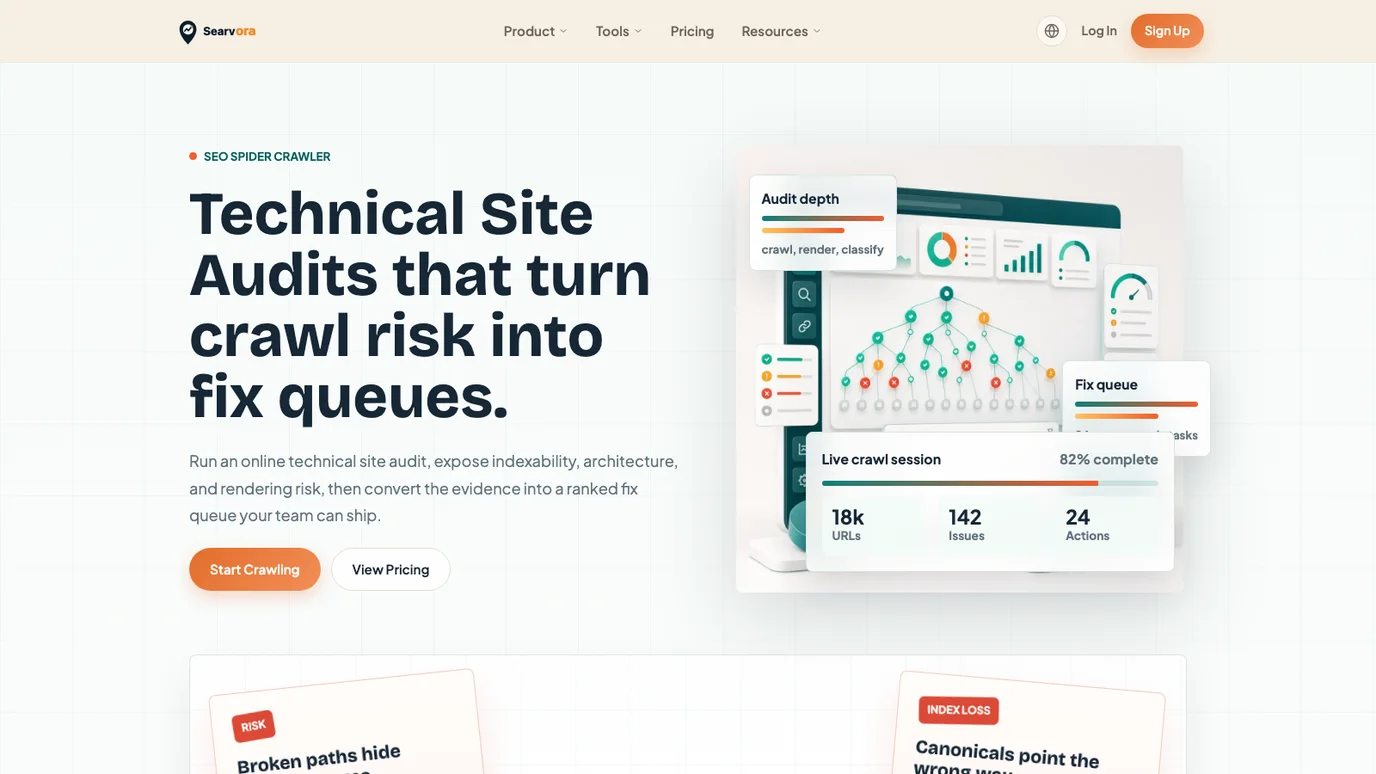
Use JetOctopus when the audit needs cloud crawling, log analysis, and large-site technical datasets. Use Searvora's SEO spider crawler when the bottleneck is turning crawl risk into an owner-ready queue the team can review, assign, and validate.
The local Searvora product page frames the workflow as crawl, diagnose, prioritize, and execute. That makes it a useful operating layer when your team already has crawl evidence but still needs:
| Delivery need | Why it matters after a JetOctopus audit |
|---|---|
| Issue grouping | Stakeholders need template-level patterns, not a thousand isolated rows |
| Severity and impact | Technical warnings need business priority before they become tickets |
| Owner handoff | Engineering, content, and SEO teams need different instructions |
| Validation criteria | A fix is not done until the same crawl or log evidence confirms it |
| Recurring monitoring | Release QA and traffic recovery need repeatable checks, not one-off screenshots |
This is not a claim that one tool replaces every JetOctopus module. It is a workflow split: JetOctopus can provide deep technical evidence; Searvora helps teams convert audit risk into the next shippable action.
A Practical JetOctopus Audit Checklist
Run this checklist before you call the audit complete:
| Check | Pass condition |
|---|---|
| Crawl scope is labeled | Each URL group maps to a business question, template, or release risk |
| Indexability is reconciled | Canonicals, noindex, robots, status codes, sitemap inclusion, and internal links agree |
| Metadata defects are grouped | Titles, descriptions, H1s, and duplicated templates are sorted by page type |
| JavaScript risk is tested | Raw HTML and rendered output expose the same important content and links |
| Logs are used only when needed | Bot activity answers a real crawl budget, indexation, or AI visibility question |
| Fixes have owners | Every approved issue has an owner, expected impact, and validation method |
| Follow-up crawl is scheduled | The team knows when and how to prove the repair worked |
If the audit still feels too large, compare it with the Screaming Frog SEO Spider review. The tools differ, but the operating question is the same: does the crawl output become a decision, or does it become another export waiting for someone to interpret it?
When Not To Write Another Audit Report
Stop the report and narrow the scope when you see one of these patterns:
| Pattern | Better next move |
|---|---|
| Hundreds of low-severity warnings with no traffic context | Segment by template and organic value before writing tickets |
| Logs show bot waste but crawl rules are unclear | Map crawl traps, parameters, robots rules, and internal links first |
| JavaScript issues appear only in screenshots | Compare source HTML, rendered DOM, and crawl-discovered links |
| The same issue appears across one template | Fix the template and validate samples instead of ticketing every URL |
| The team wants "all SEO issues" | Ask which page type, release, traffic drop, or crawl-budget problem triggered the audit |
An audit with fewer findings and clearer owners usually ships faster than a giant report with impressive charts. Use JetOctopus to collect the evidence. Use Searvora to keep the fix queue honest.