

Here is how to audit a site with Google Search Console only: limit the audit to search-visible evidence such as indexed pages, query performance, crawl and indexing signals, sitemap coverage, and URL-level inspection. That is enough for a first pass, a traffic-drop review, or a small-site health check.
It is not enough when the audit needs a full URL inventory, internal-link graph, rendered HTML comparison, redirect chain cleanup, canonical cluster review, or owner-ready validation after fixes ship. Use Search Console to decide where the risk is, then bring in crawl evidence when the question moves beyond what Google has already reported.
Use Search Console For Search Evidence
Google Search Console is strongest when the audit question is about what Google has seen and how searchers responded. It is weaker when the audit question is about every URL the site can generate.
| Search Console view | What it can prove | What it cannot prove alone |
|---|---|---|
| Performance | Queries, pages, clicks, impressions, CTR, average position, countries, devices | Whether the page is internally discoverable or technically clean |
| Page indexing | Indexed, excluded, discovered, crawled, and error states that Google reports | Whether every important URL exists in your architecture |
| URL Inspection | Google-selected canonical, crawl state, index eligibility, rendered result for a known URL | Sitewide duplicate patterns or internal-link depth |
| Sitemaps | Which submitted sitemap URLs Google processed | Whether your sitemap excludes weak URLs and includes every canonical |
| Manual actions and security issues | Serious search quality or security blockers | Normal technical SEO prioritization |
Google's Performance report documentation is useful because it explains how clicks, impressions, CTR, and average position are grouped. Google's URL Inspection tool documentation is the right reference when you need URL-level crawl, index, and canonical evidence.
Start With Indexing And URL Inspection
Start with the pages that matter most: conversion pages, category pages, product pages, article hubs, and recently changed templates. Do not begin by exporting everything. Begin by asking which URLs should be search-visible.

Use this sequence:
- List the priority URL groups before opening reports.
- Check whether those URLs appear in Performance by page.
- Review Page indexing for excluded, crawled, discovered, duplicate, canonical, not found, redirect, and server-error patterns.
- Inspect representative URLs from each important template.
- Compare the Google-selected canonical against the intended canonical.
- Confirm submitted sitemaps include only canonical, indexable URLs.
- Mark any pattern that needs a crawl before a fix is assigned.
The technical SEO workflow is the companion when Search Console shows access problems but cannot explain the full pattern. Search Console can reveal that Google selected a different canonical. A crawler helps show where the conflicting signals came from.
Use Performance Data To Choose Audit Targets
Performance data turns the audit from a generic checklist into a priority review. Start with page groups, not isolated URLs.
| Pattern in Performance | Likely audit question | Next evidence |
|---|---|---|
| Impressions rising, CTR falling | Did the title, snippet, SERP feature, or intent fit change? | Query group, title, meta description, competing results |
| Clicks falling while position is stable | Did the SERP satisfy more intent before the click? | Snippet, AI Overview presence, page promise |
| One directory losing impressions | Did a template, sitemap, canonical, or internal-link pattern change? | URL samples, Page indexing, crawl slice |
| New pages have no impressions | Are they submitted, linked, indexable, and mapped to demand? | Sitemaps, URL Inspection, internal links |
| Branded queries shifting | Did brand pages, profiles, or source evidence change? | Brand pages, entity consistency, AI-search checks |
This is where a Search Console only audit can be genuinely useful. It keeps the team from auditing low-value URLs just because they are easy to crawl. Pair the pattern with the SEO checklist when you need to convert the finding into a fix, refresh, merge, create, defer, or monitor decision.
Know What Search Console Cannot Audit
Search Console reports Google-facing evidence. It does not replace a crawler, log file review, analytics review, or content inventory. The limitation matters because a clean Search Console screen can still hide site architecture problems.
Use this boundary table:
| If the audit needs to answer | Search Console only? | Why |
|---|---|---|
| Which queries and pages changed in Google Search? | Yes | Performance is the right source |
| Whether a known URL is indexed and which canonical Google selected | Yes | URL Inspection is built for known URL checks |
| Every indexable URL the site exposes through internal links | No | Search Console does not give a complete crawl graph |
| Redirect chains, broken internal links, and crawl depth | No | You need a crawler or server-side evidence |
| Rendered metadata across a template group | No | Inspecting one URL is not a template audit |
| Whether a fix shipped correctly across many URLs | No | You need a re-crawl and live validation |
For audit cadence, use the SEO audit frequency workflow to decide when a GSC-only check is enough and when to schedule a fuller crawl.
Turn GSC Findings Into A Fix Queue
The output of the audit should not be "GSC reviewed." It should be a small queue of findings with evidence, owner, expected fix, and validation method.
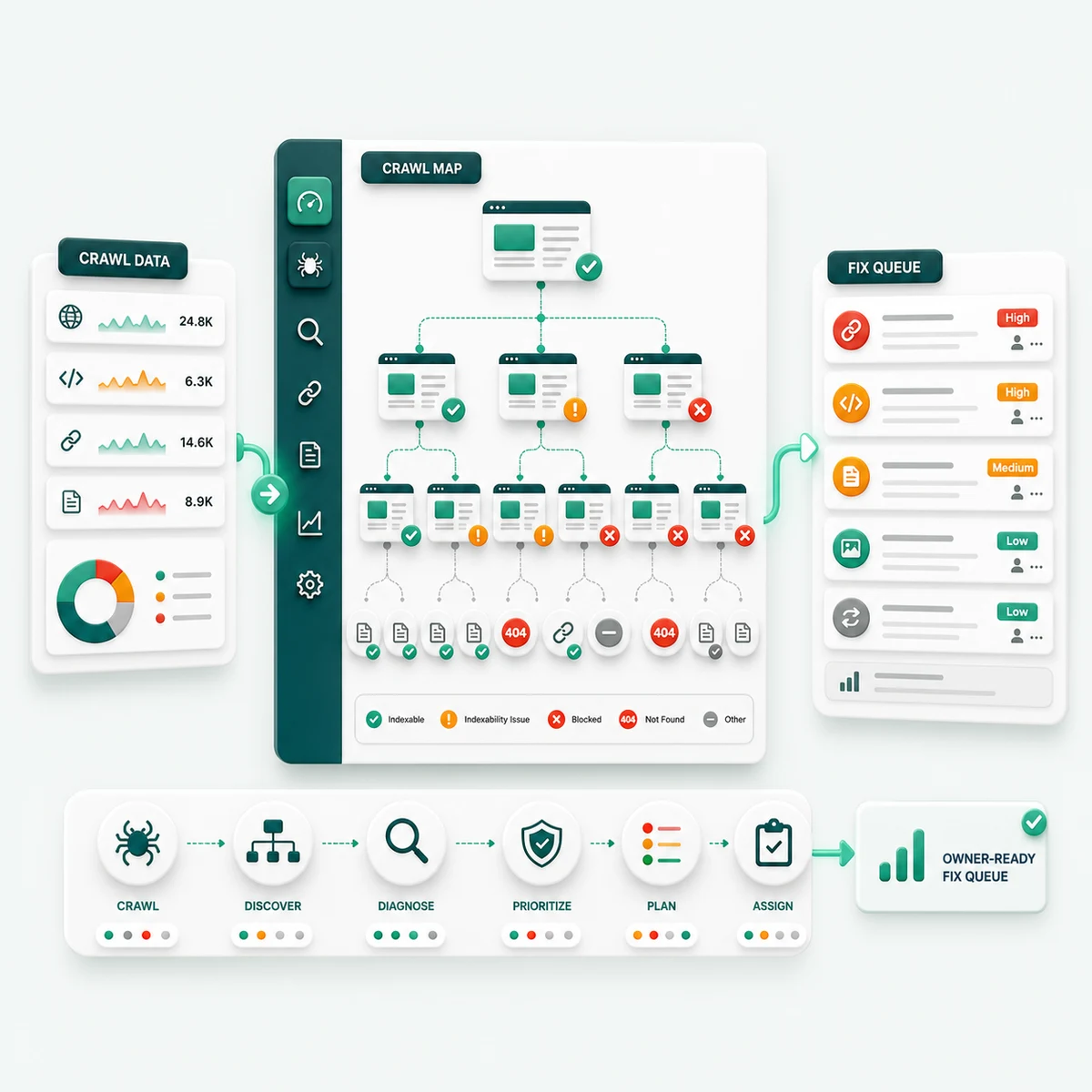
Use this handoff format:
| Field | What to write |
|---|---|
| URL group | Directory, template, page type, or individual URL |
| GSC evidence | Performance pattern, indexing reason, URL Inspection result, or sitemap state |
| Risk | Lost visibility, blocked discovery, wrong canonical, weak snippet, stale page, or validation gap |
| Owner | SEO, content, engineering, analytics, product, or localization |
| Fix | The smallest action that can be checked |
| Validation | Re-inspect, re-crawl, compare Performance, or monitor after recrawl |
If the issue affects one known page, Search Console may be enough for validation. If the issue affects a template, navigation path, sitemap, hreflang cluster, canonical pattern, or redirect pattern, validate with a crawl before closing the queue.
A Practical GSC-Only Site Audit Workflow
Use this workflow when you need a clean first pass without paid tools:
- Define the site section, page group, and business question.
- Export Performance by page and query for the comparison window.
- Review Page indexing for priority URL groups and recurring exclusion reasons.
- Inspect representative URLs from each important template.
- Check submitted sitemaps for important canonical URLs.
- Separate findings into search evidence, technical uncertainty, content fit, and measurement follow-up.
- Assign only the fixes that Search Console evidence can support.
- Escalate anything that needs full crawl coverage, rendered HTML comparison, internal-link mapping, or post-release validation.
So yes, you can audit a site with Google Search Console only. Use it when the audit is about Google-reported visibility, indexing, and known URL checks. Stop calling it enough when the work needs a full inventory, technical pattern detection, or proof that a fix changed the live site.