

If you are asking is direct traffic organic, the short answer is no. Direct traffic is not organic traffic by default. In analytics, direct usually means the visit did not have a clear referrer or campaign source. Organic search means the visit was attributed to an unpaid search result or search engine source.
The confusing part is that some visits that started with search discovery can later appear as direct. A user may bookmark a page, type the URL, return from an untagged link, or move through a browser or app that does not pass a referrer. That does not make the session organic by default. It means the attribution evidence is incomplete.
The Short Answer
Use this split:
| Traffic label | Plain meaning | What to do with it |
|---|---|---|
| Direct traffic | Analytics did not receive a clear referrer or campaign source | Treat as unattributed until evidence says more |
| Organic search | The session was attributed to unpaid search discovery | Review landing page, query context, and SEO action |
| Referral traffic | The visit came from another website link | Check source quality and campaign tagging |
| Paid search | The visit came from a paid search campaign | Keep it out of organic reporting |
| Unassigned or other | Analytics could not fit the session cleanly | Audit source, medium, tagging, and channel rules |
For SEO work, this distinction matters because direct traffic does not tell you which query, page, or search result created the visit. Organic search traffic is still only a starting point, but it gives you a clearer path into Search Console and landing-page review.
If you need the broader definition first, start with what organic traffic means in practical SEO work. If you need the report path, use how to find organic search traffic in Google Analytics.
How GA4 Classifies The Two Sources
Google's Analytics Help page on (direct) / (none) traffic describes direct as traffic without a clear referral source. Google's campaigns and traffic sources documentation also notes that a session can be processed as direct when no referral source is available or when a referring source or search term has been configured to be ignored.
Organic search is different. In GA4's default channel group documentation, organic search depends on recognized search-source or organic-medium logic. The exact channel rules can evolve, but the reporting principle stays the same: direct is not a synonym for organic.
Use this review table:
| Question | Direct traffic answer | Organic search answer |
|---|---|---|
| Did analytics receive a search engine source? | Usually no | Usually yes |
| Can you connect the visit to a search query in GA4 alone? | No | Not fully; use Search Console |
| Should the session be counted as SEO traffic by default? | No | Yes, if channel/source logic is clean |
| Could the user have discovered the brand through search earlier? | Yes | Yes |
| Does that prove the direct session was organic? | No | No, it only adds context |
The safest reporting language is boring and precise: "Direct traffic is unattributed by source. Organic search traffic is attributed to unpaid search discovery."
Build An Attribution Review
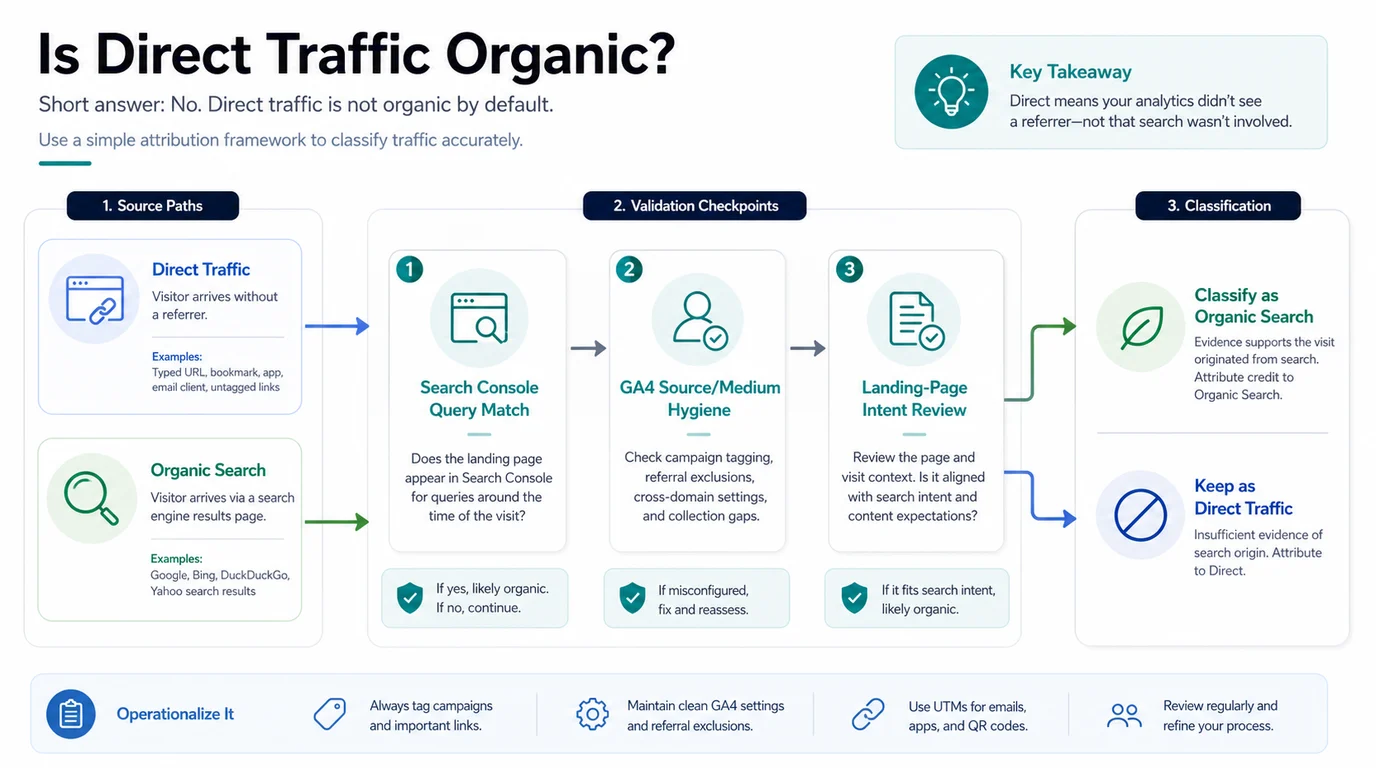
When direct traffic rises or organic traffic falls, do not immediately move numbers between channels. Build a small attribution review instead.
- Check the landing pages receiving direct traffic.
- Compare those pages against Search Console queries, clicks, impressions, and CTR.
- Look for campaign-tagging gaps in email, social, QR codes, apps, PDFs, influencer links, and partner links.
- Check whether referral exclusions or ignored sources are pushing visits into direct.
- Review whether branded search demand changed during the same period.
- Decide whether the reporting story is direct traffic, search-assisted demand, campaign-tagging noise, or true organic movement.
Search Console is important because it gives search-side context that GA4 cannot fully provide. Google's Search Console Performance report helps you review clicks, impressions, CTR, queries, pages, countries, devices, and dates. Use that beside GA4, not as a replacement for it.
When Direct Traffic Might Be Search Assisted
Some direct sessions are plausibly influenced by search, even when the session itself is not classified as organic.
| Pattern | What it may mean | How to report it |
|---|---|---|
| Branded queries rise, then direct traffic rises | Search may have increased brand recall | Report as assisted demand, not organic sessions |
| A high-ranking page gets more direct returns | Users may bookmark or revisit after discovery | Keep the session direct; note page-level retention |
| Organic clicks fall but direct conversions rise | SERP or AI answer behavior may be changing the path | Compare query group, landing page, and conversion quality |
| Untagged email or app links hit key pages | Campaign source is missing | Fix tagging before SEO interpretation |
| Search Console impressions rise without GA4 organic growth | Search visibility exists but click/session path is unclear | Inspect CTR, result layout, and analytics setup |
This is especially useful when AI search is part of the story. AI answers, snippets, and brand mentions can influence demand without producing a clean organic session. Keep the channel label honest, then add the assisted context separately.
When Direct Traffic Should Stay Direct
Do not force direct traffic into organic reporting just because the landing page ranks.
Keep the visit as direct when:
| Situation | Reason |
|---|---|
| There is no search query movement for the page | Search did not provide supporting evidence |
| The landing page is a homepage or login-style page | Direct navigation is plausible |
| The source is likely an untagged campaign | The fix is campaign hygiene, not SEO credit |
| Referral exclusions changed recently | Analytics configuration may be the cause |
| The visit came from a bookmark or typed URL pattern | That is normal direct behavior |
This discipline protects SEO reporting. Organic traffic should show how unpaid search discovery is performing. Direct traffic can still be valuable, but it should not be used as a shortcut to inflate SEO impact.
Where Searvora Fits
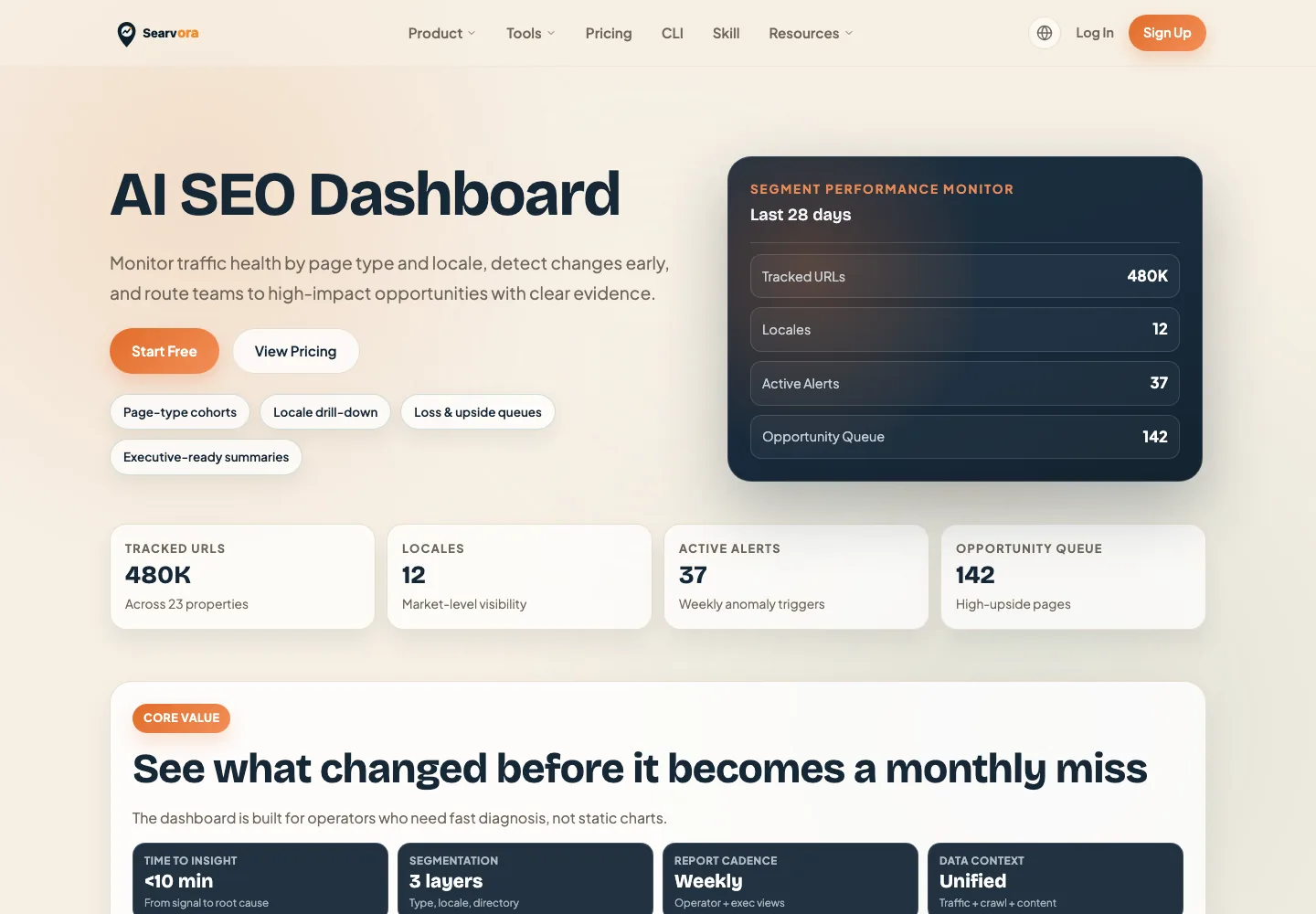
Searvora's AI SEO dashboard fits after the channel labels are clean enough to review. The product page positions the dashboard around page-type cohorts, locale drill-down, anomaly detection, opportunity queues, and executive-ready summaries. That helps teams move from channel confusion to page-level decisions.
Use the dashboard to separate:
| Layer | What it answers |
|---|---|
| GA4 traffic source | How sessions were attributed |
| Search Console query data | Whether unpaid search visibility changed |
| Landing-page cohort | Which page group needs review |
| Crawl and content checks | Whether page eligibility or intent caused the change |
| Opportunity queue | What action should be assigned and rechecked |
Direct Versus Organic Checklist
Use this checklist before reporting direct traffic as search-assisted:
- Did GA4 classify the session as direct, organic search, referral, paid, or unassigned?
- Did the landing page receive matching Search Console clicks or impressions?
- Did branded search demand change during the same window?
- Are email, app, social, QR, PDF, and partner links tagged correctly?
- Did referral exclusions, ignored sources, consent changes, or redirects change recently?
- Does the landing page's search intent match the page that received direct sessions?
- Are you reporting session attribution separately from assisted demand?
- Is there one page action or tracking fix to ship next?
That is the practical answer to whether direct traffic is organic. Direct is not organic by default. Treat it as a separate signal, then use Search Console and page context to decide whether search influenced the journey.