

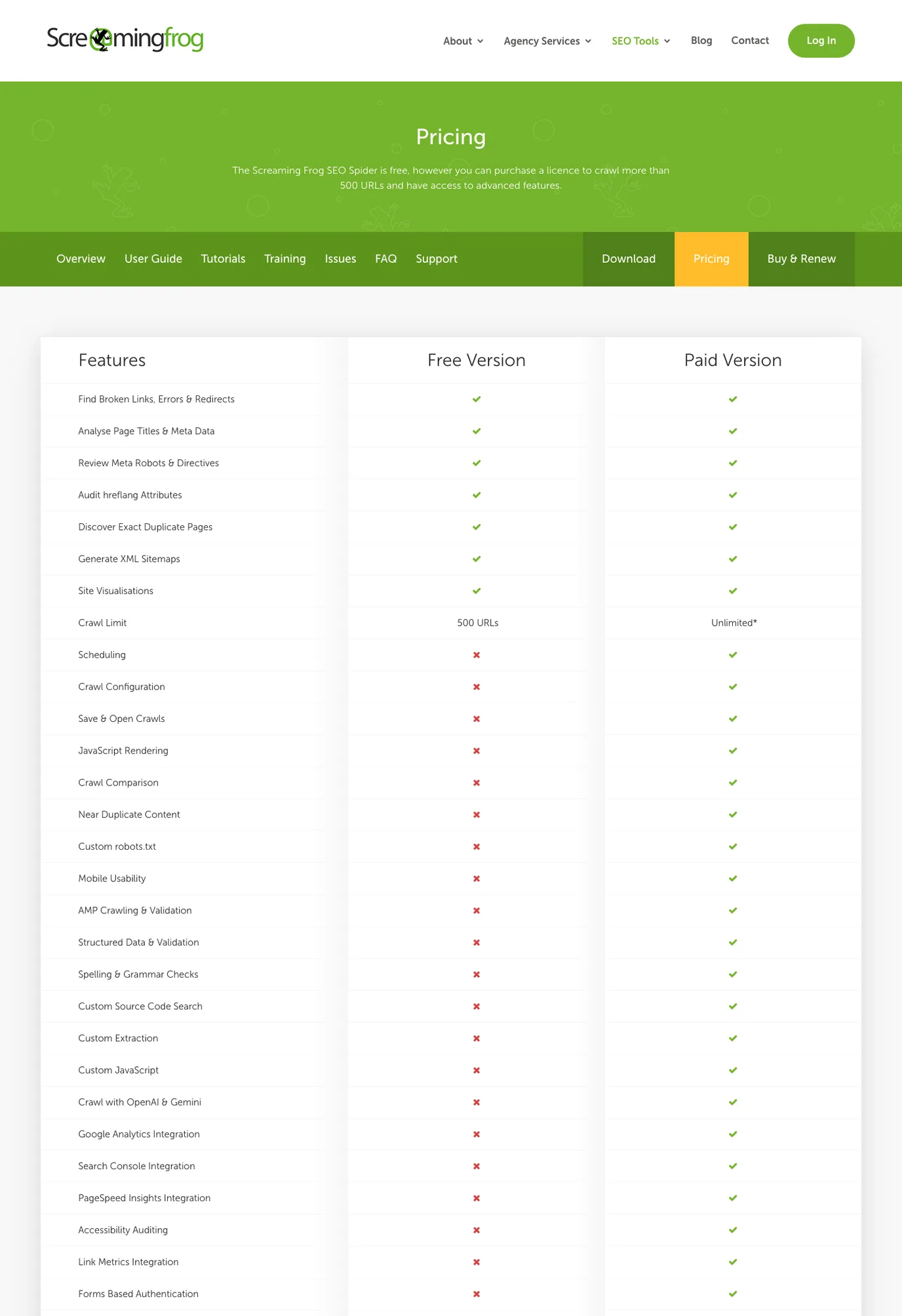
Screaming Frog pricing is easiest to evaluate when you separate the licence cost from the job after the crawl. The free SEO Spider version can crawl up to 500 URLs, while the paid licence removes that limit and unlocks advanced crawl, rendering, extraction, integration, and reporting features.
That makes the buying decision practical: buy Screaming Frog when one technical SEO needs a powerful desktop crawl workbench. Consider an online crawler workflow when the bigger problem is prioritizing fixes, explaining impact, and handing work to a team after the crawl.
Quick Answer
The official Screaming Frog pricing page positions SEO Spider as free for smaller crawls and paid for larger, more advanced technical SEO work. In the refreshed public snapshot for this run, the paid licence view surfaced a 245-per-year price in the selected currency view, with licences lasting one year.
Use this rule before you compare plans:
| Team situation | Better first choice | Why |
|---|---|---|
| You need to crawl a small site or test the tool | Screaming Frog free version | The 500 URL cap can be enough for a quick technical check |
| One technical SEO owns desktop audits and exports | Screaming Frog paid licence | The advanced crawl controls and integrations are the main value |
| Several stakeholders need issue context and a fix queue | Online crawler workflow | Shared prioritization matters more than another export |
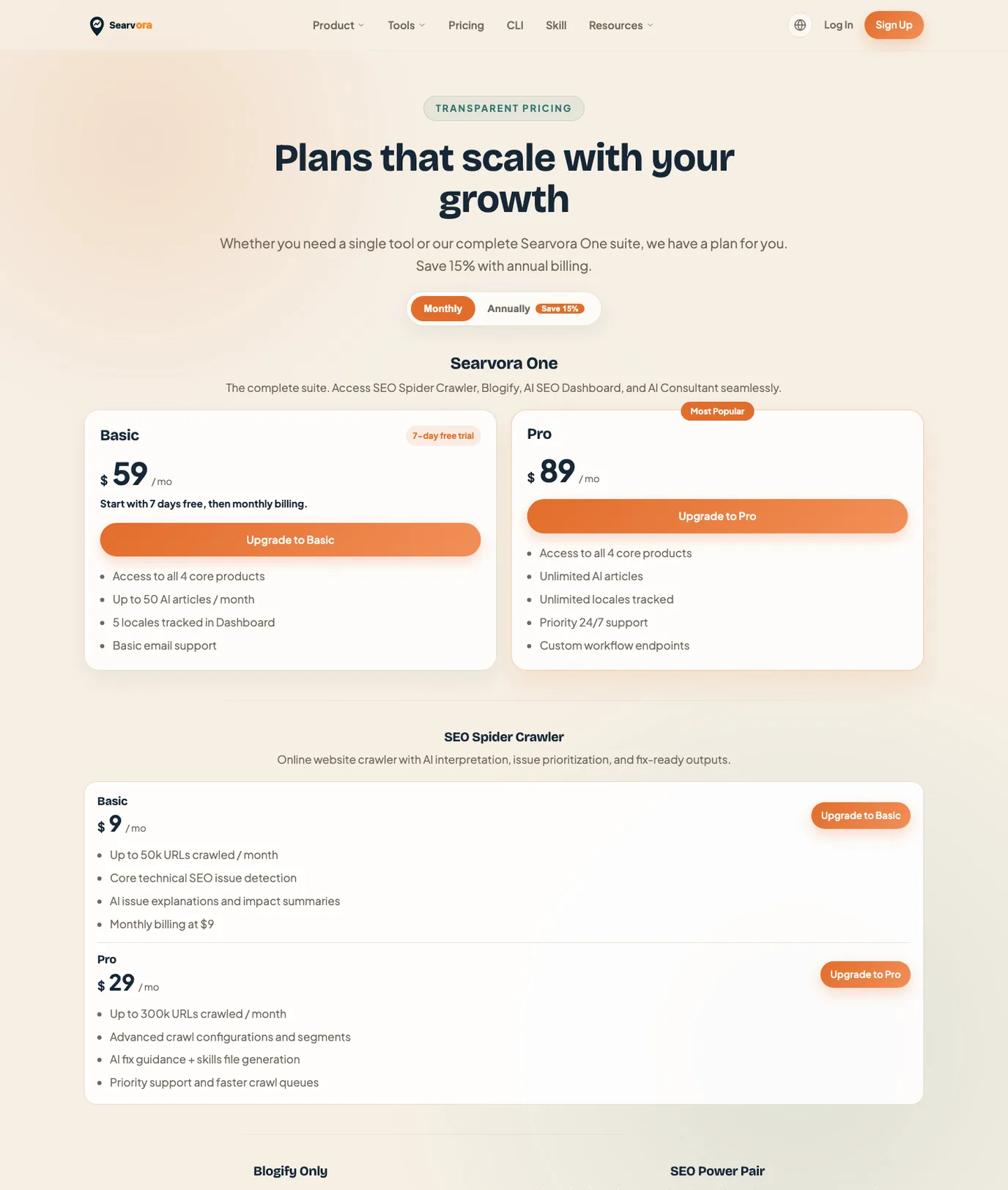
| The team wants monthly buying flexibility | Searvora SEO Spider Crawler | The local pricing page shows crawler plans from $9/month |
| Crawl evidence must become AI-assisted tasks | Searvora SEO Spider Crawler | The product page frames crawl findings as prioritized, owner-ready fix queues |
What The Official Pricing Page Tells Buyers
The pricing page is not a generic article. It is a product decision page for the Screaming Frog SEO Spider licence. The page says the tool is free, but a licence is required to crawl more than 500 URLs and access advanced features.
The most important buying signals are structural:
| Pricing signal | What it means for the buyer |
|---|---|
| Free version | Useful for small crawls, trial checks, or one-off diagnostics under 500 URLs |
| Paid version | Needed when the crawl limit, scheduling, rendering, crawl comparison, extraction, integrations, or reports matter |
| One-year licence | The budget is an annual renewal decision, not a month-by-month test |
| Advanced features | The value depends on whether the operator will actually use configuration depth, exports, and integrations |
| Local machine workflow | The audit owner needs to manage installation, resources, files, and handoff process |
This is why the search intent should not be answered with a generic "SEO tools pricing" article. A reader searching for Screaming Frog pricing wants to know whether the free cap is enough, when the paid licence is justified, and what kind of workflow they are buying into.
For a broader look at the product itself, use the companion Screaming Frog SEO Spider review. This article stays focused on the pricing decision.
Compare The Cost To The Work After The Crawl
The paid licence can be a reasonable choice when the crawler output is the hard part. It is less complete when the crawler output is only the beginning.
Use this comparison before buying:
| Buying question | Screaming Frog paid licence fits when | Add Searvora when |
|---|---|---|
| Who owns the audit? | A technical SEO can run, interpret, and export the crawl | Multiple people need a browser-based view of the issue queue |
| What blocks progress? | The site needs deeper crawl controls or advanced extraction | The team already has crawl evidence but struggles to prioritize |
| How are issues shipped? | The SEO lead has a ticketing and QA process outside the tool | The workflow needs impact summaries, owners, and validation criteria |
| How is budget approved? | Annual desktop crawler spend is easy to justify | Monthly flexibility lowers the decision risk |
| What happens after recrawl? | The operator compares crawl files and reports manually | The team wants recurring monitoring tied to fix queues |
For many teams, the honest answer is not "one crawler wins." A desktop crawler can be useful for deep inspection, while an online workflow can be the operating layer that keeps fixes moving.
When The Paid Licence Makes Sense
Choose the Screaming Frog paid licence when the buyer already knows how to turn crawl data into decisions.
Good-fit cases include:
- A technical SEO needs to crawl more than 500 URLs.
- JavaScript rendering, crawl comparison, custom extraction, custom robots.txt, or integrations are part of the audit.
- The audit owner is comfortable managing desktop crawl files and machine resources.
- The team already has a clean handoff process for engineering, content, and QA.
- Annual renewal is acceptable because crawl work is frequent and predictable.
The paid licence is less compelling when the organization keeps losing time after the crawl. If exports sit in spreadsheets, engineers get vague tickets, or stakeholders cannot tell which issue matters first, the crawler is only solving the discovery half of the problem.
When Searvora Is The Better Operating Layer
Searvora SEO Spider Crawler is positioned around online technical site audits, issue prioritization, AI explanations, and fix-ready outputs. The local product page frames the workflow as crawl, diagnose, prioritize, and execute.
The Searvora pricing page also shows a different buying model: SEO Spider Crawler starts at $9/month for Basic and $29/month for Pro in the local pricing copy. That does not replace the need to verify current terms before checkout, but it makes the comparison practical for teams that want a monthly online crawler workflow.
Searvora fits especially well when:
| Workflow need | Why Searvora is relevant |
|---|---|
| Shared technical SEO review | Browser-based audit evidence is easier for non-specialists to inspect |
| Fix prioritization | Issues can be grouped by severity, template footprint, impact, and confidence |
| AI-assisted explanation | The crawler workflow can turn technical findings into clearer action language |
| Owner handoff | Fix queues are easier to route than raw crawl exports |
| Recurring validation | The team can measure whether the next crawl proves the fix worked |
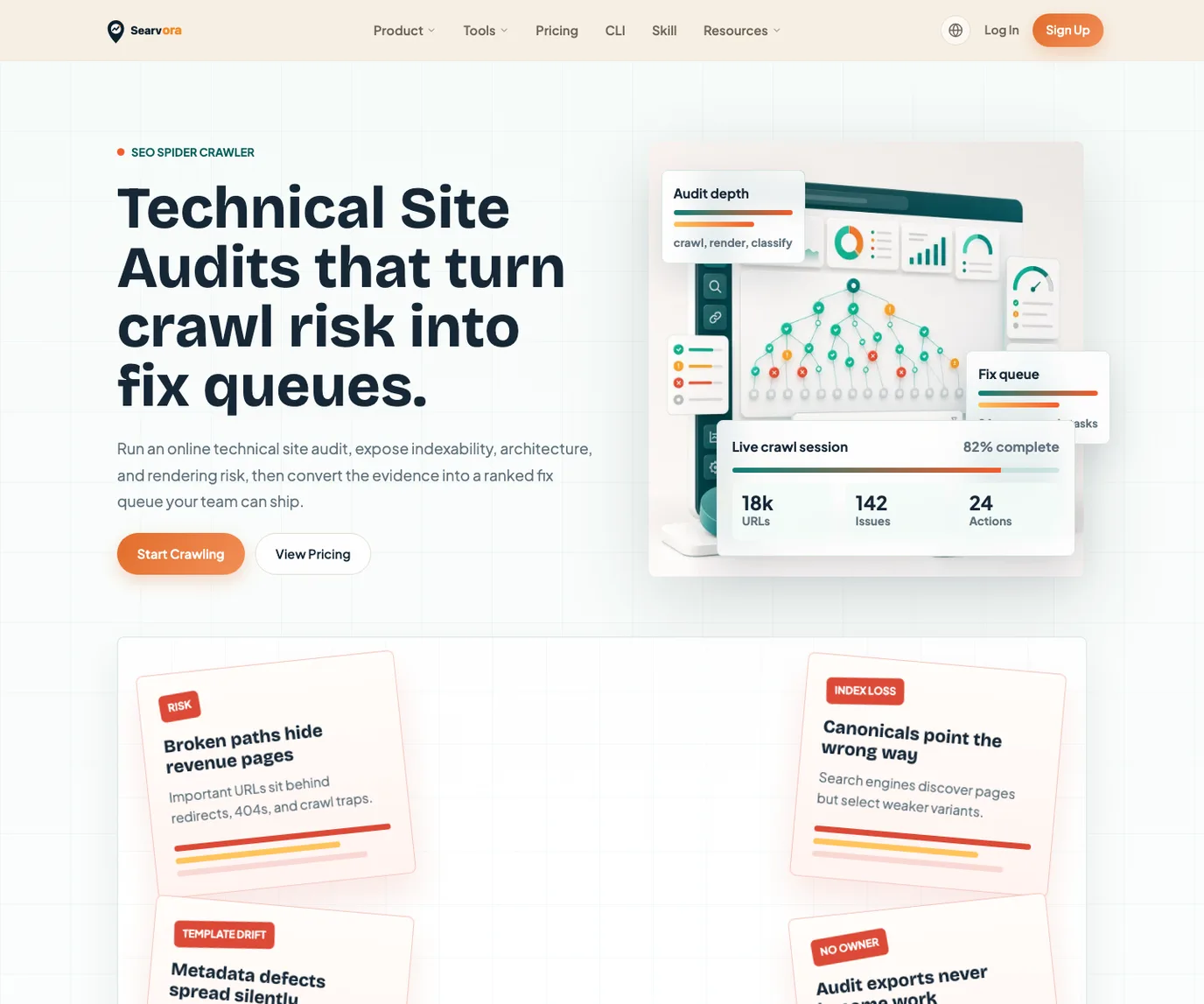
This is the information gain Searvora can add to a pricing query: the decision is not only "free or paid." It is "which pricing model gets this team from crawl evidence to shipped technical SEO fixes?"
Decision Checklist Before You Buy
Run this checklist before choosing a crawler budget:
- Count the URL set you actually need to crawl, not only the homepage and top templates.
- Decide whether the 500 URL free cap is enough for the current audit.
- List the advanced features you will use in the next 30 days, not someday.
- Name the person who will interpret the crawl and the person who will ship fixes.
- Decide whether annual desktop software or monthly online workflow fits budget approval better.
- Confirm the current Screaming Frog currency, licence term, and feature list on the official page.
- Compare the post-crawl workflow: export, prioritize, assign, fix, recrawl, and monitor.
- Link the crawler decision to a broader SEO pricing framework if the team is comparing software against agency, consultant, or retainer spend.
Screaming Frog pricing can be worth it for a technical SEO who needs desktop crawl depth and knows how to operationalize the output. Searvora is the better fit when the team needs the crawler decision to lead directly into shared prioritization, AI-assisted explanation, and a fix queue.