

Why backlink tools show different results comes down to how each provider crawls a different portion of the web, revisits pages on a different schedule, renders and parses links, and applies its own rules for deduplication, canonicals, redirects, domains, and historical storage. A larger number is not automatically more accurate. It may simply represent a broader, older, or less consolidated index.
The useful response is not to average the totals or pick the tool with the biggest database. First define the decision you need to make. Then compare the same source URL, target URL, index mode, and observation date before validating any important discrepancy against the live page and your first-party evidence.
Why Backlink Tools Never See The Same Web
No commercial backlink index is a perfect copy of the live web. The web changes continuously, blocks some crawlers, generates near-duplicate URLs, inserts links with JavaScript, redirects old destinations, and exposes different content by device, location, cookies, or bot policy.
The official Ahrefs explanation of how it counts links and domains makes the central tradeoff explicit: a link index must choose what to crawl, what to render, what to store, and what to consolidate. Those choices create legitimate differences even when two tools inspect the same domain.

Here are the most common reasons the totals diverge:
| Difference | What changes in the report | What to compare |
|---|---|---|
| Crawl coverage | One tool discovers source pages another has never fetched | Source URL discovery and last-seen date |
| Recrawl frequency | Removed links remain in one index longer | First-seen, last-seen, lost, and live status |
| JavaScript rendering | Links inserted after page load may be found or missed | Rendered DOM versus raw HTML |
| Crawl permissions | Robots rules, bot protection, timeouts, or IP blocks hide pages | Tool bot access and live fetch result |
| URL consolidation | Parameters, redirects, and canonicals may be merged differently | Reported source and target canonical |
| Link deduplication | Repeated navigation or body links may count once or many times | Unique link, source URL, and target URL definitions |
| Domain grouping | Subdomains and hosted-platform accounts may be grouped differently | Root domain, subdomain, and public-suffix rules |
| Index mode | Historical indexes retain links that no longer exist | Live, recent, historical, new, or lost filter |
| Sampling and limits | A report may show only a subset of known links | Export limit, table limit, and sampling note |
This is why a raw statement such as “Tool A found 18,000 links and Tool B found 11,000” is not yet actionable. The two numbers may describe different objects.
Start By Matching The Measurement
Before investigating a gap, make both reports describe the same thing. This eliminates false disagreements caused by settings.
Check these six fields:
- Property scope: exact URL, path prefix, subdomain, or entire domain.
- Link scope: external backlinks, internal links, or both.
- Unit: total backlinks, unique source pages, or referring domains.
- Index mode: live, recent, historical, new, or lost.
- Target handling: exact destination, redirected destination, or canonical destination.
- Observation time: export both reports close enough together that a site change does not explain the difference.
The unit is especially important. One sitewide footer link can create thousands of backlinks but only one referring domain. A syndicated article can create several source URLs on the same domain. A canonical or redirect can move the reported credit from the URL you entered to another destination.
If the settings do not match, stop. Reconfigure the reports before comparing individual rows.
Seven Checks That Explain Most Discrepancies
Once the measurement matches, inspect a sample of links that appear in one tool but not the other. Ten to twenty representative rows usually reveal the pattern faster than staring at totals.
1. Open The Source Page
Confirm the source URL still returns a usable page. Record the HTTP status, final URL after redirects, canonical, robots state, and whether the content is available without authentication.
A historical index may correctly report a link that was removed months ago. A live index may correctly omit it. Neither result is useful until you know whether your decision concerns historical acquisition, current authority, or link reclamation.
2. Inspect Raw HTML And The Rendered DOM
Google's crawlable link guidance identifies an HTML anchor with an href as the reliable link pattern. Some pages add navigation or recommendations only after JavaScript runs. Some tools render that page; others mainly parse the initial response or render only a subset of crawled URLs.
If the link exists only after an interaction, inside an iframe, or in an unusual element handler, expect index disagreement. The SEO question is not just whether a person can click it. It is whether the relevant crawler can consistently discover and interpret it.
3. Follow Redirects And Canonicals
A source may link to /old-page, which redirects to /new-page. The new page may also declare a canonical to a third URL. One tool may attach the link to the literal destination, another to the final redirect, and another to the canonical cluster.
Record all three:
- href destination
- final fetched destination
- declared and selected canonical evidence
Do not call the link missing until you know which URL owns it in each index.
4. Normalize Parameters And Duplicate Sources
Tracking parameters, filters, print views, translated variants, and session URLs can make one underlying page look like many pages. Some indexes consolidate those URLs aggressively. Others retain more variants.
When one tool reports far more backlinks but the referring-domain count is similar, inspect whether parameterized or duplicate source URLs inflate the total.
5. Check Crawler Access
A link cannot enter a commercial index if the provider cannot fetch its source page. Robots rules, web application firewalls, rate limits, user-agent blocks, regional restrictions, server errors, and timeouts all create uneven coverage.
This does not prove the link has no search value. It only explains why a specific tool may not see it. Separate “not in this index” from “not available to Google” and from “not live for users.”
6. Match Live And Historical Windows
Link indexes age differently. A historical view is useful for acquisition analysis and reclamation. A live view is better for current link-profile review. A recent view can bridge the two.
Never use a historical total to claim that all links still exist. Never use a live-only total to claim that the site never earned the links.
7. Compare Domain Definitions
Referring-domain counts can differ even when the underlying source pages overlap. Providers make different decisions about:
wwwand non-www- mobile and regional subdomains
- user-controlled subdomains
- hosted blogs and profile pages
- public suffixes
- folders that act like independent sites
If the decision depends on authority diversity, inspect the actual source properties instead of trusting the aggregate count alone.
Choose The Right Source Of Truth For The Decision
There is no universal backlink number that answers every SEO question. The right evidence depends on the job.
| SEO job | Primary evidence | Supporting evidence |
|---|---|---|
| Confirm a specific earned link is live | Source page, rendered link, final target | Any tool's live/last-seen record |
| Review links Google has associated with your property | Google Search Console Links report | Commercial indexes for discovery and context |
| Compare competitor acquisition patterns | One consistently configured third-party index | A second index for coverage gaps, not averaged totals |
| Reclaim removed links | Historical or lost-link report | Live source fetch and redirect/canonical check |
| Diagnose a manual-action concern | Search Console manual-action state and link export | Source-level review and documented remediation |
| Evaluate referring-domain diversity | Normalized source properties | Tool definitions and representative source pages |
| Measure campaign delivery | Your outreach or placement ledger | Live verification and tagged reporting |
Google's official Search Console Links report documentation also sets an important boundary: the report is not a comprehensive list of every link. It groups pages by canonical URL, combines duplicates, limits tables, and may retain links Google found in the past even if they were later removed.
Search Console is first-party evidence about what Google exposes for your verified property. It is not a complete web index and it does not make commercial backlink databases irrelevant. Use it to validate ownership-side context, then use third-party tools for discovery, competitor research, history, and workflow features.
A Backlink Discrepancy Validation Workflow
Use this workflow whenever a count difference could change a decision:
- Define the decision. Are you confirming a placement, auditing risk, reclaiming links, comparing competitors, or reporting campaign delivery?
- Match the report settings. Use the same scope, unit, index mode, destination handling, and date.
- Sample the delta. Export representative links that appear only in Tool A and only in Tool B.
- Validate the source. Fetch the source URL, render it, locate the link, and record its attributes and placement.
- Validate the destination. Follow redirects, inspect the canonical, and confirm the target's current status and indexability.
- Classify the cause. Coverage, rendering, access, freshness, consolidation, deduplication, domain grouping, or sampling.
- Choose the action. Monitor, reclaim, redirect, fix crawlability, correct reporting, investigate risk, or do nothing.
- Recrawl and recheck. After a meaningful change, verify the page again instead of waiting for every index total to converge.
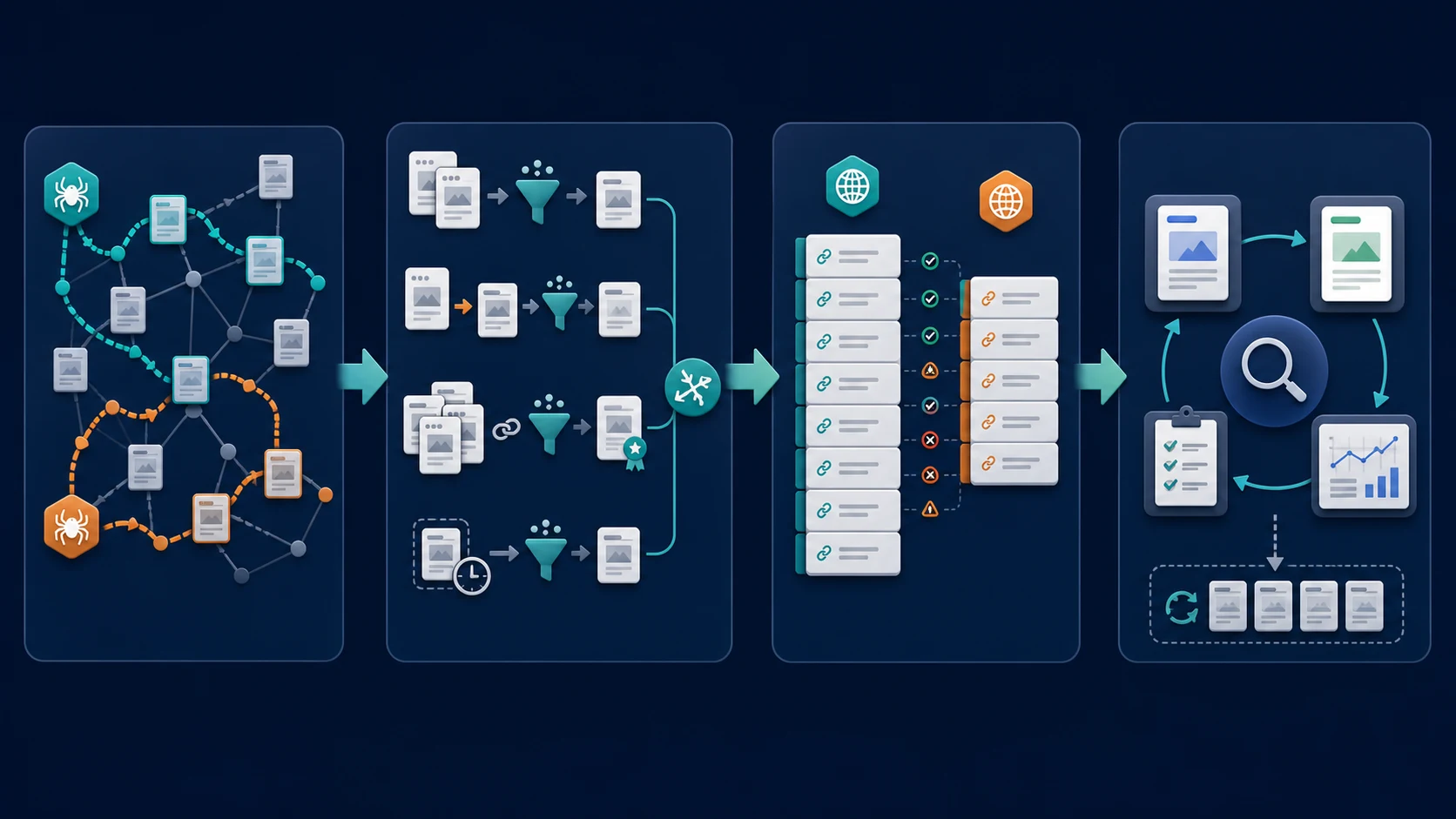
The classification step prevents wasted work. If a link appears only in a historical index because it was removed, the next action may be reclamation. If it is absent because a provider is blocked, the next action may be no action at all. If multiple parameter URLs inflate the count, fix the report or site architecture before making an authority claim.
Turn The Difference Into A Fix Queue
Backlink tools are good at surfacing questions. A site crawl is what connects those questions to the source and target pages you control.
Searvora's SEO Spider Crawler is relevant when the discrepancy points to destination-side problems such as redirect chains, canonical conflicts, blocked targets, orphaned pages, or internal-link changes. The product page describes a workflow that collects crawl and rendering evidence, groups issues, ranks priorities, and hands fixes to an owner.
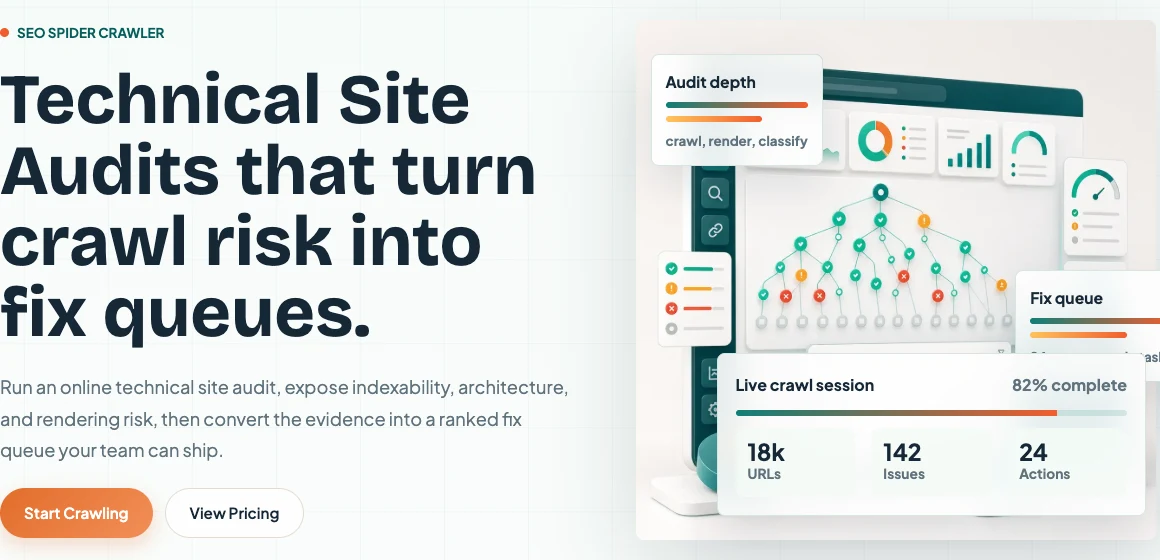
Use that workflow to separate three outcomes:
- Reporting difference only: document the tool definition and keep monitoring.
- Source-side issue: reclaim the link or ask the referring site to correct its destination.
- Target-side issue: repair redirects, canonicals, indexability, or internal architecture, then recrawl.
For a deeper explanation of third-party scores and estimates, read how to use Ahrefs SEO metrics without chasing scores. If the problem is discovery rather than disagreement, use the find backlinks workflow. If the team is still treating every link as equal, start with what backlinks are and which ones deserve action.
Backlink Tool Comparison Checklist
Before presenting a backlink count or assigning work, confirm:
- The property scope matches across tools.
- You are comparing backlinks, source pages, or referring domains consistently.
- Both reports use a comparable live, recent, or historical window.
- Redirect and canonical handling is understood.
- Duplicate and parameterized source URLs are normalized.
- Representative source pages were fetched and rendered.
- Crawler blocks, timeouts, and bot protection were checked.
- Search Console limits and canonical grouping are acknowledged.
- The discrepancy has been classified before an action is assigned.
- The next step has an owner and a validation method.
Backlink tools do not need to agree before your team can make a sound decision. They need to be interpreted consistently. Match the measurement, inspect the pages behind the numbers, and act only on discrepancies that survive source, target, and crawl validation.