

Ahrefs pricing is easiest to evaluate when you separate the subscription from the work it has to support. A plan can look affordable on the pricing page and still be wrong if the team needs more projects, more users, exports, rank tracking, crawl capacity, or a weekly way to turn reports into shipped SEO work.
Use Ahrefs when you need Ahrefs data: keyword research, competitor research, backlink intelligence, rank tracking, and the Ahrefs product suite. Then decide what should happen after the data is found. That second layer is where lean teams often need an execution workflow, not another plan comparison tab.
Start With The Current Public Pricing Page
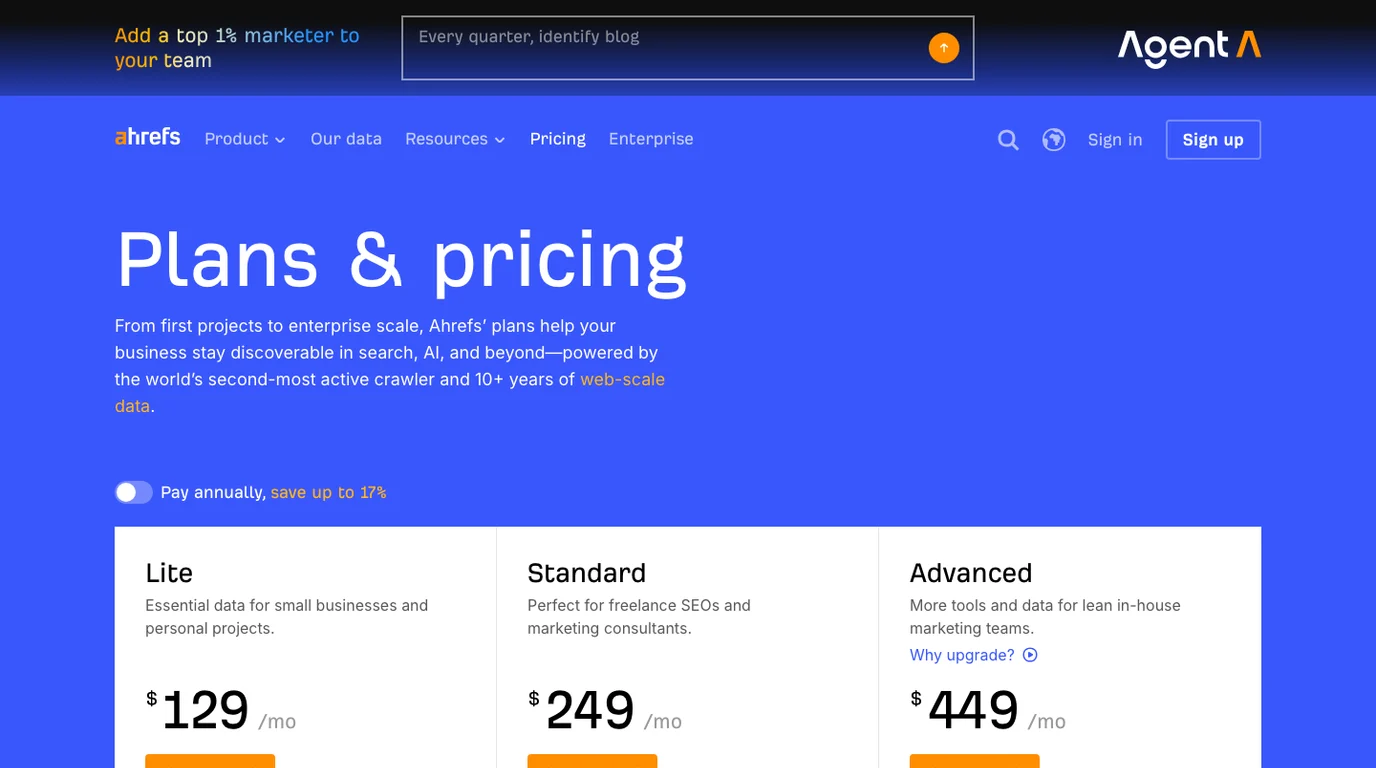
The official Ahrefs pricing page is the source of truth for buying decisions because prices and limits can change. In this public-page check, the page showed Lite, Standard, and Advanced monthly plans with visible differences in projects, historical data, tracked keywords, tracked prompts, crawl credits, credits per user, and paid extra-user capacity.
Do not pick a plan by price alone. Pick it by the SEO work that would stop if the limit is too low.
| Plan area to verify | Why it changes the buying decision |
|---|---|
| Projects | Determines whether you can monitor every owned site, client, market, or test property. |
| Historical data | Matters when traffic recovery, competitor movement, or seasonality needs context. |
| Tracked keywords | Sets how broad your rank tracking watchlist can be before it becomes too narrow. |
| Tracked prompts | Matters when AI-search and brand visibility monitoring are part of the review loop. |
| Crawl credits | Controls how often and how deeply you can inspect technical SEO risk. |
| Users and seats | Decides whether SEO, content, engineering, and leadership can work from the same view. |
| Credits per user | Affects how freely the team can open reports during research-heavy weeks. |
The right plan is the one that supports the normal cadence of work. If the team has to ration every lookup, skip crawls, or export data manually into side spreadsheets, the plan is probably not the only cost.
Check Starter Separately
Ahrefs' current pricing page may emphasize the main paid tiers, while the Ahrefs Starter plan help article explains the entry plan separately. In this run's public screenshot, the Starter help page described Starter as a beginner-oriented plan, listed accessible tools, and showed a usage table with Starter at $29, 200 monthly credits, no additional users, one unverified project, and unlimited verified projects.
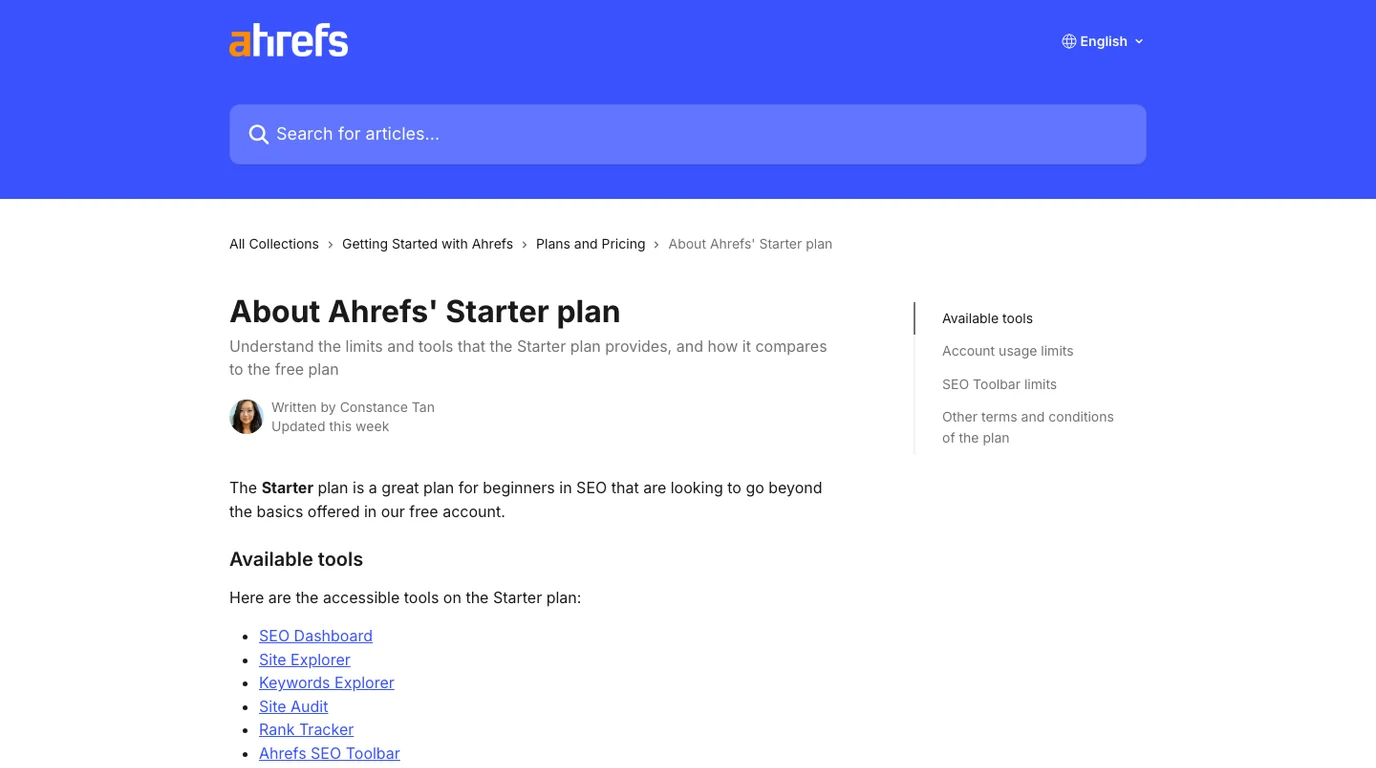
Starter is not a bad plan. It is a bounded research plan. It makes sense when one person needs light access to Site Explorer, Keywords Explorer, Site Audit, Rank Tracker, and related Ahrefs surfaces. It becomes tight when the team needs shared users, exports, repeated reports, broader history, or recurring operational review.
For a narrower entry-plan view, use the Ahrefs Starter plan review. This article focuses on the broader Ahrefs pricing decision.
Match Ahrefs Pricing To The Work
The competing Ahrefs pricing article frames the decision as plan selection. That is useful, but lean SEO teams should translate each plan into jobs before buying.
| SEO job | Ahrefs plan pressure | What to decide before buying |
|---|---|---|
| Competitor and keyword research | Report credits, historical data, keyword lists, exports | How many reports will the team open in a normal month? |
| Rank tracking | Tracked keywords, locations, markets, prompt tracking | Which keywords actually change weekly decisions? |
| Technical SEO checks | Crawl credits, project count, audit cadence | How many URLs need recurring validation? |
| Client or leadership reporting | Users, exports, history, repeatable dashboards | Who needs access, and what must be exported? |
| AI-search monitoring | Tracked prompts, brand visibility evidence, source-page review | Which prompts and source pages become action items? |
| Content operations | Keyword discovery, SERP review, brief creation, refresh queues | Where does research turn into page decisions? |
If Ahrefs is mainly a research source, the buying question is simple: pick the plan that gives enough data access without forcing the team to ration normal work. If Ahrefs becomes the team's reporting, crawling, content planning, and prioritization layer, the buying question is larger: does the plan also fit the workflow?
The companion SEO pricing framework helps when you are comparing Ahrefs against retainers, audits, consultants, and other software instead of only comparing Ahrefs tiers.
Watch The Limits That Create Hidden Cost
Hidden cost appears when plan limits change behavior. A team may buy a lower tier, then spend more time deciding which reports not to open. Or it may buy a higher tier, then still lack the owner-ready action queue needed to ship work.
Use this checklist before upgrading:
- Name the sites, folders, markets, or clients that need projects.
- List the competitor reports, keyword reports, content reports, and rank reports the team will open monthly.
- Estimate the crawl frequency and URL volume required for real technical SEO validation.
- Decide whether AI-search prompt tracking belongs in this plan or another dashboard.
- Confirm which users need direct access and which only need summarized decisions.
- Check whether exports are necessary for briefs, dashboards, clients, or leadership reporting.
- Define the workflow after research: create, refresh, merge, crawl, monitor, or no action.
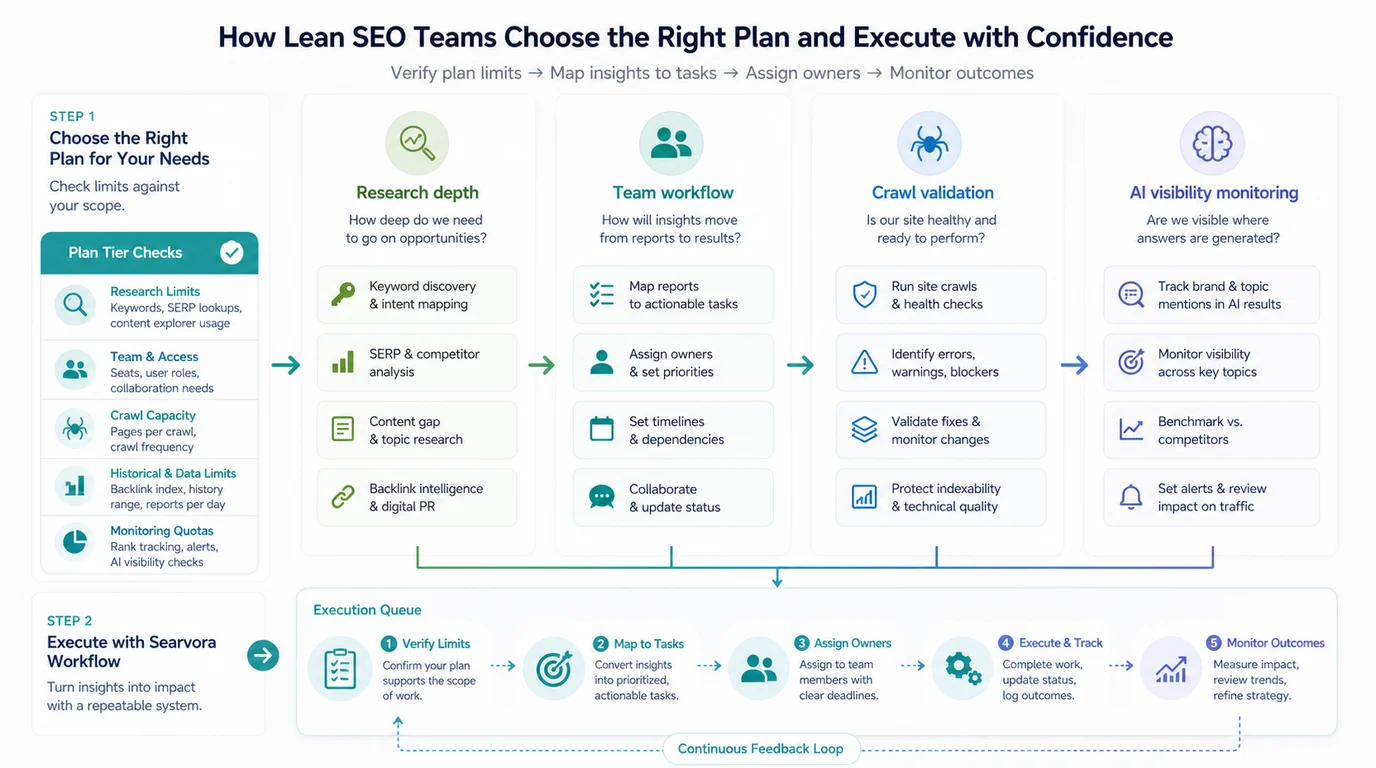
The last step matters most. Ahrefs can surface a keyword, backlink, competitor page, site audit issue, or rank movement. The team still has to decide whether that signal deserves a new article, an existing-page update, a technical fix, a dashboard segment, or a parked idea.
Use Ahrefs For Data And Searvora For The Action Loop
The fair Searvora angle is not "replace Ahrefs." If your team needs Ahrefs' keyword index, backlink reports, or proprietary SEO datasets, Ahrefs is the named tool for that job. Searvora fits around the work that follows the report.
Use this split:
| Use Ahrefs when | Use Searvora when |
|---|---|
| You need keyword, backlink, competitor, and Ahrefs product data. | You need to turn findings into prioritized SEO work. |
| You are comparing domains, pages, keywords, or link profiles. | You need page-type decisions, owner handoff, and weekly action queues. |
| You want to inspect a known third-party SEO dataset. | You need crawl, content, and AI visibility signals in one operating loop. |
| You are choosing an Ahrefs plan or learning the tool. | You need to connect research to monitoring, fixes, content, and validation. |
Searvora's AI SEO dashboard is the best product fit for this article because the buyer's problem is not only plan selection. It is monitoring whether the selected tool stack creates work that ships. For deeper task prioritization, the Ahrefs tutorial workflow shows how to turn third-party report evidence into a queue.
A Lean Ahrefs Pricing Checklist
Use this checklist before choosing or upgrading an Ahrefs plan:
- Open the current Ahrefs pricing page and help articles instead of relying on old screenshots.
- Record the current monthly or annual price, plan limits, project count, users, credits, crawl credits, tracked keywords, tracked prompts, and export needs.
- Decide whether Starter, Lite, Standard, Advanced, or Enterprise matches your normal research cadence.
- Separate one-person research from team workflows that need shared access and repeatable reporting.
- Check whether crawl, AI-search monitoring, or content operations would be constrained by the plan.
- Map every expected Ahrefs output to a next action: page decision, content brief, technical fix, monitoring segment, or no action.
- Review the plan after one month of actual usage, using work shipped as the deciding metric.
Ahrefs pricing is a tool-stack decision, not only a subscription decision. Buy enough Ahrefs access for the data you need, then make sure the findings move into a workflow where someone can prioritize, ship, and validate the next SEO action.