

ChatGPT visibility tracking is the work of checking when your brand, competitors, and source pages appear in ChatGPT answers, then turning those observations into owned-page fixes. The useful output is not a vanity score. It is a repeatable evidence loop: the same prompt set, separated mention and citation logs, source-page diagnosis, owner handoff, and a recheck date.
The Ahrefs article that surfaced this competitor opportunity shows that the topic has a real product-led tracking workflow. Searvora's information gain is the operating layer for teams that need to decide what to fix after the tracker says a brand is visible, absent, cited, or losing ground.
What ChatGPT Visibility Tracking Should Measure
Start by separating the signals. A ChatGPT visibility report can include brand mentions, cited URLs, competitor presence, answer framing, source-page quality, referrals, and classic search movement. Those signals belong together in one review, but they should not collapse into one unexplained score.
Use this first-pass model:
| Signal | What it tells you | Better next action |
|---|---|---|
| Mention | The brand, product, or page is named in an answer | Check whether the framing is accurate and stable |
| Citation | A URL is used as visible source evidence | Improve or protect the page that should earn that citation |
| Competitor presence | Another brand is being associated with the query | Compare their cited source, page type, and proof depth |
| Source readiness | The expected page can be crawled, indexed, and understood | Fix crawl, canonical, content, or internal-link blockers |
| Referral or traffic signal | Users may have clicked through from an AI surface | Review landing page quality and conversion context |
| Recheck result | The same query group changed after work shipped | Keep, expand, or stop the fix based on evidence |
Start With A Stable Prompt Set
The prompt set is the measurement contract. If the prompt list changes every week, the report cannot prove whether visibility moved or sampling moved.
Group prompts by user task instead of brainstorming random variations. A useful ChatGPT visibility tracking set normally includes category prompts, problem prompts, comparison prompts, support prompts, and branded prompts. Each group should map to the source page that ought to support the answer.
| Prompt group | Example question | Expected source page |
|---|---|---|
| Category | Which tools help teams monitor AI search visibility? | Product or category page |
| Problem | How do I know whether ChatGPT cites my site? | How-to or workflow article |
| Comparison | Which vendors are visible for this workflow? | Comparison or benchmark page |
| Support | How do I fix missing citations for a page? | Troubleshooting guide |
| Branded | What does this brand do for AI SEO? | Homepage, product page, or profile |
Keep the sample narrow enough to recheck, but broad enough to avoid one-prompt drama. A team can start with 25 to 50 prompts across the jobs that actually matter, then expand only when the first loop produces decisions.
Separate Mentions, Citations, And Sources
Mentions and citations are not the same. A brand can be mentioned without a source. A source can be cited without the ideal brand framing. A competitor can appear because it has a clearer public page, stronger third-party proof, or simply better answer wording for that prompt.
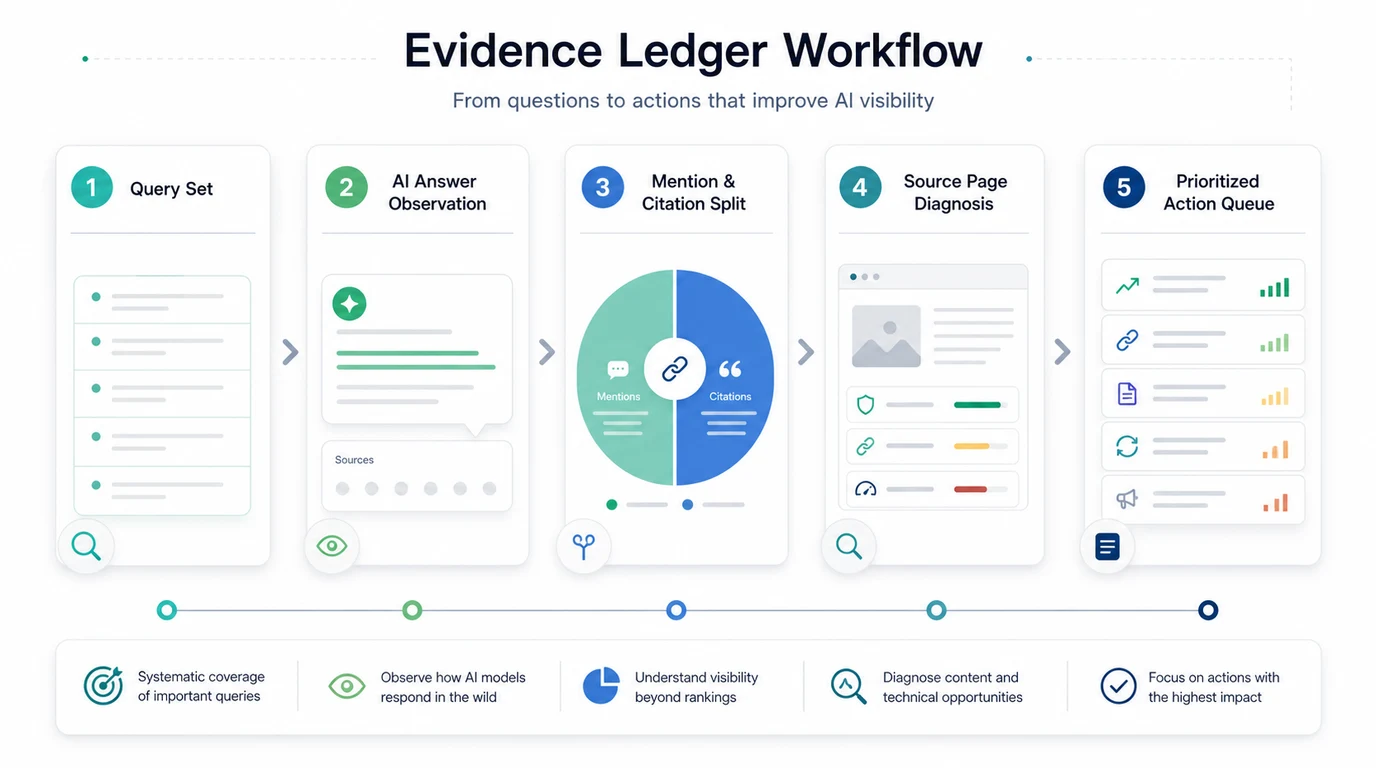
OpenAI's ChatGPT Search help describes search as a way to use web information and show source links when relevant. OpenAI's crawler documentation also separates crawler purposes, including OAI-SearchBot for search features. For SEO teams, that makes source access and source usefulness part of the tracking job.
Use a small evidence ledger:
| Field | What to record | Why it matters |
|---|---|---|
| Prompt group | Category, problem, comparison, support, or branded | Keeps the answer tied to a real user task |
| Answer state | Brand absent, mentioned, cited, competitor cited, or unstable | Names the visible condition |
| Cited source | Owned URL, competitor URL, third-party page, or no source | Shows whether the issue is source ownership |
| Source gap | Missing answer, weak evidence, crawl issue, stale page, or wrong page type | Points to the fix owner |
| Confidence | One-off, repeated, or trending pattern | Prevents overreacting to a single answer |
| Recheck date | When the same prompt set will be reviewed again | Turns tracking into an operating cadence |
Diagnose The Source Page Before Rewriting
When ChatGPT visibility is weak, the first instinct is often to publish a new article. Slow down. The existing source page may simply be unclear, inaccessible, poorly linked, or missing the proof the answer needs.
Google's AI features guidance keeps the baseline practical: useful, accessible pages still matter for AI-enhanced search experiences. The same logic applies to ChatGPT visibility tracking. If the source page is blocked, thin, overloaded, or hard to interpret, the tracking report should create a source-page task before it creates a content calendar task.
Check the expected source page:
| Source-page check | Pass condition | Fix when weak |
|---|---|---|
| Crawl eligibility | The page is reachable, indexable, canonical, and internally linked | Fix robots, noindex, canonical drift, redirects, or orphan paths |
| Answer extraction | The page answers the prompt group with clear text, examples, and tables | Add an answer-ready section near the top |
| Entity clarity | Brand, product, category, use case, and audience are named consistently | Normalize wording across owned and public profiles |
| Citation value | A citation gives proof beyond the answer summary | Add constraints, screenshots, data, comparisons, or maintained references |
| Page type fit | The page matches the user task | Move the answer to a product page, article, hub, comparison, or support page |
This is where ChatGPT visibility tracking connects to the broader LLM optimization workflow. LLM optimization is the source-readiness layer; ChatGPT tracking is one channel-specific way to validate whether the source is being used.
Benchmark Competitors Without Chasing One Score
Competitor tracking is useful only when it explains what to do next. If a competitor appears more often, ask why. Did the answer cite their product page? Did it cite a third-party list? Did their category language match the prompt better? Did their page include examples that yours lacks?
Use this competitor read:
| Competitor pattern | Likely meaning | Searvora-style action |
|---|---|---|
| Competitor mentioned but not cited | Entity association may be stronger than source evidence | Improve category language and public proof |
| Competitor URL cited repeatedly | Their source page answers the task more clearly | Compare page structure, proof depth, and internal support |
| Marketplace or directory cited | Third-party evidence may influence the answer | Strengthen profiles and create an owned proof asset |
| Your brand cited but framed weakly | Source page is accessible but messaging is thin | Improve positioning, use-case clarity, and examples |
| Results fluctuate heavily | The prompt group is unstable | Watch before shipping a large project |
If the team is already running a broader competitor program, pair this with the AI search competitor analysis workflow. That article owns the broader competitive research process; this one stays focused on the ChatGPT tracking loop.
Turn Tracking Into A Weekly Action Queue
A tracker becomes useful when every row can become a decision. That does not mean every row becomes a rewrite. Some rows become "monitor," "add internal links," "update a product page," "fix crawl access," "refresh proof," or "do nothing because the prompt is unstable."

Run the weekly loop this way:
- Recheck the same prompt group and keep the raw observations.
- Split the row into mention, citation, source, competitor, and referral evidence.
- Choose one expected source page for the prompt group.
- Diagnose crawl, canonical, content, internal-link, and proof gaps.
- Assign one owner and one fix.
- Record what changed and when it shipped.
- Recheck the same prompt group after the page has had time to be discovered.
The ChatGPT search volume measurement loop is the right companion when the question is demand size. ChatGPT visibility tracking is different: it asks whether your brand and pages show up for the prompts you already care about.
Where Searvora Fits
Searvora AI SEO Dashboard is the best product fit when ChatGPT visibility tracking needs an operating cadence. The dashboard's public positioning is segment-first monitoring, anomaly and trend detection, opportunity scoring, and cross-team reporting. That maps naturally to AI-search tracking because the team needs query groups, source pages, competitors, owners, and recheck dates in one review rhythm.
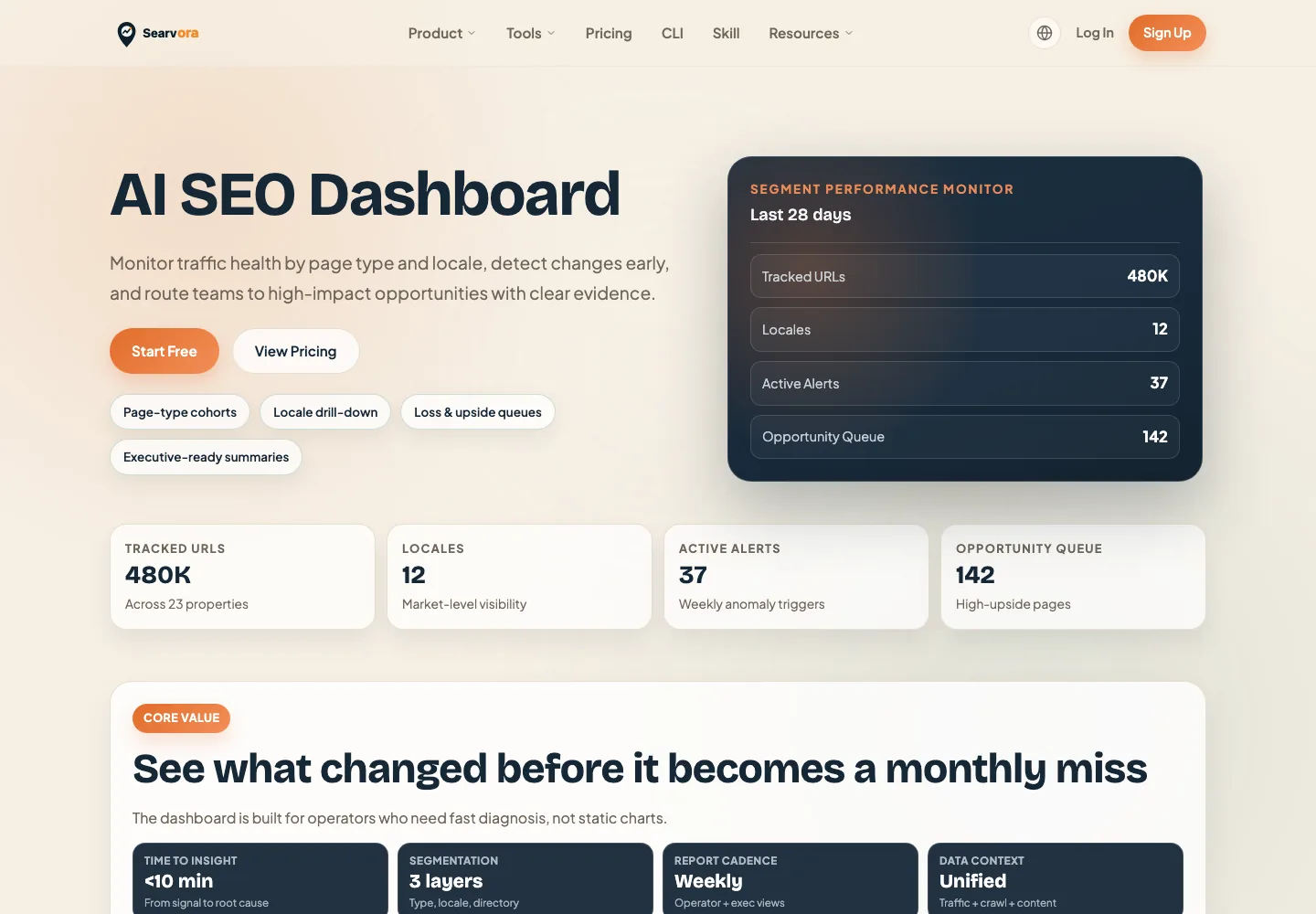
Use the dashboard to keep the tracking review from becoming a screenshot folder:
| Dashboard layer | ChatGPT visibility use |
|---|---|
| Segment monitoring | Group prompts by product, market, page type, or locale |
| Anomaly review | Flag source-page, mention, citation, or referral changes worth checking |
| Opportunity queue | Prioritize fixes by expected impact, confidence, and effort |
| Reporting cadence | Keep leadership and operators aligned on what changed and what shipped |
The Practical Checklist
Before you trust a ChatGPT visibility tracking report, make sure the row can answer these questions:
| Question | Ready answer |
|---|---|
| What prompt group was checked? | Category, problem, comparison, support, or branded |
| Which brand or page appeared? | Mentioned, cited, competitor cited, absent, or unstable |
| Which owned source should support the answer? | One URL, not a vague content cluster |
| What is the likely source-page gap? | Crawl, clarity, evidence, freshness, entity, or page type |
| Who owns the next action? | SEO, content, product marketing, engineering, or analytics |
| When will the same prompt be rechecked? | A date tied to the shipped fix |
ChatGPT visibility tracking is worth doing when it changes what the team ships. If the report cannot name a source page, a fix owner, and a recheck window, it is not tracking yet. It is observation.