

If the question is how to get organic traffic for ecommerce without paid ads, start by making the store easier to crawl, easier to understand, and more useful for shoppers before they are ready to buy. The work is not a list of free promotion tricks. It is a page-type workflow: choose the URL that should earn demand, fix technical access, publish useful supporting content, link shoppers toward products, and validate the result with search and revenue signals.
Paid ads can create a short-term traffic spike. Organic ecommerce growth compounds only when collection pages, product pages, guides, and internal links each have a clear search job.
The Ecommerce Organic Traffic Workflow
Use this sequence before approving another article, collection update, or product-page rewrite:
| Step | What to decide | Why it matters |
|---|---|---|
| 1. Name the demand | What is the shopper trying to learn, compare, or buy? | The same keyword can belong to a collection, product, guide, or support page |
| 2. Pick the owner URL | Which page type should satisfy the search job? | Prevents a blog post from stealing demand from a better commercial page |
| 3. Check crawl eligibility | Can search systems find, render, canonicalize, and index the right URL? | Content cannot perform if the page is technically hidden or duplicated |
| 4. Build the support asset | What guide, FAQ, comparison, or collection copy helps the shopper continue? | Organic content should reduce uncertainty before the product click |
| 5. Link the path | Which internal links move readers toward relevant products or collections? | Links turn informational visits into assisted product discovery |
| 6. Validate the loop | Did impressions, clicks, assisted product paths, and revenue signals improve? | Organic work needs a feedback window, not a one-time publish date |
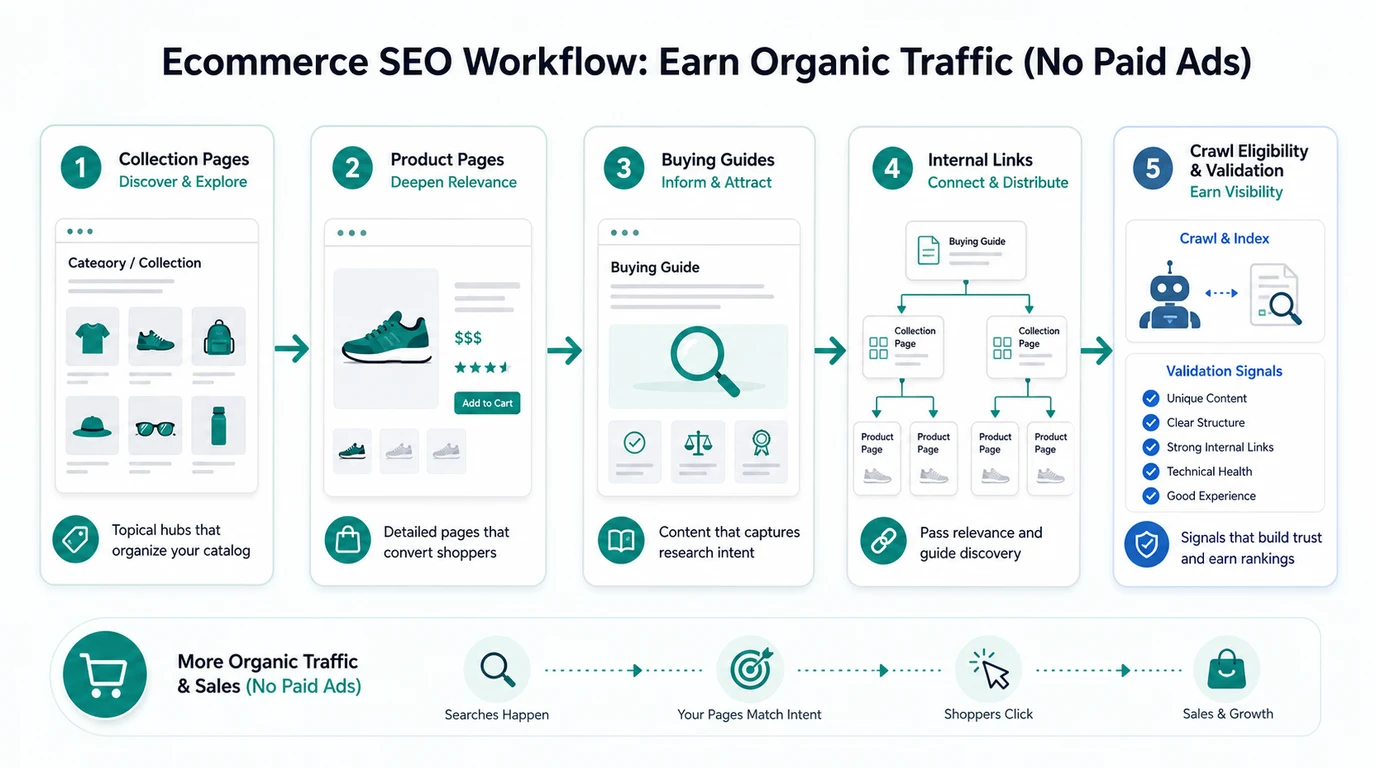
This is a child workflow of ecommerce SEO, not a replacement for it. Ecommerce SEO sets the broad store model. This article narrows the job to stores that want demand without leaning on paid acquisition.
Pick The Store Page That Should Own The Search
Most ecommerce SEO waste starts with the wrong owner URL. A store publishes a blog post for a term that should be a collection page. A product page tries to rank for a broad comparison query. A buying guide sends readers nowhere useful.
Route the query first:
| Search pattern | Best owner | Content requirement |
|---|---|---|
| Category and subcategory terms | Collection page | Clear intro copy, useful filters, product coverage, buying criteria |
| Product-specific demand | Product page | Unique copy, specs, media, reviews, availability, FAQs |
| Comparison or pre-purchase questions | Buying guide or collection guide | Criteria, examples, product routes, objection handling |
| How-to and care questions | Blog article or support guide | Steps, visuals, product fit, next action |
| Seasonal or campaign demand | Campaign page plus durable support content | Expiration plan, canonical decision, refresh or redirect rule |
Use the Shopify SEO workflow when the store is on Shopify and the page job must map to collections, products, blogs, filters, and theme templates. The important point is the same for every platform: one search job should have one primary owner.
Fix Crawl Eligibility Before Publishing More Guides
Organic traffic without paid ads depends on pages that search systems can actually reach. If collection pages are buried, product variants create duplicate paths, filters produce crawl traps, or canonical tags disagree with internal links, publishing another guide will not solve the main problem.
Start with these checks:
| Check | Pass condition | Common failure |
|---|---|---|
| Discovery | Priority collections, products, and guides are linked from crawlable navigation or relevant pages | Important products depend on internal search or JavaScript-only paths |
| Canonical | Variant and filtered URLs consolidate to the intended canonical page | Duplicate product URLs split signals |
| Indexability | Useful pages are not blocked, noindexed, redirected, or soft-404-like | Old campaign pages stay indexable while important pages are hidden |
| Sitemap | Submitted URLs are canonical, indexable, and current | Stale or redirected product URLs remain in the sitemap |
| Rendering | Main content and links are available in the rendered page | Critical copy appears late or only after interaction |
Google's ecommerce search documentation emphasizes product data, site structure, and how shoppers encounter store pages in Search. That guidance is most useful when it becomes an operational gate: fix the page's discoverability before asking content to carry the whole growth plan.
If the first blocker is technical, use the organic traffic workflow to turn crawl and performance signals into a page queue before assigning more writing.
Build Content That Helps Shoppers Choose
No-paid-ads ecommerce content should answer questions that product and collection pages cannot answer alone. The goal is not to hide a sales pitch inside an article. The goal is to help the shopper understand fit, tradeoffs, use cases, and next steps.
Useful content assets include:
| Asset | Best use | What it should prove |
|---|---|---|
| Buying guide | Category-level research before purchase | Which product type fits which shopper, use case, budget, or constraint |
| Comparison guide | Shoppers choosing between materials, models, bundles, or alternatives | Clear criteria and honest tradeoffs |
| Product use guide | How to set up, care for, style, install, or maintain a product | The product solves a real task after purchase |
| FAQ or support article | Common objections before checkout | Shipping, returns, sizing, compatibility, warranty, and care are clear |
| Collection intro refresh | Category pages with impressions but weak clicks | The page explains why the collection deserves the query |
Shopify's store blog documentation notes that blogs can support SEO, audience building, and traffic generation. For ecommerce teams, the sharper question is what each post does for the shopping path. A guide that earns impressions but never routes readers to relevant collections is still unfinished.
Link Informational Demand Toward Products
Internal links are the bridge between organic content and ecommerce outcomes. They should help shoppers continue the same decision, not simply push every reader to a homepage.
Use three link types:
| Link type | Purpose | Example |
|---|---|---|
| Guide to collection | Move research intent toward browse intent | A buying guide links to the collection that matches the criteria |
| Collection to guide | Help shoppers who need education before filtering | A category page links to a sizing, compatibility, or comparison guide |
| Guide to product | Support high-fit product discovery | A how-to article links to a product or bundle only when the fit is clear |
Keep the route narrow. One article does not need to link every collection in the catalog. It needs the few links that match the reader's next question.
This is where cannibalization discipline matters. If a collection page should own the category query, the guide should support it with examples and internal links. If the article becomes the stronger match for the same commercial query, the store has created a new conflict instead of a new traffic source.
Validate Organic Growth Without Ad Spend
Organic ecommerce work needs a measurement loop because the first visible gain is not always revenue. A collection refresh may improve impressions before clicks. A buying guide may assist product discovery without being the final conversion page. A crawl fix may make pages eligible before rankings move.
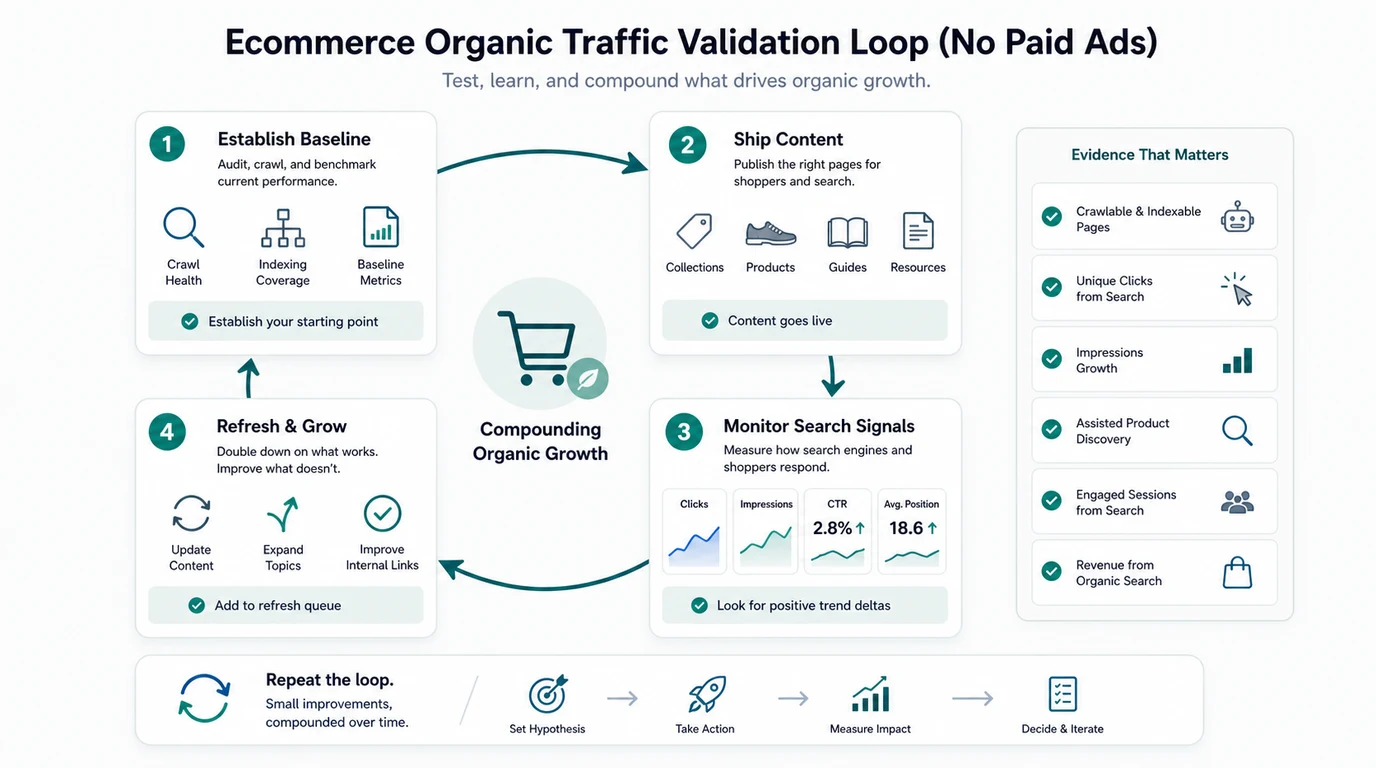
Track signals by page job:
| Signal | What it means | Next action |
|---|---|---|
| Collection impressions | Search systems are testing category relevance | Improve title, intro, filters, product coverage, and internal links |
| Product page clicks | Product-specific demand can reach the right URL | Improve product copy, media, structured data, reviews, and FAQs |
| Guide-assisted product paths | Informational content is moving shoppers forward | Add clearer comparison criteria or stronger collection routes |
| Search Console query mix | The page is matching or drifting from intended demand | Retarget, expand, or consolidate sections |
| Crawl anomalies | Technical changes may be limiting discovery | Re-crawl templates, canonicals, links, and sitemap entries |
| Revenue from organic search | Organic visits are contributing to sales | Keep, refresh, or expand the page cluster |
Google's Search Console Performance report documentation is the baseline for clicks, impressions, CTR, position, queries, and pages. Pair it with analytics and assisted product paths so the team does not judge every informational page as if it were a checkout page.
Where Searvora Fits
Searvora fits when ecommerce organic growth needs to move from planning into shipped content. Blogify is the primary product fit for this workflow because the product page positions it around store-aware topic intelligence, structured SEO drafting, product references, metadata, multilingual content, and Shopify draft publishing.
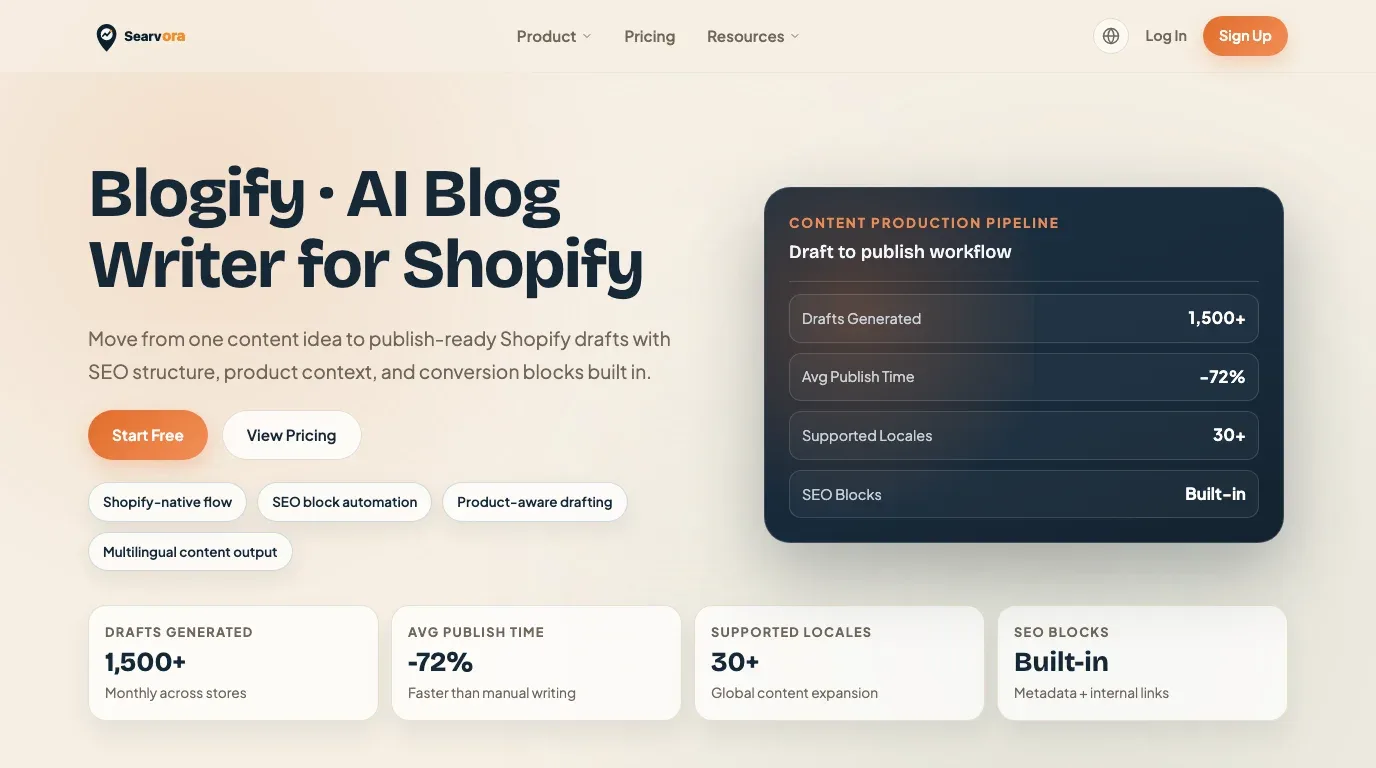
Use the Searvora stack this way:
| Workflow stage | Searvora fit | Output |
|---|---|---|
| Topic and page decision | AI SEO Consultant | Search job, page type, information-gain angle, and priority |
| Technical eligibility | SEO Spider Crawler | Crawl, links, metadata, canonical, and sitemap evidence |
| Content production | Blogify | Shopify-ready drafts with SEO structure, product context, and review controls |
| Performance validation | AI SEO Dashboard | Segment movement, search visibility, and refresh signals |
For this specific query, keep the primary handoff on Blogify. The reader needs a repeatable way to turn organic opportunities into Shopify content without fragile copy-paste work or ad-led campaign thinking.
Ecommerce Organic Traffic Checklist
Use this checklist before approving more organic ecommerce work:
- Name the shopper job behind the query.
- Choose the collection, product, guide, support page, or campaign page that should own it.
- Check whether an existing URL already satisfies the same job.
- Crawl the owner URL and related templates before assigning writing.
- Fix canonical, indexability, sitemap, rendering, and internal-link problems first.
- Write content that helps shoppers compare, choose, use, or trust the product.
- Link informational pages to relevant collections or products without overloading the article.
- Add metadata, headings, image alt text, and structured facts that match the page job.
- Publish through a review path, not a direct-to-live shortcut.
- Measure impressions, clicks, assisted product discovery, and organic revenue after the validation window.
- Refresh, consolidate, or stop pages that do not improve the cluster.
That is how to get organic traffic for ecommerce without paid ads in a way a team can repeat. Pick the page job, make the store technically eligible, publish content that helps shoppers choose, connect the path with internal links, and validate the same cluster before scaling the next batch.