

Shopify SEO is the work of making store pages discoverable, crawlable, and useful enough to earn qualified search demand. The mistake is treating it as one app install or one metadata pass. A Shopify store has collection pages, product pages, blog posts, filters, campaign pages, and theme templates. Each one needs a different search job.
The Ahrefs Shopify SEO guide that surfaced this opportunity covers beginner tactics. Searvora's information gain is the operating layer: decide which Shopify page should own the query, validate crawl and indexability, turn the brief into content, and measure whether search and AI systems can understand the page after launch.
Start With The Shopify Page Job
Shopify SEO begins with page type. If the page job is wrong, keyword research only sends more attention to the wrong URL.
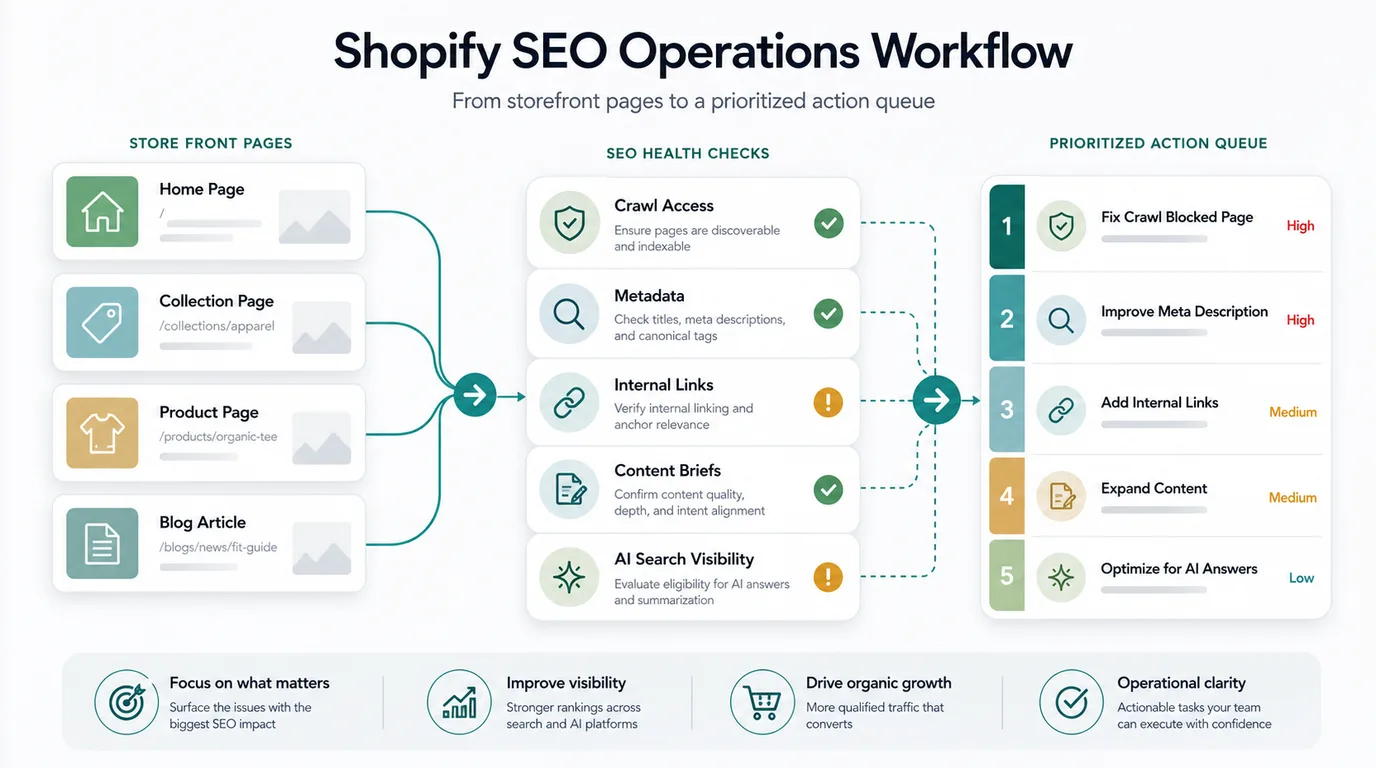
Use this map before assigning keywords:
| Shopify page type | Search job | SEO risk to check first |
|---|---|---|
| Collection page | Capture category and subcategory demand | Thin collection copy, weak internal links, duplicate filtered URLs |
| Product page | Convert product-specific demand | Reused supplier copy, missing structured facts, weak media alt text |
| Blog article | Answer research, comparison, and pre-purchase questions | Informational traffic with no route to collections or products |
| Filtered URL | Help shoppers refine products | Crawl traps, duplicate indexable variants, unclear canonical rules |
| Campaign page | Support seasonal or launch demand | Expired pages, poor redirects, temporary URLs left indexable |
This is a child workflow of ecommerce SEO, not a duplicate of it. Ecommerce SEO sets the broad store model. Shopify SEO narrows the job to Shopify themes, collections, product data, blog publishing, and the review path that happens inside the store workflow.
Crawl The Store Before Rewriting Copy
Content changes should not begin until the important Shopify URLs can be discovered and understood. A store can have excellent product descriptions and still lose search visibility if collections are buried, filtered URLs create crawl waste, or product variants point search systems toward the wrong canonical.
Run a crawl baseline with these checks:
| Crawl check | What it protects |
|---|---|
| Collection depth | Important category pages should be reachable through crawlable links |
| Product discovery | Search systems should not depend only on internal search or JavaScript events |
| Canonical consistency | Variants, parameters, and duplicate product paths should consolidate signals |
| Sitemap hygiene | Only useful canonical URLs should be submitted for indexing |
| Metadata templates | Titles and descriptions should not repeat across large product sets |
| Internal links | Blog guides should route shoppers toward relevant collections and products |
Google's ecommerce SEO documentation frames discoverability around product pages, site structure, and how shoppers encounter stores in Search. For Shopify teams, the practical next step is to turn that advice into template-level QA.
Use the technical SEO workflow when crawl evidence decides the next action. A Shopify SEO issue may look like a content problem, but the fix can live in navigation, theme code, canonical rules, image handling, or sitemap hygiene.
Turn Keywords Into Shopify Content Briefs
Shopify keyword research should not end in a spreadsheet. It should end in a page decision.
Use this routing table:
| Query pattern | Best Shopify response | Brief requirement |
|---|---|---|
| Category modifiers | Collection page | Buying criteria, internal links, product coverage, unique intro copy |
| Product-specific queries | Product page | Unique description, specs, availability, FAQs, reviews, image alt text |
| Comparison questions | Blog article or collection guide | Decision criteria, product context, links to relevant collections |
| How-to or care questions | Blog article | Steps, examples, product fit, follow-up links |
| Seasonal demand | Campaign page plus durable support content | Expiration plan, canonical rule, redirect or refresh trigger |
The hard part is not finding more phrases. The hard part is choosing whether a query deserves a collection page, product page, blog post, or no new URL. This is where Searvora's planning layer should protect the store from cannibalization. Two pages can share a topic cluster. They only compete when they target the same core keyword, same page type, and same user task.
For broader editorial planning, pair this with the content marketing workflow. Shopify SEO works best when content ideas move through the same brief, evidence, review, and refresh system as the rest of organic growth.
Make Store Content Production Repeatable
Shopify SEO often breaks after the brief is approved. The team knows what to write, but production becomes a copy-paste chain across docs, product sheets, theme fields, and Shopify drafts.
Use a production gate before a draft moves into Shopify:
- Confirm the primary query and page type.
- Write the reader job in one sentence.
- Add product, collection, and campaign context.
- Choose one to three internal links that help the shopper continue.
- Draft the article or page copy with metadata requirements included.
- Check titles, H1s, meta descriptions, headings, image alt text, and schema needs.
- Route the output to review before it becomes a live Shopify page.
- Define the refresh trigger before publication.
Shopify's official help center is the right place to verify store-specific controls and publishing behavior before making implementation changes. Searvora should not pretend every Shopify theme works the same way. The workflow should separate strategy from the actual store configuration.
Where Searvora Fits
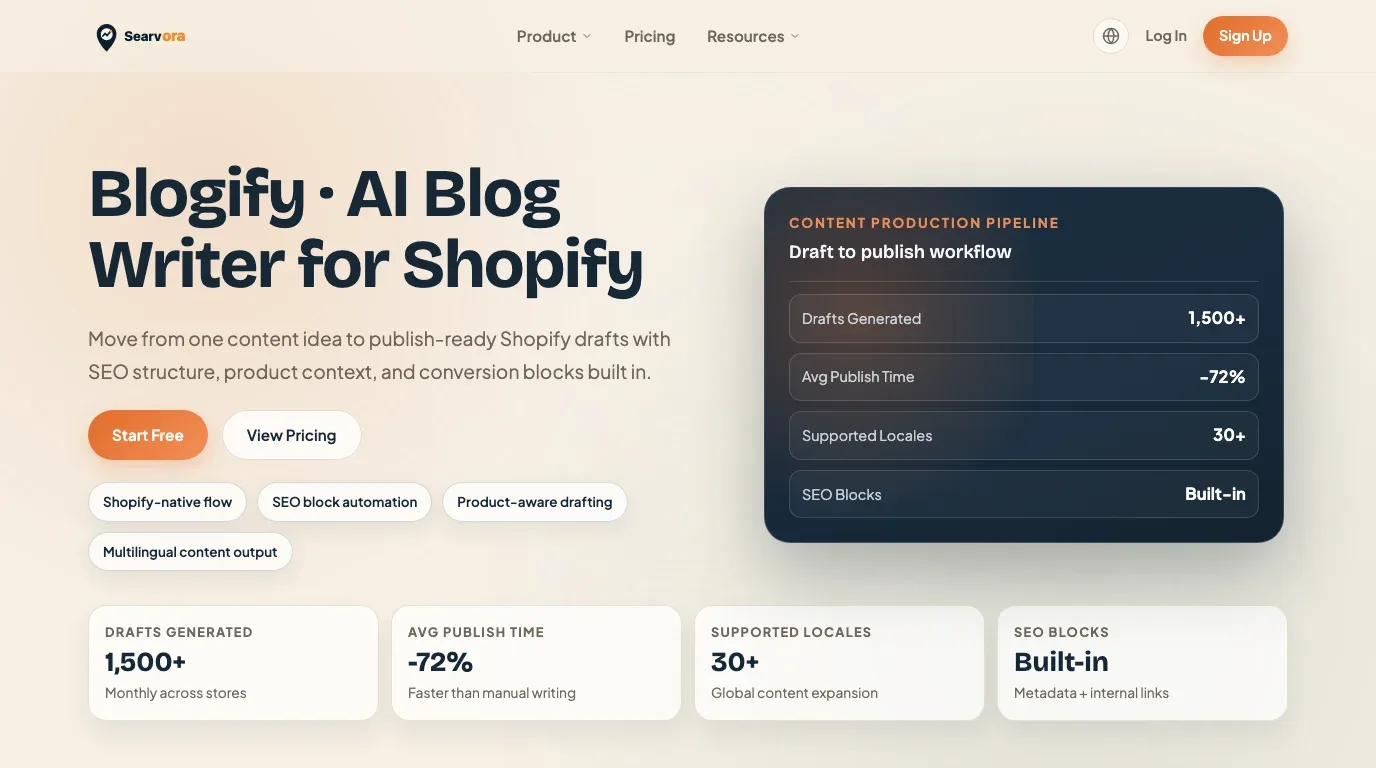
Searvora fits when Shopify SEO needs to move from diagnosis into shipped content. Blogify is the primary product fit because the Blogify page positions it around store-aware topic intelligence, structured SEO drafting, editorial controls, multilingual output, and a Shopify draft workflow.
Use the broader Searvora stack around that content layer:
| Workflow stage | Searvora fit | Output |
|---|---|---|
| Opportunity review | AI SEO Consultant | Page type, information gain, and priority decision |
| Technical validation | SEO Spider Crawler | Crawl, metadata, link, and indexability evidence |
| Draft production | Blogify | Shopify-ready draft with product context and SEO structure |
| Performance review | AI SEO Dashboard | Search, AI visibility, and refresh signals |
For this article, keep the primary handoff focused on Blogify. The reader is not only asking what Shopify SEO means. They need a repeatable way to turn approved topics, product context, and metadata into drafts that can survive editorial review.
Measure Search And AI Visibility After Publishing
Publishing is the first point where the store can collect evidence. Shopify SEO should be reviewed by page job, not by total traffic alone.
Track these signals:
| Signal | What it tells you | Next action |
|---|---|---|
| Collection impressions | Whether category demand is visible | Improve collection copy, links, filters, or product coverage |
| Product page clicks | Whether product-specific searches reach the right URL | Improve titles, descriptions, media, and structured facts |
| Blog-assisted paths | Whether guides move shoppers toward commercial pages | Add clearer next steps or better product context |
| Crawl anomalies | Whether theme or navigation changes created access issues | Re-crawl affected templates and fix at the source |
| AI-search visibility | Whether pages are answerable and cite-ready | Add clearer definitions, comparisons, FAQs, and evidence |
| Cannibalization patterns | Whether multiple Shopify URLs serve one job | Consolidate, retarget, or route links to the canonical owner |
The useful question is simple: did the store become easier to discover, easier to understand, and easier to act on? If not, the next action belongs in the crawl queue, content queue, product data queue, or internal-link queue.
Shopify SEO Checklist
Use this checklist before launching or refreshing a Shopify SEO cycle:
- Group important URLs by collection, product, blog, filter, campaign, and support page.
- Assign one primary search job to each priority URL.
- Crawl the store before assigning rewrite work.
- Confirm important products are reachable through links.
- Check canonical, indexation, sitemap, and parameter behavior.
- Build briefs that separate collection, product, and blog intent.
- Add unique product and collection context instead of generic copy.
- Link guides to relevant collections and products without overloading the article.
- Use structured data only when the page visibly supports the same facts.
- Move approved content through a controlled Shopify draft review path.
- Re-crawl changed templates and priority URLs after publishing.
- Measure traditional search, assisted product discovery, and AI-search visibility.
Shopify SEO is not one app, one checklist, or one metadata field. It is a store operating workflow. The better the team separates page jobs, crawl evidence, content production, and measurement, the easier it becomes to publish useful pages without creating technical debt.