

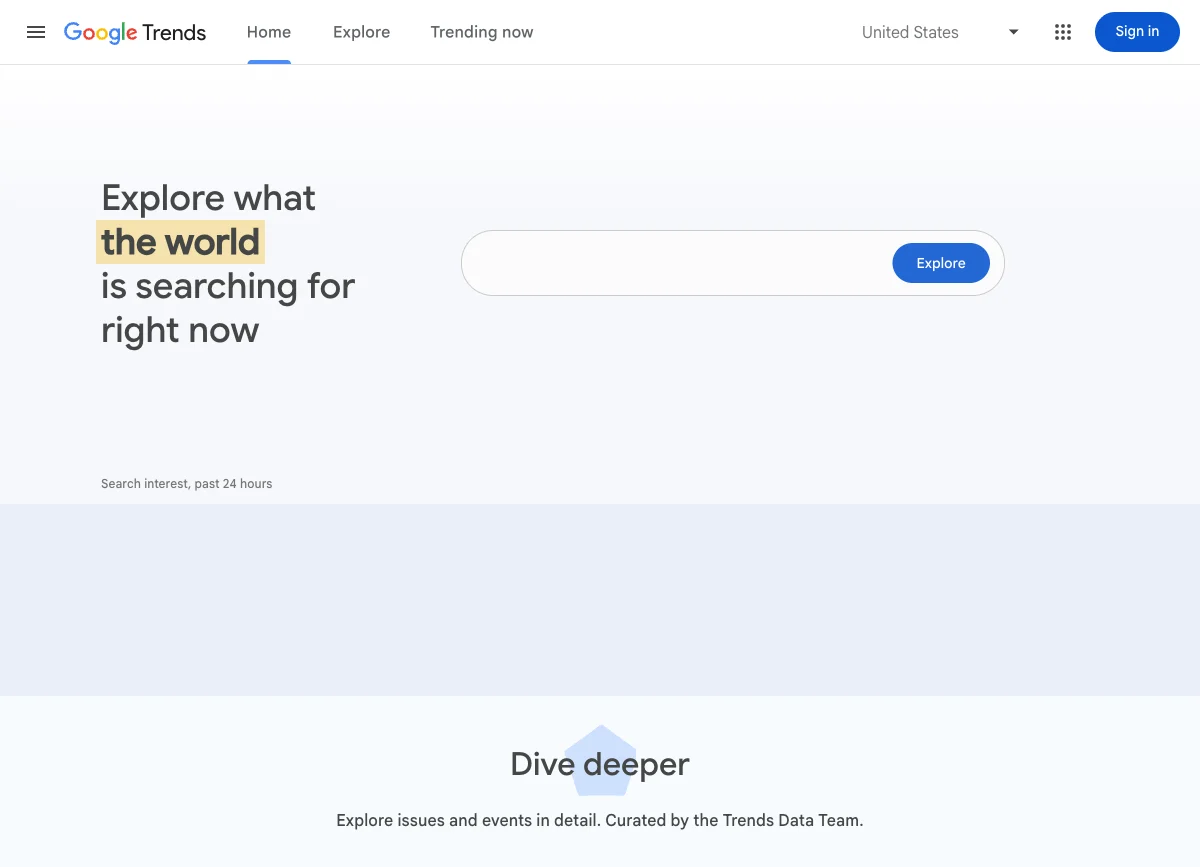
How to use Google Trends for keyword research safely starts with the right expectation: treat it as a timing and comparison signal, not a search-volume tool. It can show whether interest is rising, where a topic is strongest, which related queries are breaking out, and whether two phrases behave differently over time.
The mistake is approving content from the trend line alone. A safer workflow is to use Trends to form a keyword hypothesis, then validate the user job, existing-page overlap, crawl readiness, and measurement plan before a page enters production.
Use Trends For Timing, Not Search Volume
Google's FAQ about Google Trends data explains that Trends uses sampled, anonymized, categorized, and aggregated search data. It also normalizes data so terms can be compared. That means the familiar 0 to 100 scale is relative interest for the selected term, geography, and time range. It is not the number of searches.
Use Trends when the research question is about direction:
| Research question | What Trends can help with | What to verify elsewhere |
|---|---|---|
| Is interest rising or fading? | Trend direction over a chosen period | Absolute demand and business value |
| Does timing matter? | Seasonality, event spikes, and recurring peaks | Whether your team can publish before the demand window |
| Which region is stronger? | Relative interest by country, state, or metro area | Whether that market matches your product and language plan |
| Which phrasing is gaining? | Term or topic comparisons | Search intent and page type |
| Are new queries emerging? | Rising and breakout related searches | Whether those queries deserve a section, refresh, or new URL |
The Ahrefs article that surfaced this competitor opportunity focuses on practical uses for Trends in keyword research. Searvora's information gain is the operating layer: each Trends signal should become a page-type decision, a validation check, or a reason to update an existing URL.
Start With One Comparison Question
Open Google Trends with a specific SEO decision in mind. "Find good keywords" is too broad. Good questions are narrower:
- Which term should lead the page title?
- Which topic is rising before a seasonal campaign?
- Which region deserves localized content?
- Which related query should become an H2 instead of a separate article?
- Is this a durable topic or a short-lived spike?
Then compare search terms or topics carefully. Google's comparison guidance distinguishes searches by the term you enter and the selected context. For SEO planning, keep the comparison clean:
| Comparison choice | Safer use |
|---|---|
| Search term vs search term | Compare exact wording when deciding titles or anchors |
| Topic vs topic | Compare broader concepts when language varies across regions |
| Same region and time range | Keep the scale meaningful across terms |
| Same category when relevant | Avoid mixing broad consumer demand with niche professional demand |
| Up to five terms | Compare a short set, then narrow the brief |
If a term wins in Trends but the SERP is tool-led, shopping-led, local, or navigational, the answer may not be a blog post. That is why Trends belongs inside a broader keyword research workflow, not outside it.
Run The Five-Step Trends Workflow
Use this sequence when a keyword or content cluster needs timing context.
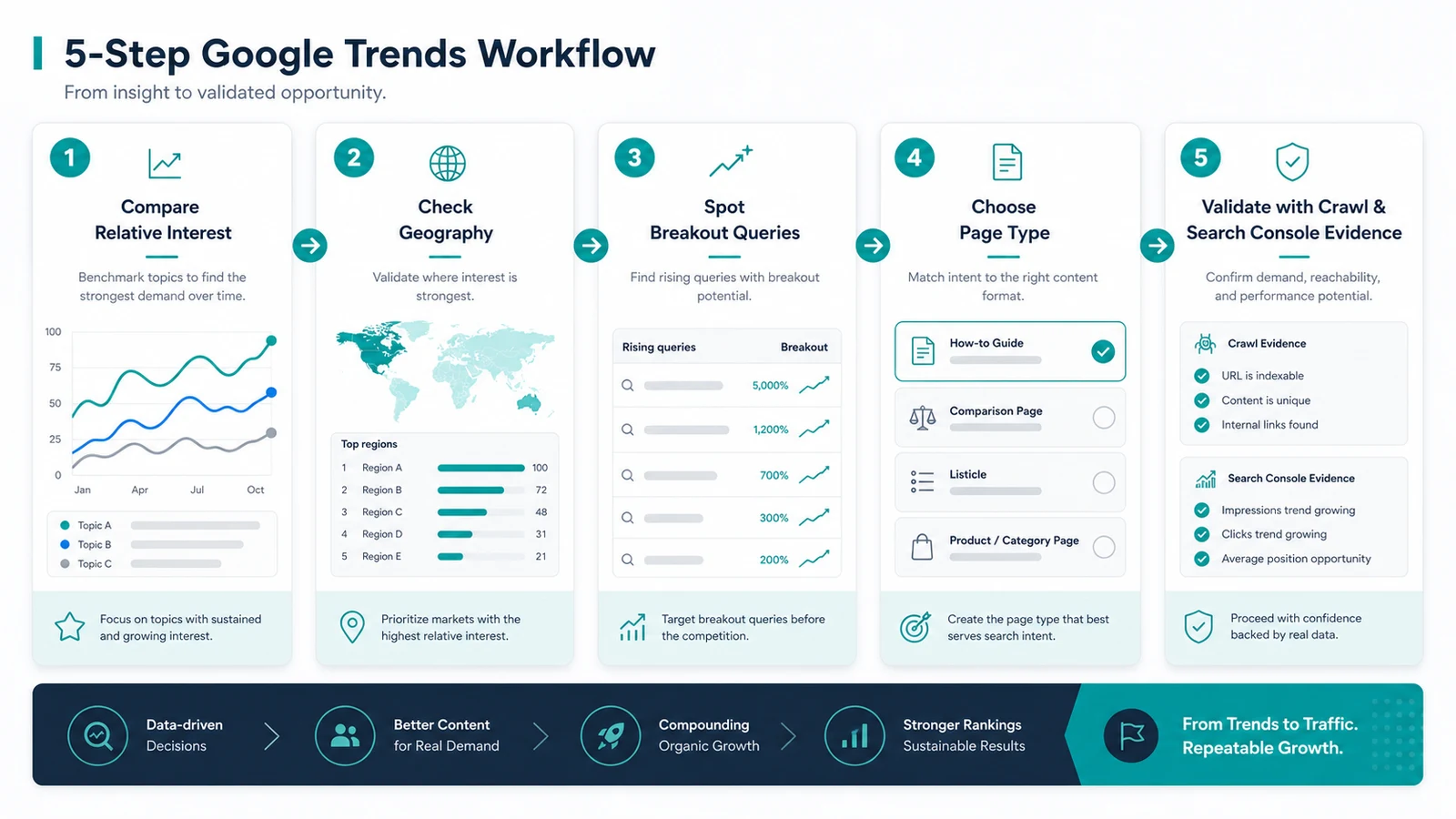
- Compare relative interest for the likely terms or topics. Look for sustained growth, recurring peaks, or clear phrase preference.
- Check geography. If one market dominates, decide whether you need local examples, localized pages, or a market-specific campaign.
- Inspect rising and breakout queries. Google's related searches documentation explains that "Breakout" means a term grew sharply from the previous period. Treat that as a signal to investigate, not instant approval.
- Choose the page type. A rising term can point to an article, product page, tool page, comparison, hub section, or update to an existing URL.
- Validate with owned evidence. Check Search Console, current rankings, crawlability, internal links, and existing Searvora coverage before assigning the brief.
This is the difference between a keyword idea and an execution decision. Trends can tell you a topic moved. It cannot tell you whether your site should create a new URL.
Turn Trend Signals Into Page Decisions
The useful output from Google Trends is a content decision, not a screenshot in a planning deck.
| Trend signal | Better SEO decision | Watch out for |
|---|---|---|
| Stable interest for a broad topic | Parent article, hub section, or evergreen refresh | Writing another generic guide that overlaps existing pages |
| Seasonal rise | Timed refresh, campaign article, or collection update | Publishing after the demand window has passed |
| Regional concentration | Localized article, region-specific examples, or market page | Creating thin location pages without local proof |
| Breakout related query | Section, FAQ, refresh, or new child article after intent review | Chasing news spikes that will vanish before indexing |
| Phrase A rising while phrase B falls | Title/H1 update or new angle test | Assuming the lower term has no value without checking conversions |
| Low or missing data | Broaden topic, expand time range, or use another source | Treating "not enough data" as no demand |
For example, a rising "Google Trends keyword research" signal does not automatically require a standalone page. Searvora already had a parent keyword research workflow, a free keyword research tools comparison, and a Google Keyword Planner for SEO child article. The reason this article is safe is narrower: it teaches the Google Trends workflow itself and routes the output into validation.
Validate The Brief Before Writing
Before a Trends-backed idea becomes a draft, run a validation pass.
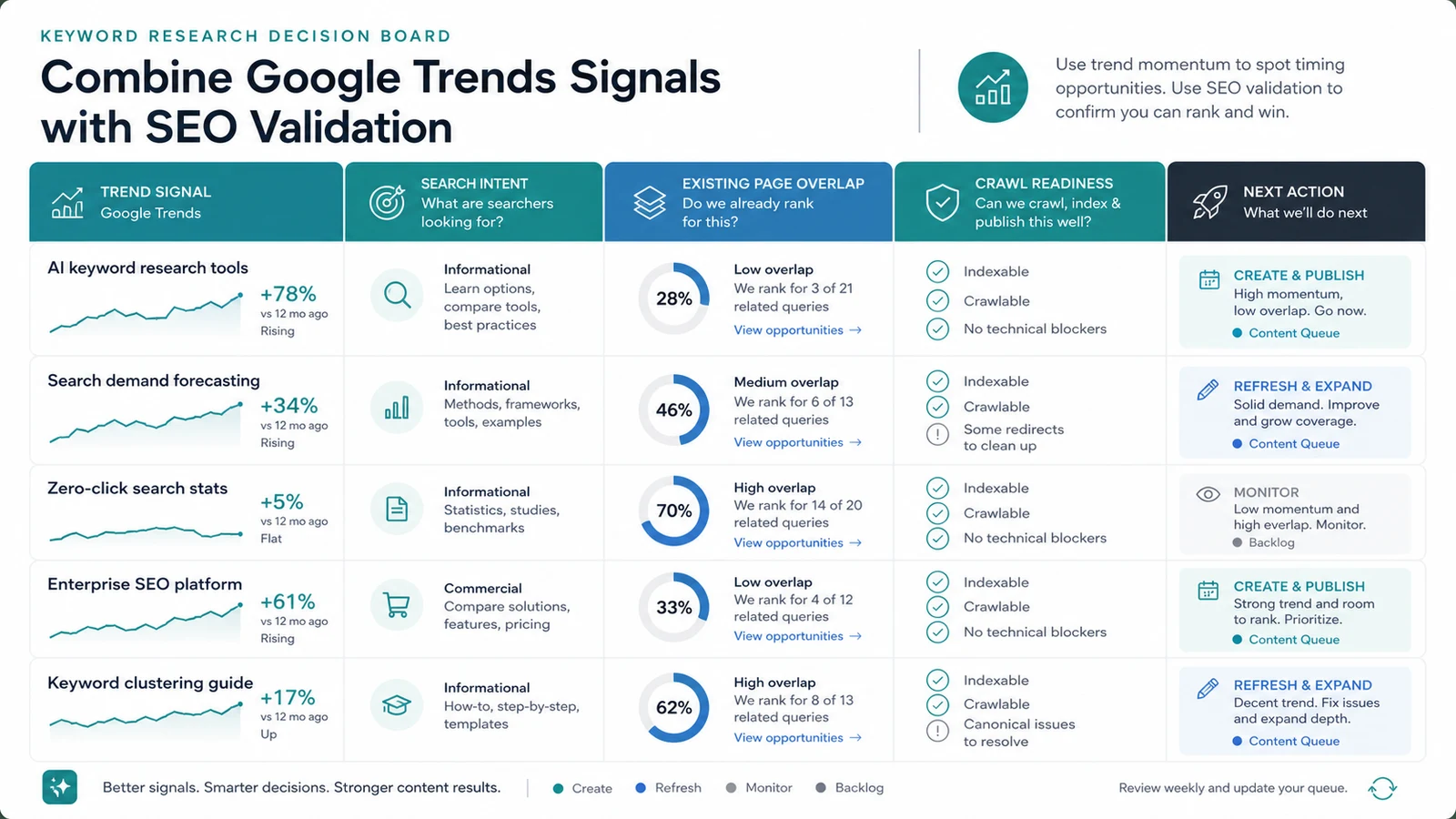
Use this checklist:
- Name the primary keyword and the comparison terms you tested.
- Write the user job in one sentence.
- Decide the page type before writing a title.
- Check whether an existing URL already serves the same keyword, page type, and user job.
- Confirm the page can be crawled, indexed, linked internally, and measured after launch.
- Pair Trends with another source such as Search Console, Keyword Planner, competitor URL evidence, or a SERP check when page type is unclear.
- Define the information gain so the article does more than restate the trend.
The Search Console performance report is the owned-site companion for this step. Trends can show broader interest. Search Console can show whether your verified site already has impressions, clicks, CTR, average position, and page-query evidence for the topic.
Where Searvora Fits
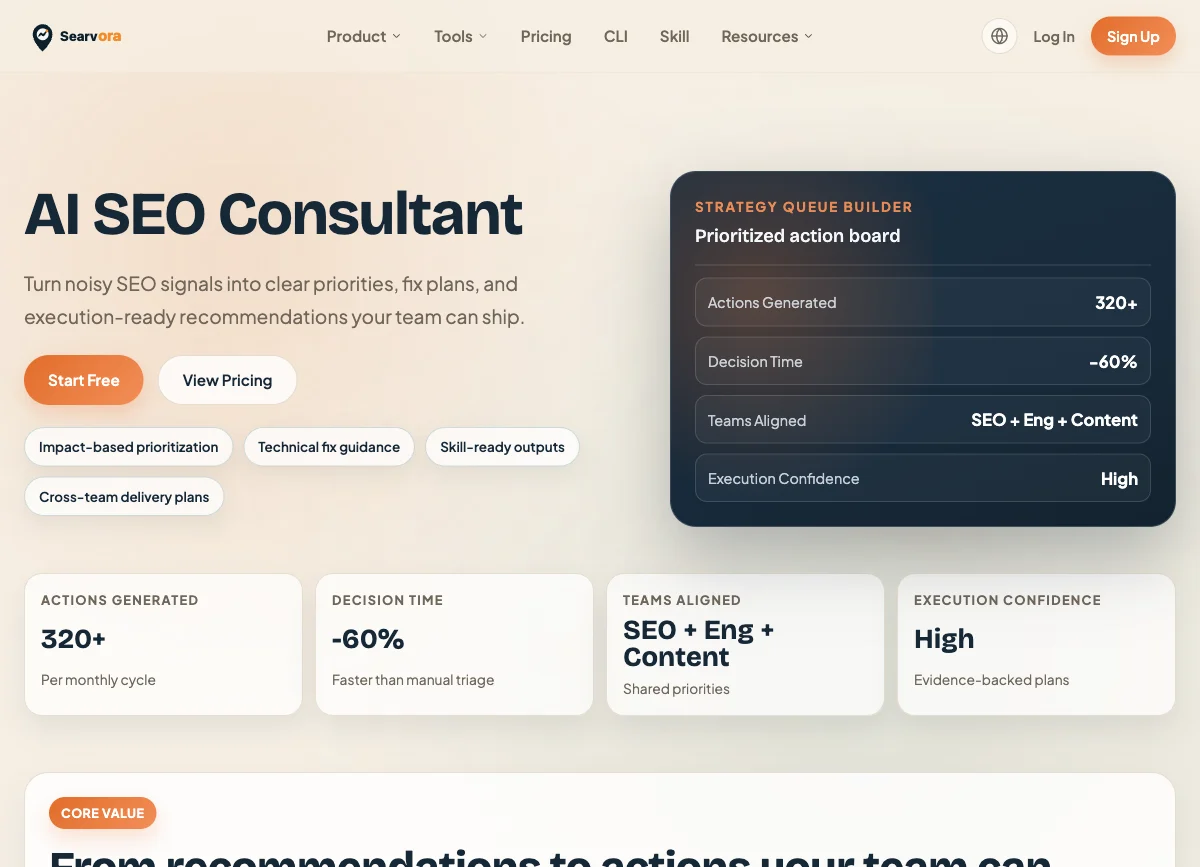
Searvora AI SEO Consultant is useful after the Trends pass, when the team needs to convert signals into assigned work. The product page positions it around pattern diagnosis, priority scoring, fix-ready guidance, and execution alignment.
Use it when a Trends-backed topic needs a decision like this:
| Evidence pattern | Searvora action |
|---|---|
| Rising topic with no current page | Create a brief with page type, timing, and validation checks |
| Rising topic with an existing related page | Refresh the current URL or add a section instead of splitting authority |
| Regional interest spike | Decide whether localization, examples, or market pages are justified |
| Breakout query beside a product cluster | Route to article, tool page, landing page, or FAQ based on intent |
| Trend signal plus crawl blockers | Fix indexability and internal links before content production |
A Safe Google Trends Keyword Research Workflow
Use this workflow whenever Trends becomes part of your keyword research:
- Start with a real decision, not a curiosity search.
- Compare terms or topics in the same geography, time range, and category.
- Read the 0 to 100 scale as relative interest, not volume.
- Inspect seasonality, geography, and rising related queries.
- Decide whether the output belongs in a new article, an existing-page refresh, a product page, a hub, or a tool.
- Check Searvora coverage for exact same-job overlap.
- Validate crawlability, internal links, and measurement before assigning work.
- Publish only when you can name the information gain.
Google Trends works best as an early signal. It can show when language and demand are moving. The SEO work starts when you turn that signal into the right page type, the right validation path, and a brief your team can actually ship.