

Free keyword research tools are useful when each one has a job. One tool can show queries you already earn impressions for. Another can show seasonality. Another can expand seed ideas. None of them should become a giant spreadsheet that nobody can turn into pages.
The Ahrefs roundup that surfaced this opportunity proves the search intent is a true tools comparison. Searvora's information gain is the operator layer: compare free tools by the evidence they provide, the blind spots they leave, and the next SEO action they should trigger.
Compare Free Tools By The Job They Do
A free keyword tool is not "good" in the abstract. It is good when it answers one planning question clearly enough to move the work forward.
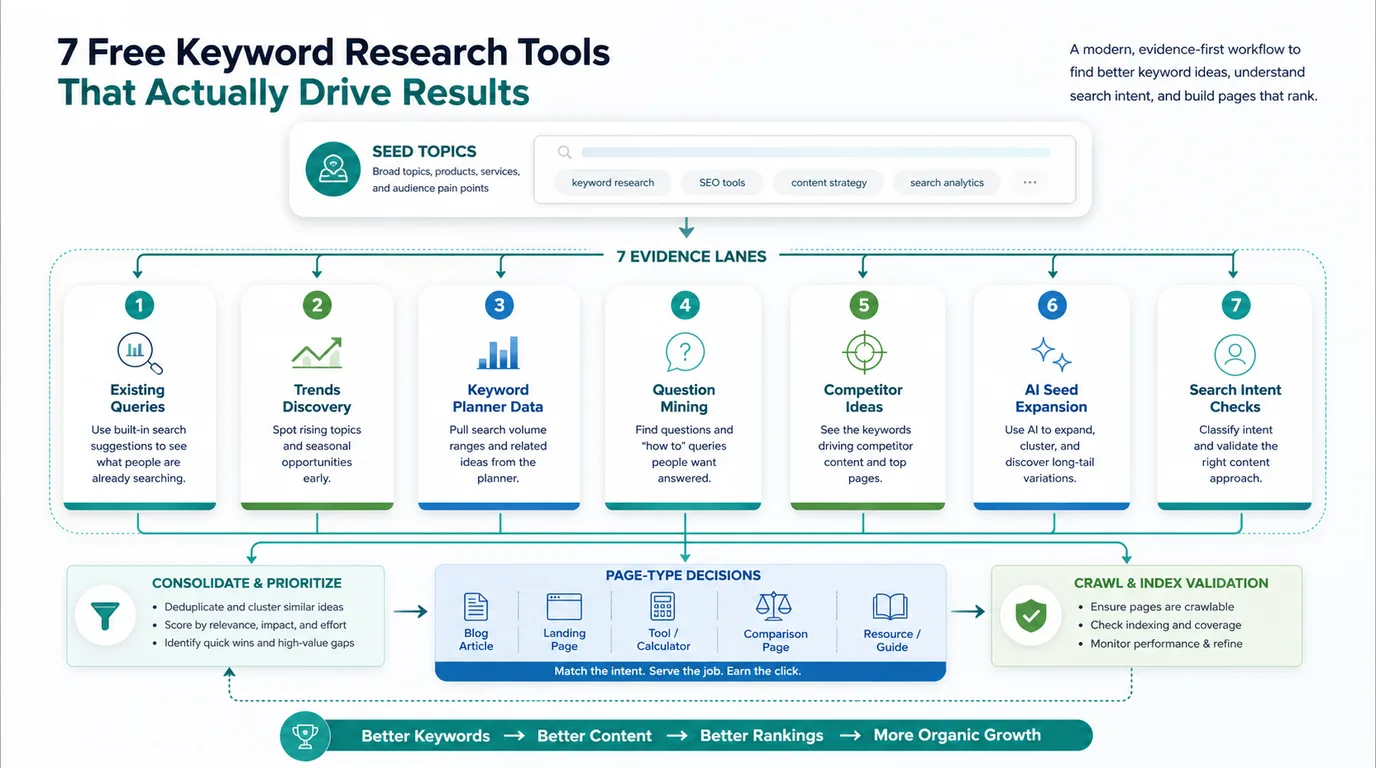
Use this first-pass model before collecting ideas:
| Research job | Better free source | What it should decide |
|---|---|---|
| Find queries you already surface for | Google Search Console | Which existing URL should be refreshed or internally linked |
| Check seasonality or breakout demand | Google Trends | Whether the brief needs timing, region, or freshness context |
| Expand seed terms for SEO and ads | Google Keyword Planner | Which phrase families deserve clustering |
| Mine questions and modifiers | AnswerThePublic or Ahrefs Keyword Generator | Which subtopics need sections, FAQs, or child pages |
| Draft seed variations quickly | ChatGPT or Gemini | Which ideas need verification in a real search source |
| Turn ideas into work | Searvora AI SEO Consultant | Which page type, owner, and validation path should ship next |
The Free Keyword Research Tools Shortlist
This shortlist is not a universal ranking. It separates tools by the job they do best, because a free tool that is perfect for trend checks can be weak for difficulty, and a tool that creates seed ideas can still know nothing about your site.
| Tool | Best fit | Main limit |
|---|---|---|
| Google Search Console | Existing query and page evidence | Only shows data for verified properties and queries where you already appear |
| Google Trends | Seasonality, breakout topics, and regional interest | Relative interest, not exact keyword volume |
| Google Keyword Planner | Seed expansion and paid-search-informed demand ranges | Built for advertisers, so SEO intent still needs review |
| Ahrefs Free Keyword Generator | Fast keyword and question discovery | Limited sample compared with paid databases |
| AnswerThePublic | Question and autocomplete-style mining | Needs volume, difficulty, and intent validation elsewhere |
| ChatGPT | Seed brainstorming and modifier expansion | No live search volume or ranking difficulty by default |
| Gemini | Seed expansion and search-task framing | Must be checked against actual SERP and site evidence |
1. Google Search Console
Google Search Console is the best free source for queries where your site already has some search exposure. The public Search Console page positions it around improving performance on Google Search, and the official performance report documentation explains query, page, country, device, date, and search appearance views.
Use it when the job is not "find every possible keyword." Use it when the job is "which existing page deserves work?" Look for pages with impressions but weak clicks, queries that almost match the page promise, and topics where a page already has enough visibility to justify a refresh.
Best next action: update the existing URL, strengthen internal links, or create a supporting child page only when the query job is different from the page that already ranks.
2. Google Trends
Google Trends is useful when timing matters. The public Google Trends page lets researchers compare interest over time, inspect regions, and spot rising terms. That makes it helpful for seasonal ecommerce topics, local demand, product launches, and fast-moving AI search language.
Do not use Trends as a volume replacement. It is better at direction than absolute demand. If a topic is rising, the next question is whether Searvora should create a fresh article, update an existing page, or prepare a hub section before the peak arrives.
Best next action: add timing, region, or freshness context to the brief, then validate whether the page can be crawled, indexed, and internally linked before the demand window.
3. Google Keyword Planner
Google Keyword Planner is a free Google Ads tool, but it can still help SEO teams expand seed ideas and understand rough demand ranges. Google's public Keyword Planner page frames the product around finding keywords for ads and reaching the right customers.
For SEO, use that data carefully. Paid-search language can reveal commercial modifiers, but it does not automatically prove the organic page type. A keyword might need a collection page, a comparison article, a tool, or a support page. Keyword Planner should feed the cluster, not decide the asset alone.
Best next action: group related terms, then check whether the organic intent asks for an article, landing page, tool page, or existing-page refresh.
4. Ahrefs Free Keyword Generator
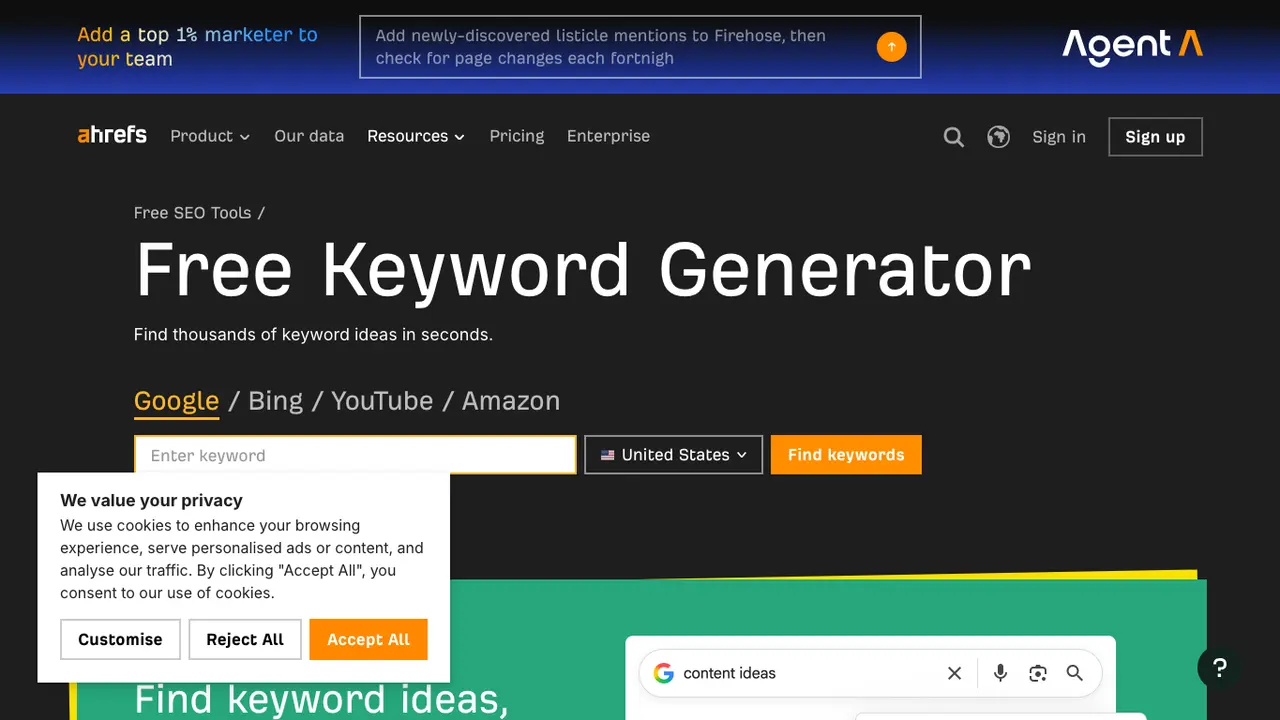
Ahrefs Free Keyword Generator is useful for quick idea expansion. The public Keyword Generator page offers keyword ideas from broad seed terms across search surfaces. It is especially useful when you need a starting list of phrase families and questions.
The limit is sample depth. A free generator can suggest directions, but a publish decision still needs page-type review, overlap checks, and information gain. Do not let a generated phrase become an article just because it sounds searchable.
Best next action: capture candidate phrases, then compare them against your current Searvora URLs so parent topics, child topics, and true cannibalization stay separate.
5. AnswerThePublic
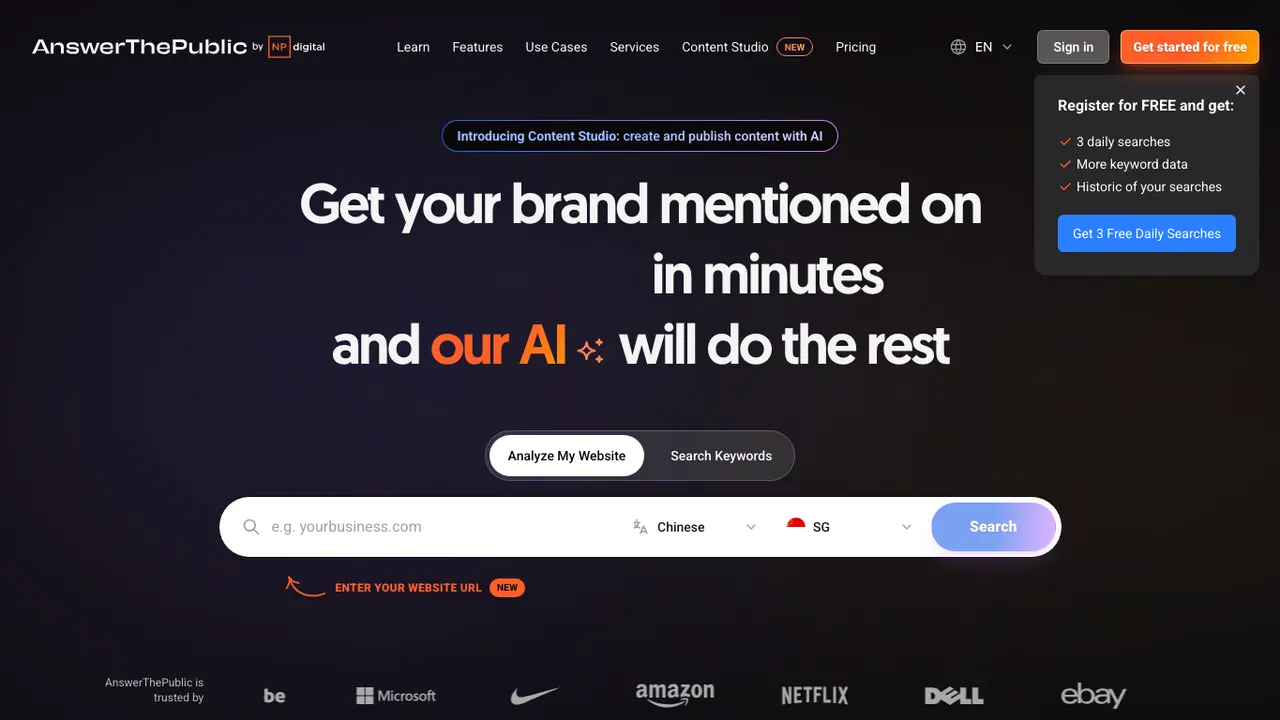
AnswerThePublic is useful for question mining. Its public homepage positions the tool around finding questions people ask around a brand or topic. That makes it useful when a draft needs better H2s, FAQ candidates, modifiers, and content gaps.
The risk is writing a page for every question. Many questions belong inside one stronger article. Others deserve a tool page or a comparison section. Use the question list to improve structure, then decide whether any question represents a separate user job.
Best next action: sort questions into "section," "FAQ," "child article," "tool/page asset," and "ignore" before assigning writing.
6. ChatGPT
ChatGPT can help brainstorm seed terms, modifiers, audience language, and alternate ways people might describe the same problem. The public ChatGPT page describes it as a general assistant for getting answers and inspiration, not as a dedicated SEO database.
That distinction matters. ChatGPT is useful before validation, not after it. Ask it for seed ideas, objections, audience segments, and phrase variants. Then verify the useful ideas in Search Console, Trends, Keyword Planner, a competitor URL snapshot, or a SERP check when intent is unclear.
Best next action: use AI-generated terms as hypotheses, then require a real evidence source before a keyword enters the content queue.
7. Gemini
Gemini can play a similar seed-expansion role. The public Gemini page presents it as a personal AI assistant. For keyword research, the useful job is not "tell me exact search volume." It is "help me think through language, page jobs, and adjacent questions I should verify."
Use it to produce initial angles, compare phrasing, or turn a topic into possible user tasks. Keep the quality gate outside the model: search demand, page type, overlap, crawlability, and information gain still need evidence.
Best next action: convert promising AI suggestions into a short research checklist instead of sending them straight to a writer.
Build One Workflow From Multiple Free Sources
The right stack is usually a sequence, not a favorite tool.
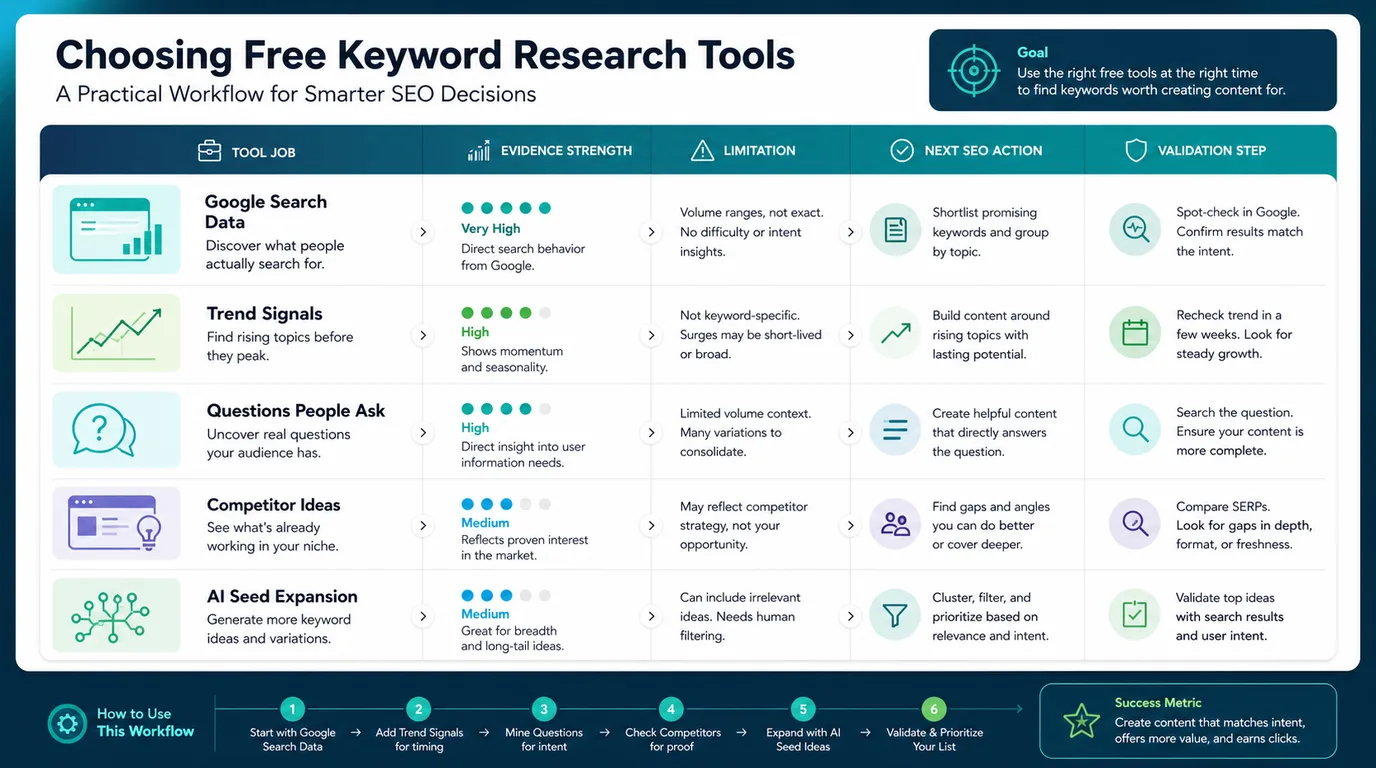
Use this workflow:
- Start with Search Console to find pages and queries that already have evidence.
- Use Trends to check timing, seasonality, and regional shifts.
- Use Keyword Planner, Ahrefs, and AnswerThePublic to expand the query family.
- Use ChatGPT or Gemini to brainstorm missing modifiers, objections, and audience language.
- Group ideas by user job and page type.
- Check existing Searvora coverage before approving anything new.
- Validate the chosen page path with crawl, indexability, internal-link, and measurement checks.
This is where the free tools roundup becomes different from the parent keyword research workflow. Keyword research explains the full operating model. This article focuses on which free sources to use for each evidence gap, and what to do after each source gives you ideas.
Where Searvora Fits
Free tools help you collect signals. Searvora helps decide what those signals should become.
Use the AI SEO consultant after the evidence pass when the team needs to decide whether a keyword should become:
| Evidence pattern | Better Searvora decision |
|---|---|
| Existing impressions on a weak URL | Refresh the current page and validate crawl/indexability |
| Rising topic with no owned page | Create a timed article or hub section with clear freshness notes |
| Many related comparison modifiers | Build a roundup, comparison page, or decision guide |
| Repeated support-style questions | Add an FAQ section or create a targeted support article |
| High demand but tool-like intent | Build a tool or landing page instead of forcing a blog post |
| Same keyword, page type, and user job already covered | Update the existing URL instead of creating cannibalization |
If the research finds many long, specific phrases, use the long-tail keywords workflow to decide which ones deserve their own page. If the research turns into roadmap prioritization, use the keyword strategy workflow before assigning writers.
Run This Approval Checklist
Before a free keyword idea becomes a draft, answer these questions:
- Which free source produced the idea?
- What user job does the query represent?
- Is the best response an article, landing page, tool, hub, comparison, or existing-page refresh?
- Which current Searvora URL is closest, and is it the same core keyword, same page type, and same user job?
- What information gain will make the new page better than the competitor result?
- What screenshot, public source, or crawl evidence does the writer need?
- How will the team validate the page after publishing?
Free keyword research tools are enough for strong planning when the workflow is disciplined. Use each tool for its evidence strength, admit its limits, then turn the approved idea into a page decision your team can actually ship and recheck.