

If you are asking how to increase SaaS organic traffic, start with the page jobs that already support the business: product pages, use-case pages, comparison pages, docs, integrations, pricing support, and educational articles. Then check whether those pages are discoverable, indexable, matched to real search tasks, and strong enough to turn visibility into qualified visits.
The weak version of SaaS SEO is a bigger blog calendar. The stronger version is a page-type operating loop: find the demand, choose the right page format, remove crawl or intent blockers, ship the page change, and validate the same cohort later.
Start With SaaS Page Jobs
SaaS organic traffic usually comes from several page types, not one generic content channel. A product page may need comparison traffic. A use-case page may need problem-aware traffic. A docs page may bring technical evaluators. A blog article may build authority or explain a workflow before the buyer is ready.
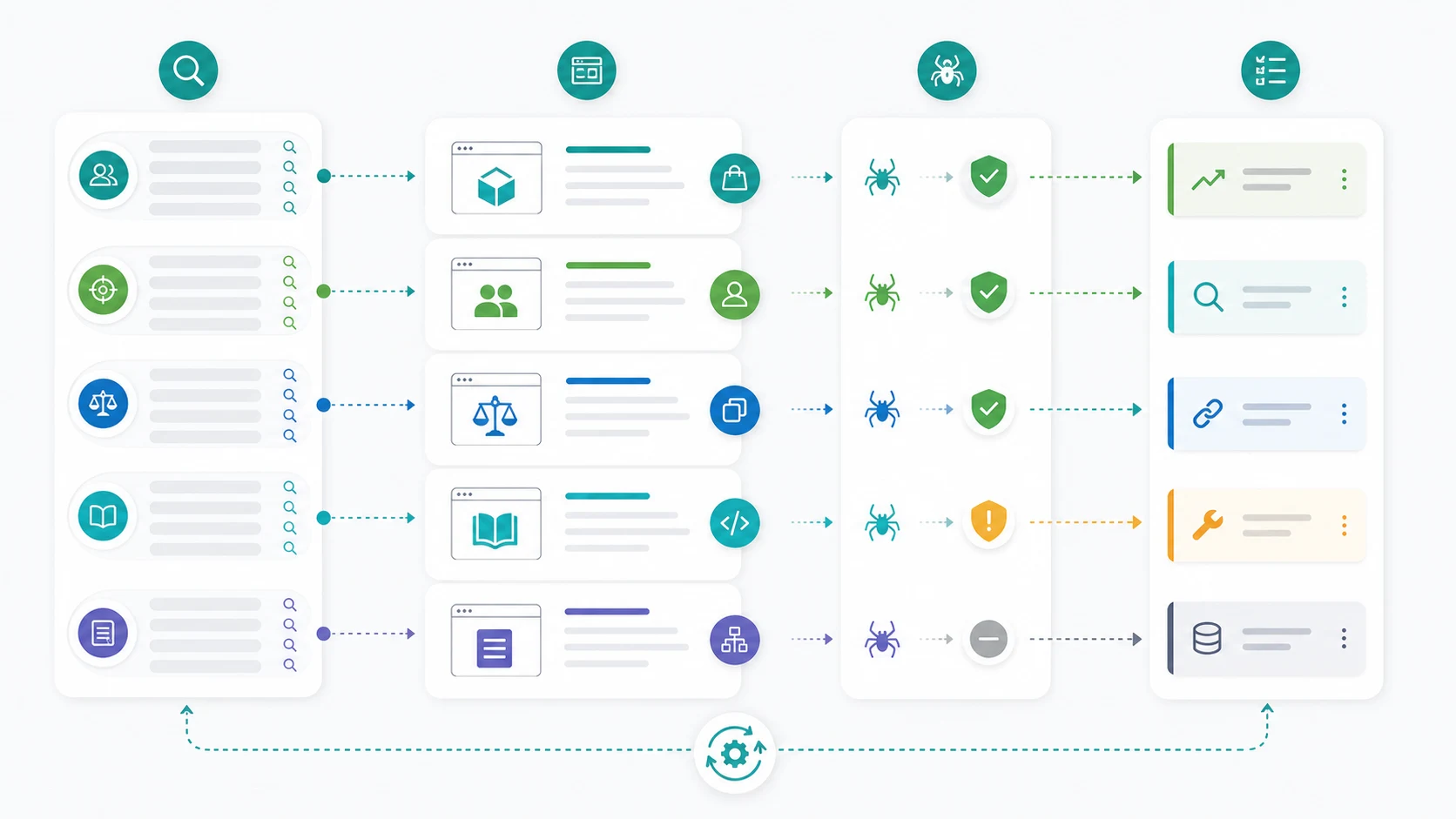
Use page jobs before keyword volume:
| SaaS page type | Search job it can serve | Organic traffic action |
|---|---|---|
| Product page | Understand what the product does | Clarify category, proof, use cases, and CTA |
| Use-case page | Solve a specific workflow problem | Add examples, outcomes, integrations, and internal links |
| Comparison page | Choose between tools or approaches | Use fair criteria and scenario-based recommendations |
| Docs or support page | Complete implementation or evaluate depth | Keep instructions crawlable, current, and internally linked |
| Article or hub | Learn a concept or operating method | Route readers to the product or page type that matches intent |
This prevents accidental cannibalization. If the query is commercial, a product or comparison page may be the best target. If the query asks for a workflow, an article can be useful. If the cluster is too broad, a hub may be safer than one more isolated post.
Build A Baseline Before Publishing More
More pages do not automatically create more SaaS organic traffic. First, build a baseline that shows which existing pages have momentum, which are blocked, and which are mismatched to intent.
Use these inputs:
- Search Console clicks, impressions, CTR, average position, pages, and queries.
- Analytics landing-page sessions and conversion or activation context.
- Crawl evidence for indexability, canonicals, redirects, sitemap inclusion, internal links, and rendered content.
- Page-type grouping for product, use case, comparison, docs, article, and hub pages.
- Branded versus non-branded demand.
- AI-search or GEO evidence where citations, summaries, or answer visibility matter.
Google's Search Console and Google Analytics guidance is a useful reminder that search and analytics data answer different parts of the journey. Read them together, then group the evidence by page type.
Pick Gaps That Match The Funnel
Once the baseline is clean, choose gaps that match how SaaS buyers search. A strong SaaS content plan usually mixes problem, category, comparison, integration, and implementation intent.
| Gap type | Useful when | Avoid when |
|---|---|---|
| Problem workflow | Users describe the work before knowing the category | The product cannot credibly support the solution |
| Category explainer | Buyers need the market language | A product page already answers the same commercial job |
| Comparison | Searchers are choosing between options | You cannot verify claims fairly from public sources |
| Integration or docs support | Technical evaluators need confidence | The page will become stale without maintenance |
| AI-search evidence page | The topic needs entity clarity, source depth, and citation readiness | The page only repeats generic AI SEO claims |
For example, a SaaS team should not write a generic "how to grow traffic" article if the stronger gap is a use-case page for a specific buyer problem, or a comparison page that helps a high-intent query. Broad advice can wait until the architecture is clear.
If you need the keyword side of that decision, pair this workflow with keyword research. If you need to decide whether the page promise matches the query, review search intent in SEO.
Remove Eligibility Blockers First
SaaS sites often lose organic traffic because useful pages are hard for search systems to reach or understand. Product updates create redirects, docs move, comparison pages go stale, pricing support pages drift, and internal links concentrate on the newest launch instead of the most important page.
Before assigning writers, check:
| Blocker | Why it limits traffic | Fix path |
|---|---|---|
| Important pages are orphaned | Search systems and users cannot find them easily | Add links from hubs, product navigation, and relevant articles |
| Canonicals point elsewhere | The wrong URL may be selected or consolidated | Align canonical, sitemap, internal links, and page purpose |
| Docs are thin or hidden | Technical evaluators cannot verify fit | Make implementation context crawlable and link it from product pages |
| Similar articles overlap | Page signals split across near-duplicates | Merge, redirect, or assign distinct page jobs |
| AI answer evidence is weak | The page is hard to summarize or cite | Add clear definitions, examples, data, and source-quality context |
This is where a crawl and a dashboard should work together. The crawl shows eligibility and structure. The dashboard shows whether the affected page group has demand or movement worth prioritizing.
Run A Weekly SaaS Traffic Sprint
The practical path is a weekly sprint, not a one-time content dump.

Use this cadence:
- Choose one page cohort, such as product pages, comparisons, docs, or a topic cluster.
- Compare impressions, clicks, CTR, average position, and conversions for that cohort.
- Identify one search job that is under-served.
- Check crawl access, indexability, internal links, canonical, sitemap, and rendered content.
- Decide whether the best move is a product-page update, new comparison, doc refresh, article, hub, internal link, or consolidation.
- Assign the owner and acceptance check.
- Recheck the same cohort after the validation window.
Searvora's AI SEO dashboard fits the monitoring layer because it is designed around page-type and locale performance, anomaly detection, prioritized opportunities, and execution-ready review. Use it when broad traffic charts need to become cohort decisions and fix queues.
Measure The Right Traffic Gain
SaaS teams should not judge every organic traffic gain by total sessions. A small lift on a comparison page can matter more than a large lift on a low-intent blog post. A docs page can support sales confidence even if it does not look like a classic lead page. A product page may need cleaner non-branded discovery before it earns more clicks.
Track outcomes by page job:
| Page job | Primary validation signal | Supporting signal |
|---|---|---|
| Product discovery | Non-branded impressions and qualified visits | CTA engagement or assisted conversion |
| Use-case education | Query expansion and internal route quality | Time to product or demo page |
| Comparison | Clicks from high-intent queries | Lower bounce and stronger assisted conversion |
| Docs confidence | Technical evaluator visits | Links from product and support pages |
| Blog authority | Relevant query coverage and internal link flow | Supported product or hub movement |
That is how to increase SaaS organic traffic without guessing. Start with the page job, prove the page is eligible, choose the gap that matches the funnel, ship one assigned change, and validate the same cohort before adding more work.