

Featured snippets are special search result boxes that put the answer-style snippet before the normal result title and URL. For SEO teams, the useful question is not how to force one. The useful question is whether a page deserves to be selected for a direct answer and whether the team can monitor the result without chasing noise.
Treat featured snippets as an eligibility workflow. Pick the right query, make the answer easy to extract, keep the page technically clean, and watch the page group over time. That gives you a durable process even when Google changes the exact presentation.
Start With What Google Actually Allows
Google's Search Central documentation for featured snippets gives teams two important guardrails. First, site owners cannot manually mark a page as a featured snippet. Google's systems decide whether a page is a useful match for the query. Second, snippet controls such as nosnippet, data-nosnippet, and max-snippet can limit what Google may show, but they are not optimization levers for winning a snippet.
That means the work should stay honest. You are improving the page so it can satisfy an answer-shaped query, not installing a special tag that guarantees the result.
| Google-facing fact | SEO implication | Team action |
|---|---|---|
| You cannot mark a page as a featured snippet | Selection is algorithmic | Improve answer quality and eligibility instead of looking for markup tricks |
| Snippet controls can restrict text | Some directives can block snippets or reduce the usable excerpt | Audit nosnippet, data-nosnippet, and restrictive max-snippet settings |
| Clicks can jump to the source section | The answer section needs to stand on its own | Put the clearest answer near the relevant heading |
| Featured snippets may appear near related questions | The user task can be broader than one exact keyword | Map the query cluster, not only the highest-volume term |
Decide Which Queries Deserve Snippet Work
Featured snippets are most useful when the query asks for a concise answer, process, comparison, list, definition, or troubleshooting path. They are less useful when the query is mainly navigational, transactional, or already better served by a product page.
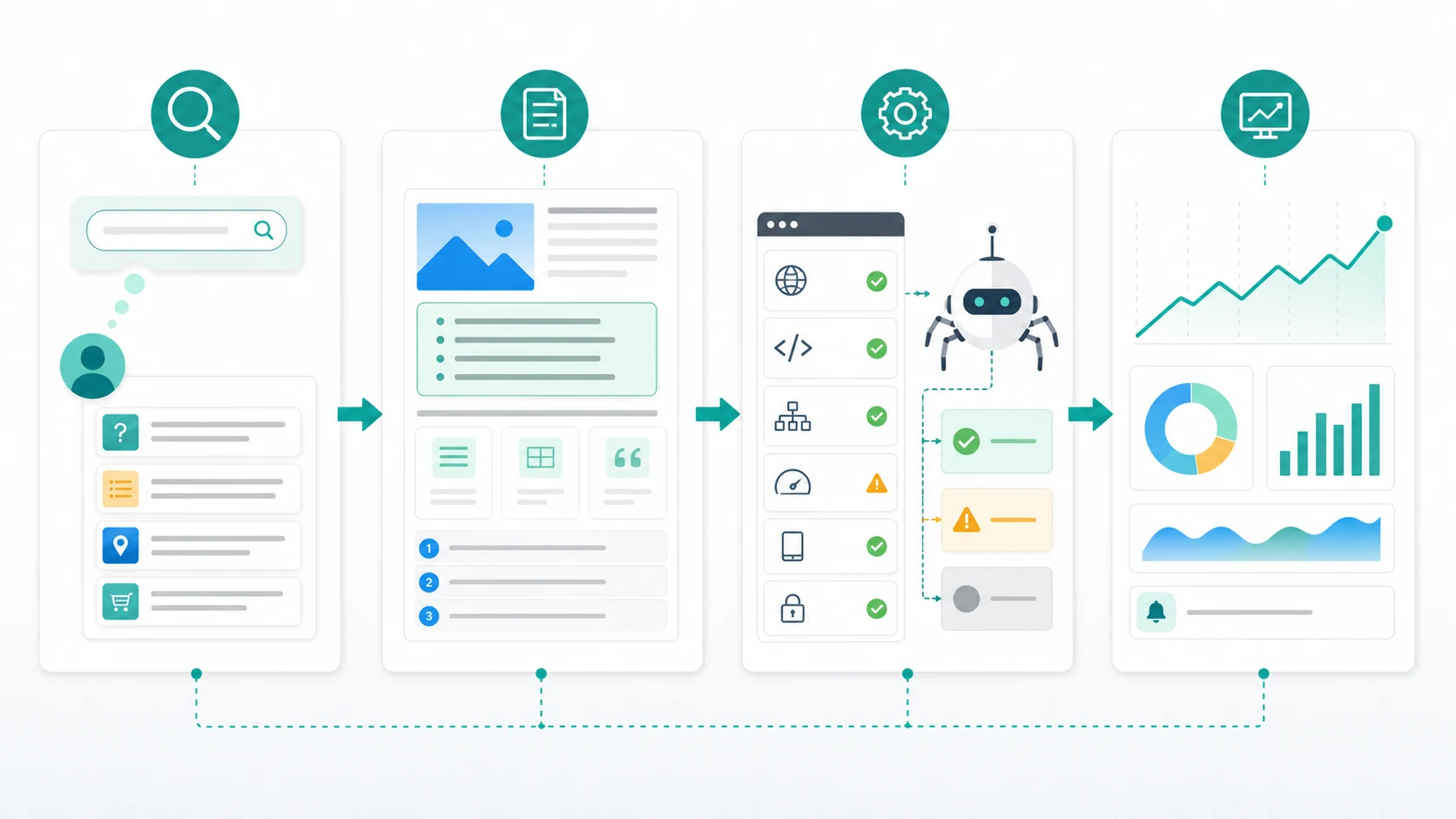
Use this routing table before rewriting a page:
| Query situation | Snippet opportunity | Better next action |
|---|---|---|
| The query asks what something means | High | Put a plain-language definition near the top of the relevant section |
| The query asks how to do something | High | Use ordered steps, requirements, caveats, and validation checks |
| The query compares options | Medium to high | Add a short comparison table and scenario-based recommendation |
| The query asks for a list | Medium to high | Make the list complete, scannable, and supported by useful detail |
| The query is brand navigational | Low | Protect entity clarity, but do not force a blog answer |
| The query wants a tool, login, or pricing page | Low | Improve the landing page rather than creating another article |
This is where snippet work differs from a broad content refresh. You are not making every paragraph shorter. You are matching one section to one answer job while keeping the rest of the page useful.
Build The Answer Section Like A Source
The answer section should be clear enough to extract and useful enough to keep the reader. That usually means one concise answer, followed by context, examples, and next steps.
Use this structure for candidate sections:
- Lead with the answer in one or two plain paragraphs.
- Match the expected format: paragraph, list, table, steps, or short comparison.
- Keep the answer near a descriptive H2 or H3.
- Add caveats that prevent a misleading answer.
- Support the answer with examples, definitions, or validation checks.
- Keep the same meaning in visible HTML text, not only in images.
- Link to official sources when the section discusses Google behavior, policy, or technical controls.
The answer should not read like a glossary fragment dropped into the page. It should help the reader decide what to do next. If a featured snippet click lands on that section, the reader should immediately see why the page is trustworthy enough to continue.
For pages that also target AI-search visibility, this same discipline matters. The Google AI Overviews workflow is broader, but the overlap is simple: clear definitions, visible evidence, and source-quality sections are easier for search systems and humans to interpret.
Validate Technical Eligibility Before Rewriting
A strong answer section cannot win anything if the wrong URL is canonicalized, blocked, hidden, or surrounded by contradictory signals. Run a technical pass before spending editorial time.
| Check | Why it matters | What to fix |
|---|---|---|
| Indexable canonical URL | Google needs the right source page eligible for Search | Remove accidental noindex, canonical conflicts, or robots blocks |
| Snippet directives | Restrictive settings can prevent enough text from showing | Review nosnippet, data-nosnippet, and max-snippet usage |
| Heading alignment | The answer should sit under a clear topic promise | Rewrite vague H2s and mismatched intros |
| Internal links | Google and users need context for the page job | Link from relevant hubs, parent guides, and related support content |
| Structured content | Lists, tables, and steps can clarify the answer | Keep important facts in searchable text |
| Template health | One template issue can affect many candidate pages | Group crawl issues by page type and directory |
This is also a good moment to check whether the candidate should be a blog post at all. If the query wants a calculator, template, product, or directory, a featured-snippet rewrite will not fix the page-type mismatch. Use the content gap analysis workflow to decide whether the right response is a new article, an update, a hub, or a product page.
Prioritize Opportunities By Evidence
Snippet work is easy to overproduce. A team can rewrite dozens of answers and still have no clear reason to believe those pages were the right candidates. Prioritize with evidence first.
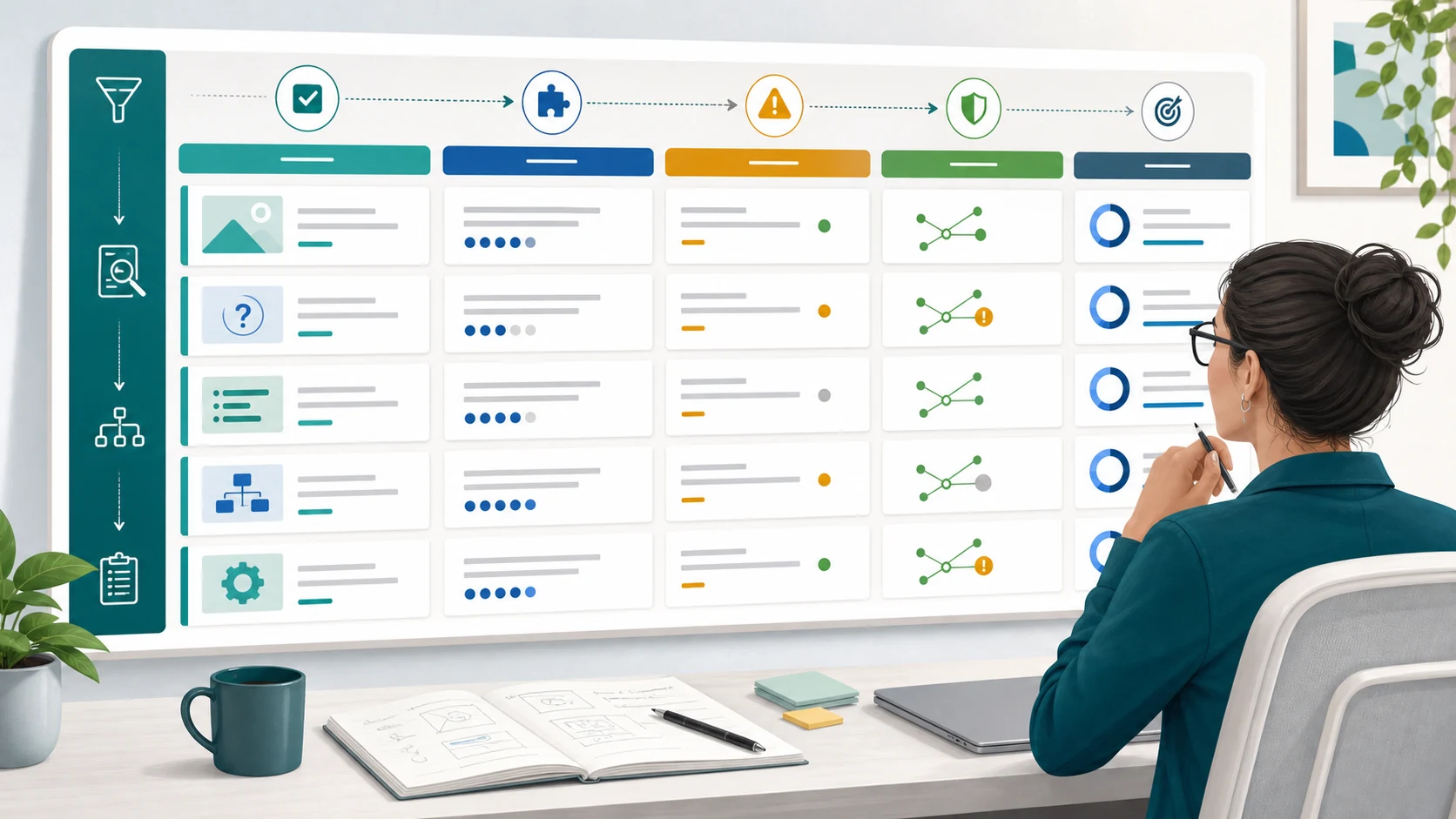
Score each opportunity with four questions:
| Question | Green signal | Red signal |
|---|---|---|
| Does the query have answer-shaped intent? | Definition, step, list, comparison, or troubleshooting task | Brand, login, pricing, or pure product intent |
| Is the page already close? | Ranking, impressions, and topical fit are present | Page is not indexed or serves a different job |
| Can the answer be improved without weakening the page? | A clearer section would help readers | The rewrite would flatten nuance or mislead users |
| Can the team measure movement? | Query/page group is trackable in a dashboard | No baseline, no owner, and no change log |
The best opportunities are usually pages that already have demand and topical fit but need clearer extraction, cleaner technical signals, or better section structure. The worst opportunities are pages where the team is trying to make a weak page look answer-ready by adding a thin definition box.
Monitor Snippets As Part Of A Visibility Loop
Featured snippets should not become a separate reporting island. Track them beside query mix, CTR, crawl health, AI-search visibility, and content changes.
For each candidate page, keep a small change log:
| Field | What to record |
|---|---|
| Target query group | The queries and page job you are trying to improve |
| Source URL | The canonical page and the section changed |
| Format hypothesis | Paragraph, list, table, steps, or comparison |
| Technical baseline | Indexability, canonical, robots, snippet directives, internal links |
| Editorial change | The answer section, examples, table, or checklist added |
| Review date | When the team will check movement |
| Next action | Keep, improve, merge, internal link, or stop |
This keeps the work grounded. If impressions rise but CTR falls, the SERP may be answering more of the query directly. If CTR rises but rankings do not move, the answer section may have improved the result promise. If nothing changes and the page remains weak, the right fix may be a different page type or stronger supporting content.
The SEO metrics to track workflow is a useful companion here because featured snippets are one signal inside a broader operating review. They should inform the action queue, not dominate it.
Where Searvora Fits
Searvora AI SEO Dashboard is the natural product layer for featured snippet work because the job is monitoring, segmentation, and action routing. The local product page positions the dashboard around page-type and locale performance, anomaly detection, opportunity scoring, reporting, and prioritized queues.
Use the dashboard to group candidate pages by page type, directory, and locale. Then watch the signals the product page explicitly supports: clicks, impressions, CTR, position shifts, segment trends, and crawl context.
When a page needs a decision rather than another report, connect the dashboard evidence to AI SEO Consultant. That is where mixed signals can become a prioritized fix plan for SEO, content, and engineering.
Run The Workflow Before The Next Rewrite
Use this sequence before approving featured snippet work:
- Choose one query group with answer-shaped intent.
- Confirm the page type matches the user task.
- Pick the canonical source URL.
- Check indexability, canonical, robots, snippet directives, headings, and internal links.
- Rewrite the answer section in the expected format.
- Add examples, caveats, and official-source support where needed.
- Record the change date and expected signal.
- Review movement in the same dashboard as your other SEO work.
- Decide whether the next action is refresh, internal link, merge, technical fix, or stop.
Featured snippets are not a shortcut around good SEO. They are a test of whether a page can answer a specific query clearly, stay technically eligible, and still help the reader after the click. The teams that treat them as a workflow will make better decisions than the teams chasing position-zero folklore.