

If you want to know how to get traffic from AI chatbots, start with the pages those systems could use as sources. The traffic does not come from adding "AI" to a title. It comes from a page that answers a real question clearly, can be crawled, can be cited or recommended, and gives the user a reason to click for more detail.
The practical workflow is simple: choose the query groups, strengthen the source pages, separate citation evidence from referral traffic, then turn every signal into one next action.
Start With Query Groups That Can Send Clicks
AI chatbots can answer many simple questions without sending a visit. Your opportunity is stronger when the answer introduces the topic but the user still needs examples, tools, implementation detail, data, or a product path.
Use this first filter before writing anything:
| Query group | Why it can send traffic | Better source page |
|---|---|---|
| Technical how-to | The answer can summarize the task, but implementation needs steps | Workflow article with validation checks |
| Product research | The user needs proof, comparisons, and next-step context | Product-led guide or use-case page |
| Current data | The answer needs fresh examples or a maintained source | Updated reference page with evidence |
| Troubleshooting | The answer can list causes, but fixes require diagnosis | Triage article with a decision table |
| Strategic planning | The user needs a framework, not a one-line answer | Decision guide with internal routing |
This is where the keyword differs from generic organic traffic work. The question is not only "how do we rank?" It is "which page would an AI answer trust enough to mention, cite, or route a user toward?"
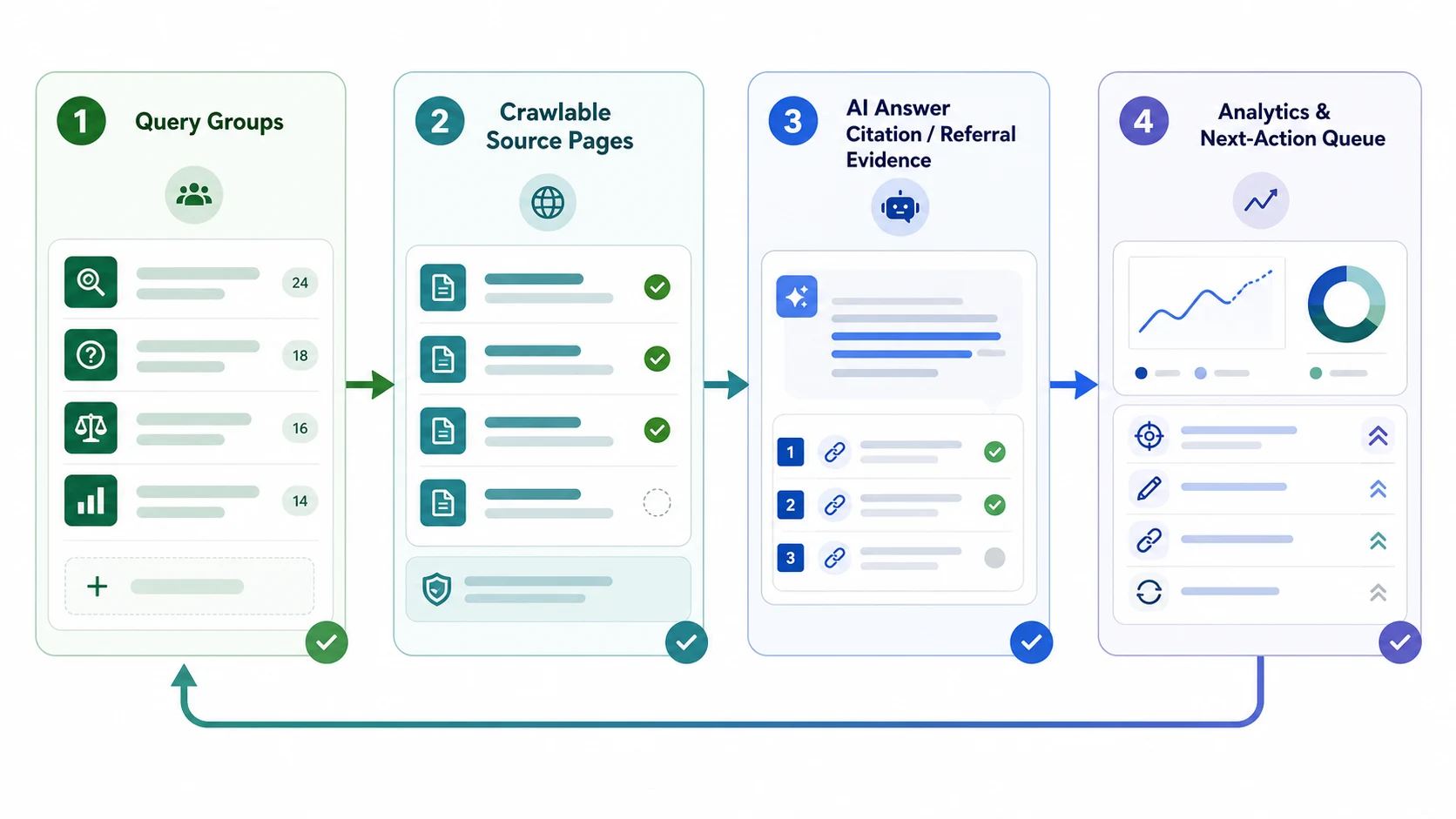
Build Source Pages AI Assistants Can Use
An AI chatbot cannot create qualified traffic from a weak source page. The page has to make the answer easy to extract and the next click worth taking.
Start with these source-page checks:
| Layer | What to verify | Weak signal |
|---|---|---|
| Crawl access | Status code, robots rules, canonical, and rendered content are clean | The page is blocked, duplicated, or hidden behind client-only content |
| Answer clarity | The first section answers the query in plain language | The page opens with vague brand copy |
| Evidence | Examples, tables, dates, definitions, screenshots, or process detail support the claim | The page repeats generic advice without proof |
| Page type | The format matches the user job | A product page tries to satisfy an informational how-to |
| Click reason | The page offers depth beyond the short AI answer | The answer surface already satisfies the whole task |
For a platform-specific child topic, the Perplexity AI traffic workflow is a useful companion. This article stays broader: it is about source pages that can earn traffic from AI chatbot surfaces in general, not one assistant.
Separate Citation Evidence From Referral Traffic
AI chatbot traffic can show up in several ways. Some visits arrive as recognizable referrals. Some appear as direct or unattributed visits. Some answers mention a brand or source without sending a click. If you merge those signals too early, the report becomes noisy.
Keep a small evidence ledger:
| Signal | What it tells you | What it does not prove |
|---|---|---|
| Referral session | A visit arrived from an identifiable AI or assistant surface | That the source page was cited in the answer |
| Landing page | Which URL received the visit | Why the assistant recommended it |
| Citation or mention | The page or brand appeared in an observed answer | That the answer sent measurable traffic |
| Query movement | Search demand shifted around the same topic | That AI chatbots caused the movement |
| Page change log | What your team shipped before the signal changed | Whether the change caused the result by itself |
The AI traffic in GA4 article covers the analytics layer in more detail. For this workflow, use analytics as one piece of evidence beside citation checks, source-page quality, and shipped page changes.
Turn AI Chatbot Signals Into A Fix Queue
The mistake is treating AI chatbot traffic as a separate channel that only needs a dashboard label. A better workflow turns each observation into a page-level decision.
Use this triage table in the weekly review:
| Observation | First diagnosis | Next action |
|---|---|---|
| A page earns AI referrals but weak engagement | CTA and next-step fit | Add a clearer product, tool, or supporting article path |
| A page is cited but gets no clicks | The AI answer may satisfy the task | Add examples, templates, data, or tools that make a visit worthwhile |
| A competitor is cited for your target query | Source-page depth or authority gap | Improve the canonical source page before creating a new article |
| AI referrals rise on an outdated page | Freshness and evidence risk | Update facts, screenshots, and internal links |
| Traffic appears as direct | Attribution limit | Mark as watchlist unless citation evidence supports the pattern |
The useful output is a queue, not a vanity chart. One query group may need a crawl fix. Another may need a better opening answer. Another may need an internal link from a parent hub. Another may need no action until the pattern repeats.
Use Searvora To Review The Evidence Together
AI chatbot traffic becomes easier to manage when monitoring, page cohorts, and action queues live in the same review rhythm.
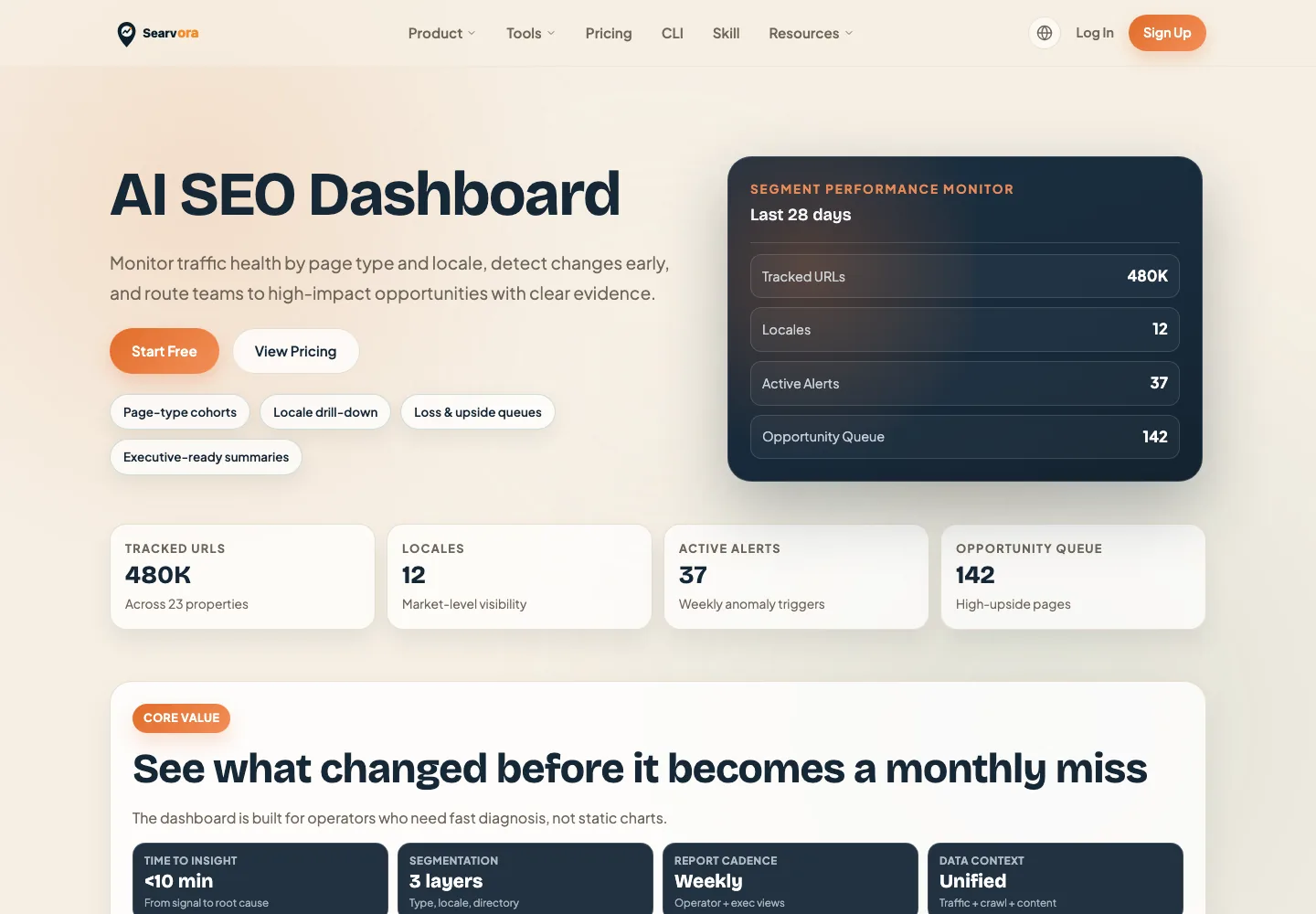
The AI SEO dashboard fits the review layer. The product page positions it around page-type and locale monitoring, anomaly detection, opportunity scoring, and cross-team reporting. Those are the practical jobs behind AI chatbot traffic work: watch the segment, isolate the affected URLs, rank the next actions, and keep the evidence visible.
Use Searvora for this operating loop:
| Review layer | What to monitor | Decision it should create |
|---|---|---|
| AI visibility | Mentions, citations, and answer samples | Improve the source page or expand evidence |
| Traffic health | Referrals, landing pages, engagement, and conversions | Keep, improve, or reroute the page path |
| Page cohorts | Blog, product, tool, hub, and locale segments | Decide whether the issue is one URL or a template group |
| Action queue | Priority, owner, expected impact, and validation date | Ship one fix and recheck the same signal |
For broader measurement beyond referrals, pair this with the AI visibility evidence loop. That keeps the team from calling every mention "traffic" or every referral "AI search growth."
A Checklist Before You Report AI Chatbot Traffic
Use this checklist before telling stakeholders that AI chatbots are driving growth:
- Define the query groups where your pages should be credible sources.
- Map each group to one canonical source page.
- Confirm the page is crawlable, indexable, canonicalized, and internally linked.
- Rewrite the opening section so the answer is clear without being thin.
- Add examples, tables, screenshots, or process detail that make the page worth visiting.
- Log observed mentions, citations, referrals, and landing pages separately.
- Compare referral sessions with engagement, conversions, and search demand.
- Assign one next action per affected page.
- Recheck the same signal after the fix ships.
That is the practical answer to how to get traffic from AI chatbots: build pages that deserve to be sources, measure the evidence honestly, and keep improving the pages that show a real path from answer surface to qualified visit.