

Here is how to conduct a technical SEO site audit: define the URL set, crawl it, separate access problems from page-quality problems, prioritize the issues that affect important pages, assign the fixes, then recrawl the live site to prove the change worked.
The useful audit does not end with a long export. It ends with a short fix queue that explains what changed, who owns it, and how the team will know the fix is live.
Start With The Audit Job And URL Set
A technical SEO site audit needs a scope before it needs a crawler. Decide whether you are auditing the whole site, a migration, one directory, a template group, a country folder, a product collection, or a batch of recently published pages.
Use this table to keep the audit from drifting:
| Audit scope | Best question | What to collect first |
|---|---|---|
| Whole site baseline | Can search systems reach and understand the important pages? | Sitemaps, crawl depth, indexability, status codes, canonical targets |
| Migration or redesign | Did the release preserve search access? | Old URLs, new URLs, redirect rules, canonical rules, rendered templates |
| Directory or template | Is one page type creating repeated risk? | Representative URLs, template fields, internal links, metadata patterns |
| Traffic decline | Did a technical change reduce visibility? | Date of decline, affected pages, crawl changes, GSC evidence |
| Pre-launch QA | Are new pages ready to be crawled and indexed? | Staging samples, robots rules, sitemap plan, canonical rules, launch redirects |
The parent technical SEO overview is useful context for the full discipline. This article is narrower: it is the operating sequence for a site audit that should produce fixes.
Build The Crawl Inventory Before Scoring Issues
The crawl inventory is the evidence layer. Without it, the audit becomes a debate about isolated warnings instead of a site-level pattern.
Collect these fields before you rank anything:
| Field | Why it matters |
|---|---|
| Final URL | Shows the page the crawler actually reached |
| Status code and redirect chain | Separates clean pages from errors, soft failures, and wasted hops |
| Canonical URL | Reveals whether the page points to itself or another representative URL |
| Indexability | Shows whether robots, noindex, canonical, or status rules block the page |
| Crawl depth and inlinks | Explains whether important pages are easy to discover |
| Title, H1, meta description | Finds missing, duplicate, or mismatched page promises |
| Sitemap inclusion | Confirms whether canonical pages are submitted deliberately |
| Template or directory | Turns individual issues into patterns an owner can fix |
Google's SEO starter guide is a helpful baseline because it connects crawlability, links, page structure, and useful content. For technical audits, convert that guidance into fields you can recrawl.
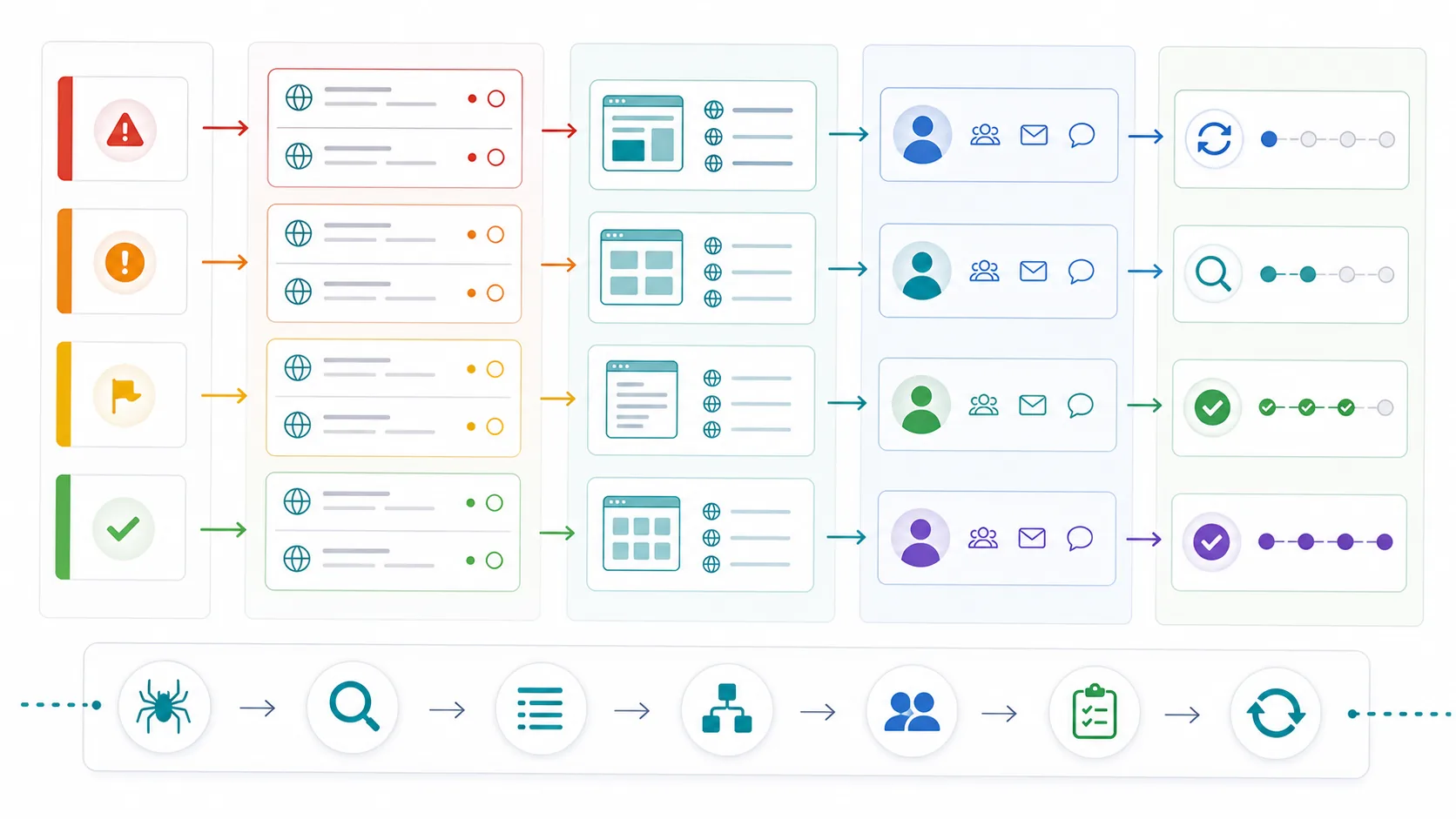
Reconcile a Release Inventory Before Calling It an Indexing Issue
An article can exist in a CMS or local content directory while its public URL still returns 404. A sitemap export and a successful publishing command do not settle whether the article reached the released site. Compare three inventories: intended public URLs, live responses, and sitemap entries.
The indexing repair lab contains six synthetic URLs, before-and-after CSV files, a Python checker, and expected output. It runs offline with no API credentials. Extract the archive and run:
python3 check_inventory.py before.csv
python3 check_inventory.py after.csv
The first run reports these different audit jobs:
| Fixture URL | Checker result before repair | Ticket that follows |
|---|---|---|
/blog/new-guide | SITEMAP_NON_200 | Investigate why an intended article is absent from the release |
/blog/audit/ | SITEMAP_NON_200 | Remove the redirected variant from submission and use the final URL |
/blog/quiet-guide | DISCOVERY_GAP_REVIEW | Check intended discovery and add an appropriate internal route |
/de/blog/audit | LOCALE_FALLBACK_REVIEW | Decide whether there is a genuine translated article |
/blog/private-note | SITEMAP_NOINDEX | Keep an intentional exclusion out of the public submission set |
The same error code for the first two rows does not make their causes identical. The repair ticket needs the URL's purpose and the actual response. Likewise, the discovery flag is a review prompt: a sitemap is optional and an incomplete crawl may miss existing links.
The after file demonstrates consistent declared live signals. It contains no Google indexing results. Keep the release receipt, live fetch, sitemap read, and later URL Inspection result as separate evidence. That separation prevents a deployment omission from being misreported as a content-quality verdict.
Separate Access Problems From Content Problems
Technical audits often fail when teams mix every problem into one list. A thin article, a blocked canonical page, and a slow template are not the same kind of work.
Use this split before assigning fixes:
| Audit layer | Typical finding | Owner path |
|---|---|---|
| Discovery | Important page has few internal links or is missing from sitemap | SEO plus engineering or CMS owner |
| Eligibility | Page is blocked, noindexed, redirected, or canonicalized away | SEO plus engineering |
| Meaning | Title, H1, schema, or content structure does not match the page job | SEO plus content |
| Experience | Core Web Vitals, media weight, or mobile layout hurts usability | Engineering or frontend owner |
| Measurement | Traffic decline is real, but the technical cause is unclear | SEO plus analytics |
If the audit starts from Google Search Console, keep its limits clear. A Google Search Console site audit can show query shifts, indexing states, sitemap processing, and URL Inspection signals. It cannot give you a complete internal-link graph, template-wide rendered HTML comparison, or every URL the site exposes.
For robots and canonical checks, compare the live output against Google's robots meta tag documentation and canonicalization guidance. The audit should make every signal tell one clear story.
Prioritize By Impact Footprint And Validation Confidence
Once the inventory is clean, score issues by the search risk they create, not by how many warnings the crawler found.
Use this prioritization model:
| Dimension | High-priority signal | Lower-priority signal |
|---|---|---|
| Search access | Important URL cannot be crawled, rendered, indexed, or selected as canonical | Utility page with no search role |
| Template footprint | One fix improves many important URLs | One isolated page with little demand |
| Business value | Product, category, service, article hub, or conversion support page | Old archive, filtered page, or internal utility URL |
| Demand evidence | Impressions, links, revenue, or competitor proof exists | No search role and no strategic reason |
| Release risk | Migration, locale rollout, JavaScript rendering, or URL rule changed | Cosmetic metadata cleanup |
| Validation confidence | A recrawl can prove the fix quickly | The expected impact is vague or external |
This is also where cannibalization judgment belongs. Do not merge pages because they share audit vocabulary. A definition page, a technical SEO parent guide, a product page, and a how-to article can coexist when they serve different jobs. Use the keyword cannibalization workflow when two URLs satisfy the same user task in the same format.
Hand Off Fixes With Evidence Owners And Recrawl Checks
The handoff is where the audit becomes work. Each ticket should include the evidence, affected URLs, expected output, owner, and validation check.
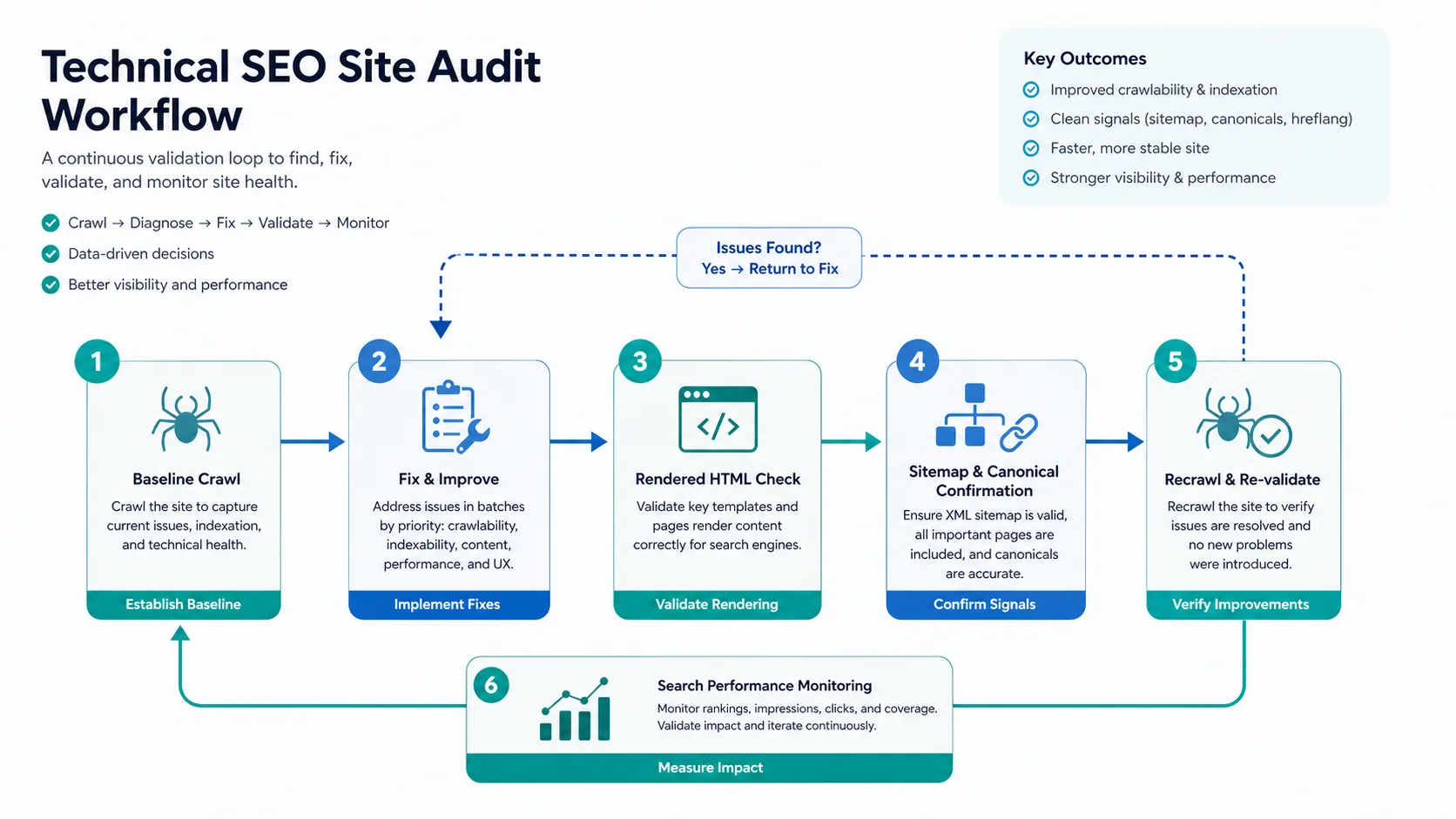
Use this fix-queue format:
| Handoff field | What to write |
|---|---|
| URL group | Directory, template, locale, page type, or specific URL |
| Finding | The exact crawl signal, rendered HTML issue, or sitemap mismatch |
| Impact | Why the issue can affect visibility, discovery, consolidation, or user experience |
| Owner | SEO, engineering, content, analytics, product, or localization |
| Fix | The smallest change that can be shipped and checked |
| Validation | Recrawl, inspect rendered HTML, compare sitemap/canonical, or monitor GSC |
Keep the validation step specific. "Fix canonicals" is not enough. "Every product collection URL self-canonicalizes, returns 200, appears in the XML sitemap, and links from category navigation after release" is a checkable outcome.
Where Searvora Fits In The Audit
Searvora's SEO Spider Crawler fits the evidence and handoff layer of a technical SEO site audit. Use it when the work needs crawl access, indexability, canonicals, redirects, metadata, internal links, sitemap behavior, issue grouping, and a fix queue instead of a raw export.
The product page positions Searvora around crawling, diagnosis, prioritization, and execution handoff. That makes it a natural next step when the audit needs to move from "we found issues" to "here is the ranked work and how we will validate it."
A technical SEO site audit is successful when the team can answer four questions: which pages matter, what is blocking them, who owns the fix, and how the live site will prove the fix worked. Keep the audit small enough to ship, but complete enough to validate.