

Mobile SEO is the work of making a site understandable, usable, and technically complete when it is loaded on a phone. That includes responsive delivery, rendered content, crawl access, metadata, internal links, images, interaction costs, and the release process that protects them. A page can look acceptable in a phone mockup and still lose important search signals when its mobile version hides content, drops links, blocks resources, or changes the canonical contract.
The practical question is not whether a site has a mobile breakpoint. It is whether the mobile version still fulfills the page's search job. Google's mobile-first indexing guidance makes the baseline clear: Google uses mobile content for indexing and ranking, and important content, headings, metadata, structured data, and media need consistent treatment. The workflow below turns that baseline into evidence a content, SEO, and engineering team can act on.
Mobile SEO Is a Site Contract
Treat mobile SEO as four connected contracts. A team that checks only one of them will often ship a clean-looking page with an avoidable visibility or experience problem.
| Contract | Question to answer | Evidence to collect | Common failure |
|---|---|---|---|
| Rendered content | Can a phone and a crawler reach the page's main answer, links, and media? | Rendered HTML, mobile viewport capture, lazy-load behavior, crawl response | Important copy or links load only after a tap, scroll, or script error |
| Search eligibility | Is the URL allowed to be crawled, indexed, and consolidated as intended? | Status, robots, canonical, redirects, sitemap, hreflang | A mobile template adds noindex, points canonical elsewhere, or blocks a resource |
| Human task completion | Can a person read, navigate, compare, sign up, or buy without fighting the layout? | Tap targets, reflow, overlays, forms, viewport behavior, field data | Small controls, horizontal overflow, intrusive overlays, or a broken form |
| Release safety | Can the team prove the same page group is healthy after a change? | Baseline sample, owner, acceptance check, recrawl, monitoring window | A one-off check passes while the shared template regresses next release |
This also prevents two useful but narrower workflows from being treated as the whole answer. Mobile-first indexing checks protect search-signal parity between device versions. A mobile usability audit investigates interaction, accessibility, and real-user friction. Mobile SEO is the parent workflow that decides which of those paths applies and how the results get shipped.
Start With a Crawlable Mobile Baseline
Begin with a representative set of URLs, not a random collection of pages and not every URL with the same depth of inspection. Include the most valuable page from each template, one typical page, one edge case, and recently changed templates. Product, collection, article, hub, pricing, signup, search, and localized templates each fail differently on phones.
For every sample URL, capture the four evidence layers below before proposing fixes.
| Evidence layer | What to inspect first | What it helps decide |
|---|---|---|
| Mobile rendering | Main content, headings, links, images, scripts, and navigation after rendering | Whether the mobile page still exposes the intended search task |
| Technical eligibility | Status, redirect path, robots directives, canonical, sitemap, hreflang, and indexability | Whether search systems can select and understand the intended URL |
| Page experience | Reflow, input behavior, overlays, interactive controls, and visual stability | Whether people can complete the page's business job on a phone |
| Template footprint | Directory, locale, component, CMS block, and release date | Whether one repair can fix a high-value group rather than an isolated URL |
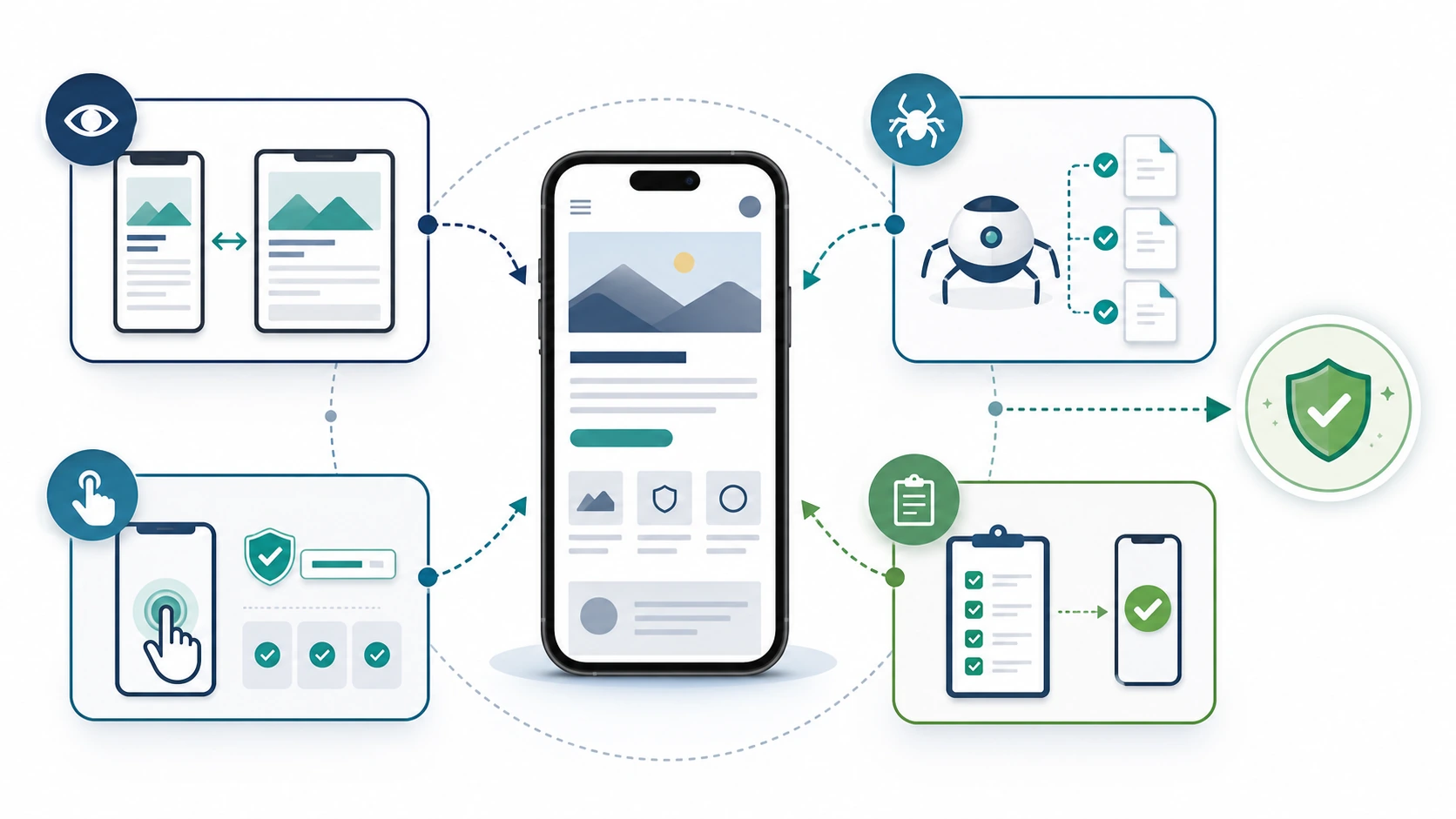
The baseline should be specific enough to repeat. Record the viewport or rendering context, URL sample, template, release version, first observed symptom, and the evidence source. A visible difference is not automatically an SEO issue: an accordion can be a good mobile design choice if its content remains accessible and semantically clear. Conversely, a visually compact page can become a real problem if its primary text or internal links need a user interaction before they exist in the rendered page.
Map Each Finding to the Right Fix
Do not turn every mobile finding into a frontend redesign. The best fix depends on the signal that is wrong and the user job at risk.
| Finding | Likely root cause | First fix path | How to validate |
|---|---|---|---|
| Mobile page lacks key copy, headings, links, schema, or image context | Conditional rendering, CMS fields not shared across breakpoints, interaction-gated loading | Restore equivalent semantic content and make it available without a user action | Compare rendered mobile and desktop output for the same URL set |
| URL is crawlable but not a clean index target | Mobile-only robots rule, canonical conflict, redirect logic, parameter handling | Repair the technical directive or template rule before rewriting content | Recheck status, robots, canonical, redirects, sitemap, and hreflang together |
| Page is technically sound but hard to use | Component sizing, reflow, overlay, form, navigation, or performance issue | Run the usability path with task checks and field/lab evidence | Repeat the real mobile task on representative devices and monitor the affected template |
| A small page change affects hundreds of URLs | Shared component, layout shell, CMS block, locale rule, or asset pipeline | Fix the repeated source pattern, then select control URLs from each affected group | Re-crawl the whole pattern instead of approving a single screenshot |
| Visibility drops after a release without a clear technical blocker | Several smaller changes compound: content, template, internal links, performance, or indexing | Compare baseline and current samples, then prioritize evidence confidence and template reach | Track the next crawl plus the relevant search and page-experience signals |
The most valuable mobile SEO action is often a template repair, not a pixel adjustment. If a collection template suppresses internal links on narrow screens, restoring one crawlable component can improve discovery across an entire directory. If a content block only fails on a handful of long-form articles, a content pattern fix may be safer than changing the site shell.
Put the Work in an Owner-Ready Queue
Every approved issue needs a handoff that makes the next step obvious. Use an impact-and-evidence model instead of a vague severity label.
- Define the page group. Name the template, directory, locale, or component family. Attach a small repeatable URL sample.
- State the failed contract. Is the problem rendered content, search eligibility, task completion, or release safety?
- Show the evidence. Preserve the mobile output, relevant crawl signal, and a concise description of the user consequence.
- Assign the narrowest owner. Frontend, CMS, content, SEO, performance, localization, or product teams need different acceptance criteria.
- Choose a validation proof. A recrawl, rendered comparison, canonical check, task completion, or measurement window should match the failure.
This is also where performance work fits without taking over the entire audit. Use Core Web Vitals checks when the symptom points to loading, responsiveness, or visual stability. Keep the mobile SEO record connected to the user task and page template so a performance fix can be assessed alongside rendering, content, and crawl eligibility.
Validate the Release, Not Just the Fix
Mobile SEO needs a post-release loop because templates, experiments, consent layers, content changes, and client-side scripts can alter the rendered page after a team believes the fix is complete.
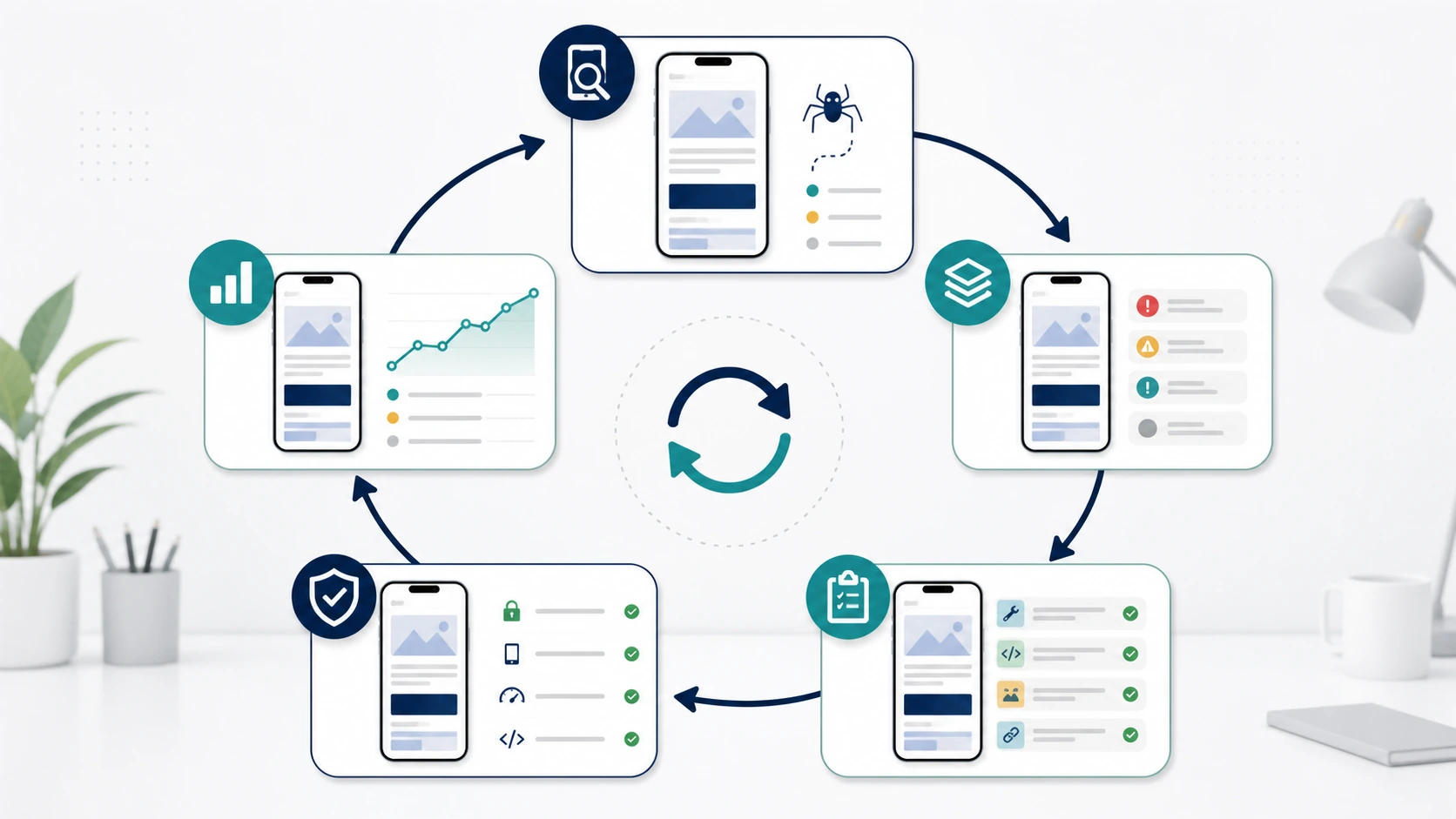
Use this release loop:
- Save the baseline evidence for the same mobile URL sample.
- Ship the smallest change that restores the missing contract.
- Recheck the rendered mobile page before treating a code review as proof.
- Re-crawl the same URL group and compare status, robots, canonical, metadata, links, and important content.
- Repeat the relevant human task: navigation, reading, filtering, form completion, purchase, or signup.
- Verify that sitemap and locale signals still agree with the intended canonical page.
- Monitor the affected group during the next meaningful crawl and search-data window.
- Add the check to the template's release checklist so the same regression does not return.
The important distinction is between a repair and a validated repair. A component may render correctly in a staging environment but fail when production data, a translated string, an experiment, or a slow client-side dependency changes the page. Repeating the same sample after release gives the team an honest acceptance test.
Where Searvora Fits
Searvora SEO Spider Crawler is useful in the evidence and validation portions of this workflow. Its public product surface covers online technical audits, JavaScript rendering, robots parsing, sitemap discovery, canonical and hreflang validation, metadata checks, link graphs, issue clustering, and prioritized action queues. That makes it a practical place to group mobile findings by template and move from a crawl observation to an assigned repair.
Use the crawler to build the URL inventory and baseline, then use Searvora AI SEO Consultant when the team needs to turn mixed crawl, content, and visibility signals into priority, rationale, owner, and next-step plans. The goal is not to promise a mobile ranking outcome. It is to make the search contract observable, repairable, and repeatable before the next release.
Mobile SEO is working when a team can prove four things: the mobile page exposes the intended content, search systems can interpret the intended URL, people can complete the page's task, and the release process can detect the next regression before it becomes a visibility problem.