

SEO for a new website starts before the first public page exists. Decide which pages deserve to launch, make the path between them crawlable, set the technical rules, and test the production output before search systems meet the site.
You do not need a huge content library on day one. You do need a clear page job for every important URL, a way for crawlers to reach it, and a launch plan that proves the visible page matches the intended search task.
Start With Page Jobs, Not a Theme
A new site often starts with a design system, a homepage, and a list of features. SEO needs a more useful first artifact: a page inventory that says who each URL is for, what job it owns, and how the team will prove it is ready.
Make the launch inventory small enough to maintain, but specific enough to prevent a homepage from carrying every search task.
| Page role | Search or user job | Launch requirement | Evidence to save |
|---|---|---|---|
| Homepage | Understand the brand and primary offer | Clear promise, primary paths, and indexable HTML | Title, H1, canonical, main navigation, and rendered content |
| Product or service page | Evaluate a solution for a defined problem | One conversion job and supporting proof | Final URL, structured content, internal links, and CTA path |
| Category or hub | Choose a topic area or route to a deeper task | A useful hierarchy, not a list of loosely related links | Page map, child links, crawl depth, and canonical state |
| Foundational article | Learn one informational task | Direct answer, relevant examples, and a next step | Target query family, article type, supporting links, and source plan |
| Utility or account page | Complete an operational task | Correct access control and a deliberate indexability choice | Robots, noindex decision, canonical, and link treatment |
The details matter because page roles decide the architecture. Use the website structure for SEO workflow when a navigation tree looks tidy but the page jobs, crawl paths, and canonical signals do not agree.
Turn Demand Into a First Page Inventory
Keyword research at this stage is not about collecting the largest possible list. It is about selecting the first set of pages that can answer distinct jobs without creating thin variants or accidental overlap.
Start with a small map of demand, then assign each query family one destination:
| Query signal | Better first decision | Avoid at launch |
|---|---|---|
| Clear commercial task | A focused product, service, or solution page | Hiding the offer inside a broad blog post |
| Specific how-to question | One practical article with steps and validation | Publishing many near-identical beginner guides |
| Broad topic with several child questions | A parent hub plus the most useful initial child pages | Creating every child page before the hierarchy is clear |
| Branded navigation query | A canonical brand or product route | Letting duplicates, old staging paths, or tag pages compete |
| Weak or uncertain demand | A backlog note and revisit trigger | Treating a raw keyword as a mandatory page |
The useful question is not whether a phrase contains a keyword. It is whether the phrase needs a distinct page type and a distinct user job. The keyword mapping workflow helps assign those jobs before a brief becomes a URL.
Design the Crawl Path Before You Design the Navigation
Search-ready architecture is not just a menu. It is the combined path made by internal links, canonicals, sitemaps, robots rules, status codes, and the rendered page itself. Build those signals together while the site is still easy to change.
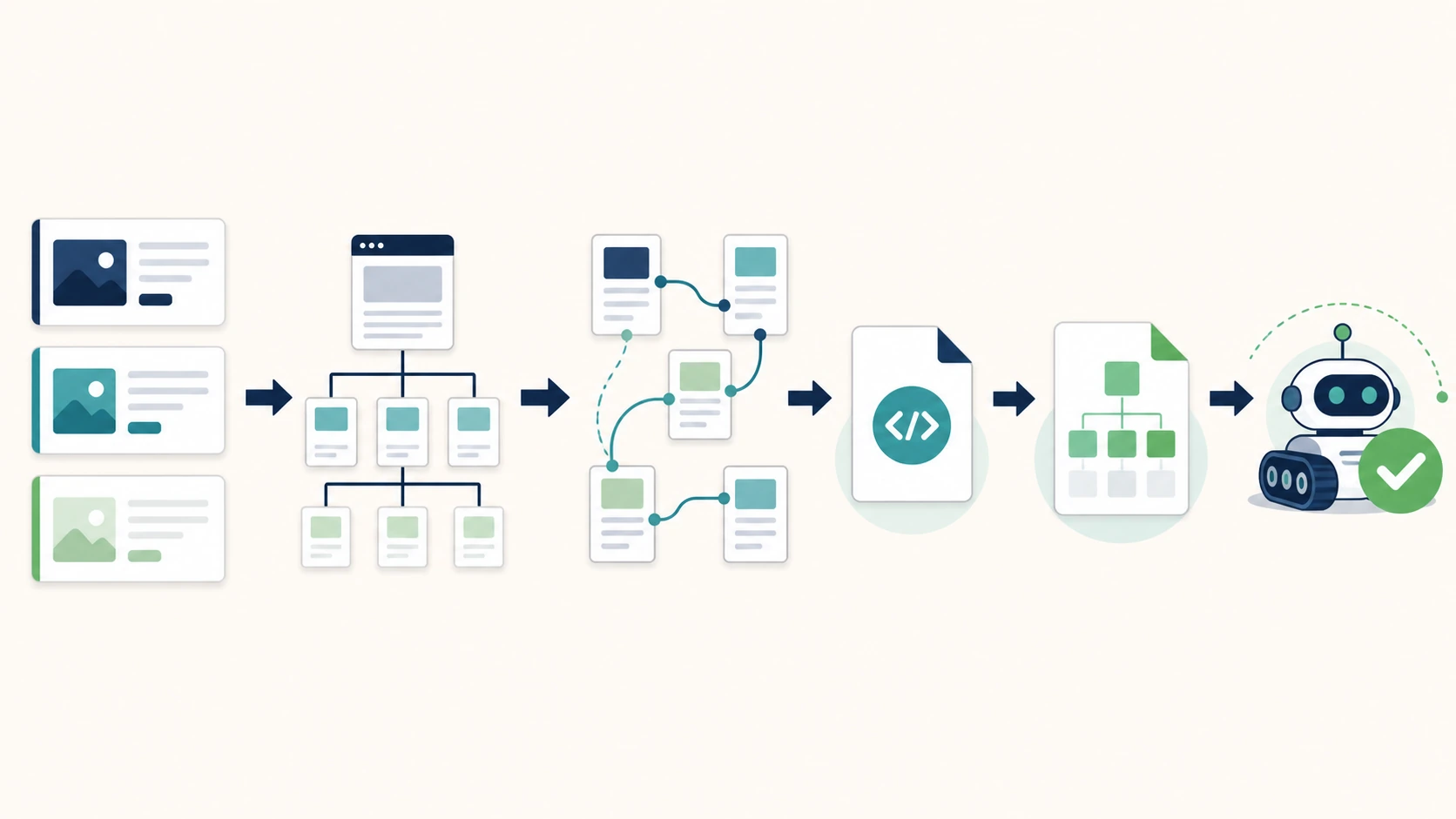
Use this sequence for the first release:
- Put primary pages in a hierarchy that a visitor and crawler can follow without relying on search or a sitemap alone.
- Link related pages with descriptive anchor text that explains the next task.
- Make each public, indexable page resolve on one final URL and self-canonicalize where appropriate.
- Keep XML sitemaps limited to the canonical URLs that deserve discovery.
- Decide robots and
noindexrules for staging, internal search, account, filtered, and other non-search pages before deployment. - Check that the rendered HTML exposes the title, H1, primary content, links, and media that the source code intended to ship.
This is why a good launch plan separates discovery from eligibility. A page can be in the sitemap but blocked by robots rules. It can be indexable but disconnected from internal links. It can be reachable but send mixed signals about which URL represents the content.
Set the Technical Controls Before Publishing Content
Content cannot compensate for launch settings that stop the right page from being crawled, indexed, or selected. Before writing more articles, set the controls that protect the first release.
| Control | What to decide before launch | What to check on the live site |
|---|---|---|
| Redirects | Which legacy, protocol, host, or trailing-slash variants are valid | Final status code and one-hop destination |
| Canonicals | Which URL represents each public page | Canonical target agrees with the final URL and page role |
Robots and noindex | Which pages search systems may crawl and index | Production does not inherit staging blocks or test directives |
| XML sitemap | Which canonical URLs should be discoverable | Sitemap contains live, canonical, indexable URLs only |
| Metadata | How each important page describes its job | Title, H1, description, and visible content make the same promise |
| Measurement | Which page groups and signals matter after launch | Baseline crawl, analytics annotation, and a named owner exist |
Do not wait until traffic arrives to decide how a page should be measured. Record the baseline before release, even if it is only a clean crawl and a launch inventory. That gives the team a comparison point when it needs to separate a new problem from an expected early-stage gap.
Run a Focused Launch Crawl
The first crawl is not a generic audit. It is an acceptance test for the pages that were intentionally launched. Start with the highest-value URLs and their direct parents, then expand only when the evidence shows a template or routing problem.
Run these passes in order:
- Fetch the homepage, primary product or service pages, hubs, and first articles.
- Confirm final status code, robots state, indexability, canonical, title, H1, and main content.
- Crawl the internal links that should lead into those pages and verify they point to final URLs.
- Compare the XML sitemap against the canonical public inventory.
- Group failures by template, route family, locale, or owner instead of opening one ticket per URL.
- Recheck the affected pages after each fix batch.
For a broader technical issue queue after the launch window, use the technical SEO site audit workflow. The distinction matters: launch QA proves the intended release; a site audit discovers the next set of systemic improvements.
Validate the First 30 Days
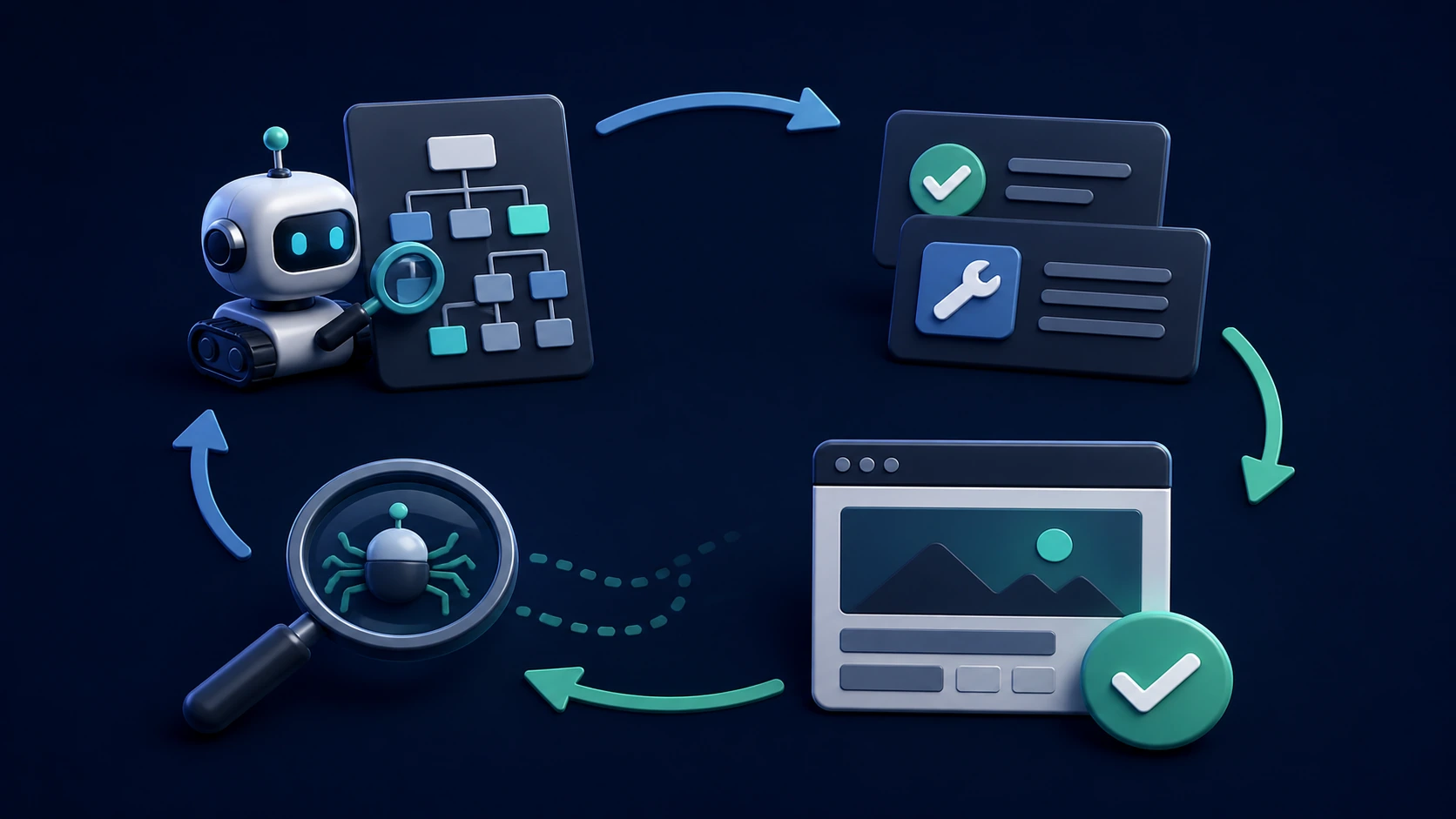
Early SEO work should create a short feedback loop, not a promise that rankings will move immediately. Use the first month to confirm that important pages remain discoverable, signals stay consistent after releases, and the initial content is clear enough to be understood and cited without guesswork.
| Review point | Question to answer | Useful outcome |
|---|---|---|
| Week 1 | Did the intended pages launch with clean status, canonical, robots, links, and sitemap signals? | A corrected technical baseline |
| Week 2 | Are templates producing consistent titles, H1s, content, and internal paths? | Template-level fixes instead of scattered edits |
| Week 3 | Do the first articles and product pages answer a clear page job with visible proof? | A targeted content or information-architecture improvement |
| Week 4 | Can the team see which URL groups need another crawl, a content refresh, or monitoring? | An owner-ready next sprint |
AI-search readiness belongs in the same review. Check that key pages answer their question early, use clear headings, show specific examples or decision support, and do not depend on hidden or conflicting content. That makes the content easier for people and answer systems to interpret without turning a launch into a claim about guaranteed visibility.
Where Searvora Fits
Searvora SEO Spider Crawler fits the evidence layer of a new-site launch: crawl discovery, indexability, on-page QA, internal links, sitemap behavior, and the post-fix recrawl. The goal is not to collect a larger issue list. It is to turn launch evidence into a focused set of owners, acceptance criteria, and rechecks.
New Website SEO Launch Checklist
Use this checklist before approving the first public release:
- Name the user job and business role for every launch URL.
- Assign each query family to one primary page type.
- Create parent paths and contextual internal links for important pages.
- Confirm public URLs return clean status codes and no accidental redirect chains.
- Set the canonical target for every indexable page.
- Keep staging, account, test, and other non-search routes out of the public index deliberately.
- Generate an XML sitemap from final canonical URLs only.
- Check the rendered title, H1, primary content, and links on priority pages.
- Save a baseline crawl and list the owners for any launch exceptions.
- Re-crawl the intended public inventory after deployment.
- Review the first month by URL group, template, and page job rather than by isolated warnings.
- Turn every confirmed issue into a fix, refresh, monitor, or defer decision with a validation step.
A new website becomes search-ready when the first release tells one consistent story: the right pages exist, search systems can reach them, each page owns a clear task, and the team can prove the output still matches the plan after launch.