

Website structure is the way a site organizes pages, links, folders, templates, and navigation so users and crawlers can understand what matters. For SEO, a strong structure makes important pages easy to discover, keeps duplicate paths under control, and gives every page a clear job in the broader site.
The Ahrefs website structure article that surfaced this opportunity is a useful primer on hierarchy and internal links. The Searvora angle is the operating layer around that advice: map page jobs, confirm crawl paths, align canonical and sitemap signals, then recrawl so the structure is not just planned, but proven.
Start With Page Jobs
Do not start by drawing a prettier tree. Start by deciding what each important page is supposed to do.
Website structure breaks down when a blog post tries to rank like a product page, a product page behaves like a glossary entry, or a hub collects links without guiding the next step. A crawler can follow the links, but search systems still receive mixed signals about which page should answer which task.
Use this page-job map before changing navigation or folders:
| Page job | Structure role | Common structure mistake |
|---|---|---|
| Money page | Convert demand into product, service, or signup action | Buried under generic blog or resource folders |
| Parent hub | Route readers and crawlers into a topic cluster | Lists every related page without prioritizing paths |
| Article | Answer one search task and support the cluster | Targets the same job as another article or product page |
| Support page | Solve a narrow implementation or troubleshooting task | Competes with broader guides instead of linking up |
| Utility page | Help users complete account, legal, or operational tasks | Accidentally indexable or linked as if it were SEO content |
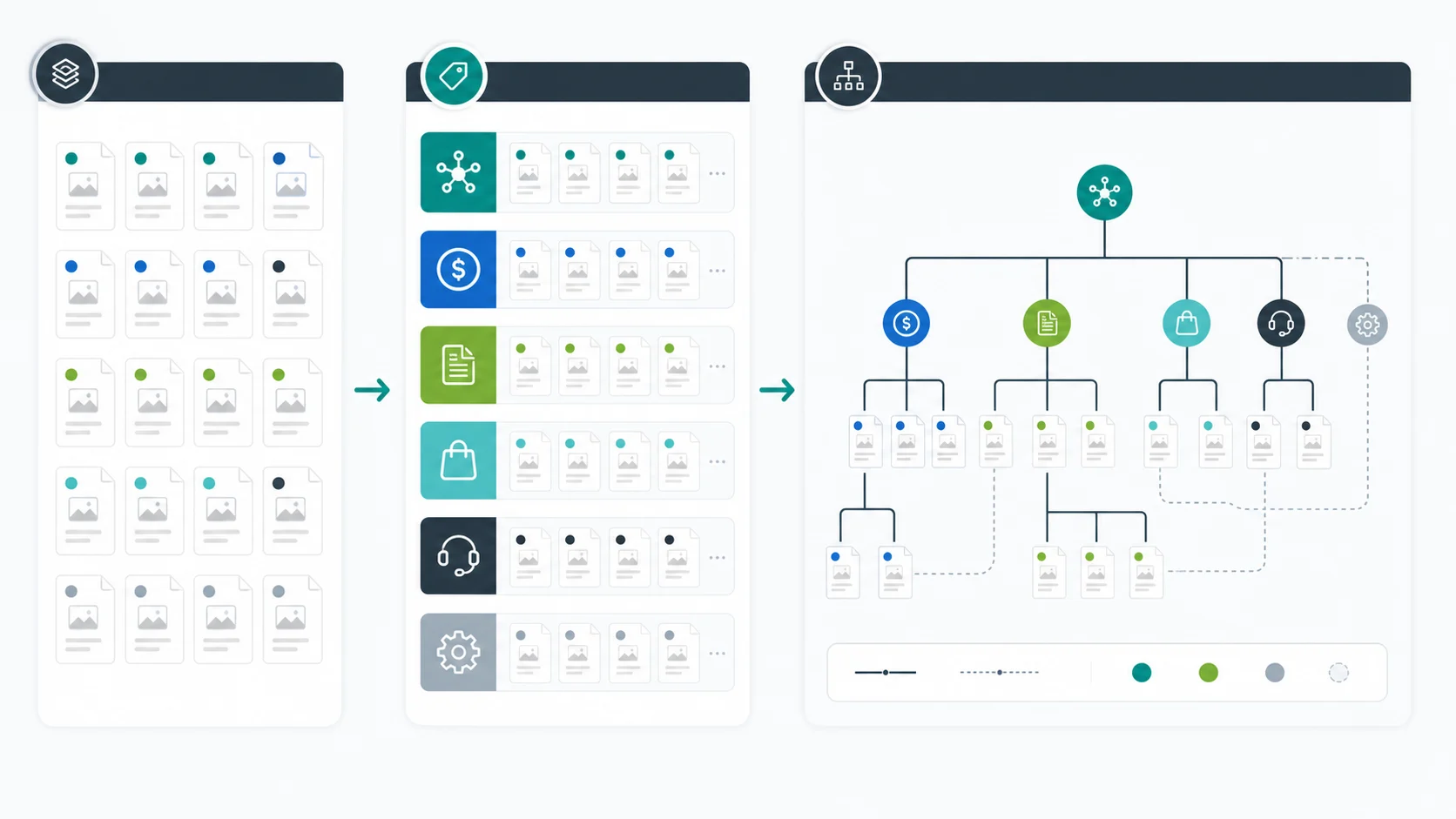
This is also where cannibalization checks belong. Similar vocabulary does not make two pages duplicates. A parent website structure guide can support child pages about URL structure SEO, internal links for SEO, and site architecture crawl visualization. Real cannibalization needs the same core keyword, the same page type, and the same user job.
Build The Hierarchy Around Crawl Paths
A useful website hierarchy keeps high-value pages close to strong entry points. That does not mean every page must be one click from the homepage. It means the path should make sense for users, crawlers, and the team maintaining the site.
Plan the hierarchy in this order:
- Put primary product, service, category, or solution pages near the top.
- Create hubs only when they organize a real cluster and route people to useful child pages.
- Keep articles close to the hub, product area, or category they support.
- Link support pages upward to the parent guide or product surface.
- Keep utility and account pages out of the organic structure unless they serve a real public search task.
Google's crawlable links guidance is the baseline here: crawlers need links they can follow and anchor text that explains the destination. For operators, the extra step is deciding whether the linked page deserves that route in the first place.
Use this quick test:
| Structure question | Strong answer | Review when |
|---|---|---|
| Can a crawler reach the page through normal links? | Yes, from a relevant parent, hub, navigation path, or article | The page only appears in a sitemap, search result, filter, or JavaScript-only path |
| Does the source page explain why the destination matters? | The surrounding copy makes the next step obvious | The link appears because a keyword matched, not because the reader needs it |
| Is the destination canonical and indexable? | The link points directly to the preferred public URL | The link points through redirects, parameters, noindex pages, or canonical alternates |
| Is the path maintainable? | The same rule works for future pages in the template | The path depends on one-off editorial memory |
The healthiest structures are boring to maintain. New pages enter with a known parent, a known link route, a known sitemap rule, and a known validation check.
Align URL, Canonical, Sitemap, And Template Signals
Website structure is not only navigation. Search engines also read URL paths, canonical tags, redirects, hreflang, sitemaps, headings, and repeated template signals.
Google's canonicalization documentation explains that duplicate URLs need clear consolidation signals. That matters for structure because the wrong canonical can undo a good hierarchy. A page may sit in the right section and still tell search engines that another URL is the preferred version.
Check these signals together:
| Signal | Healthy state | Structure risk |
|---|---|---|
| URL path | Folder and slug match the page job | CMS folders mirror internal teams instead of user tasks |
| Canonical tag | Preferred URL points to itself or the correct replacement | Canonical points across sections, locales, parameters, or old slugs |
| Internal links | Links use the canonical destination | Navigation relies on redirects or alternate URL variants |
| XML sitemap | Lists only canonical, indexable URLs | Includes noindex, redirected, duplicate, or parameter URLs |
| Hreflang | Locale alternates reference canonical equivalents | Alternates point to missing, non-canonical, or wrong-region pages |
| Template metadata | Page titles and H1s clarify the role | Multiple templates repeat the same promise |
For large sites, this is where structure becomes a technical SEO workflow. A neat hierarchy diagram is not enough if crawl data shows conflicting canonicals, duplicate templates, orphaned sections, or sitemap-only URLs.
Audit The Current Structure Before Moving Pages
Changing website structure can help SEO, but it can also create migration risk. Before moving folders, renaming slugs, merging hubs, or changing navigation, collect the current crawl evidence.
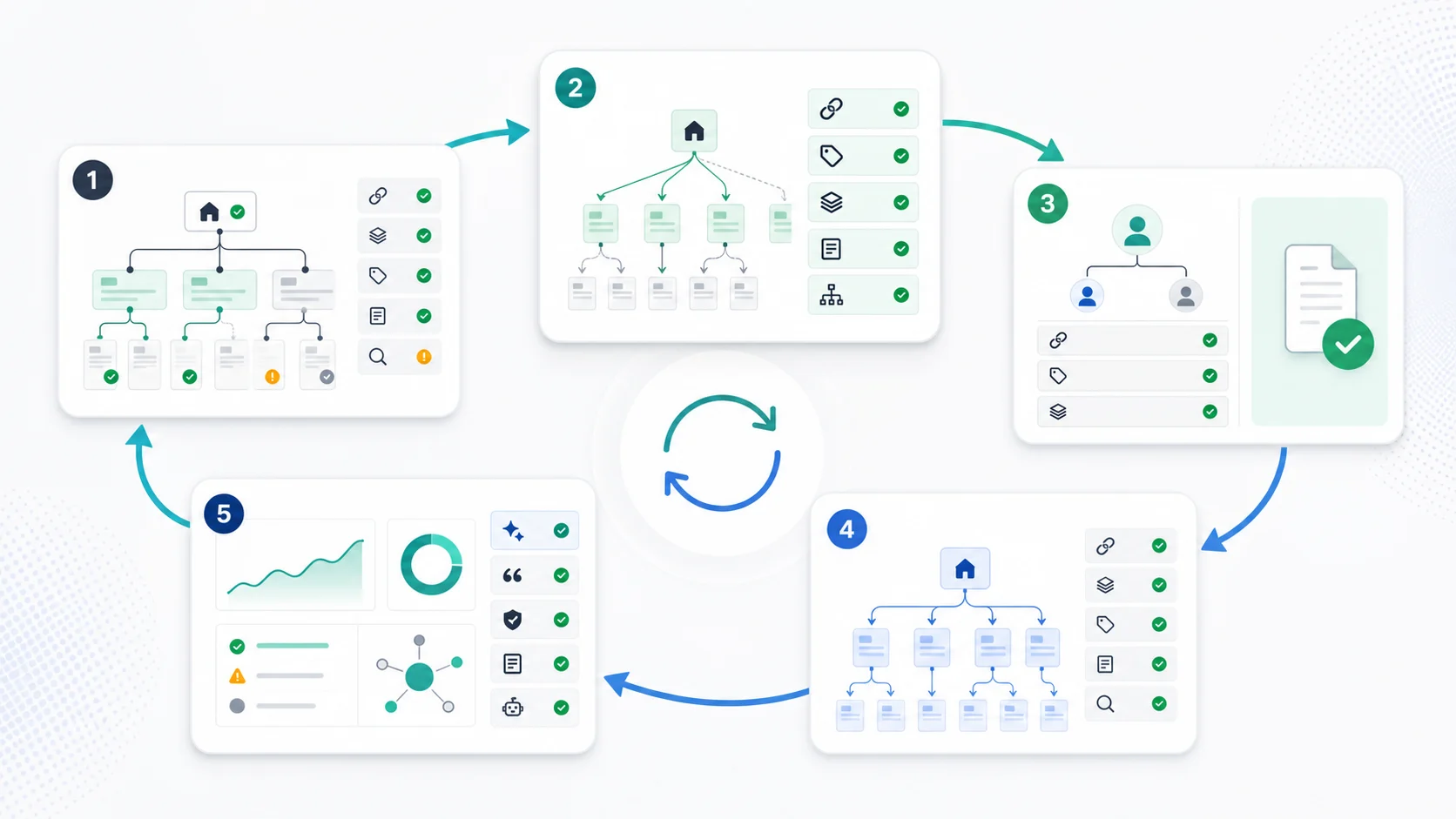
Export these fields before approving structural changes:
- URL, final status code, and redirect chain.
- Indexability and robots directives.
- Canonical URL and canonical match status.
- Crawl depth, inlinks, outlinks, and source page context.
- Sitemap inclusion and sitemap URL variant.
- Page title, H1, and template group.
- Locale or hreflang alternates when the page is international.
- Organic landing-page performance when a URL may need a redirect.
Then separate the findings by fix type:
| Finding | Likely fix | Validation |
|---|---|---|
| Important page is too deep | Add relevant hub, navigation, breadcrumb, or contextual links | Recrawl shows lower depth and better inlink support |
| Useful article is isolated | Link from the parent hub and related guides | Recrawl confirms discovery from relevant sources |
| Duplicate paths compete | Consolidate canonicals, redirects, and internal links | Preferred URL is the only indexable target in sitemap and links |
| Template creates weak metadata | Update title, H1, and description rules by page type | Crawl shows distinct metadata for indexable groups |
| Low-value directory is crawl-heavy | Noindex, block, canonicalize, or remove internal routes based on value | Crawl inventory shrinks without losing important pages |
This is where AI search visibility also enters the structure conversation. A page that is buried, duplicate, or unclear is harder to trust as a source. If the site wants to be cited in AI answers, the structure should make the canonical source page easy to find and easy to validate.
Where Searvora Fits
Searvora SEO Spider Crawler fits when website structure needs to become an evidence-backed fix queue instead of a planning diagram. Use it to crawl page inventory, links, depth, canonicals, indexability, metadata, sitemap behavior, and template patterns before the team changes routes.
| Workflow step | Searvora role | Output |
|---|---|---|
| Crawl the site | Collect URL, status, depth, link, canonical, metadata, and sitemap signals | Baseline structure evidence |
| Group pages | Segment by page job, section, template, locale, and business value | Clear issue clusters |
| Prioritize fixes | Separate high-impact architecture work from harmless structure noise | Owner-ready action queue |
| Validate release | Recrawl after link, template, canonical, or sitemap changes | Before-and-after proof |
| Feed strategy | Route ambiguous decisions into consultant-style prioritization | Better create, refresh, merge, or noindex calls |
The strongest website structures connect strategy and crawl reality. The strategy says what each page should do. The crawl proves whether the site is actually letting that page do it.
Website Structure SEO Checklist
Use this checklist before approving a new structure or changing an old one:
- Assign every important page a job: money page, hub, article, support page, or utility page.
- Choose a parent route that matches the user task, not internal team ownership.
- Keep valuable pages discoverable through normal crawlable links.
- Link child articles and support pages back to the correct parent or product surface.
- Keep canonical URLs, internal links, redirects, sitemaps, and hreflang aligned.
- Remove or consolidate duplicate paths before they split signals.
- Keep low-value utility, filter, and account pages out of the organic structure.
- Group structure issues by template, section, locale, and owner.
- Prioritize fixes by page value, crawl impact, and implementation effort.
- Recrawl after changes and record whether depth, links, and canonical signals improved.
Website structure for SEO is not just information architecture. It is the repeatable habit of giving each important page a clear role, a clear path, and a clear validation loop.