

If you are asking why did my organic traffic drop, do not start by rewriting pages. First confirm the drop is real, identify the affected page group, separate demand changes from eligibility problems, and only then build a fix queue.
Most traffic drops are not solved by one universal tactic. The right response depends on whether the problem is tracking, search demand, rankings, CTR, crawl access, indexability, content quality, internal links, or a site change that created several issues at once.
Confirm The Drop Is Real
Before assigning recovery work, make sure the pattern is not a reporting artifact. A filter, consent change, property migration, channel grouping change, or comparison window can make the line look worse than the site actually is.
| Check | What to compare | What it tells you |
|---|---|---|
| Date window | Same number of days, previous period, and year-over-year when possible | Whether the drop is seasonal or unusual |
| Channel definition | Organic search, source, medium, and landing page | Whether reporting rules changed |
| Affected pages | Whole site, directory, template, locale, or one URL | Where the investigation should focus |
| Search Console | Clicks, impressions, CTR, position, queries, and pages | Whether search demand or ranking changed |
| Conversions | Leads, signups, revenue, or important events | Whether the drop changed business outcomes |
If GA4 and Search Console disagree, do not average them together. Use GA4 for session and behavior evidence, and use Search Console for query and page demand evidence. The difference often points to the next diagnostic step.
Run The Diagnosis In Order
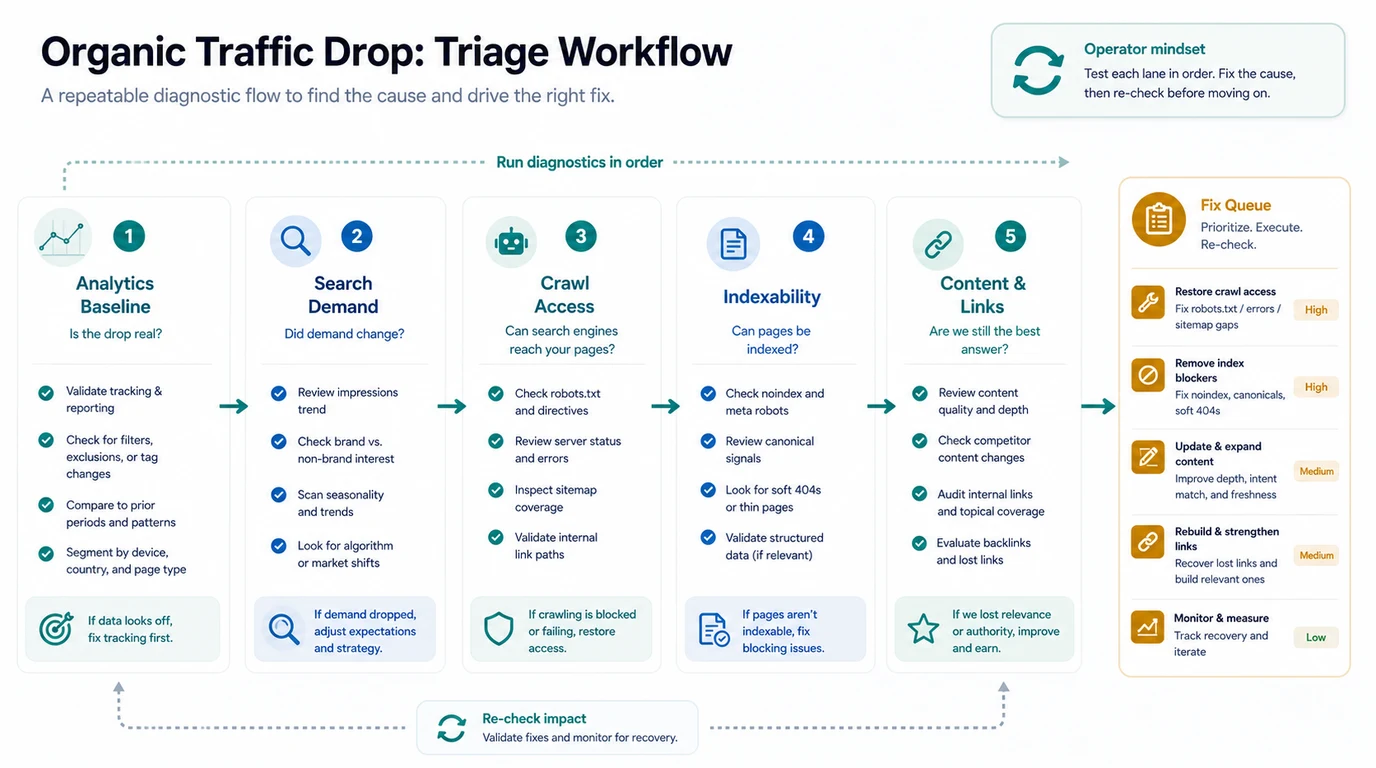
Use a fixed sequence so the team does not jump from a chart to a rewrite.
- Confirm the analytics baseline and comparison window.
- Check whether impressions changed for the affected page group.
- Review crawl access, robots.txt, server status, and sitemap coverage.
- Check indexability, canonicals, noindex, redirects, and soft 404s.
- Inspect content freshness, intent match, internal links, and lost links.
- Assign one fix queue with owners and a recheck date.
This order protects you from expensive false starts. If the pages are blocked, a content refresh will not recover search traffic. If demand fell across the whole query group, a technical audit may still be useful, but it will not create demand by itself.
Separate Demand Loss From Eligibility Loss
The fastest useful split is demand versus eligibility.
| Signal pattern | Likely interpretation | First action |
|---|---|---|
| Impressions and clicks both dropped | Demand, rankings, indexation, or page relevance changed | Compare queries, positions, and affected URLs |
| Impressions stayed stable but clicks dropped | CTR, SERP layout, title promise, or answer surface changed | Review titles, snippets, SERP features, and page promise |
| One directory dropped suddenly | Template, internal linking, robots, canonical, or release issue | Crawl the directory and compare recent deployments |
| One article dropped slowly | Content freshness, competitor improvement, internal links, or authority decay | Refresh the answer, add proof, and strengthen links |
| Traffic fell but conversions stayed stable | Low-intent traffic may have disappeared | Avoid overcorrecting until business impact is clear |
The automated SEO reporting workflow helps when this review needs to run every week. The goal is to keep the same segment, same metric definitions, and same owner queue instead of rebuilding the diagnosis from scratch.
Check Crawl And Indexability Before Rewriting
When the affected pages are important, run a technical check before changing the copy. Organic traffic can drop because search engines cannot reach, select, or trust the same URL set anymore.
Prioritize these checks:
| Technical check | Why it can drop traffic | Validation after fix |
|---|---|---|
| Robots and server status | Important URLs may be blocked or intermittently unavailable | Re-crawl a sample and confirm HTTP access |
| Canonical selection | Search may select a weaker duplicate or variant | Confirm canonical target and indexed URL |
| Noindex and redirects | Pages can disappear from search or redirect to a poor substitute | Check source HTML, rendered HTML, and redirect chain |
| Sitemap coverage | Search engines may lose discovery hints for changed URLs | Validate sitemap entries and lastmod hygiene |
| Internal links | A page can become isolated after navigation or template changes | Re-crawl link paths and depth |
This is where a technical SEO site audit is useful. If the drop is tied to crawl, indexability, or architecture, treat the audit as a recovery input, not a separate report.
Build A Recovery Queue Instead Of A Long Diagnosis
A traffic-drop report should end with a short queue, not a dozen theories. Each action needs a reason, an owner, and a validation window.
| Finding | Better action | Owner | Recheck |
|---|---|---|---|
| Tracking or channel rule changed | Repair reporting setup before SEO changes | Analytics | Same day |
| Impressions dropped for one query group | Review intent, rankings, competitors, and page relevance | SEO lead | One to two weeks |
| Pages are blocked or canonicalized away | Fix technical blockers and re-crawl | Engineering | After release |
| Content lost freshness or depth | Update the answer, examples, proof, and internal links | Content | Next crawl and reporting window |
| Links or crawl paths weakened | Restore internal links from relevant parent and sibling pages | SEO or content ops | After re-crawl |
Use SEO forecasting only after the cause is understood. Forecasting helps prioritize recovery work, but it should not replace the diagnostic sequence.
Where Searvora Fits
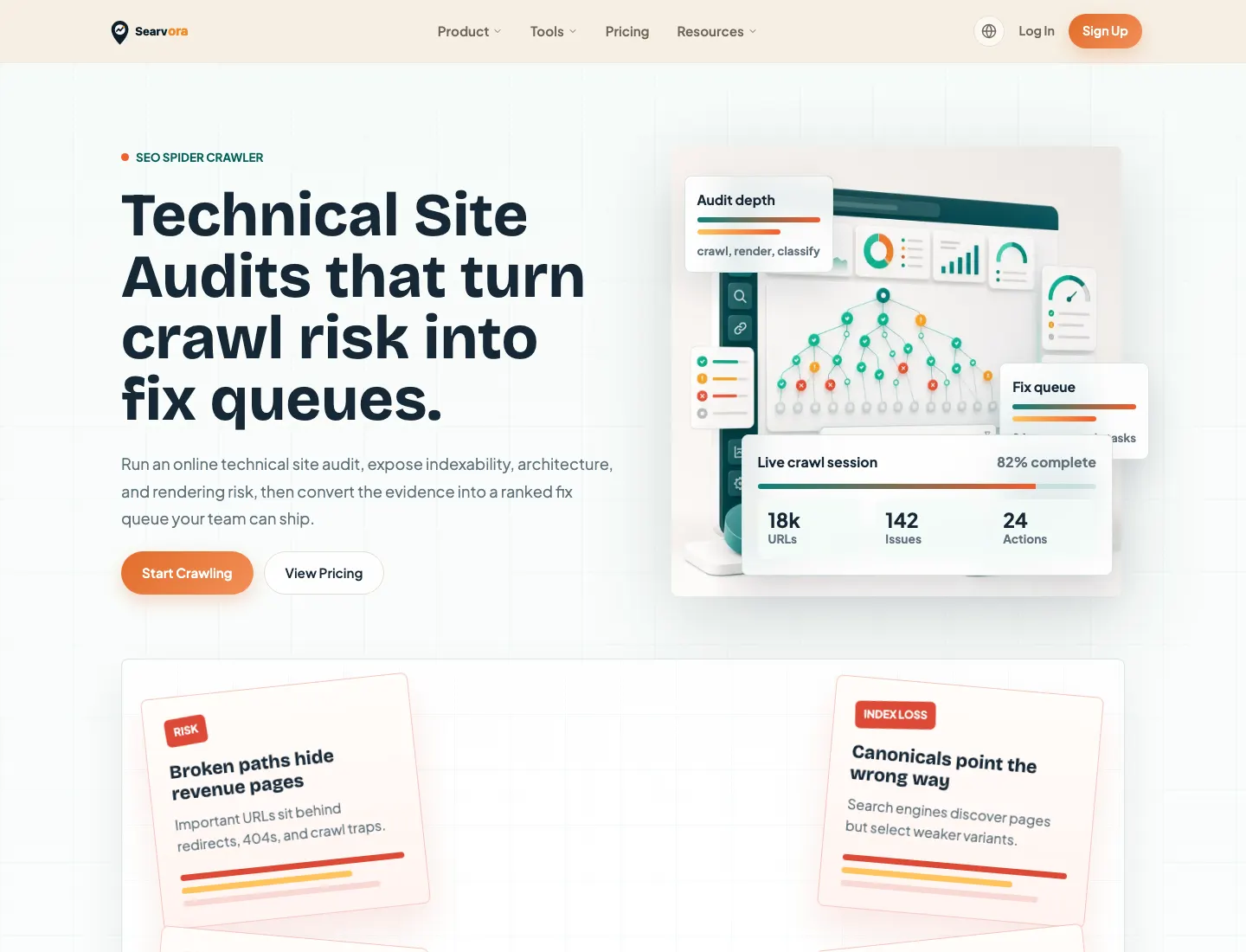
Searvora's SEO Spider Crawler fits the technical diagnosis layer. The local product page positions it around crawl discovery, indexability, canonicals, metadata, internal links, and fix-ready action queues. Those are exactly the checks that should happen before a team rewrites pages after a traffic drop.
Use Searvora this way:
| Searvora layer | Use it for | Output |
|---|---|---|
| SEO Spider Crawler | Crawl access, indexability, canonicals, sitemap, metadata, and links | Technical evidence |
| AI SEO Dashboard | Segment movement, anomaly review, and weekly reporting | Affected page groups |
| AI SEO Consultant | Prioritize competing recovery actions | Owner-ready execution plan |
Organic Traffic Drop Checklist
Use this checklist when the traffic line falls:
- Confirm the date range and comparison window.
- Check whether the drop is sitewide, directory-level, template-level, locale-level, or page-level.
- Compare GA4 sessions with Search Console clicks and impressions.
- Separate demand loss from eligibility loss.
- Check robots.txt, server status, redirects, canonicals, noindex, and sitemap coverage.
- Review the affected pages for intent match, freshness, depth, internal links, and conversion fit.
- Assign one recovery queue with owners, priority, and validation criteria.
- Recheck the same segment after the release or reporting window.
- Keep a watchlist for unresolved SERP, AI answer, or demand shifts.
That is the answer to why did my organic traffic drop in practice: confirm the measurement, isolate the affected page group, diagnose the likely cause, and ship the smallest recovery action that can be validated.