

An SEO report template should help a reader answer four questions: what changed, why it matters, who owns the next action, and when the team will validate it. The template below is designed for a monthly client, leadership, or growth review. Copy the sections you need, remove the ones that do not change a decision, and keep the final action queue visible.
This is different from designing an SEO reporting dashboard or automating data collection. The immediate job here is to give you a reusable report structure you can fill in today.
Copy This SEO Report Template
Start with this seven-section structure:
| Report section | What to include | Decision it should support |
|---|---|---|
| Executive summary | Business outcome, important movement, shipped work, current risk | Continue, change, or pause a priority |
| Organic performance | Clicks, impressions, CTR, query groups, landing-page groups | Diagnose demand, snippet, or page-fit changes |
| Page cohorts | Product, service, collection, article, locale, directory, or template groups | Find where growth or decline begins |
| Technical health | Indexability, canonicals, status codes, internal links, sitemap, crawl findings | Assign technical fixes before rewriting copy |
| Content and authority | New pages, refreshes, consolidation, links earned, coverage gaps | Choose the next content or authority action |
| AI-search visibility | Prompt groups, mentions, citations, source pages, evidence gaps | Improve source-page clarity and citability |
| Action queue | Finding, evidence, owner, action, due date, validation window | Turn the report into shipped work |
Use this copyable header at the top of the report:
SEO reporting period:
Prepared for:
Prepared by:
Primary business objective:
Priority page cohorts:
Important releases or site changes:
Previous actions awaiting validation:
Then end the report with one shared queue:
| Priority | Finding | Evidence | Affected pages | Owner | Next action | Validation date |
|---|---|---|---|---|---|---|
| 1 | ||||||
| 2 | ||||||
| 3 |
Write The Executive Summary First
The executive summary is not a list of every metric in the report. It is a short interpretation of the reporting period.
Use four blocks:
- Outcome: the business or search result that changed.
- Explanation: the strongest evidence for why it changed.
- Action: what shipped or should ship next.
- Risk: what could invalidate the conclusion.
A useful summary might say:
Organic clicks grew in the commercial-content cohort while impressions stayed flat. The gain came from stronger CTR on three comparison pages, not sitewide ranking growth. Keep the title and intro tests running on that cohort, and validate the result after the next two complete reporting weeks.
That is more useful than “traffic increased 8%” because it identifies the page group, the likely mechanism, the next action, and the validation window.
For metric selection, use SEO metrics to track as the companion guide. Keep the report focused on the small set of metrics that can explain movement or change a decision.
Build The Evidence Sections
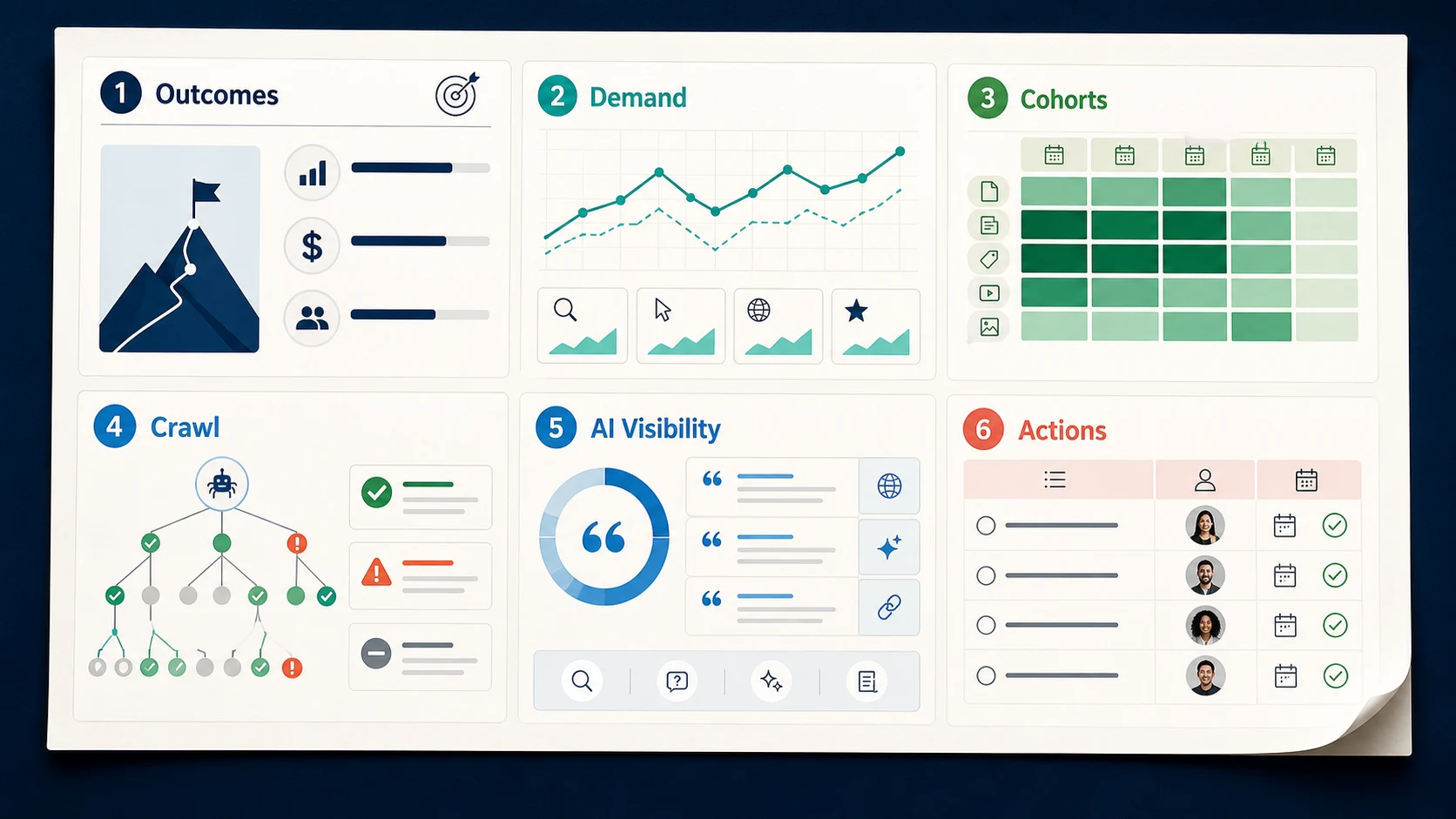
The evidence layer should preserve the dimensions your team operates with. Sitewide totals can hide a falling product directory, a growing article cluster, or a technical problem limited to one locale.
Organic performance
Include:
- clicks and impressions by page cohort
- CTR by query family and landing-page group
- important query and page movers
- branded versus non-branded movement when it changes the explanation
- notes on major SERP, seasonality, campaign, or release changes
Google's Search Console Performance report includes clicks, impressions, CTR, and average position. Treat these as evidence, not a verdict. A position change can mean something different when impressions, page mix, or search-result layouts also changed.
Page cohorts
Group URLs before drawing conclusions:
| Cohort | Useful grouping examples | What it can reveal |
|---|---|---|
| Page type | Product, service, collection, article, tool | Whether one user job is gaining or losing visibility |
| Directory | /blog/, /tools/, category or market folders | Whether movement is structural |
| Template | Product template, article template, locale template | Whether a release created repeated issues |
| Locale or market | Language, country, regional storefront | Whether demand or implementation changed by market |
| Owner | Content, SEO, engineering, product marketing | Who can act without another handoff |
Technical health
Report technical findings by affected template and business importance, not by raw issue count. A single canonical problem on a revenue template can matter more than hundreds of harmless warnings.
Include:
- indexed and non-indexed page trends by important cohort
- canonical, redirect, robots, sitemap, and status-code changes
- internal-link and crawl-depth changes
- release dates connected to issue spikes
- the recrawl or inspection needed after a fix
Google's Page Indexing report separates indexed and non-indexed URLs and gives reasons pages could not be indexed. The report should translate those reasons into affected templates, owners, and validation work.
Content and AI-search visibility
Keep classic content performance and AI-search evidence separate enough to diagnose.
For content, record new pages, refreshed pages, consolidations, internal-link changes, and authority work. For AI search, record the prompt or topic group observed, whether the brand or page appeared, which sources were cited, which owned page should support the answer, and what evidence is missing.
Do not collapse everything into one visibility score. The team needs to know whether the next move is a technical fix, a clearer definition, stronger first-party evidence, a better internal link, or no action.
Turn Findings Into An Action Queue
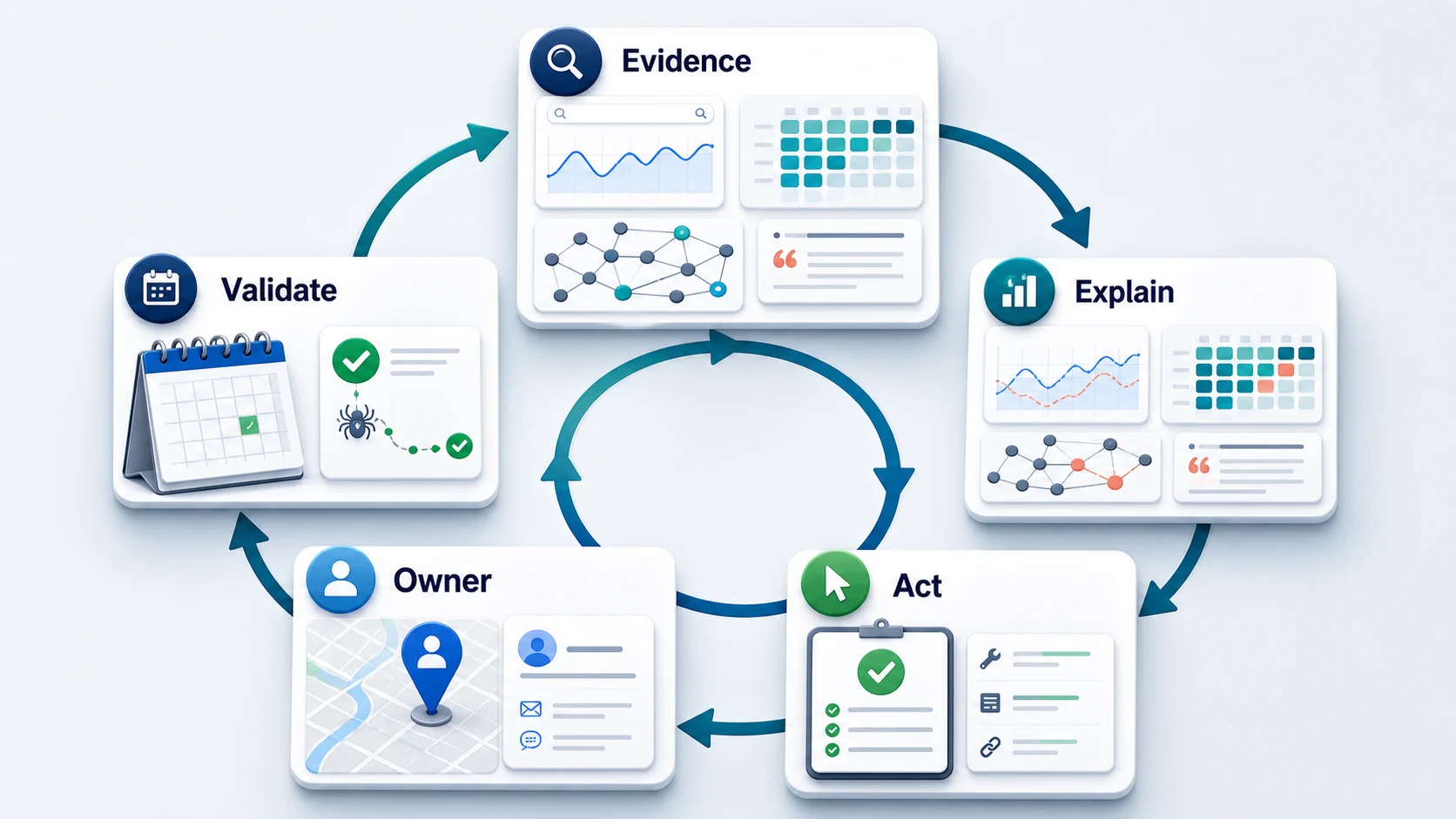
The action queue is the part that separates an operating report from a status deck. Every high-priority finding should have:
- one affected page or page cohort
- one evidence-backed explanation
- one named owner or owning team
- one specific next action
- one due date
- one validation method and date
Use this decision table when the evidence is incomplete:
| If the report shows | Check next | Do not assume |
|---|---|---|
| Impressions up, clicks flat | Query mix, CTR, title promise, SERP layout | The page needs more content |
| Clicks down in one directory | Release history, canonicals, internal links, crawl access | Demand fell sitewide |
| More non-indexed URLs | Reason, page type, canonical target, sitemap membership | Every excluded URL should be indexed |
| Rankings move but conversions do not | Page intent, CTA, query quality, funnel role | More traffic will solve the problem |
| AI citations disappear | Prompt set, source pages, evidence, entity clarity | The whole domain lost authority |
For a repeatable collection cadence, pair this template with automated SEO reporting. Automate stable inputs and formatting, but keep explanation, prioritization, and ownership review explicit.
Adapt The Template To The Audience
The same report should not be sent unchanged to every stakeholder.
| Audience | Lead with | Keep in the appendix |
|---|---|---|
| Leadership | Outcomes, risks, shipped work, next priorities | Query-level and crawl-detail tables |
| SEO operator | Cohort movement, anomalies, diagnosis, action queue | Executive narrative polish |
| Content team | Content cohorts, query jobs, refresh and consolidation work | Low-priority technical warnings |
| Engineering | Affected templates, reproduction evidence, severity, validation | Broad keyword commentary |
| Client | Business context, progress, decisions, owner status | Internal process detail |
Keep one underlying evidence model, then change the view. That prevents the leadership deck, operator worksheet, and technical ticket queue from drifting into different versions of the truth.
Where Searvora Fits
Searvora's AI SEO dashboard fits the segment-and-action layer of this template. Its public product page is organized around page-type cohorts, locale and directory drill-down, anomaly detection, prioritized opportunity queues, and reporting views for operators and leadership.
Use the dashboard to identify the page group that moved, preserve the evidence behind the finding, and route the next action. Keep the report template as the communication layer that explains the decision, owner, and validation window.
Monthly SEO Report Checklist
Before sending the report:
- State the reporting period, audience, and business objective.
- Explain the most important outcome in plain language.
- Segment performance by page type, directory, locale, template, or owner.
- Separate demand, snippet, technical, content, authority, and AI-search evidence.
- Connect technical findings to affected pages and business importance.
- Record what shipped during the period.
- Keep every priority tied to an owner and next action.
- Add a validation method and date for shipped work.
- Move supporting detail to an appendix instead of bloating the summary.
- Remove any chart that never changes a decision.
The best SEO report template is not the one with the most slides. It is the one your team can reuse without losing the path from evidence to action.