

If your team needs to know how to track AI bot traffic using CDNs, start with edge request logs, separate verified crawler user agents from normal visitors, group requests by URL type, then compare each group with robots, canonical, indexability, sitemap, and internal-link evidence. The useful output is not a bot traffic vanity chart. It is a decision queue: allow, fix, reduce, or watch.
CDN data is valuable because many AI crawlers, agents, and fetchers do not behave like browser sessions. They may never run analytics JavaScript, they may request URLs that humans never see, and they may reveal crawl access problems before referral traffic appears in GA4.
Start With Edge Requests, Not Sessions
Analytics sessions answer what visitors did after a page loaded. CDN and server logs answer what requested the URL in the first place. For AI bot work, the edge layer is often the cleaner starting point because it captures crawlers, agents, and automated fetches that may never trigger a client-side analytics tag.
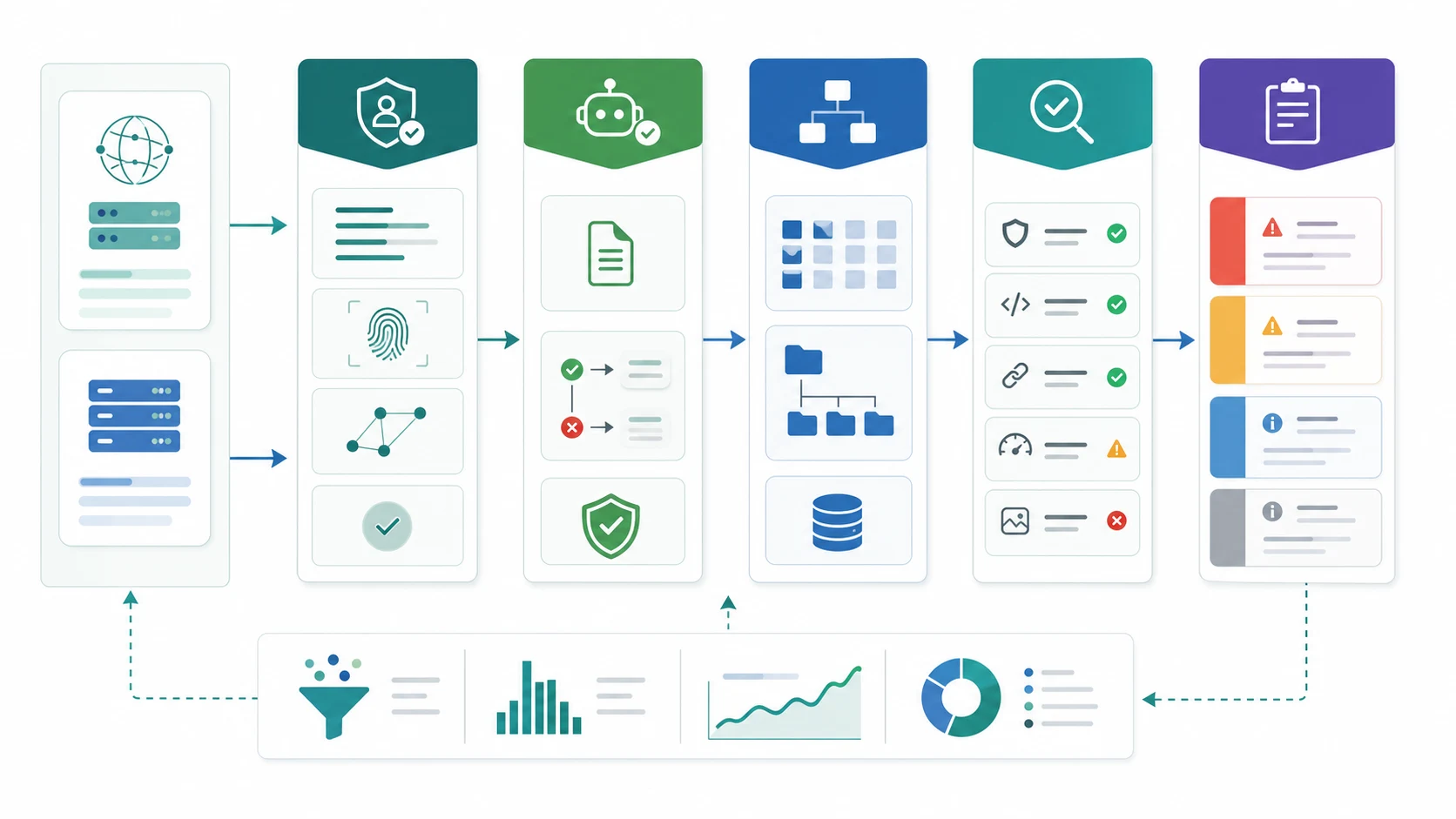
Keep the first export boring and auditable:
| Field | Why SEO needs it | First decision |
|---|---|---|
| Timestamp | Shows crawl rhythm and spikes | Is this a one-off hit or a repeated pattern? |
| URL path | Connects requests to page type and business value | Is the bot touching pages worth being crawled? |
| User agent | Identifies the claimed crawler or fetcher | Can the agent be verified from official docs or logs? |
| Status code | Shows whether the request succeeded | Are important source pages failing, redirecting, or blocked? |
| Robots result | Explains policy intent | Did your rules allow the bot to fetch the page? |
| Cache or edge result | Separates CDN behavior from origin behavior | Is the CDN hiding an origin issue or rate pattern? |
| Referrer and IP context | Helps classify noise and abuse | Is this an AI crawler, a human visit, or something else? |
Official and vendor docs can help define the collection layer. Snowplow documents CDN trackers as a way to capture events at the CDN level, while Fastly's bot-management material explains why the edge can become the control point for automated requests. Use those sources to frame the data plumbing, then make the SEO decision from your own page evidence.
Verify The Bot Before Changing Policy
A user-agent string is a claim. It is not proof. Before you change robots rules, block a path, open a directory, or report "AI bot growth," verify the crawler pattern as well as you can.
Use this sequence:
- Match the user agent against official crawler documentation when it exists.
- Confirm whether the request pattern appears in the CDN, origin logs, or both.
- Separate search, training, user-triggered fetch, preview, and unknown traffic.
- Mark unverifiable or browser-like spikes as watchlist until the pattern repeats.
- Keep the decision owner visible because crawler policy can touch SEO, security, legal, and platform teams.
OpenAI publishes a public crawler reference for its search, training, and user-triggered agents in its bot documentation. Anthropic also explains Claude crawler identities and blocking options in its site owner guidance. Those docs are useful because they stop the team from treating every bot-looking request as the same SEO signal.
The companion workflow is how to monitor AI bots before they drain SEO signals. That article covers the general bot registry and review loop. This page stays narrower: it is about using CDN and edge evidence to decide what to do with the URLs being requested.
Map Bot Requests To Page Jobs
The fastest way to make CDN bot data useful is to group URLs by page job. A request to a canonical source article means something different from a request to a faceted URL, internal search page, staging path, redirected legacy URL, or parameterized duplicate.
Use this grouping table before you assign work:
| Requested URL group | What to check | Better action |
|---|---|---|
| Source articles and guides | Status 200, self canonical, internal links, sitemap inclusion, rendered content | Keep access open and watch citations, mentions, and referral evidence |
| Product, tool, or landing pages | Crawl eligibility, canonical target, page speed, structured data, conversion path | Fix blockers before reporting bot traffic as demand |
| Facets, filters, search, cart, and account paths | Robots rules, canonical consolidation, internal links, edge rules | Reduce crawl waste or block low-value patterns carefully |
| Redirected or legacy URLs | Redirect chain, final canonical, sitemap cleanup, internal links | Repair links and consolidate signals to the intended page |
| Error and soft-error URLs | Status patterns, template source, bot retry behavior | Fix the source of failure, then recheck the same bot group |
Do not jump from "AI crawler requested this URL" to "we should optimize this URL." First decide whether the URL deserves to be requested. Then decide whether the technical signals make it a clean source.
Run The Crawl Eligibility Check
CDN logs show access. They do not prove the page is eligible, trusted, or useful. Pair every meaningful bot segment with a technical SEO check.
For each high-value URL group, validate:
| Signal | Pass condition | Why it matters |
|---|---|---|
| Status code | Important pages return clean 200 responses | Bots cannot evaluate a source page that fails or loops |
| Robots policy | The right crawler is allowed on the right path | Policy and observed behavior should agree |
| Canonical | The requested URL points to the intended canonical | Bot requests to non-canonical URLs can mislead reports |
| Indexability | No accidental noindex, blocked render, or broken metadata | Access is not the same as search eligibility |
| Sitemap | Canonical source URLs appear in a clean sitemap | Discovery and validation become easier to repeat |
| Internal links | Important pages have crawlable support paths | One bot hit is weaker than a discoverable source page |
| Content evidence | The page answers a real query with examples or proof | AI systems need useful source material, not only reachable URLs |
This is where robots.txt rules, canonical checks, sitemap hygiene, and internal links become part of the AI search workflow. The point is not to let every AI crawler roam everywhere. The point is to make intentional source pages accessible while reducing low-value crawl noise.
Decide Whether To Allow, Fix, Reduce, Or Watch
Once the URL group and eligibility checks are clear, put each pattern into one of four decisions.
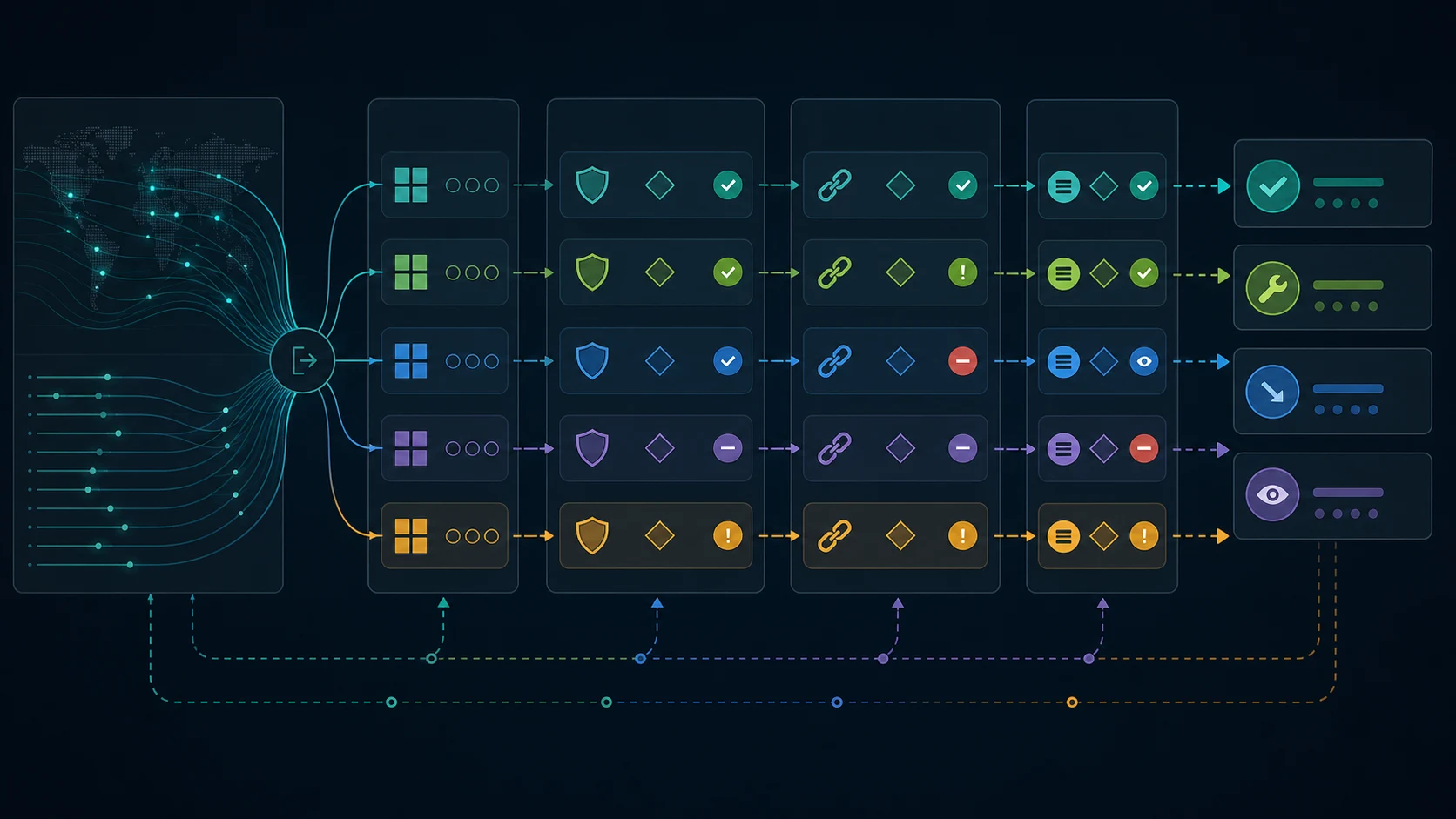
| Decision | Use it when | Example action |
|---|---|---|
| Allow | Verified AI crawlers reach valuable source pages cleanly | Keep access open, monitor mentions, and compare referral evidence later |
| Fix | The right crawler reaches an important page but sees a bad technical state | Repair status, canonical, robots, sitemap, or internal-link issues |
| Reduce | Bots spend repeated requests on low-value URLs | Tighten robots rules, remove noisy links, consolidate duplicate paths, or adjust edge rules |
| Watch | The pattern is new, small, unverifiable, or not tied to valuable pages | Keep a weekly review item without shipping a policy change |
This decision table keeps AI bot traffic from becoming either panic or hype. Some bot growth is useful. Some is noise. Some exposes a real crawl problem. Some belongs with security or platform teams before SEO touches it.
Use Searvora To Turn CDN Evidence Into A Fix Queue
Searvora's SEO spider crawler is the best product fit when CDN bot traffic needs to become technical SEO work. The product page positions the crawler around crawl discovery, indexability, architecture, rendering risk, issue grouping, and owner-ready fix queues. Those are the checks that turn edge logs into action.
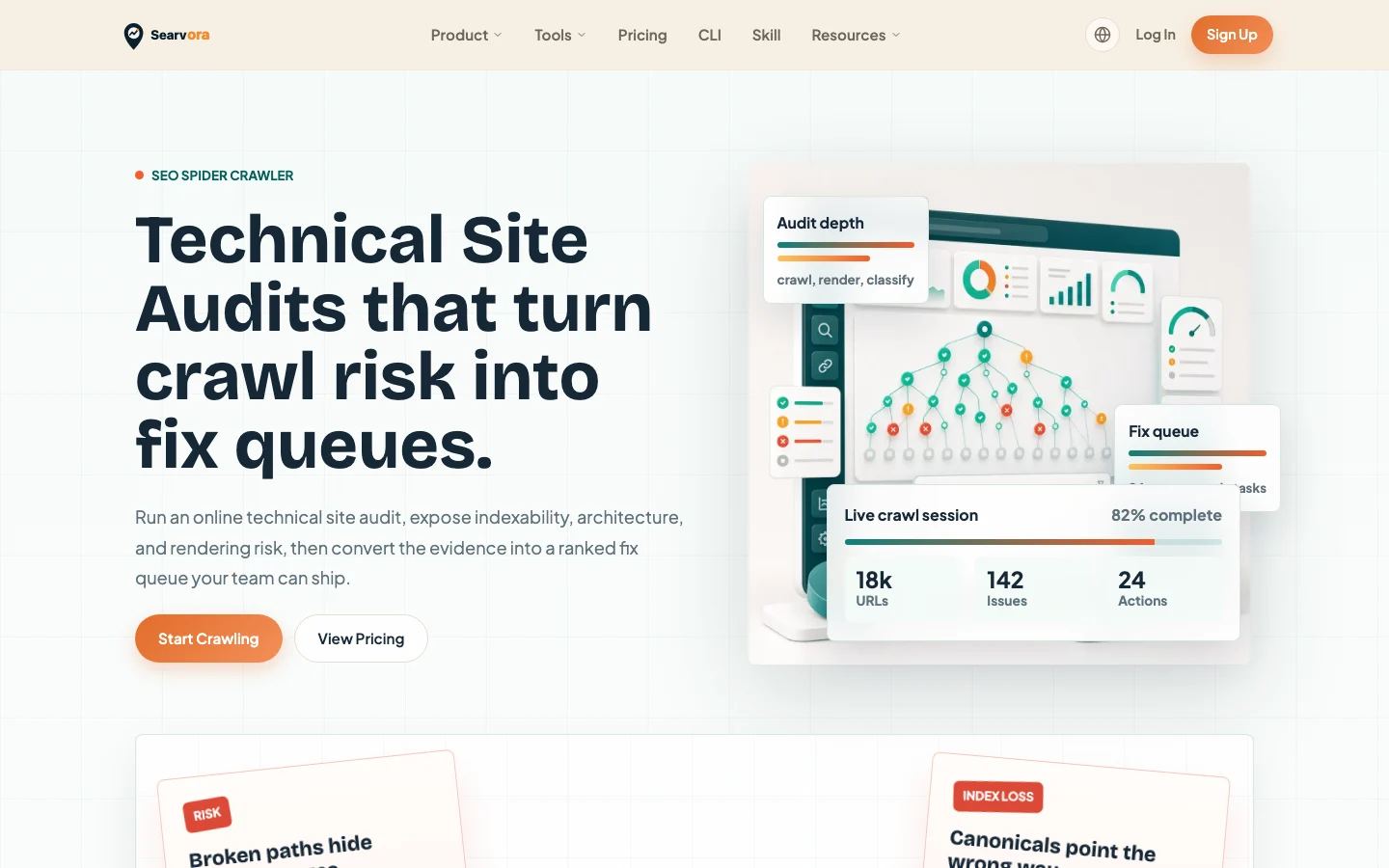
Use Searvora after the edge export:
| CDN finding | Searvora check | Owner-ready output |
|---|---|---|
| AI bots request source pages | Crawl source URLs, canonicals, sitemap inclusion, and internal links | Keep, improve, or watch the page group |
| AI bots hit duplicate or parameterized paths | Group crawl traps, canonical conflicts, and link sources | Reduce waste and validate the cleanup |
| AI bots get errors or redirects | Crawl affected paths and final destinations | Fix redirect chains, 404s, or origin issues |
| AI bots never reach priority source pages | Inspect discovery paths, sitemap coverage, and orphan risk | Add internal links or sitemap corrections |
| Bot access changes after a policy update | Re-crawl representative paths | Confirm the policy did not block valuable pages |
For traffic that appears after users click from assistants, use AI traffic in GA4 as the measurement companion. CDN logs tell you what crawlers requested. GA4 helps review visits when they happen. Keep those two evidence streams separate until both point to the same page group.
A Weekly CDN Bot Traffic Checklist
Run this review weekly for important domains, source-page clusters, and any site where AI crawler access matters.
- Export CDN or edge logs for known and suspected AI crawler user agents.
- Verify crawler names against official documentation before changing policy.
- Group requests by page type, directory, template, locale, status code, and cache result.
- Mark high-value source pages separately from facets, parameters, internal search, and low-value paths.
- Compare important URL groups with robots, canonical, indexability, sitemap, and internal-link evidence.
- Put every pattern into allow, fix, reduce, or watch.
- Assign only fixes that change crawl access, crawl waste, source-page quality, or measurement confidence.
- Re-crawl affected URL groups after changes ship.
- Review analytics and AI visibility evidence separately before claiming traffic impact.
That is the practical way to track AI bot traffic using CDNs: collect the edge evidence, verify the bot, map requests to real page jobs, and turn only the meaningful patterns into SEO work your team can validate.