

Trailing slash SEO becomes a real problem when two path variants answer the same request but send crawlers mixed signals. A page at /guides and /guides/ can both resolve, collect internal links, appear in a sitemap, or declare different canonicals. The fix is not to add a redirect by reflex. Choose the URL that should represent the page, make every crawl signal support that choice, and verify the released behavior.
This guide is deliberately narrower than URL Structure SEO. That parent article helps teams establish durable URL rules. Here, the job is to investigate a live trailing-slash inconsistency, consolidate it safely, and prove that one canonical URL remains after the release.
How Trailing Slashes Affect SEO
A trailing slash is the final / in a URL path. For a crawler, /products and /products/ are separate URLs until the server and page signals establish otherwise. Sometimes one version redirects cleanly to the other. Sometimes both return 200, both render equivalent content, and neither page gives search systems a consistent preference.
That distinction matters because duplicate URL variants split the evidence a site is trying to consolidate: internal links can point to both versions, analytics can fragment visits, and crawl reports can show two records for the same page. A trailing slash is not automatically an indexing emergency, but it deserves investigation when the variants are independently crawlable or disagree about their destination.
Google's canonicalization guidance describes redirects and rel="canonical" as strong signals for consolidation, while sitemap entries are a weaker preference signal. The practical rule is to make the signals agree rather than ask a search engine to resolve a contradiction.
Decide Whether You Have A Real Duplicate
Do not ship a URL rule based on a pathname alone. First request both variants with the same protocol, host, query handling, locale, and authentication state that real users and bots receive. Record the response status, redirect hops, final URL, canonical tag, robots state, and sitemap presence.
| What you find | Preferred action | Why |
|---|---|---|
| One variant permanently redirects to the other in one hop | Keep the rule and verify surrounding signals | The destination can remain the canonical URL if links and sitemaps agree |
Both variants return 200 with the same content | Choose one canonical variant, redirect the duplicate when safe, and repair references | Two indexable paths can create duplicate crawl and link signals |
Both variants return 200 but have different canonicals | Fix the disagreement before adding more rules | Conflicting directives make it unclear which URL is intended to win |
| The slash changes the resource or routing behavior | Preserve the meaningful distinction | Not every slash pair is a duplicate; a rewrite can change application behavior |
Only the root hostname differs as example.com versus example.com/ | Confirm the actual response before treating it as an issue | Root routing is often normalized, but a release check is still safer than assumption |
The important unit is a URL family, not one sampled page. Test representative category pages, paginated paths, locale prefixes, CMS templates, and routes generated by the application. A rule that works on a marketing page can fail on an API route, a document library, or a localized article path.
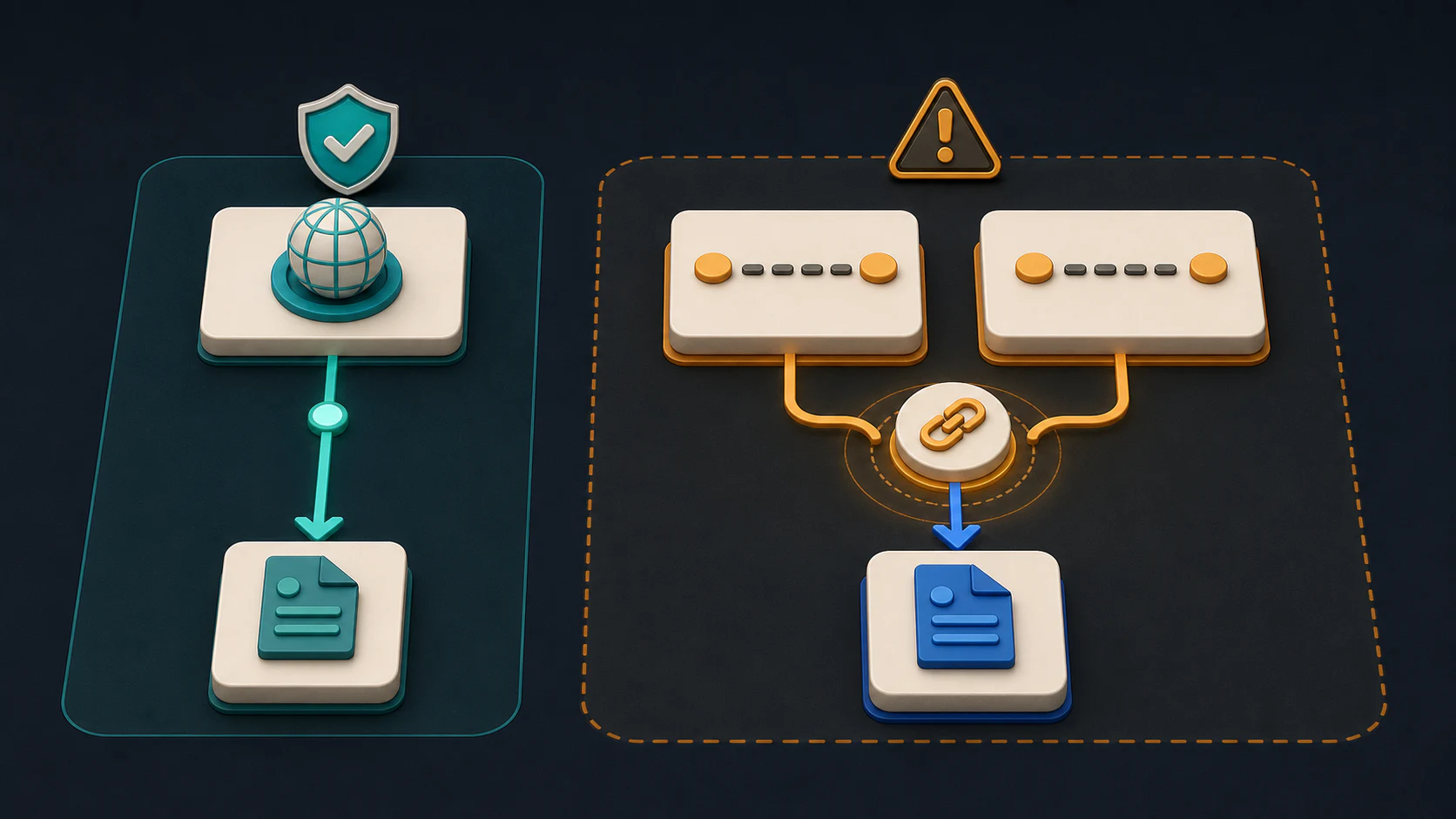
Inspect Both GET Responses Before Following Redirects
Run the same request against both variants on your own site. This command example uses a reserved example domain; substitute the actual public article URL you are auditing.
curl -sS -D headers-no-slash.txt -o page-no-slash.html https://example.com/guides/audit
curl -sS -D headers-slash.txt -o page-slash.html https://example.com/guides/audit/
These commands use GET and save the first response without following redirects. That lets you see the routing rule before the browser hides it. Inspect the Location header on any 3xx response, then fetch its destination separately and check the canonical in that page's HTML.
| Synthetic response | Interpretation | Next check |
|---|---|---|
| No slash is 200; slash is 308 to the no-slash URL | One permanent consolidation route exists | Destination canonical, query retention, and generated links |
| Both are 200 with equivalent bodies | Both paths remain available | Decide whether users need both before consolidating |
| No slash redirects to slash and slash redirects back | The route rules form a loop | Identify the framework or edge rule creating each hop |
Slash redirects correctly but loses ?campaign=email | URL style is consistent while measurement behavior changed | Review query preservation before shipping the rule |
Include a meaningful file URL such as a PDF, a real locale path, and a paginated page in your regression sample. A blanket slash rule can change resources beyond the duplicate pair you intended to fix. Retain a valid query string unless the policy explicitly removes it.
The repair lab download supplies a slash variant deliberately left in a sitemap. Its checker flags the non-200 submission; it does not choose your site's slash convention or claim Google has consolidated the URLs.
Diagnose The Variant Before Changing Routing
Start with a crawl and sort findings by final response. The first pass should answer whether the variant is an internal-link problem, a redirect problem, a canonical problem, or a combination. Avoid changing a reverse-proxy or CMS rule before you know which layer generated the duplicate.
Capture this evidence for each affected path:
- The requested URL and final URL after every redirect hop.
- Status code, response body type, and whether the final page is indexable.
- The final page's canonical tag and any conflicting robots directive.
- Internal links that still point to the non-preferred variant.
- XML sitemap, hreflang, navigation, breadcrumb, and structured-data references.
- The platform owner: CMS, framework routing, edge rules, application code, or content template.
This evidence separates a cosmetic URL style preference from a consolidation job. If /guides redirects to /guides/, self-canonicalizes there, and receives all internal links there, it is usually a validation task. If both variants return 200 while templates and sitemaps alternate between them, you have a cleanup project with several owners.
Fix The Canonical Path End To End
Once the preferred URL is explicit, build the smallest rule set that makes the choice durable. For an actual duplicate pair, route the non-preferred variant directly to the preferred URL with the permanent redirect policy that fits the platform. Then remove the duplicate from every source that can recreate it.
| Signal | What the healthy state looks like | Common trailing-slash failure |
|---|---|---|
| Redirect | The non-preferred variant reaches the canonical URL in one hop | /page redirects to an intermediate host, then /page/ |
| Canonical | The final page self-canonicalizes to the chosen path | The destination canonical points back to the non-preferred variant |
| Internal links | Navigation, content, and templates link directly to the canonical URL | New links keep sending crawlers through the redirect |
| XML sitemap | Only the canonical, indexable URL is listed | Both variants are submitted or the redirected source remains listed |
| Hreflang | Each locale points to its own final canonical URL | Alternates point to redirected or mismatched slash variants |
| CMS and edge rules | Publishing and proxy layers enforce the same convention | A CMS adds a slash while the edge removes it |
Use Google Search Central's trailing-slash guidance as a reminder that different URL forms can be treated separately. The goal is not a universal preference for slashes or no slashes. The goal is one intentional convention that a site can maintain across every route generator.
For broad redirect design, use the redirects for SEO workflow. That guide covers migrations and old-to-new mappings. Keep this trailing-slash fix scoped to one URL family so the implementation remains reviewable and reversible.
Validate The Release With A Crawl Loop
A browser spot check is useful, but it cannot prove that templates, sitemaps, and older inlinks are clean. Re-crawl the original source paths and the final canonical paths after deployment. Compare the output with the baseline rather than treating a single successful redirect as completion.

Use this release loop:
- Save a baseline of all requested slash and no-slash variants.
- Test the selected redirect rule on staging when the environment mirrors production routing.
- Crawl both variants after release and confirm one direct final destination.
- Verify that the destination returns
200, is indexable, and self-canonicalizes. - Rebuild or inspect XML sitemaps, then remove redirected and duplicate entries.
- Find and update internal references instead of relying on redirects indefinitely.
- Recheck representative locale, pagination, and CMS-generated paths.
- Watch crawl errors and indexed URL families after the change, then re-crawl any exceptions.
The last two steps matter because a later content publish, template rollout, or edge configuration can restore the unwanted variant. Keeping a URL-family test in a recurring technical SEO checklist is more reliable than treating canonicalization as a one-time ticket.
Use Searvora To Turn Variants Into A Fix Queue
Searvora SEO Spider Crawler is useful when the issue spans more than one URL. It can inventory rendered URLs, discover sitemap paths, parse robots rules, surface canonical and indexability risk, inspect redirects, and group findings into a prioritized action queue. That gives content, engineering, and platform owners the same evidence rather than a list of ad hoc browser tests.
| Workflow stage | What to inspect | Useful outcome |
|---|---|---|
| Baseline crawl | Slash variants, final status, canonicals, inlinks, and sitemap coverage | A reliable URL-family inventory |
| Rule review | Redirect hops and conflicting route behavior | A focused implementation brief for the right owner |
| Post-release crawl | Final destinations, indexability, and duplicate references | Proof that signals now converge |
| Recurring audit | Newly introduced variants from templates or CMS publishing | Early detection before duplicates grow |
Trailing Slash SEO Checklist
Before closing a trailing-slash SEO task, confirm that:
- You tested both requested variants, not just the preferred URL.
- The duplicate variant reaches the final canonical URL in one direct redirect when consolidation is appropriate.
- The destination returns
200, remains indexable, and uses a self-referencing canonical. - Internal links, hreflang references, navigation, and structured data use the final path.
- XML sitemaps exclude redirected and duplicate variants.
- CMS, framework, and edge rules do not contradict one another.
- A post-release crawl confirms no chain, loop, or reintroduced duplicate.
Trailing slash SEO is solved when one URL wins everywhere that matters: the server, the page, the sitemap, and the site's own links. Choose that path deliberately, measure the released behavior, and keep the validation loop available for the next template or routing change.