

If you want to know how to use AI to increase website traffic, start by giving AI a narrow job. Do not ask it to "grow traffic" in the abstract. Ask it to find query groups, compare page jobs, inspect source-page gaps, draft improvement options, and help you validate what changed.
AI can speed up traffic work when it supports judgment. It becomes noise when the team treats every suggestion as a page brief. The useful workflow is simple: identify demand, match it to the right page, check whether that page can be crawled and trusted, ship one improvement, then measure the same signal again.
Start With The Traffic Decision
Before using AI, write the decision you need to make. A traffic problem can mean many different jobs:
| Decision | What AI can help with | What still needs human review |
|---|---|---|
| Find new query groups | Cluster related searches, questions, and modifiers | Whether the query deserves a page |
| Improve an existing page | Compare the page against intent, gaps, and examples | Whether the advice is accurate and on brand |
| Choose a page type | Summarize whether the SERP rewards guides, tools, product pages, or hubs | Whether Searvora already has a better URL |
| Prioritize fixes | Group work by impact, effort, owner, and confidence | Which fix should enter the next sprint |
| Validate traffic | Compare before and after signals | Whether the change likely caused the result |
This is the split that keeps AI useful. It can organize evidence faster than a manual spreadsheet. It should not replace the page-type, cannibalization, and quality checks that protect the site.
Use AI To Find Query Groups
AI is most useful early in the workflow when it turns messy demand into reviewable groups. Feed it existing Search Console queries, keyword exports from your approved source, support questions, sales objections, or topic notes. Then ask for clusters by reader job, not only by shared words.
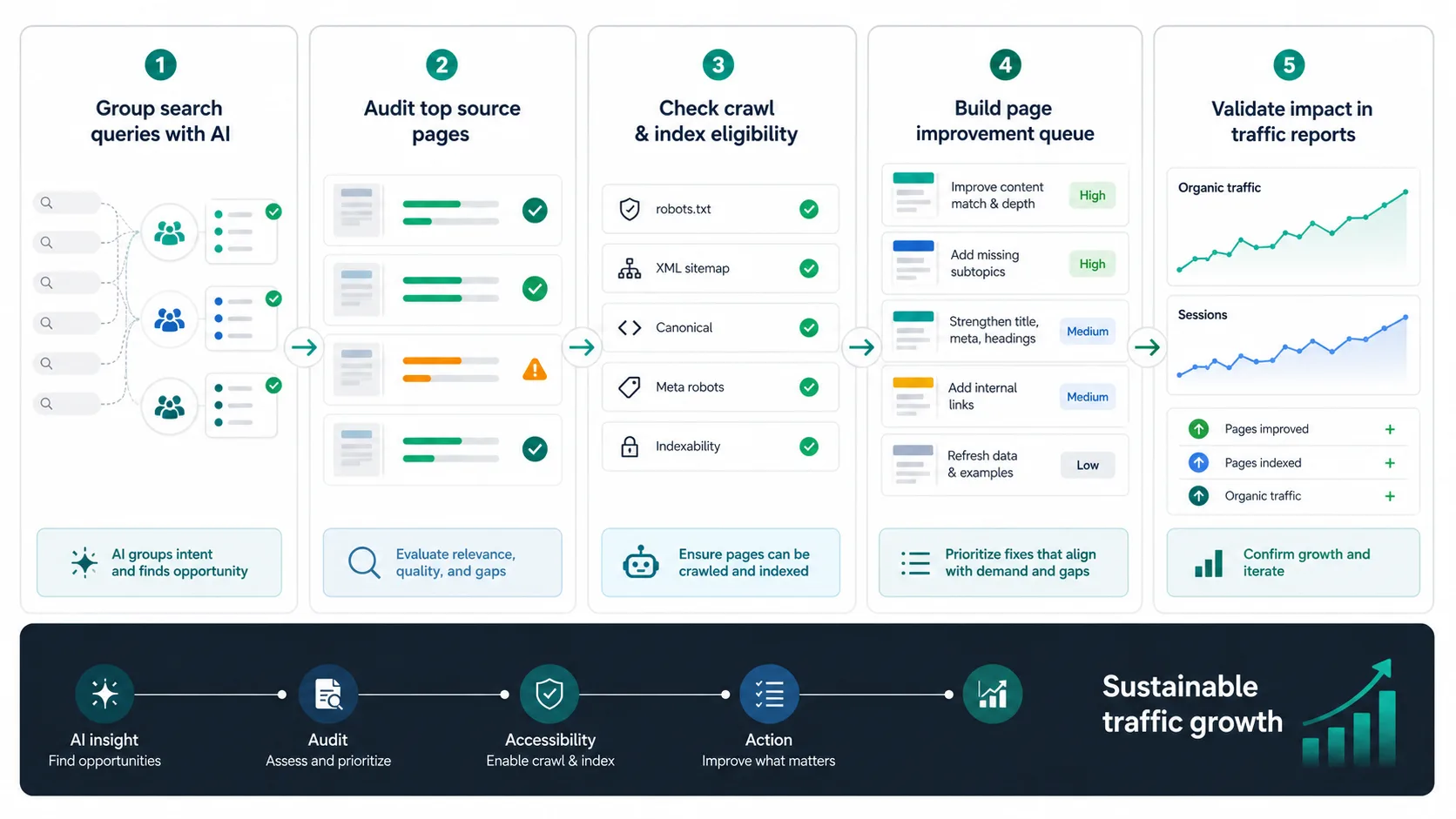
Use this prompt pattern internally:
Group these queries by the user's job.
For each group, suggest the likely page type, the existing page that might satisfy it, the missing proof, and one validation metric.
Do not recommend a new article unless the existing page cannot satisfy the same job.
The output should look like an approval queue:
| Query group | Likely page | First check |
|---|---|---|
| AI traffic measurement | Existing analytics guide | Does the page separate referrals, citations, and Search Console movement? |
| Technical issue recovery | Existing troubleshooting page | Does the page name crawl, indexability, canonical, and content causes? |
| Product comparison demand | Decision guide or landing page | Does the searcher want options, pricing, or a tool? |
| New informational gap | Article candidate | Can Searvora add original workflow value? |
For AI-search-specific growth, pair this with the AI search optimization workflow. That article stays focused on AI visibility signals and organic traffic. This workflow is broader: it explains how to use AI across query research, page improvement, and validation.
Audit The Source Page Before Drafting More Content
Traffic does not grow because AI wrote another page. Traffic grows when the right page becomes easier to discover, understand, trust, and act on.
Before creating anything new, ask AI to summarize the current source page against the user job:
- What search task does the page answer in the first two paragraphs?
- Which sections are thin, outdated, or too generic?
- Which examples, screenshots, tables, or workflow details are missing?
- Which internal links would help the reader continue the task?
- Which crawl or indexability issue could block the page before content matters?
Then verify the answer yourself. AI can spot patterns, but it cannot know whether the page is the canonical target, whether another Searvora URL already owns the job, or whether a technical issue is hiding the content from search.
Use a simple audit table:
| Layer | Good signal | Weak signal |
|---|---|---|
| Intent | The opening section answers the exact job | The page starts with generic brand copy |
| Page type | The format matches the SERP | An article is trying to rank for a tool or product query |
| Crawl access | Status, canonical, robots, sitemap, and rendered text are clean | The page cannot be reliably crawled or indexed |
| Evidence | Tables, examples, data, screenshots, or repeatable process support the claim | The page repeats familiar advice |
| Next action | The reader has a clear product, tool, or article path | The page ends without a decision |
Turn AI Suggestions Into Page Updates
Once the source page is known, turn AI output into a small fix queue. Avoid one giant "optimize page" task. Assign concrete updates that a writer, SEO, or engineer can ship.
| AI finding | Better page update | Validation signal |
|---|---|---|
| Missing beginner explanation | Add a concise answer block and example near the top | Improved engagement and query fit |
| Weak comparison context | Add a decision table with scenarios | Better assisted conversions or internal clicks |
| No proof section | Add screenshots, examples, or process evidence | More credible citations and stronger reader trust |
| Thin internal route | Add one relevant supporting article or product path | Cleaner crawl path and next-step behavior |
| Technical blocker | Fix canonical, noindex, robots, redirects, or sitemap issues | Re-crawl confirms search eligibility |
AI can help draft options for each row. It can also compare alternatives and summarize tradeoffs for the owner. The final approval should still be based on search intent, product fit, and measurable impact.
For traffic that comes from assistant surfaces, use the AI chatbot traffic workflow as a companion. It separates source-page evidence from referral evidence so the team does not call every mention a traffic win.
Validate Traffic Without Mixing Signals
The validation step matters because AI-assisted changes can affect traffic in different ways. A page can gain impressions without clicks. It can earn AI citations without referral visits. It can receive AI referrals that behave differently from search traffic. It can also improve because a technical fix made the page eligible again.
Keep the evidence separate:
| Evidence stream | Use it for | Do not use it for |
|---|---|---|
| Search Console | Query, page, clicks, impressions, CTR, and position movement | Exact AI referral attribution |
| Analytics | Landing pages, sessions, engagement, and conversions | Proving the source page was cited |
| AI visibility checks | Mentions, citations, source URLs, and answer observations | Full traffic volume |
| Crawl validation | Indexability, canonical, internal links, sitemap, and rendered content | Content quality by itself |
| Work log | What shipped, who owned it, and when to recheck | Causality without the other signals |
If the article or page is meant to attract AI assistant referrals, the GA4 AI traffic tracking workflow gives the analytics layer in more detail. For this workflow, keep the goal narrower: recheck the same query group and page group after the change ships.
Where Searvora Fits
Searvora's AI SEO dashboard fits the review layer after AI has helped organize the work. The dashboard is useful when the team needs to watch page cohorts, compare visibility signals, detect traffic shifts, and turn the review into a prioritized queue instead of another loose report.
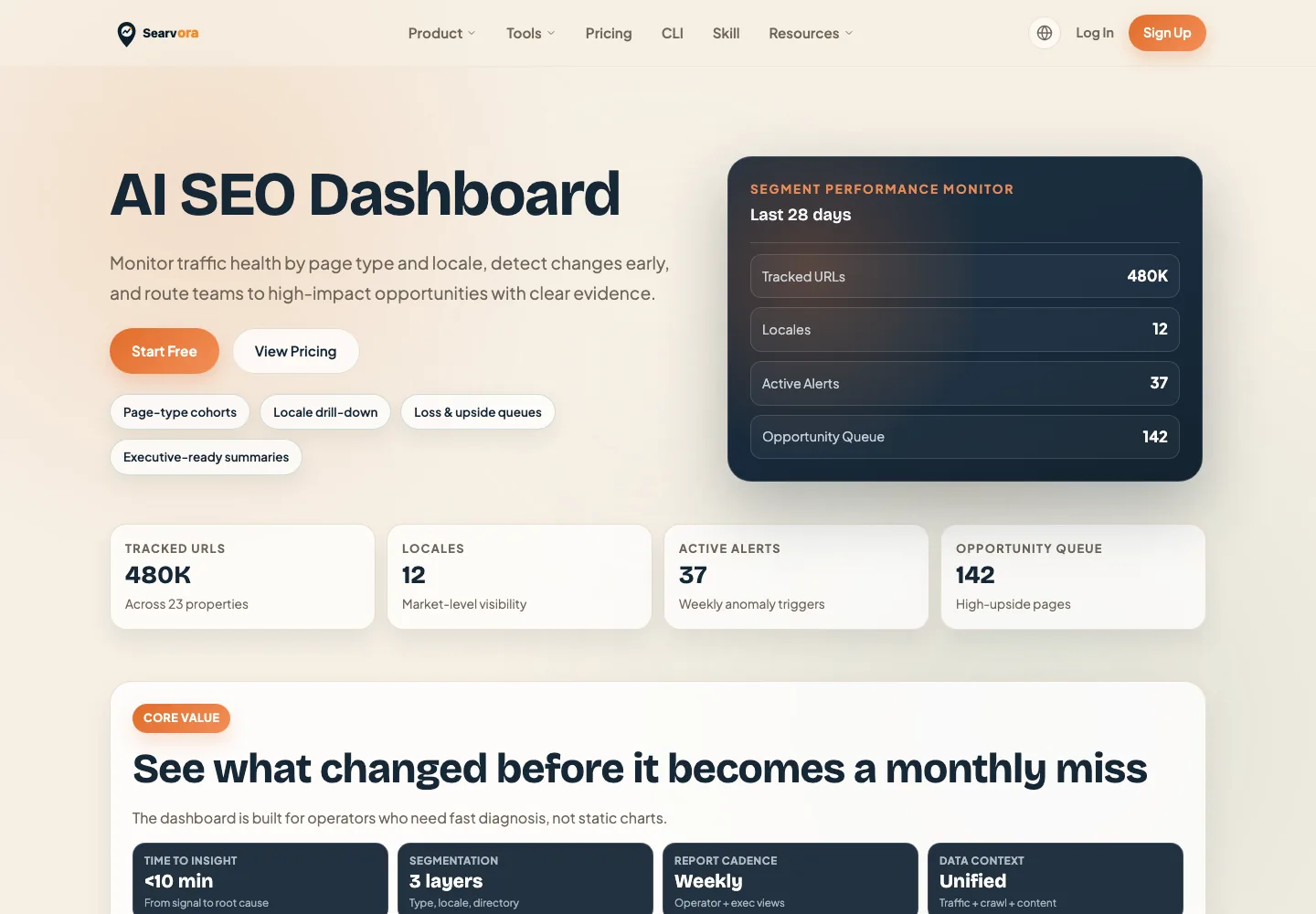
Use Searvora this way:
| Workflow stage | Searvora role | Output |
|---|---|---|
| Monitor | Review page cohorts, query movement, and visibility shifts | A shortlist of pages worth inspecting |
| Diagnose | Compare traffic signals with crawl and content evidence | A clearer reason for the change |
| Prioritize | Rank actions by impact, effort, and confidence | Owner-ready fix queue |
| Validate | Recheck the same page group after release | Keep, revise, or stop the tactic |
A Practical Checklist
Use this checklist before trusting an AI traffic recommendation:
- Name the query group and the page that should satisfy it.
- Confirm whether the SERP wants an article, tool, product page, comparison, or hub.
- Check existing Searvora coverage before approving a new draft.
- Audit crawl access, indexability, canonical, sitemap, internal links, and rendered text.
- Ask AI for page improvement options, not a finished strategy.
- Pick one action with an owner and validation window.
- Keep Search Console, analytics, AI visibility, and crawl evidence separate.
- Recheck the same query and page group before calling the change successful.
That is how to use AI to increase website traffic without turning the site into a pile of unvalidated drafts. Use AI to find the next decision faster, keep the human quality gate, and ship the page change that can actually be measured.