

Canonical tags are HTML or HTTP signals that tell search engines which URL you prefer when duplicate or very similar pages exist. They matter because search systems may find the same content through parameters, filters, printer pages, HTTP variants, tracking URLs, or localized routes, then choose one representative canonical URL for indexing and ranking signals.
The useful work is not adding the same self-canonical tag everywhere and moving on. A good canonical audit proves that the page job, redirect behavior, sitemap, internal links, hreflang cluster, rendered HTML, and Google-selected canonical all tell the same story.
Start With the URL Cluster
Canonical tags only make sense when you know the group of URLs they are trying to control. Start with the duplicate or near-duplicate cluster, not with a single tag.
Google's canonicalization documentation explains that canonicalization is the process of selecting a representative URL from duplicate pages. It also names common duplicate sources: region variants, device variants, protocol variants, sorting and filtering functions, and accidental variants.
For an SEO team, that turns into a practical inventory:
| URL pattern | Why it creates canonical risk | Audit action |
|---|---|---|
| Parameter URLs | Filters, sorting, tracking, and session parameters can expose the same content many times | Group by normalized content, not raw URL count |
| HTTP and HTTPS variants | Mixed protocol signals can split the preferred representative URL | Check redirects, canonical tags, and sitemap URLs together |
| Trailing slash and case variants | Templates or old links can create duplicate paths | Normalize final URLs and internal links |
| Faceted ecommerce pages | Useful filters can become low-value duplicate combinations | Decide which facets deserve indexable pages |
| Localized or regional pages | Similar pages can conflict with hreflang and canonicals | Keep canonicals within the right language or market set |
| PDF or alternate file formats | Non-HTML files may compete with the HTML page | Use HTTP canonical headers when needed |
Choose the Right Canonical Signal
Google's guide on specifying canonical URLs describes redirects and rel="canonical" annotations as strong signals, while sitemap inclusion is weaker. The important detail is that these signals can stack. When they disagree, your canonical preference becomes harder to trust.
Use this routing table before editing templates:
| Situation | Better signal | Why |
|---|---|---|
| The duplicate URL should disappear for users | Permanent redirect | Users and crawlers both land on the preferred URL |
| The duplicate URL must remain accessible | rel="canonical" tag or HTTP header | The alternate page can exist while signals consolidate |
| The preferred URL should be discoverable at scale | XML sitemap | Sitemaps reinforce which canonical URLs matter most |
| The issue is just a thin or private page | Noindex or access control may be better | Canonicals should not hide pages that should be removed from search entirely |
| The page is localized | Hreflang plus same-language canonical alignment | Language alternates need reciprocal signals, not cross-language confusion |
This is where many teams create avoidable bugs. They add a canonical tag to one URL, but the sitemap still lists the duplicate. Or they canonicalize a faceted page to a category while internal links keep pointing to the parameter URL. Or JavaScript changes the canonical after the source HTML already declared something else.
For metadata-heavy releases, pair this work with the meta tags for SEO workflow. Canonicals live in the same head layer as title, robots, hreflang, Open Graph, and rendered metadata, so template drift often affects them together.
Audit Signals Before You Rewrite Tags
Before rewriting canonical tags, collect the evidence that search engines will see. A crawl export should include the final URL, status code, redirect chain, canonical target, indexability state, sitemap inclusion, internal inlinks, hreflang alternates, and rendered canonical when JavaScript is involved.
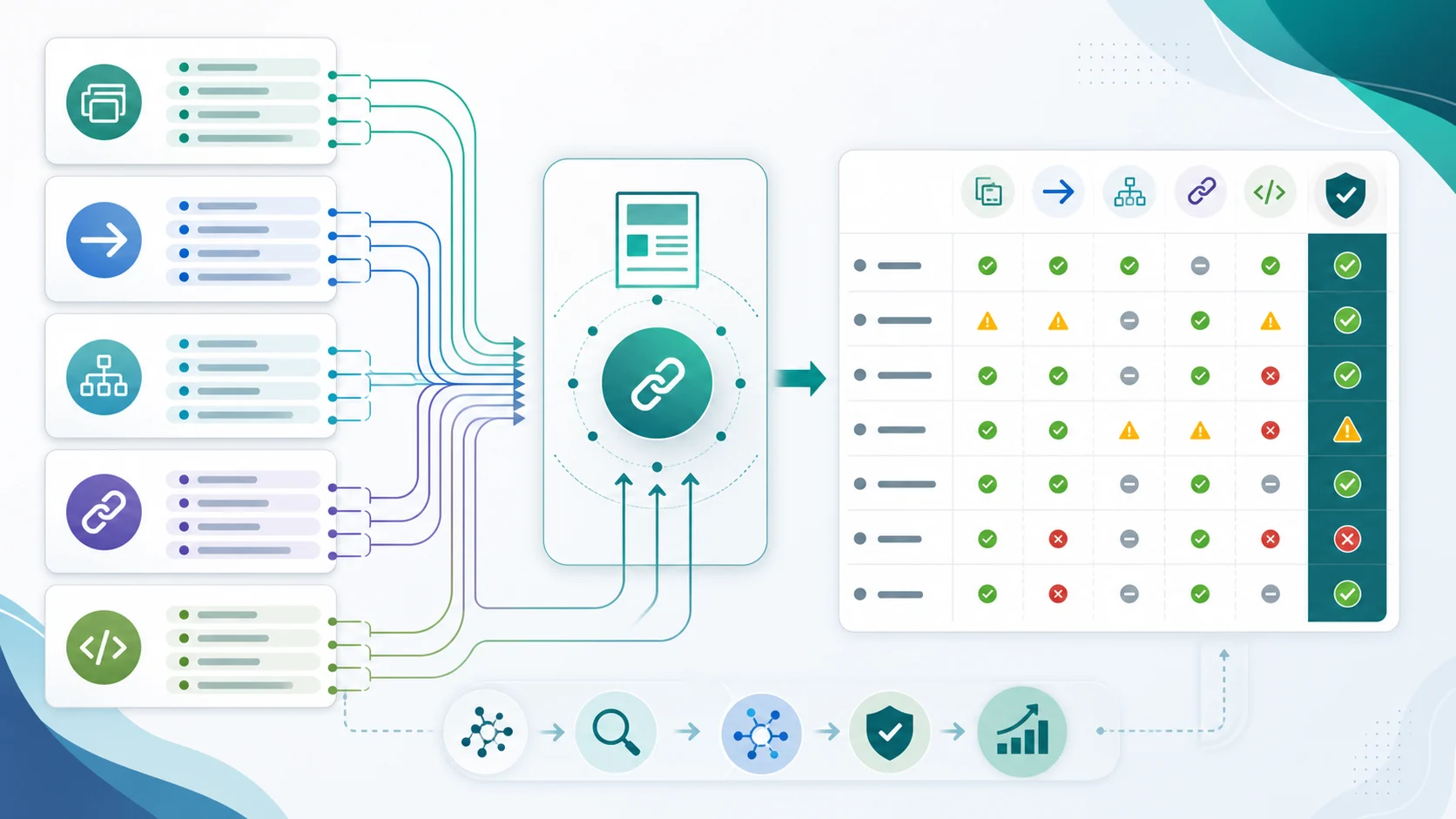
Use this audit sequence:
- Crawl the affected section and export final URLs, status codes, and canonical targets.
- Group URLs by duplicate content set, template, product category, locale, or page type.
- Mark the URL that should be the canonical source for each group.
- Compare the preferred URL against redirects, XML sitemap entries, hreflang, and internal links.
- Check whether the source HTML and rendered HTML declare the same canonical.
- Remove noindex, blocked, redirected, and error URLs from the canonical target list unless they have a deliberate role.
- Write one fix rule per template instead of patching random URLs by hand.
The technical SEO workflow is the broader companion here. Canonical conflicts are rarely isolated. They often travel with crawl traps, duplicate titles, indexability problems, sitemap drift, and wrong internal-link destinations.
Validate the Canonical Google Actually Selects
The tag you declare and the canonical Google selects can differ. That is not a reason to panic, but it is a reason to validate.
Google's URL Inspection documentation separates user-declared canonical from Google-selected canonical. It also warns that Google can choose a different URL when it considers another version a better representative.
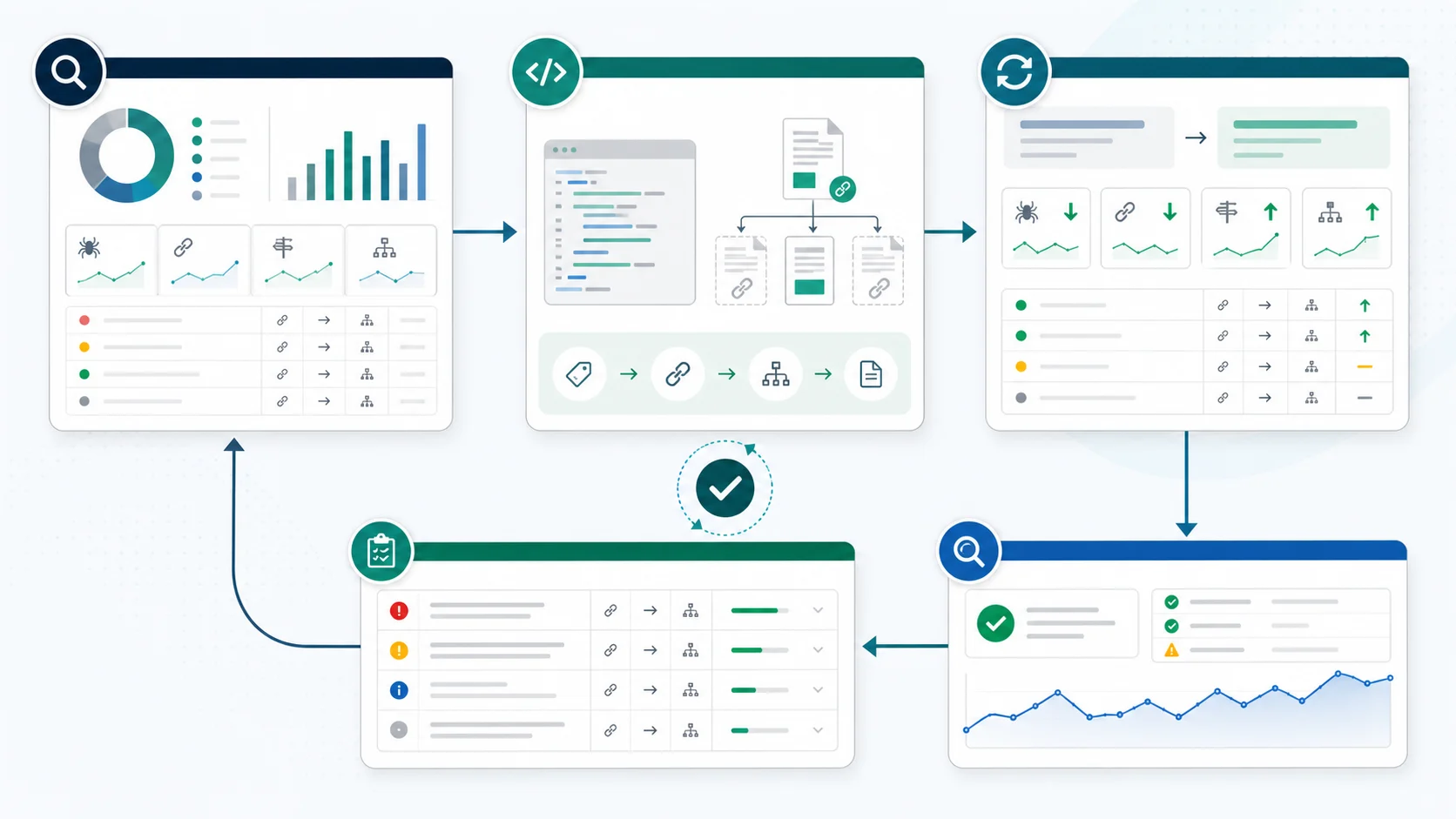
Use this validation loop after a canonical fix ships:
| Check | What good looks like | What to do if it fails |
|---|---|---|
| Live crawl | Source and rendered canonical match the expected URL | Fix template output or JavaScript drift |
| Redirect map | Duplicate URLs redirect only when users should not access them | Replace accidental chains with direct final URLs |
| Sitemap | Sitemap lists only indexable canonical URLs | Remove duplicate, redirected, or canonicalized-away URLs |
| Internal links | Important links point to the canonical URL | Update navigation, body links, breadcrumbs, and related modules |
| Hreflang | Alternates reference canonical pages in the same language set | Repair reciprocal tags before requesting reindexing |
| URL Inspection | Google-selected canonical matches expectation after recrawl | Re-check content similarity, link signals, sitemap, and redirects |
Do not request indexing as the first move. First prove that the live page is crawlable, indexable, internally linked, and sending consistent canonical signals. Then use Search Console inspection to confirm whether Google has processed the new state.
Where Searvora Fits
Canonical work becomes manageable when it moves from spot checks into a crawl-backed fix queue. The Searvora SEO Spider Crawler page is built around technical audits, including indexability, canonicals, redirects, sitemaps, metadata, and owner-ready handoffs.
Use Searvora in three layers:
| Layer | Searvora role | Output |
|---|---|---|
| Single URL check | Run the canonical checker for a page that looks suspicious | Canonical verdict, resolved target, and evidence rows |
| Section crawl | Crawl affected templates, filters, or locale groups | Duplicate clusters, canonical targets, status codes, and sitemap agreement |
| Fix queue | Group findings by template, severity, and owner | Engineering, CMS, content, or SEO actions with recrawl criteria |
The single-page canonical checker is useful for fast triage. For site-wide issues, the SEO Spider Crawler is the better fit because canonical mistakes usually appear as template patterns, not isolated one-page accidents.
If the conflict is part of a multilingual rollout, use the hreflang tags workflow next. Hreflang and canonical tags need to agree before localized pages can reliably serve the right market.
Run This Canonical Tags Checklist
Use this checklist before and after any meaningful canonical change:
- Define the duplicate URL cluster and the page job for each variant.
- Choose the canonical URL that should represent the cluster in search.
- Confirm the canonical target returns a clean 200 status and is indexable.
- Keep only one canonical declaration per page.
- Align HTML canonical, HTTP canonical, redirects, sitemaps, hreflang, and internal links.
- Avoid using robots.txt or URL removals as a canonicalization substitute.
- Check source HTML and rendered HTML for canonical drift.
- Remove redirected, blocked, noindex, or non-canonical URLs from sitemaps.
- Re-crawl the affected templates after the fix ships.
- Inspect priority URLs in Search Console after Google has recrawled them.
- Monitor impressions, clicks, and wrong-URL rankings for the affected cluster.
- Record the fix rule so future releases do not recreate the same conflict.
Canonical tags are not a magic duplicate-content broom. They are one signal inside a larger URL selection system. The teams that handle them well make the preferred URL obvious everywhere: in the page source, the sitemap, the links, the redirects, the locale cluster, the crawl report, and the validation notes after the release.