

If you want to know how to get traffic from ai search, start with the pages that AI answer systems can trust as sources. The traffic does not come from mentioning AI search in a headline. It comes from source pages that answer a real query clearly, can be crawled, are easy to cite, and give the user a reason to click for more depth.
The useful workflow is simple: choose the query group, improve the canonical source page, separate citation evidence from referral evidence, then turn every signal into a page-level fix queue. That keeps AI search work from becoming another vague growth channel.
Start With Source Pages, Not Prompts
AI search systems still need crawlable, useful pages to reference. A prompt trick cannot compensate for a thin article, blocked product page, duplicated canonical, or answer that hides the useful information below generic brand copy.
Use this first filter before creating new content:
| Query group | Source page to improve | Why it can send traffic |
|---|---|---|
| Technical how-to | Step-by-step workflow article | The AI answer can summarize, but the user may need validation details |
| Product research | Product-led guide or comparison page | The user needs proof, constraints, and a next action |
| Current industry shift | Maintained explainer with examples | The answer needs fresh context and source clarity |
| Troubleshooting | Diagnostic article with a decision table | The user needs cause, fix, owner, and validation |
| Strategic planning | Decision guide or operating framework | The user needs tradeoffs, not a one-sentence answer |
Google's guidance on succeeding in AI search points back to durable fundamentals: make content useful, accessible, and easy for search systems to understand. For operators, that means the first job is not "make an AI page." It is choose the page that should be the source for a specific user job.
Build The AI Search Traffic Workflow
Once the source page is clear, turn the work into a repeatable workflow. The page should not merely answer the query. It should also show why the user should click through after the AI answer has done the quick summary.
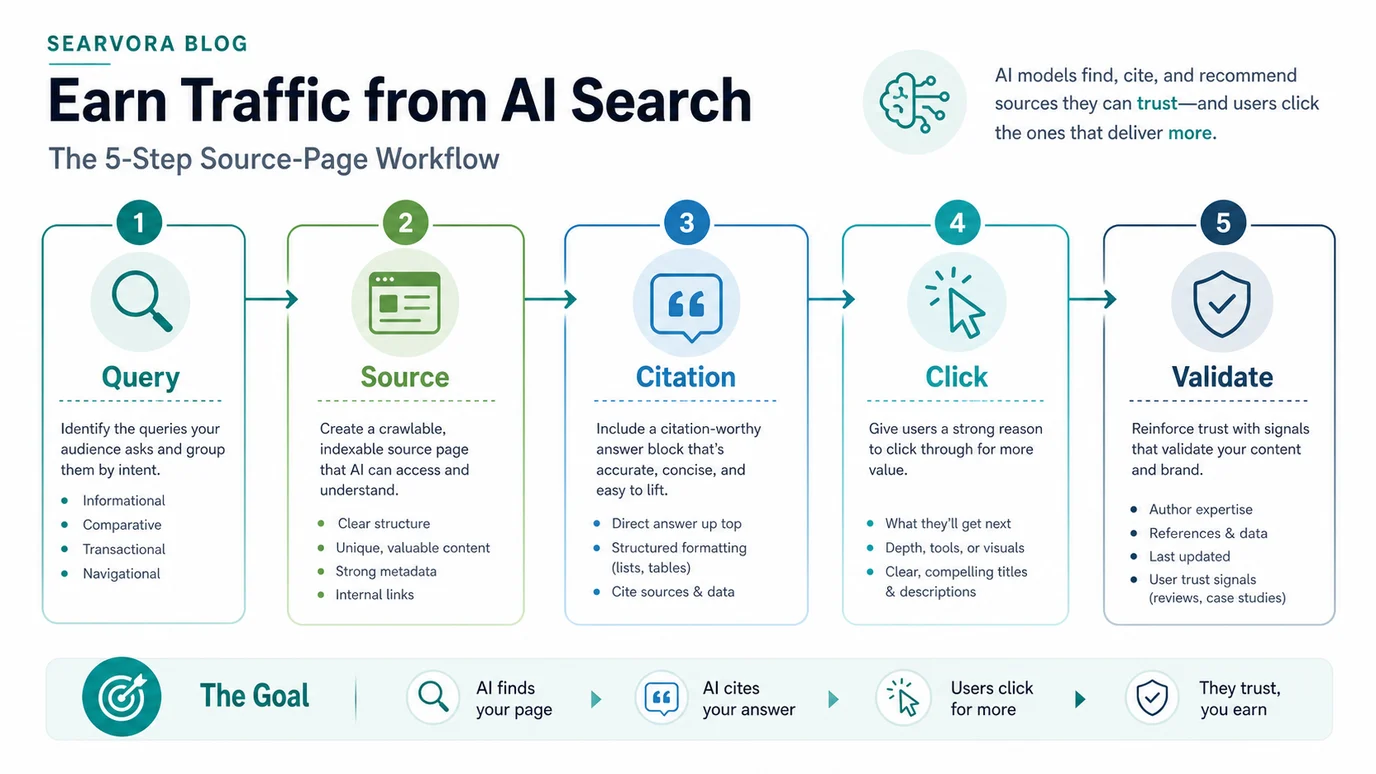
Use this sequence:
- Group queries by user job, not by shared AI buzzwords.
- Pick one canonical source page for each job.
- Check crawl access, indexability, canonical, rendered content, and internal links.
- Add a direct answer block near the top, then support it with examples, tables, screenshots, or process detail.
- Give the searcher a click reason: a checklist, tool, comparison, data view, template, or deeper workflow.
- Log citations, mentions, referrals, landing pages, and shipped changes separately.
- Recheck the same query group after the update window.
This is where the topic splits from the broader AI-assisted website traffic workflow. That article covers using AI to organize SEO work. This article is narrower: it focuses on earning visits from AI search and answer surfaces through better source pages.
Separate Citations From Referral Traffic
AI search visibility can appear in several ways. Some tools show citations or source URLs. Analytics may show referrals from assistant surfaces. Some visits can appear as direct traffic. Search Console may show changes around the same query group without proving the AI answer caused them.
Keep a small evidence ledger instead of merging every signal into one AI traffic number:
| Evidence | What it can prove | What it cannot prove alone |
|---|---|---|
| Citation or source URL | Your page appeared as a referenced source | That the answer sent visits |
| Brand or page mention | The answer associated you with the topic | That the mention was visible to many users |
| Referral session | A visit came from a recognizable AI or assistant surface | That your page was the source cited in the answer |
| Landing page | Which URL received the visit | Which prompt, answer, or source caused the session |
| Query or page movement | Demand changed around the topic | That AI search caused the movement |
| Work log | What changed on the page before the signal moved | Causality without the other evidence streams |
The GA4 AI traffic tracking workflow is useful for the analytics side. For AI search traffic planning, the extra discipline is page-level evidence: which page was eligible, which answer surfaced it, what the user did next, and what changed after the team improved the page.
Give AI Searchers A Reason To Click
AI answers often satisfy simple definitions. A source page earns better click potential when it offers something the short answer cannot fully deliver.
Add one or more click reasons to the page:
| Click reason | What to add to the source page | Good fit |
|---|---|---|
| Implementation detail | Ordered steps, validation checks, and owner handoff | Technical SEO, analytics, content operations |
| Comparison depth | Criteria, tradeoffs, and scenario table | Tool selection or workflow choice |
| Current evidence | Dated examples, screenshots, benchmark notes, or source links | Fast-changing AI search topics |
| Diagnostic help | Symptom, cause, fix, and recheck loop | Traffic drops or crawl issues |
| Product path | Clear next action to a relevant product or tool | When the reader is ready to act |
Do not hide the answer to force a click. That makes the source page weaker. Give the direct answer early, then make the page worth visiting because the user needs the detail, proof, or workflow that an answer box cannot carry.
For platform-specific work, the AI chatbot traffic workflow and Perplexity traffic workflow are useful child paths. Keep this page as the parent operating model for AI search traffic in general.
Use Searvora To Turn Signals Into Work
AI search traffic is easiest to manage when visibility, traffic health, page cohorts, and action queues live in one review rhythm.
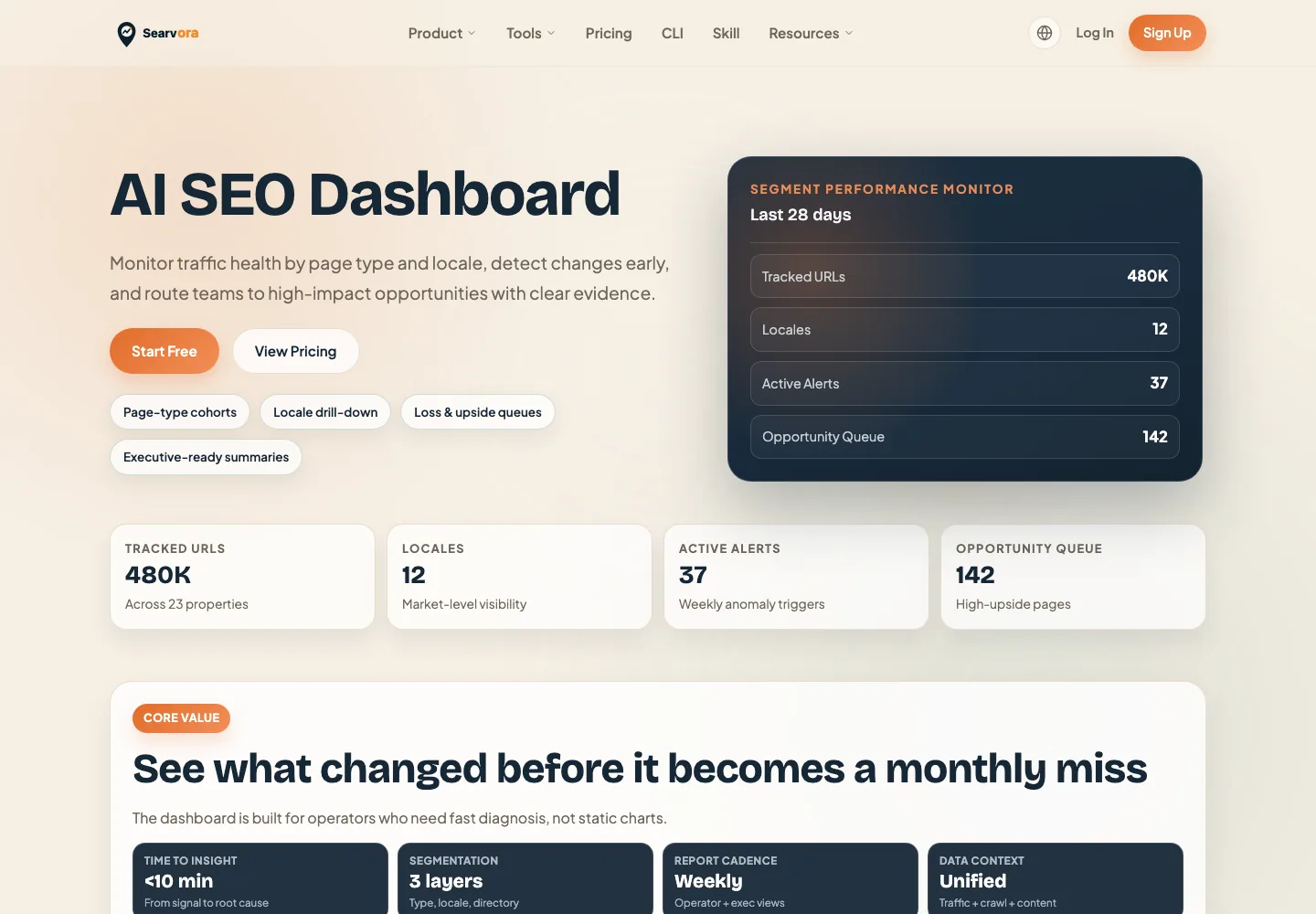
Searvora's AI SEO dashboard fits the review layer. The product page positions it around page-type and locale monitoring, anomaly detection, opportunity scoring, and cross-team reporting. Those are the jobs behind AI search traffic work: watch the affected page groups, separate signal types, prioritize the next source-page update, and give the team a recheck date.
Use the dashboard loop this way:
| Review layer | What to watch | Decision it should create |
|---|---|---|
| Source page cohort | Blog, product, tool, hub, and locale groups | Which page type needs inspection |
| AI visibility evidence | Mentions, citations, and observed answer samples | Improve the source page or add proof |
| Traffic health | Referrals, landing pages, engagement, and conversions | Keep, revise, or reroute the page path |
| Opportunity queue | Impact, effort, confidence, owner, and validation date | Ship one update and recheck the same signal |
Checklist Before You Chase AI Search Traffic
Use this checklist before approving a new AI search traffic page or update:
- Name the query group and the user job.
- Choose the canonical source page that should satisfy the query.
- Check whether an existing Searvora URL already owns the same job.
- Confirm crawl access, canonical, indexability, sitemap inclusion, rendered content, and internal links.
- Add a direct answer near the top, then support it with examples, tables, screenshots, or process detail.
- Add a real click reason beyond the short AI answer.
- Track citations, mentions, referrals, landing pages, and page changes separately.
- Assign one next action with an owner and validation window.
- Recheck the same query group before calling the work successful.
That is the practical answer to getting traffic from AI search. Build source pages that deserve to be cited, make the click worth taking, and validate each signal before turning it into another content request.