

H1 tags for SEO help define the visible promise of a page. The useful question is not whether every H1 fits a magic character count. The useful question is whether the H1, title tag, intro, and page type all tell the same story for an indexable URL.
That makes H1 work an audit problem before it is a writing problem. Crawl the site, group pages by template, find missing, duplicate, vague, or overlong H1s, decide which ones matter, then re-crawl after fixes ship.
What An H1 Tag Should Do
An H1 is usually the main visible heading on a page. It should orient the reader quickly, describe the page's primary job, and support the structure that follows. HTML heading elements are also part of the document outline, which matters for accessibility and scanability.
For search operators, a practical H1 has three jobs:
| Job | What the H1 should clarify | What can go wrong |
|---|---|---|
| Reader orientation | The page topic and promise | Brand slogans, vague headlines, or clever copy with no task signal |
| Search understanding | The main entity, topic, or page role | H1 says one thing while the title and intro say another |
| Template QA | Whether a page type renders correctly | Missing, duplicated, hidden, or inherited H1 patterns across many URLs |
Google's SEO starter guide frames headings as a way to organize content for users. MDN's HTML heading element reference is the cleaner technical baseline when your team needs to understand the markup itself.
Start With A Crawl Inventory
Manual H1 review is fine for a small launch checklist. It fails when a CMS template repeats the same problem across hundreds of product pages, category pages, localized routes, or old articles.
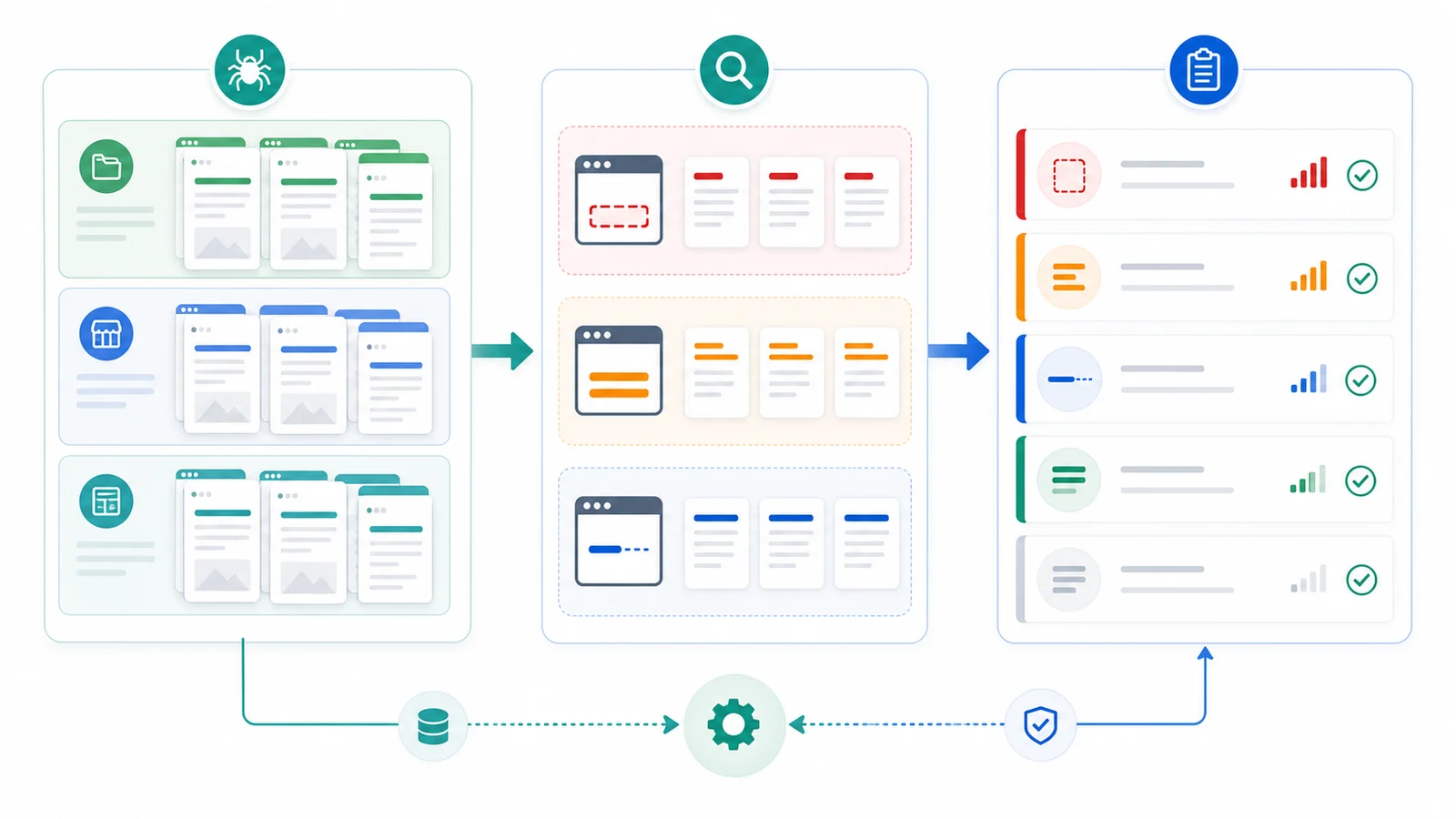
Export these fields before assigning H1 fixes:
| Crawl field | Why it matters for H1 SEO |
|---|---|
| URL and page type | Helps separate product, article, hub, tool, and support-page patterns |
| Indexability and canonical | Prevents heading rewrites on URLs that should not rank |
| Title tag and H1 | Shows whether the SERP promise and visible promise align |
| H2 structure | Reveals whether the page expands the H1 logically |
| Template or directory | Finds repeated CMS defects instead of isolated copy problems |
| Organic or business signal | Helps prioritize pages where the H1 can matter |
This is where a technical SEO crawler earns its keep. Searvora SEO Spider Crawler is built around rendered crawl discovery, metadata checks, issue grouping, severity, template footprint, and owner-ready fix queues. H1 work should enter that queue with evidence, not as a loose content request.
Classify H1 Problems By Risk
Not every H1 issue has the same impact. A slightly long H1 on a low-value archive page is rarely urgent. A duplicated H1 across an indexable product template can blur page purpose across an entire section.
Use this triage table:
| H1 issue | Likely cause | Fix path |
|---|---|---|
| Missing H1 | Template omits the main heading or hides it behind a component | Add one visible, page-specific heading |
| Duplicate H1 across different URLs | CMS variable missing, generic template copy, or copied article structure | Rewrite the template pattern by page type |
| H1 does not match title | Title optimized separately from the page body | Align title, H1, intro, and first H2 around the same task |
| H1 is too vague | Brand slogan or internal label replaces the user task | Make the topic, object, or decision clear |
| H1 is very long | Page tries to pack multiple promises into one heading | Keep the main job in the H1 and move supporting detail into the intro |
| Multiple H1s create confusion | Layout components, hero modules, or imported content each render H1s | Keep the page hierarchy intentional and test rendered HTML |
Length deserves context. A long H1 is not automatically broken, and a short H1 is not automatically useful. The better test is whether the heading is concise enough for users to understand, specific enough for the page job, and consistent enough to scale across the template.
Align The H1 With The Title And Intro
Title tags and H1s are different signals. The title has to earn the click in search results. The H1 has to confirm the page the visitor reached. They can be similar without being identical.
Use this sequence when rewriting:
- Define the page type and user job.
- Write the title tag for the SERP promise.
- Write the H1 for the visible page promise.
- Make the intro answer or frame the task immediately.
- Shape the first H2s around the decisions the reader needs to make.
- Re-crawl the URL and template peers after publishing.
Google's title link documentation is useful here because search result titles can draw from several page signals. If the title, H1, anchors, and visible page text disagree, your intended title may not be the one searchers see.
For deeper title work, use the page title SEO workflow. For the broader page-quality layer, the on-page SEO workflow covers page job, structure, links, schema, and validation together.
Fix H1s By Template, Not One Page At A Time
H1 defects often come from systems. A marketplace product template may render the same generic H1 for every page. A blog migration may turn imported titles into H2s. A localization rollout may leave translated pages with the English hero heading.
Build the fix queue around patterns:
| Pattern | Owner | Validation |
|---|---|---|
| Product template repeats one generic H1 | Product or frontend | Re-crawl sample product URLs and compare H1 variables |
| Article imports drop the H1 | CMS or content ops | Re-render recent and legacy articles |
| Localized pages inherit wrong headings | Localization and engineering | Check hreflang peers and rendered language |
| Category pages overpack keywords | SEO and merchandising | Compare title, H1, filters, intro, and canonical state |
| Hero module adds a second H1 | Frontend | Inspect rendered HTML after component changes |
This keeps the work operational. One fix can improve a whole template, and one validation crawl can prove whether the issue disappeared across the affected URL set.
Validate H1 Changes After Publishing
Do not stop at a CMS preview. Validate the live, rendered page after deployment because headings can be changed by layout components, localization fallbacks, A/B tests, JavaScript rendering, or stale caches.
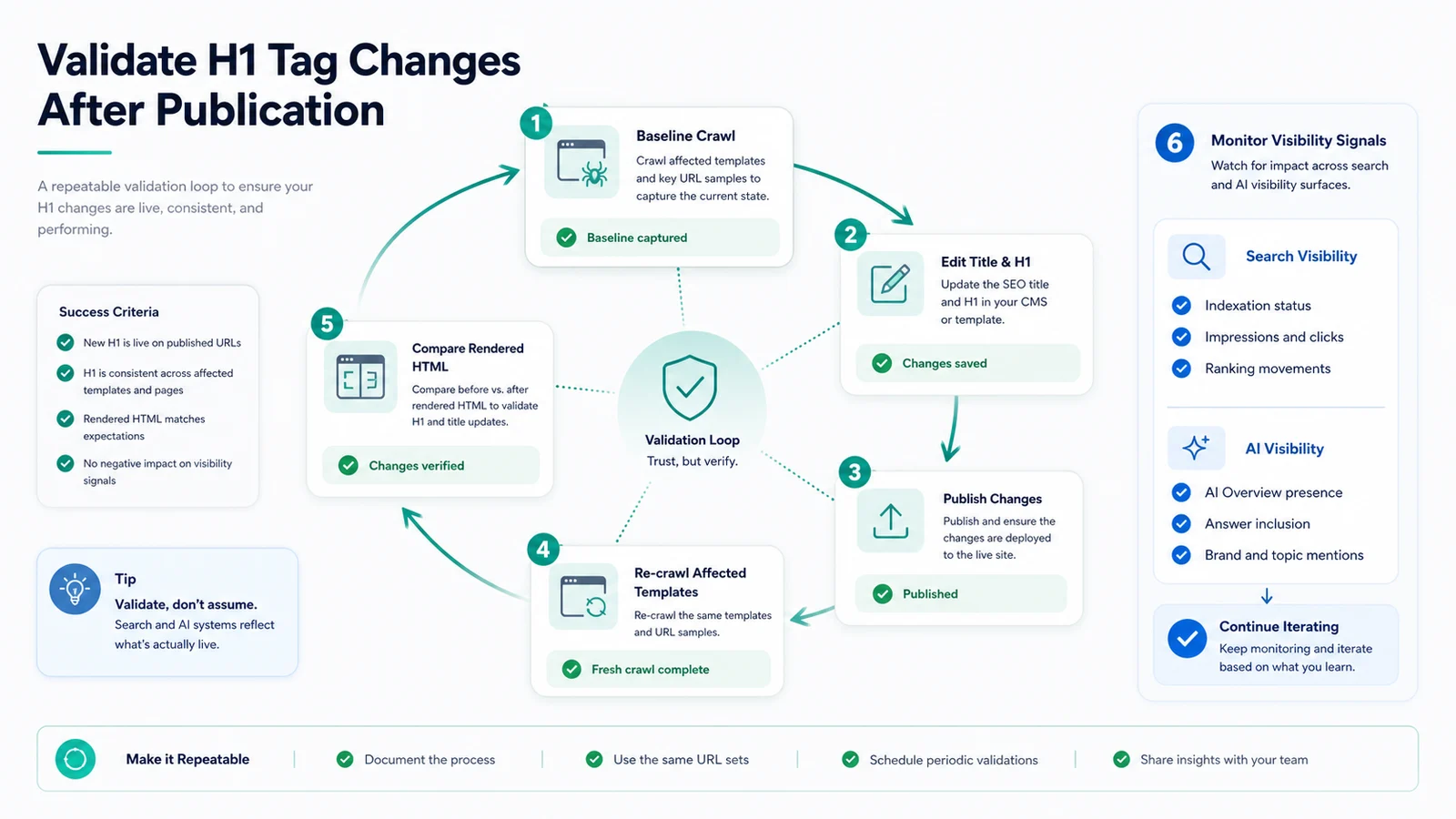
Run this validation loop:
- Save the baseline crawl with URL, title, H1, indexability, canonical, and template group.
- Publish a focused fix batch.
- Re-crawl the same URL set and affected template peers.
- Compare rendered HTML, not only the CMS fields.
- Confirm the title, H1, intro, and first H2 still support one page job.
- Check sitemap and internal links did not point at redirected or non-canonical variants.
- Monitor impressions, clicks, title rewrites, and AI-search summaries after search systems refresh the page.
For a wider technical queue, pair this with the technical SEO workflow. H1 cleanup often appears next to title duplication, weak descriptions, canonical drift, internal-link gaps, and sitemap mismatches.
Where Searvora Fits
Searvora SEO Spider Crawler fits when H1 work needs evidence, prioritization, and validation. Use it to crawl rendered pages, collect title and H1 signals, group issues by template, separate indexable pages from non-ranking utility URLs, and turn the result into a fix queue.
That workflow is especially useful for large sites and content operations teams. The team does not need a spreadsheet that says "H1 too long" with no context. It needs a queue that explains which page type is affected, why the issue matters, who should fix it, and how the fix will be verified after release.
H1 tags for SEO are worth fixing when they clarify the page promise at scale. Crawl first, rewrite with the page job in mind, and validate the rendered result before calling the work done.