
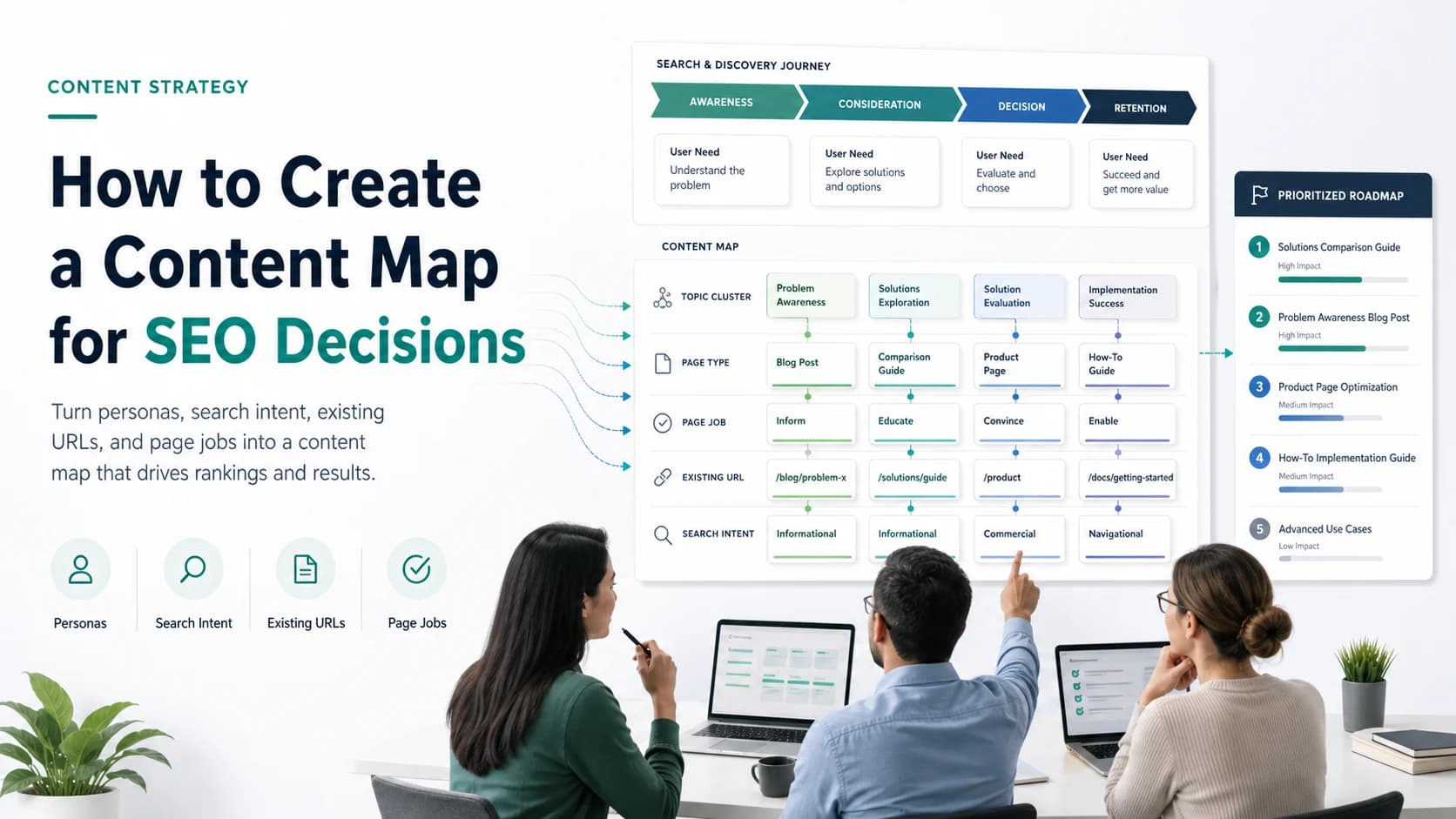
If you want to know how to create a content map, start with the decision it must support. A content map is a working document that connects audience needs, search intent, existing URLs, and page jobs so a team can decide what to create, refresh, merge, or monitor.
The weak version is a spreadsheet of personas and funnel stages. The useful version tells your team which page should exist, which current URL should own the task, what evidence supports the decision, and what has to be checked after the work ships.
The public Ahrefs content mapping article explains the traditional buyer-journey approach and an Ahrefs-led keyword approach. Searvora's angle is more operational: use the map as a routing layer between search demand, existing content, product context, and execution.
What A Content Map Should Decide
A content map should not be a nicer content calendar. It should answer five production questions before a brief is approved.
| Decision | What to decide | Why it matters |
|---|---|---|
| Audience | Who has the problem and what stage are they in? | Keeps content from serving a generic reader. |
| Search task | What is the searcher trying to understand, compare, or do? | Protects the page from drifting away from intent. |
| Existing URL | Is there already a page that should own this job? | Prevents duplicate articles and weak cluster overlap. |
| Page type | Should the answer be an article, hub, landing page, tool, template, or update? | Keeps the asset matched to the real job. |
| Next action | Create, refresh, merge, monitor, or defer? | Turns strategy into a queue someone can ship. |
Start with that decision layer. If the map cannot change the next action, it is not ready to guide content production.
Gather The Five Inputs First
Build the map from evidence, not from a blank funnel template. You need enough input to decide whether a topic deserves a new page or belongs inside an existing one.
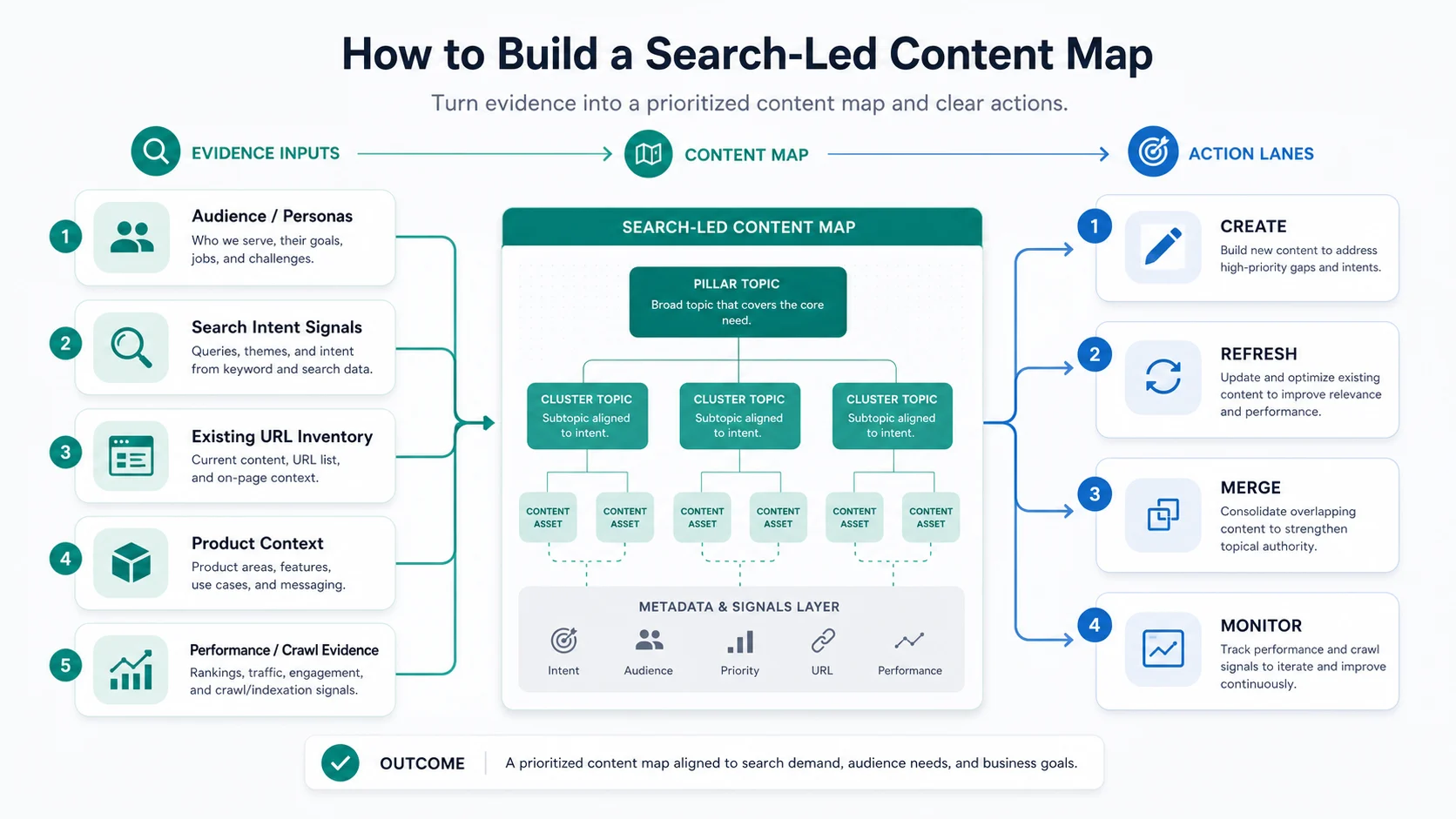
Use these five inputs:
- Audience or persona: who needs the answer, what they already know, and what would make the page useful.
- Search intent: the query family, modifiers, competing page types, and expected depth.
- Existing URL inventory: current articles, product pages, hubs, tools, and templates that are close to the topic.
- Product or business context: the product area, feature, service, or workflow the content should support.
- Performance and crawl evidence: rankings, impressions, clicks, internal links, indexability, crawl depth, and AI-search visibility signals.
This is where content mapping connects naturally to content gap analysis. A competitor article can reveal demand, but it does not automatically prove that Searvora needs the same article. The map decides whether the better answer is a new page, an update, or a different asset type.
Turn Journey Stages Into Page Jobs
Buyer-journey stages are useful, but they are too broad by themselves. "Awareness" does not tell a writer what to write. "Decision" does not tell an SEO lead whether the asset should be a comparison, landing page, or product workflow.
Translate each journey stage into a page job.
| Journey stage | Common search task | Better page job |
|---|---|---|
| Awareness | Understand a concept or problem | Explain the concept and route the reader to the next decision. |
| Consideration | Compare methods, tools, or workflows | Help the reader choose criteria and avoid wrong-fit options. |
| Decision | Validate a product, service, or implementation path | Show proof, use cases, limits, and next steps. |
| Adoption | Use the method after choosing it | Give steps, checks, templates, or troubleshooting help. |
| Retention | Improve a live process | Monitor performance, refresh weak pages, and validate outcomes. |
For example, "content mapping" can become a beginner explainer, a template library, a content strategy service page, or an operational how-to. Those are different page jobs. Treating all of them as one keyword cluster is how content teams create overlap before the first draft is written.
Audit Existing URLs Before Creating A New Page
The most important content mapping habit is to check the current site before approving a new asset. A new article is the right move only when no existing URL can satisfy the same core keyword, page type, and user job with a focused update.
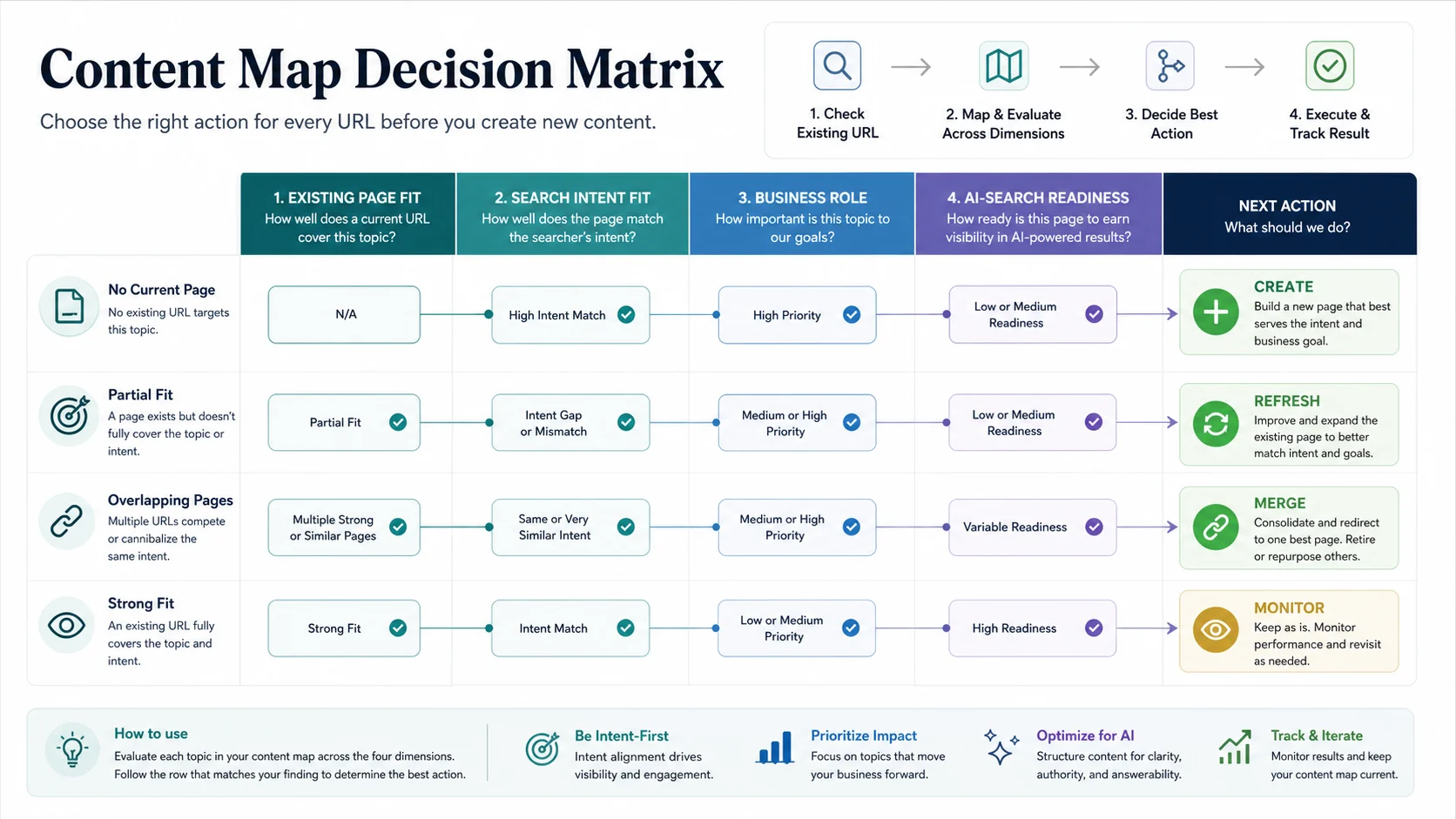
Use this routing table:
| Existing-page fit | Intent fit | Recommended action | Example |
|---|---|---|---|
| No current page | Strong match to a useful search task | Create | A missing operational how-to that supports a clear product workflow. |
| Partial current page | Current URL touches the topic but underserves the task | Refresh | Add a section, examples, visuals, internal links, or a stronger intro. |
| Multiple similar pages | Same core keyword, same page type, same user job | Merge | Consolidate the best material and redirect or differentiate weaker URLs. |
| Strong current page | Current URL already answers the task | Monitor | Improve internal links or measurement instead of creating another page. |
| Wrong page type | Searcher needs a tool, template, hub, or product page | Defer or reroute | Do not force a blog post when another asset would satisfy intent better. |
This stricter test keeps the map practical. Adjacent topics are not automatically cannibalization. A parent hub, child how-to, product page, and troubleshooting article can coexist when they serve different jobs.
For deeper overlap checks, use the keyword strategy workflow before the brief enters production.
Build The Content Map
Once the inputs are ready, build a simple table. Keep it readable enough that a writer, SEO lead, and product owner can all understand why each page exists.
| Field | What to write |
|---|---|
| Topic or query family | The plain-language demand cluster, not every keyword variation. |
| Persona or audience | The reader group and their level of urgency or sophistication. |
| Search task | What the reader is trying to decide or complete. |
| Journey stage | Awareness, consideration, decision, adoption, or retention. |
| Existing owner URL | The current page that already owns or nearly owns the job. |
| Recommended page type | Article, hub, landing page, tool, template, comparison, or update. |
| Action | Create, refresh, merge, monitor, or defer. |
| Information gain | What Searvora can add that the current result does not provide. |
| Internal support | Product page, supporting article, or hub link needed after publishing. |
| Validation | Ranking segment, crawl check, AI-search mention, conversion event, or review date. |
Do not overbuild the first version. A content map should be detailed enough to prevent bad pages, not so heavy that nobody maintains it.
Use Information Gain As The Approval Gate
A content map is not just a place to store topics. It should reject weak ideas before they become drafts.
Ask these questions before a create action is approved:
- Can we answer the task more clearly than the current ranking pages?
- Can we add workflow detail, decision support, examples, source grounding, or validation checks?
- Can the page connect naturally to an existing product, hub, or supporting article?
- Can the page be measured after it ships?
- Would refreshing an existing URL produce the same result with less risk?
If the answer is weak, change the action. Refresh, merge, or monitor are valid decisions. They are not failures.
This is especially important for broad content operations topics. Searvora already has a content marketing workflow and related planning articles. A new content map article earns its place only because it serves a narrower job: mapping audience, journey, search intent, existing URLs, and page type into production decisions.
Turn The Map Into Briefs And Validation Checks
The map should feed briefs, not sit beside them. Every approved create or refresh action should become a brief with a clear reason for existing.
A useful brief from a content map includes:
- primary keyword and search task
- target audience and journey stage
- page type and article shape
- existing URLs checked
- information gain angle
- required internal links
- external evidence or screenshots when needed
- visuals needed for the reader task
- metadata promise
- post-publish validation check
For content teams that publish frequently, this is where templates help. A blog post template should make the approved page type easier to execute. It should not override the map.
Where Searvora Fits
Searvora is useful when the content map needs to become an execution queue. The map can point to the page job, but the team still needs prioritization, owner handoff, and validation.
Use Searvora's AI SEO Consultant when you need to turn mixed signals into ranked work: existing-page overlap, content gaps, crawl evidence, AI-search readiness, and page-type decisions. Use Blogify when the approved brief belongs in a Shopify content production workflow. Use the SEO Spider Crawler when the decision depends on crawl, links, metadata, indexability, or sitemap evidence.
Content Map Checklist
Before you use the map to approve production, run this checklist:
| Check | Pass condition |
|---|---|
| Audience is specific | The row names who needs the page and why. |
| Search task is clear | The team can explain what the reader wants from the page. |
| Existing URLs were checked | The closest current page is named, even if no match exists. |
| Page type is assigned | The row does not default every topic into a blog article. |
| Information gain is real | The page adds workflow, proof, decision support, or validation. |
| Internal support is planned | The page has a product, hub, or supporting article path. |
| Validation is defined | The team knows what to check after shipping. |
If those checks pass, the content map is ready to guide production. If not, keep the topic in review. The point is not to make the spreadsheet bigger. The point is to make fewer, better page decisions.