

Location landing pages are pages for a real branch, office, store, facility, or service market. A useful page helps someone decide whether the business serves that place, what is available there, how to visit or contact it, and why the location can be trusted.
The safe workflow is simple: approve a location URL only when the place changes the answer, collect unique local proof before drafting, give one page ownership of the local task, and validate the live result with a crawl. If the only difference is a city name, keep the demand on a broader service or regional page until the business can support something genuinely useful.
The competing Ahrefs blueprint for location landing pages explains six common page elements. This guide adds the operating layer: the approval gate, evidence contract, URL ownership, doorway-risk controls, technical release checks, and maintenance rules that keep a multi-location program defensible.
Decide Whether the Location Deserves a Page
A keyword pattern is not enough reason to create a URL. The business needs a distinct local task and enough evidence to answer it better than a generic service page.
Use this approval gate before a brief reaches a writer:
| Approval question | Strong evidence | Stop or consolidate when |
|---|---|---|
| Is the location real? | Staffed branch, store, facility, office, or verified service operation | The address is virtual, borrowed, or not used by the business |
| Does the offer change by place? | Different services, inventory, hours, team, facility, eligibility, or delivery area | Every market receives the same generic answer |
| Can the page prove local relevance? | Local projects, staff, directions, service boundaries, photos, policies, FAQs, or customer evidence | The draft can only swap the city name |
| Is there a distinct conversion path? | Location phone, booking route, contact owner, store visit, or service-area qualification | Every page funnels through an unrelated generic page |
| Can someone maintain the facts? | Named owner, source system, review date, and change triggers | Nobody owns hours, team, service, or status changes |
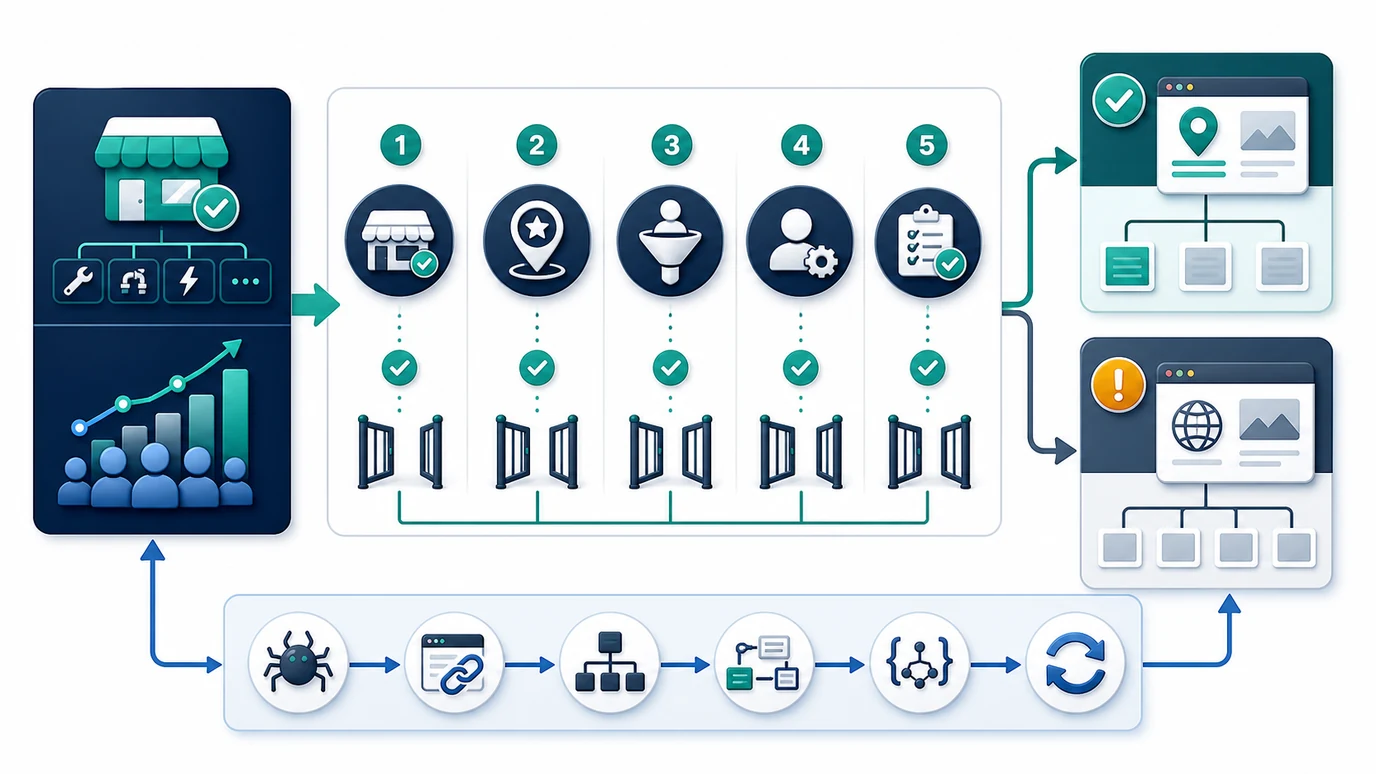
Google's official Business Profile representation guidelines require accurate real-world business information and distinguish storefronts from service-area operations. Those profile rules are not a website template, but they are a useful truth test. A location page should not imply a staffed storefront, address, or local presence that the business cannot support.
The local keyword research workflow should happen before this gate. It decides which service-and-place clusters exist and which page type should own them. This article starts at the next decision: how an approved location page should be built and governed.
Define the Local Evidence Contract
Location pages fail when the writer receives a city name and a generic service description. Replace that handoff with an evidence contract. The brief should list the facts the business can prove, the owner of each fact, and the action the visitor should take.
Build the evidence set from these layers:
- Identity. Official location name, address or service area, phone, hours, and status.
- Offer. Services, products, facilities, eligibility, inventory, delivery limits, or appointment rules specific to the place.
- People and proof. Local staff, credentials, projects, case examples, photos, partnerships, or verifiable customer evidence.
- Access. Directions, parking, transit, accessibility, service boundaries, travel limits, and arrival instructions.
- Local questions. Market-specific FAQs, regulations, seasonal constraints, emergency coverage, or common support tasks.
- Conversion. The phone, form, booking path, store action, or qualification step owned by the location.
Not every page needs every field. A medical facility, warehouse, franchise, professional office, and mobile service business serve different tasks. The evidence contract should match the real operation instead of forcing every location into one content template.
Google's service-area guidance separates businesses that receive customers at an address from businesses that travel or deliver to customers. Apply the same clarity on the website. Do not publish storefront language, directions, or visit CTAs for a location that does not receive visitors.
Give One URL Ownership of Each Local Task
Multi-location sites often create conflicts before they create coverage. A city page, service page, branch page, regional hub, profile, and blog article may all start targeting similar phrases without a named owner.
Assign ownership by user job:
| User job | Better primary destination | Supporting role |
|---|---|---|
| Find one branch and its facts | Location page | Business Profile and location directory |
| Hire one service across the main market | Core service page | Location pages show local availability |
| Hire one distinct service in one place | Service-location page only when proof is truly different | Parent service and location pages route context |
| Compare all branches or markets | Location hub or directory | Individual pages provide branch detail |
| Understand a local problem before buying | Article or guide | Links to the relevant service or location owner |
Choose a URL structure that reflects the inventory the team can maintain. A stable pattern such as /locations/{city}/ works for distinct branches. A service-led structure may fit businesses where users choose the job before the place. The exact folder matters less than consistent ownership, crawlable internal paths, and a clear parent-child relationship.
Use the website structure workflow when the location program changes navigation, directories, or crawl depth. Every location page that matters should be reachable from at least one contextual internal link, not only from an XML sitemap or a search form.
Build the Page Around the Local Decision
A location landing page should complete the local task near the top. Do not make visitors read a company history before learning whether the place serves them.
Use this order as a starting point:
- Direct local promise. State the location, the offer, and who it serves.
- Primary action. Show the correct call, booking, directions, visit, or qualification path.
- Local facts. Present address or service area, hours, phone, accessibility, and operating constraints.
- Available services. Explain what is actually offered at this location and link to deeper service pages where useful.
- Unique proof. Add local people, projects, facilities, photos, credentials, examples, or policies that support the claim.
- Access details. Give directions, parking, transit, landmarks, or service boundaries when they help the visitor act.
- Local FAQs. Answer questions that are genuinely different in this market.
- Related paths. Link to the location hub, parent service, nearby branch, or supporting guide without creating a link directory.
The title and H1 should make the location job clear, but do not stuff every neighborhood and service variation into the heading. The visible page must do the work. Metadata cannot turn a generic template into a useful local destination.
For structured data, use the most specific supported type that matches the visible business. Google's LocalBusiness documentation recommends validating the markup, deploying it on accessible pages, testing how Google sees the URL, and requesting a recrawl after release. Markup should describe visible facts; it should not invent a location or replace missing page content.
Avoid Doorway Pages and Near-Duplicate Markets
Location scale creates a dangerous shortcut: generate one template, swap the city, and publish every keyword combination. That produces more URLs without producing more answers.
Google defines doorway abuse as pages created for similar queries that funnel users toward another destination, including substantially similar regional or city pages. The practical lesson is not that every location page is unsafe. It is that each page needs a useful destination role and enough distinct value to justify its existence.
Run this duplicate test before publishing:
| Comparison | Keep separate when | Merge, redirect, or do not create when |
|---|---|---|
| Location A vs Location B | Facts, offer, access, proof, staff, or conversion path differ | Only the place name changes |
| Location page vs service page | One answers where; the other explains the service across markets | Both serve the same hire-this-service task with the same evidence |
| Branch page vs service-area page | One represents a staffed place; the other qualifies delivery coverage | The website implies a storefront that does not exist |
| Location page vs local article | One supports a transaction; the other answers an informational local question | The article is a thin lead-in to the same generic CTA |
Do not solve weak pages by hiding them from navigation while leaving them indexable. If a page is not useful enough to link, maintain, and measure, it is not ready to join the index.
The parent local SEO workflow connects these pages to profiles, reviews, local authority, measurement, and AI-search visibility. Location pages are one part of that system, not the entire local strategy.
Validate the Live Page With a Crawl
The page can look correct in a CMS preview and still fail after release. Canonicals, noindex rules, redirects, JavaScript rendering, sitemap logic, internal links, and structured data can all change the URL that search engines actually receive.
Validate each approved location page against this release matrix:
| Layer | Check | Blocking failure |
|---|---|---|
| Response | Final URL returns the intended success response | Redirect loop, soft 404, error, or blocked route |
| Indexability | No accidental noindex, robots block, login wall, or environment rule | Search crawler cannot access the page |
| Canonical | Self-canonical unless consolidation is intentional | Canonical points to a generic or different-market page |
| Sitemap | Only canonical, indexable location URLs are included | Stale, redirected, duplicate, or blocked URLs remain |
| Internal links | Hub, service, navigation, or contextual pages link with descriptive anchors | Page is orphaned or reachable only through a form |
| Metadata | Title, description, H1, and visible promise agree | Template drift creates conflicting location signals |
| Structured data | Markup matches visible location facts | Address, hours, type, or URL contradict the page |
| Rendering | Critical facts and links appear in rendered HTML | Client-side failure hides the local answer |
Google's canonical guidance explains that redirects and rel="canonical" are strong consolidation signals, while sitemap inclusion is weaker. Keep those signals aligned instead of self-canonicalizing one URL, listing another in the sitemap, and internally linking to a third.
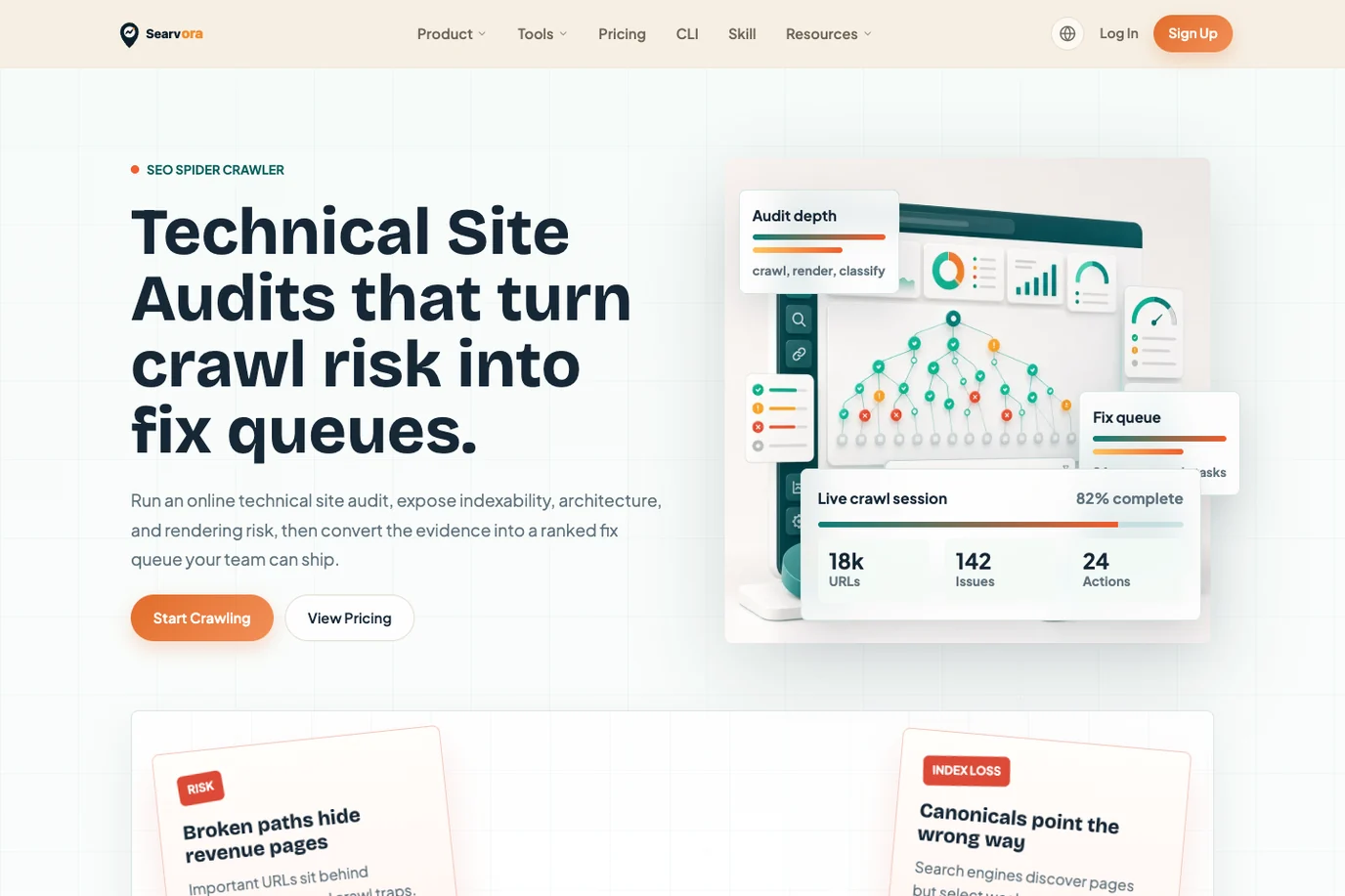
Searvora SEO Spider Crawler fits this validation layer. The current public product surface covers rendering, sitemap discovery, robots parsing, structured URL inventory, indexability, architecture, metadata, and owner-ready fix queues. Use the SEO spider crawler to group location-page failures by template and market, then assign fixes before the pattern spreads across the whole directory.
Govern the Location Inventory After Launch
Location pages decay because real operations change. Hours, staff, services, addresses, accessibility, inventory, phone numbers, booking routes, and branch status can all drift while the URL remains indexable.
Maintain an inventory with these fields:
- canonical URL and location identifier;
- location type, status, and market;
- fact owner and content owner;
- source system for address, hours, phone, services, and staff;
- last verified date;
- next review date;
- change triggers such as move, closure, rebrand, service launch, or booking change;
- crawl status, canonical target, sitemap state, and internal-link sources;
- measurement group for organic search, profile actions, leads, and AI citations.
Review high-change facts automatically where possible, but keep a human owner for local proof and operating context. Automation can detect that two pages share the same block. It cannot decide whether the locations genuinely provide the same experience.
When a location closes, choose the next action from the user task. Redirect to a nearby location only when it is a useful substitute. Consolidate into a hub when the market remains served. Keep a clear closure notice when customers still need historical or support information. Do not redirect every closed branch to the homepage and call the inventory clean.
Location Landing Page Checklist
Before releasing a location page, confirm:
- The location or service market is real and accurately represented.
- The page owns a distinct local user task.
- The brief contains unique local proof, not only a city substitution.
- The offer, hours, access, service area, and conversion path match operations.
- One canonical URL owns the task.
- Parent, service, hub, and contextual pages link to it naturally.
- The page avoids substantially similar doorway patterns.
- Structured data matches visible facts.
- The rendered page is crawlable, indexable, self-canonical, and included in the correct sitemap.
- A named owner and review trigger keep the facts current.
- A post-launch crawl verifies the shipped page rather than the CMS preview.
- Search, profile, lead, and AI-visibility evidence remain separate enough to diagnose change.
Location landing pages earn visibility when they deserve to exist. Start with a real local task, require evidence before writing, give one URL clear ownership, connect it to the site architecture, and validate the live result. That produces a smaller, stronger location inventory than publishing every city combination and hoping search engines find the useful pages later.