
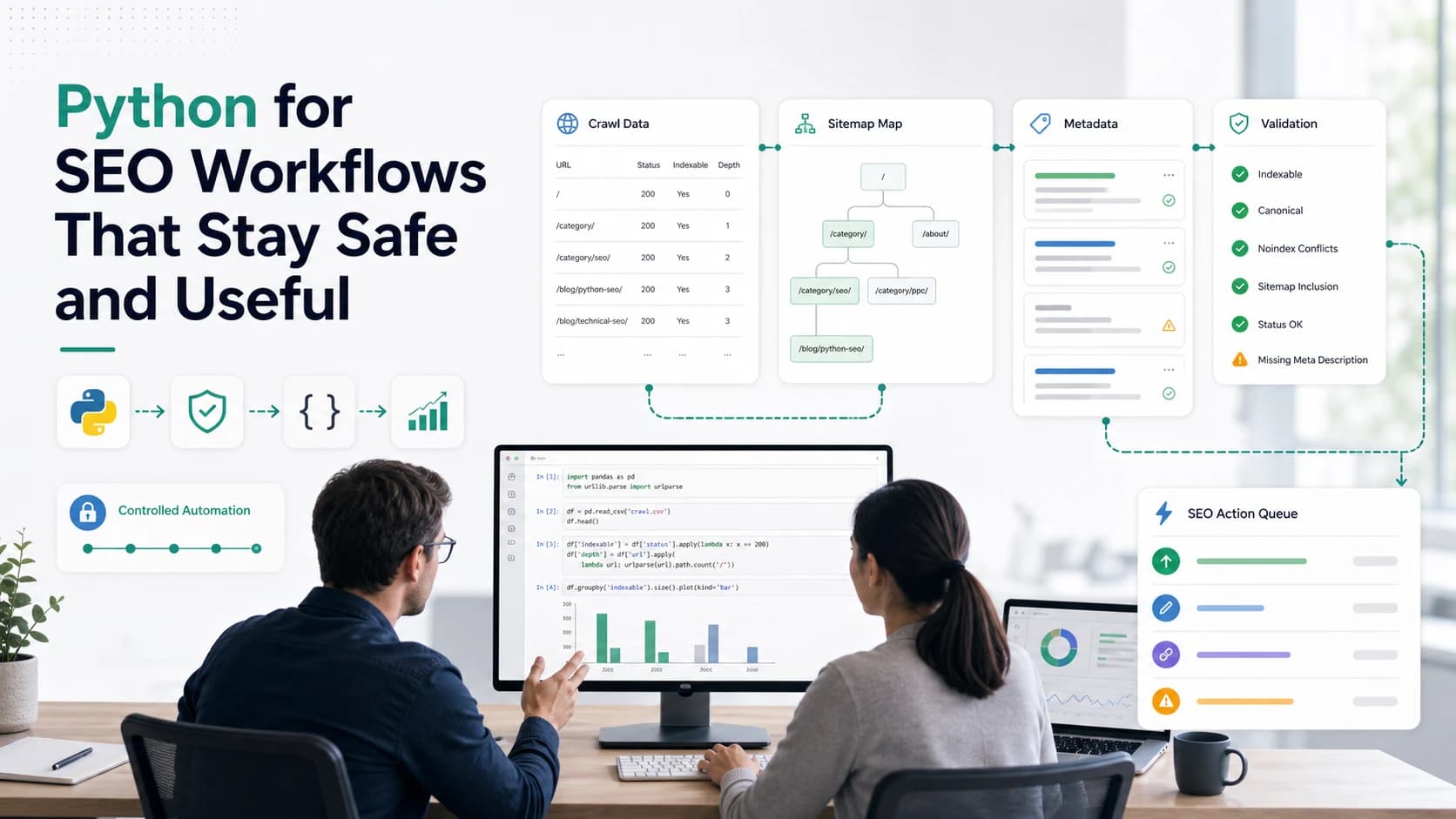
Python for SEO is useful when a repetitive search task has a clear input, a predictable transformation, and an output that can be checked before anyone changes the site. It is not useful when the team only wants a clever script because the spreadsheet feels boring.
That distinction matters. A small notebook can clean crawl exports, compare title tags, parse XML sitemaps, classify redirect chains, or prepare a reporting table in minutes. The same notebook can also create bad recommendations at scale if the input is messy, the sample is untested, or the output skips human review.
The public Ahrefs Python for SEO article introduces Python as a beginner-friendly way to automate SEO busywork. Searvora's angle is more operational: decide when code is worth it, keep the first run small, validate the result, and hand the evidence into a fix queue instead of treating a script as the strategy.
Start With The SEO Job
Do not start by asking whether Python can do the task. Start by asking whether the SEO job is structured enough to automate.
Good Python for SEO work usually has four ingredients:
| Job signal | Good fit for Python | Better handled another way |
|---|---|---|
| Inputs | Crawl export, sitemap, log sample, URL list, CSV report | Vague page quality judgment with no fields |
| Transformation | Clean, compare, deduplicate, group, extract, summarize | Decide brand positioning or rewrite strategy alone |
| Output | Reviewable table, issue cluster, validation sample | Direct site change without QA |
| Risk level | Reversible analysis or draft recommendation | Destructive update to live templates |
Use Python when the workflow has enough structure to test. Use editorial judgment, crawl review, or a product workflow when the task depends on context the script cannot see.
Choose Safe Automation Tasks First
The best first projects are boring in the right way. They save hours, but they do not silently rewrite the website.
Start with tasks such as:
- Normalize a crawl export and group URLs by directory, status code, canonical state, or depth.
- Compare title tags and meta descriptions against length, duplication, and template patterns.
- Parse XML sitemaps and check whether important URLs are missing from the crawl.
- Join crawl data with Search Console exports for page-level triage.
- Flag redirect chains, broken links, or orphan URL candidates for review.
- Convert a raw issue export into an owner-ready CSV for content, SEO, or engineering.
Those jobs work because the output can be inspected. If a script says 312 pages have duplicate titles, the next step is not "publish the fix." The next step is to sample the affected templates, confirm the rule, and decide whether the issue is actually hurting the page job.
For custom extraction work, the SEO web scraping workflow is a useful companion. Scraping, parsing, and extraction should all end with the same question: did the output produce evidence the team can trust?
Use A Small Sample Before The Full Run
A script that works on five URLs can still fail on five thousand. Sample first.
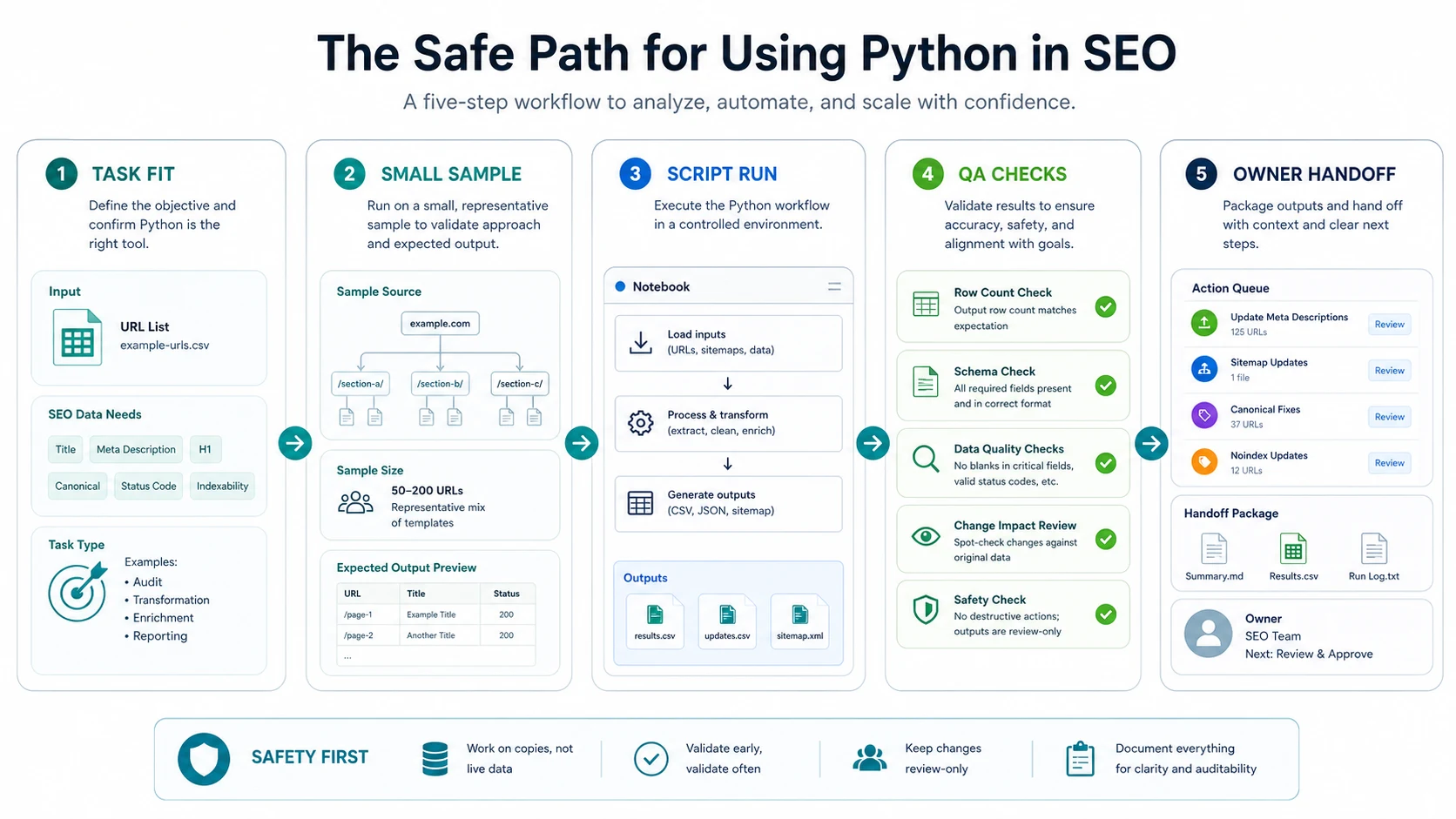
Use this sequence before scaling a Python for SEO workflow:
| Step | What to check | Stop if |
|---|---|---|
| Define the field | URL, status, title, canonical, sitemap flag, owner, or issue type | The field is subjective or missing from the source data |
| Run a tiny sample | 20 to 100 representative URLs | Output columns are blank, duplicated, or hard to explain |
| Spot-check manually | Compare the output to live pages or crawl rows | The script disagrees with the source more than rarely |
| Add QA rules | Row counts, required fields, URL format, duplicate checks | QA catches unexpected loss or mutation |
| Export review file | CSV, JSON, or markdown summary | The owner cannot understand the next action |
This is also where beginner-friendly tools help. The official Python tutorial is enough for the language basics, and Google Colab can run notebooks in a browser without local setup. But the tooling is secondary. The safety comes from the sampling and review habit.
Validate The Output Before It Becomes Work
Python can make weak evidence look clean. A neat table still needs validation.
For every automation output, run these checks:
- Row count: does the output keep the expected number of URLs, rows, or groups?
- Source trace: can every recommendation point back to the crawl export, sitemap, or page field that produced it?
- Sampling: did you manually inspect enough examples from each issue group?
- False positives: are template pages, parameter URLs, redirects, and localized routes handled correctly?
- Actionability: does each row tell the owner what to review next?
- Change safety: is the output review-only until someone approves the fix?
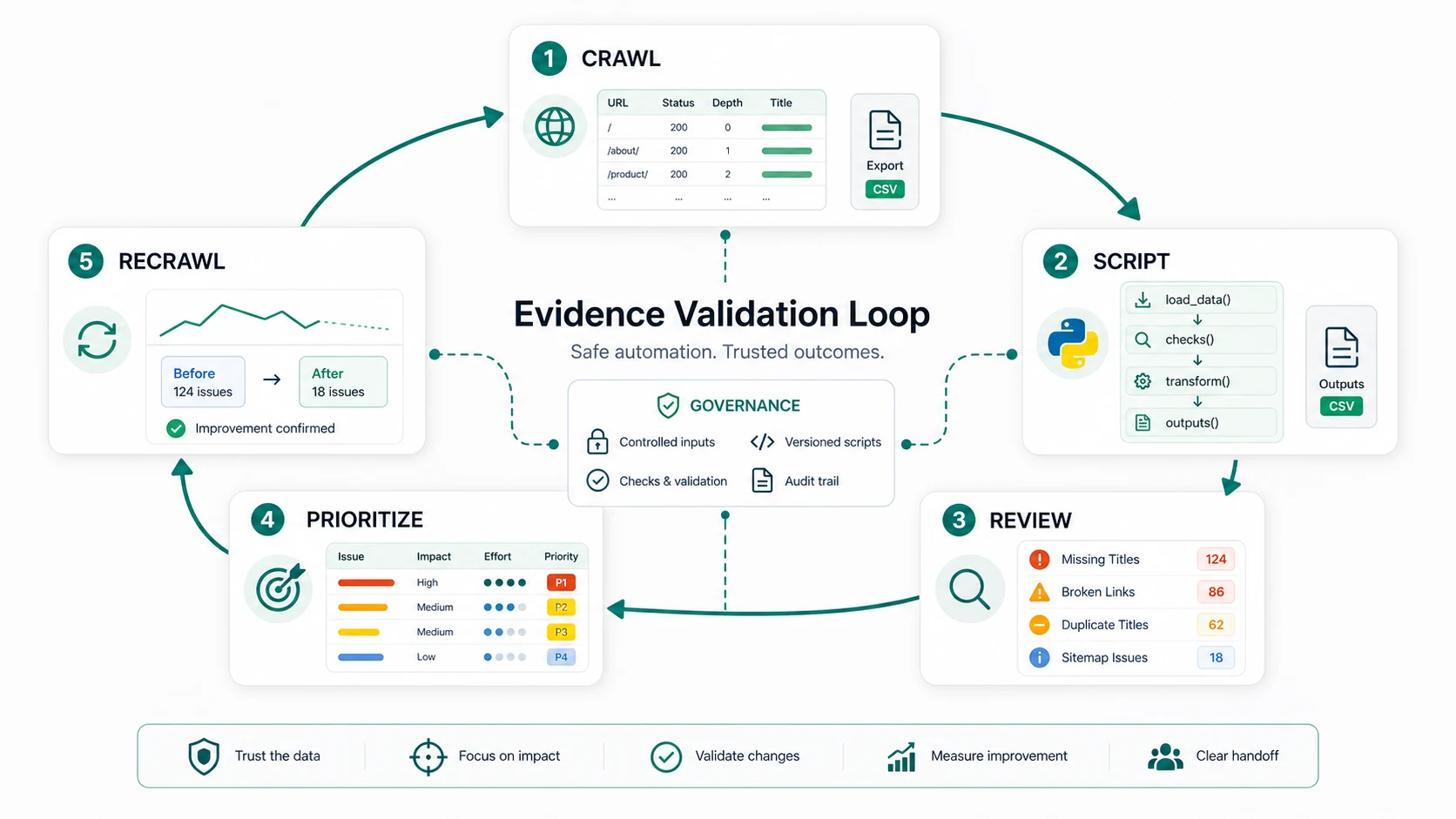
The validation loop should end with a decision, not a pile of files. If the script finds title duplication, decide whether it is a template pattern, a one-off editorial issue, or a harmless variant. If it finds sitemap gaps, decide whether the URL should be indexed, consolidated, redirected, or left out.
Connect Scripts To Crawl Evidence
Python is strongest when it extends a crawl workflow. It is weaker when it replaces one.
A technical SEO crawler gives the baseline: status codes, metadata, canonical signals, hreflang, sitemap behavior, internal links, image alt coverage, and rendered-page context. Python can then reshape that evidence for a specific job.
Use this pairing:
| Crawl evidence | Python can help with | Human decision |
|---|---|---|
| Missing titles | Group by template, directory, and page type | Which template or owner should fix first |
| Duplicate descriptions | Cluster repeated patterns | Whether snippets need rewrites or are acceptable |
| Broken links | Join source pages with business context | Which links deserve replacement versus removal |
| Sitemap mismatch | Compare sitemap URLs to crawled/indexable URLs | Which URLs belong in the sitemap |
| Redirect chains | Count hops and group by source template | Which chains are risky enough to repair now |
For a broader audit, pair this with the technical SEO site audit workflow. The audit decides what matters. Python helps process the repetitive evidence without turning the entire audit into manual spreadsheet work.
Where Searvora Fits
Searvora fits around the evidence and handoff layer, not as a promise that every SEO task should become a script.
Use SEO Spider Crawler to collect the crawl baseline: rendered pages, metadata, canonicals, hreflang, robots signals, sitemap coverage, status codes, internal links, and issue groups. Use Python when the team needs a custom transformation on that export. Then use AI SEO Consultant when the script output creates a prioritization problem that needs an owner, rationale, and next step.
That workflow keeps the roles clean:
| Layer | Main job | Output |
|---|---|---|
| SEO Spider Crawler | Gather crawl and technical evidence | Issue groups, exports, crawl context |
| Python | Clean, join, classify, or summarize repetitive fields | Reviewable evidence table |
| AI SEO Consultant | Rank mixed findings by impact, effort, and confidence | Action queue for SEO, content, or engineering |
| Operator | Approve the fix path | Shipped change and recrawl plan |
For research-heavy discovery before a crawl, Google Search Operators can help sample indexed pages and competitor language. Python should enter only after the task has a stable dataset.
A Practical Python For SEO Checklist
Before a Python output becomes SEO work, check the workflow end to end:
- The task has a clear SEO job and a stable input dataset.
- The script runs on a small sample before the full export.
- QA checks cover row counts, required fields, URL format, and duplicates.
- The output is review-only until a human approves the fix path.
- Each recommendation points back to crawl, sitemap, metadata, or reporting evidence.
- Similar issues are grouped by template, directory, or owner.
- The final file says what should happen next, not only what the script found.
- The team has a recrawl or monitoring step after changes ship.
Python for SEO should make operators faster and calmer. It should not make the team trust an unreviewed notebook more than the site evidence. Keep the loop simple: crawl, sample, script, validate, prioritize, ship, and recrawl.