
If you need to know how to track AI Overviews, start by accepting that the data will be messy. Google Search Console can show clicks, impressions, CTR, average position, pages, and queries, but it does not hand every SEO team a tidy "AI Overview traffic" column for every investigation.
The practical answer is to track AI Overviews with a blended workflow: define the query set, record whether an AI Overview appears, log whether your brand or URL is cited, compare Search Console movement before and after the SERP change, and turn the findings into page-level actions.
Start With The Limits Of The Data
Google's AI features guidance says AI Overviews and AI Mode use the same foundational SEO eligibility as Search. Pages need to be indexed, eligible for snippets, compliant with policies, and useful enough to support the answer. There is no special markup or machine-readable file that guarantees inclusion.
That matters for measurement because it keeps the tracking workflow grounded. You are not looking for one secret AI metric. You are looking for evidence that a query, page, or topic cluster changed after an AI answer became part of the search experience.
Use this measurement boundary before building a dashboard:
| Question | Reliable evidence | Weak evidence |
|---|---|---|
| Did an AI Overview appear for a target query? | Logged SERP checks by query, date, device, and location | A one-off screenshot with no date or query set |
| Was our brand or URL cited? | Citation log with source URL, query, and observed answer state | Memory of seeing the brand in a result |
| Did clicks change? | Search Console page and query comparisons | Sitewide traffic movement with no query segmentation |
| Did the page become more answer-ready? | Crawl eligibility, source quality, table structure, and update notes | A broad rewrite with no before/after record |
| Is the loss likely AI-related? | Stable impressions, lower CTR, AI answer presence, and no obvious ranking/indexation issue | Assuming every click decline is caused by AI search |
Build A Query Set Before You Check SERPs
Do not start with random searches. Pick the queries where an AI Overview would actually change the business decision.
For most SEO teams, that means four groups:
- Definition and explainer queries where an AI answer can satisfy the first click.
- Comparison queries where citations and source framing influence the shortlist.
- Troubleshooting queries where the answer may summarize symptoms and fixes.
- Branded or category queries where brand presence matters even if the click does not happen.
The existing Google AI Overviews workflow covers eligibility and answer-readiness. This article is the measurement layer: which queries to monitor, what evidence to record, and how to decide whether the next action is a content update, technical fix, internal link, or dashboard watch.
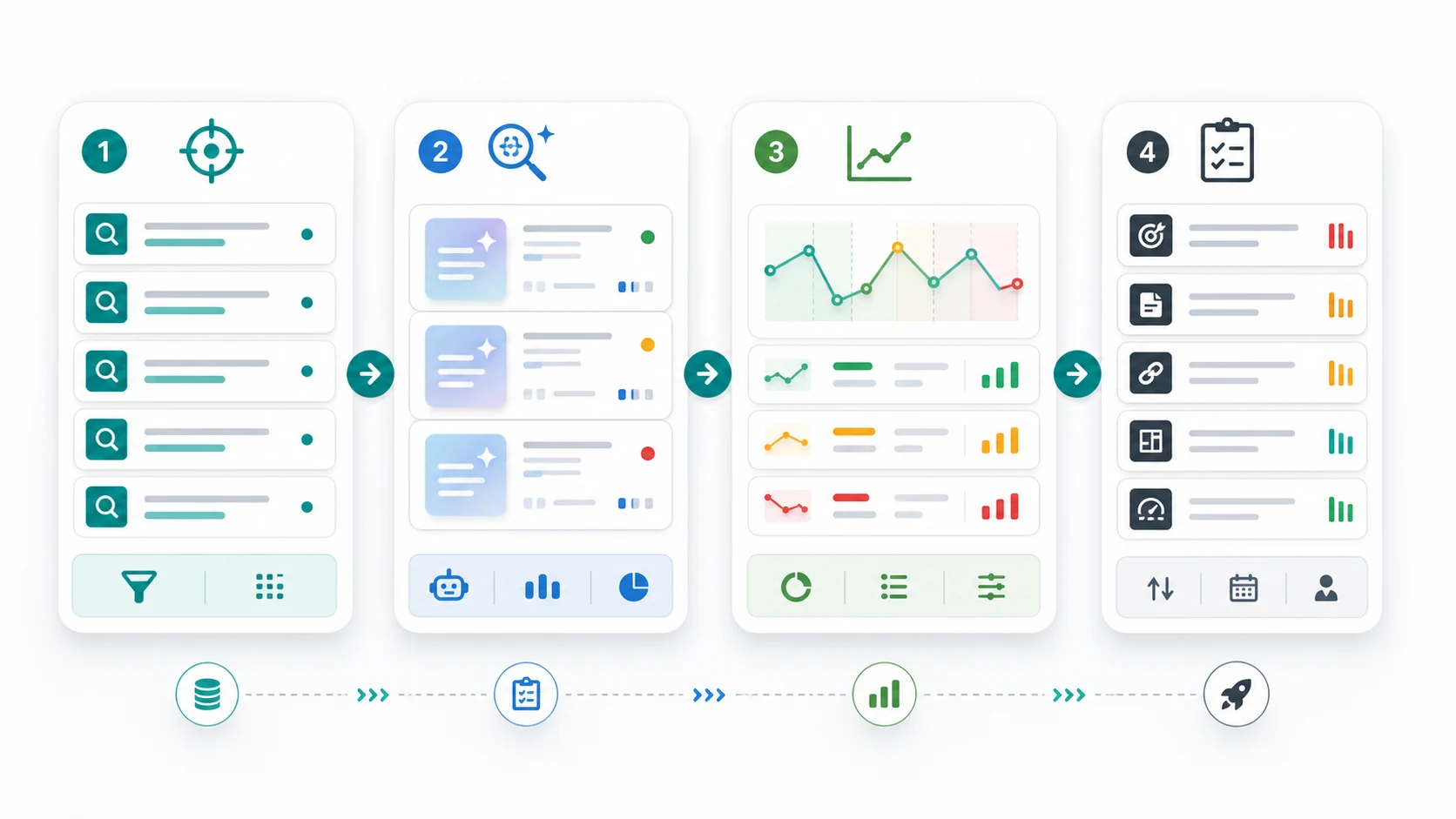
Create a tracking sheet or dashboard table with these fields:
| Field | Why it matters |
|---|---|
| Query | Keeps the evidence tied to a real search job |
| Country and language | AI Overview behavior can vary by market |
| Device | Mobile and desktop layouts can produce different click behavior |
| Target URL | Names the page that should earn or protect visibility |
| AI Overview present | Separates normal ranking movement from AI-result changes |
| Brand mentioned | Tracks entity visibility even when the URL is not cited |
| URL cited | Captures source-level visibility |
| Competing sources cited | Shows which page formats Google appears to trust |
| Search Console clicks, impressions, CTR, position | Keeps SERP observations connected to performance data |
| Action owner and next review date | Prevents the log from becoming passive research |
This is boring on purpose. AI search monitoring becomes useful only when the evidence can survive next week's review.
Pair SERP Logs With Search Console Segments
Google's Search results performance report is still the baseline for query and page movement. It lets you compare clicks, impressions, CTR, and average position by query, page, country, device, and date range.
Those numbers do not prove an AI Overview caused the change. They show whether the affected query group is behaving differently.
Use this sequence:
- Export or segment the target query set.
- Compare a baseline period against the period after AI Overview presence was observed.
- Check whether impressions stayed stable while clicks or CTR dropped.
- Check whether average position moved enough to explain the click change.
- Compare the target page against adjacent pages in the same topic cluster.
- Review whether technical eligibility changed before blaming the SERP layout.
Google's impressions, position, and clicks documentation is useful here because position and impressions are not as simple as many dashboards make them look. Search result elements, grouping, and the topmost result can all affect how the numbers should be read.
Diagnose Click Loss Before You Rewrite
AI Overview tracking goes wrong when teams jump from "clicks are down" to "rewrite the article." Sometimes the right fix is a title change. Sometimes the page lost index eligibility. Sometimes a newer result format reduced clicks for everyone. Sometimes the page was never the best source for the query.
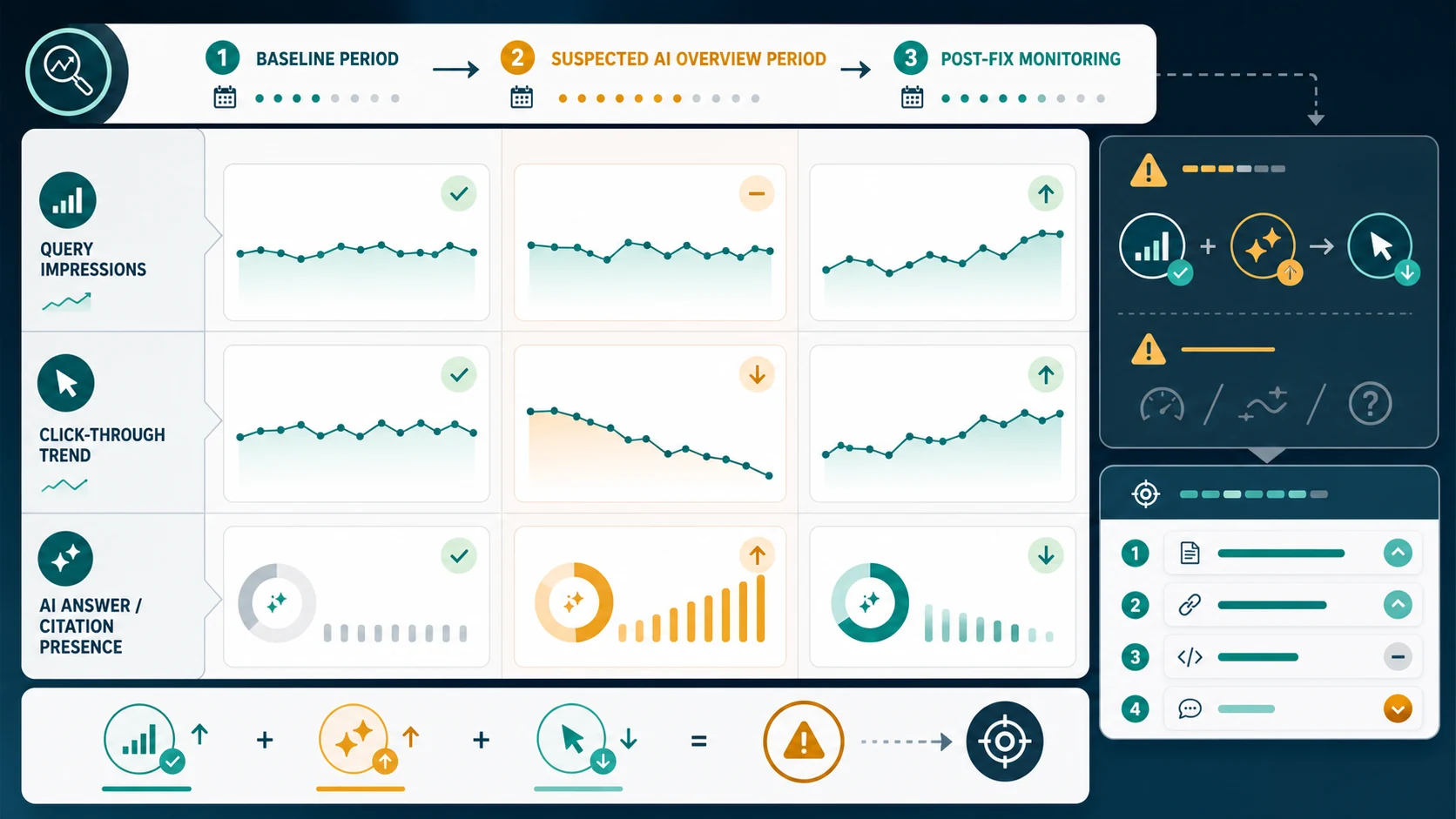
Use this diagnostic table before assigning work:
| Pattern | Likely reading | Better next action |
|---|---|---|
| Impressions stable, CTR down, AI Overview present | Possible zero-click or answer-satisfaction pressure | Improve snippet promise, add answer-ready sections, and track citations |
| Impressions down, position down, no AI Overview change | Ranking or demand issue, not necessarily AI-related | Re-check intent, content depth, links, and competitors |
| Position stable, clicks down, competitors cited | Source trust or answer fit may be weak | Add clearer definitions, examples, official sources, and comparison tables |
| Page indexed status changed | Technical eligibility problem | Fix canonical, robots, noindex, sitemap, or crawl blockers first |
| Brand mentioned but URL not cited | Entity visibility exists, source ownership is weak | Strengthen owned source pages and internal links |
| URL cited but clicks still fall | The page may influence the answer without receiving the visit | Track assisted visibility and improve mid-funnel CTAs |
For nearby SERP features, the featured snippets workflow is a useful comparison. The same discipline applies: eligibility, page fit, structure, monitoring, and validation matter more than chasing a shortcut.
Track Mentions, Citations, And Page Actions Separately
One mistake is mixing every AI-search signal into a single score. Keep three ledgers instead.
| Ledger | What it records | Why it stays separate |
|---|---|---|
| Mention ledger | Brand, product, author, or entity mentioned in the AI answer | Mentions show awareness, but may not send traffic |
| Citation ledger | Specific source URL cited or linked from the answer | Citations show source visibility and page-level trust |
| Action ledger | Page updates, technical fixes, internal links, and refresh dates | Actions explain what changed before the next measurement window |
This separation helps you avoid false confidence. A brand mention without a citation is not the same as owning the answer source. A citation without clicks may still influence discovery. A content update without a review date is just activity.
For each tracked query, record one next action:
| If the evidence shows | Assign this action |
|---|---|
| Missing definition or unclear intro | Add a concise answer block near the top |
| Competitors cited with stronger examples | Add original examples, public sources, and clearer scope |
| Query maps to the wrong Searvora page | Adjust internal links or create a more precise support page |
| Page has crawl or snippet eligibility issues | Fix technical blockers before content changes |
| AI answer cites outdated information | Refresh the section and add update evidence |
| No movement after two review cycles | Move the query to watchlist or test a different page angle |
The supporting SEO metrics workflow can carry the broader weekly review. AI Overview tracking should be one module inside that review, not a separate ritual that nobody uses.
Where Searvora Fits
Searvora AI SEO Dashboard fits the monitoring layer of this workflow. The product page positions it around page-type and locale monitoring, anomaly detection, opportunity scoring, executive summaries, and action queues. That is exactly the shape AI Overview tracking needs when the data is incomplete.
Use the dashboard to group target queries by topic cluster, page type, country, and funnel role. Then add AI Overview observations as evidence beside normal SEO metrics. A content team should be able to see the affected query group, the observed AI answer state, the cited sources, the affected URL, and the next action without rebuilding a spreadsheet every week.
When the evidence is mixed, Searvora AI SEO Consultant can help turn dashboard signals into priorities. Keep the roles clear: the dashboard monitors movement and segments evidence; the consultant helps decide whether the next work item is technical, editorial, internal linking, or a new support page.
Run The Weekly Tracking Workflow
Use this weekly sequence for AI Overview monitoring:
- Choose one topic cluster and no more than 20 priority queries.
- Record country, language, device, target URL, and search intent.
- Check whether an AI Overview appears and whether your brand or URL is cited.
- Export Search Console movement for the same query and page set.
- Compare baseline and current periods for clicks, impressions, CTR, and position.
- Check crawl, indexability, canonical, sitemap, title, H1, and internal links for the target URL.
- Assign one action per query group.
- Record the action date and the next review date.
- Re-check the query set after enough data has accumulated.
- Move stable queries to watchlist and focus the next review on changed clusters.
The winning team is not the one with the most dramatic AI-search dashboard. It is the one that can say, with evidence, which query changed, which page is affected, what the likely cause is, and what action should ship next.